Entwodiksyon
Thank you for choosing the XtremeMac Wireless 5000 mAh Power Bank. This compact and powerful portable charger is designed to provide convenient wireless and wired charging for your compatible devices, especially optimized for iPhone models with MagSafe technology. Please read this manual thoroughly before using the product to ensure safe and optimal performance.
Kontni pake
- XtremeMac Wireless 5000 mAh Power Bank (Model: XWH-PMS2-13)
- USB-C Chaje Kab
- Manyèl Itilizatè (dokiman sa a)
Pwodwi souview
Familiarize yourself with the components of your XtremeMac Wireless Power Bank.

Figi 1: XtremeMac Wireless Power Bank - Front, Back, and Side Views. This image illustrates the device's compact design, the magnetic charging area on the front, the USB-C port, and the power button on the side.
- Magnetic Charging Surface: For wireless charging of compatible devices.
- USB-C pò: For charging the power bank and for wired output charging.
- Bouton pouvwa: Activates wireless charging and checks battery level.
- Endikatè ki ap dirije: Montre nivo batri a ak eta chaj la.
Enstalasyon
1. Premye Chajman Bank Ekstèn lan
Before first use, fully charge your XtremeMac Wireless Power Bank.
- Connect the provided USB-C cable to the USB-C port on the power bank.
- Konekte lòt bout kab USB-C a nan yon adaptè kouran USB konpatib (pa enkli).
- Endikatè LED yo ap limen pou montre pwogrè chaj la. Tout LED yo ap rete fiks lè yo fin chaje nèt.
2. Attaching to Your iPhone (MagSafe)
The power bank is designed for seamless magnetic attachment to MagSafe-compatible iPhones (iPhone 12, 13, 14, and 15 series).

Figi 2: Magnetic Attachment for iPhone. This image demonstrates how the power bank securely clicks onto the back of a compatible iPhone for wireless charging.
- Aliyen bank pouvwa a ak dèyè iPhone konpatib ak MagSafe ou a.
- The magnets will automatically snap the power bank into place, ensuring proper alignment for wireless charging.
Enstriksyon Operasyon
1. Wireless Charging (MagSafe)
To charge your iPhone wirelessly:

Figi 3: Wireless Charging in Progress. This image shows an iPhone receiving a wireless charge from the power bank, indicated by the charging animation on the phone screen.
- Attach the power bank to the back of your MagSafe-compatible iPhone.
- Press the power button on the side of the power bank. Wireless charging will begin within 5 seconds.
- The LED indicators on the power bank will show its remaining charge. Your iPhone screen will also indicate charging.
- To stop charging, simply detach the power bank or press the power button again.
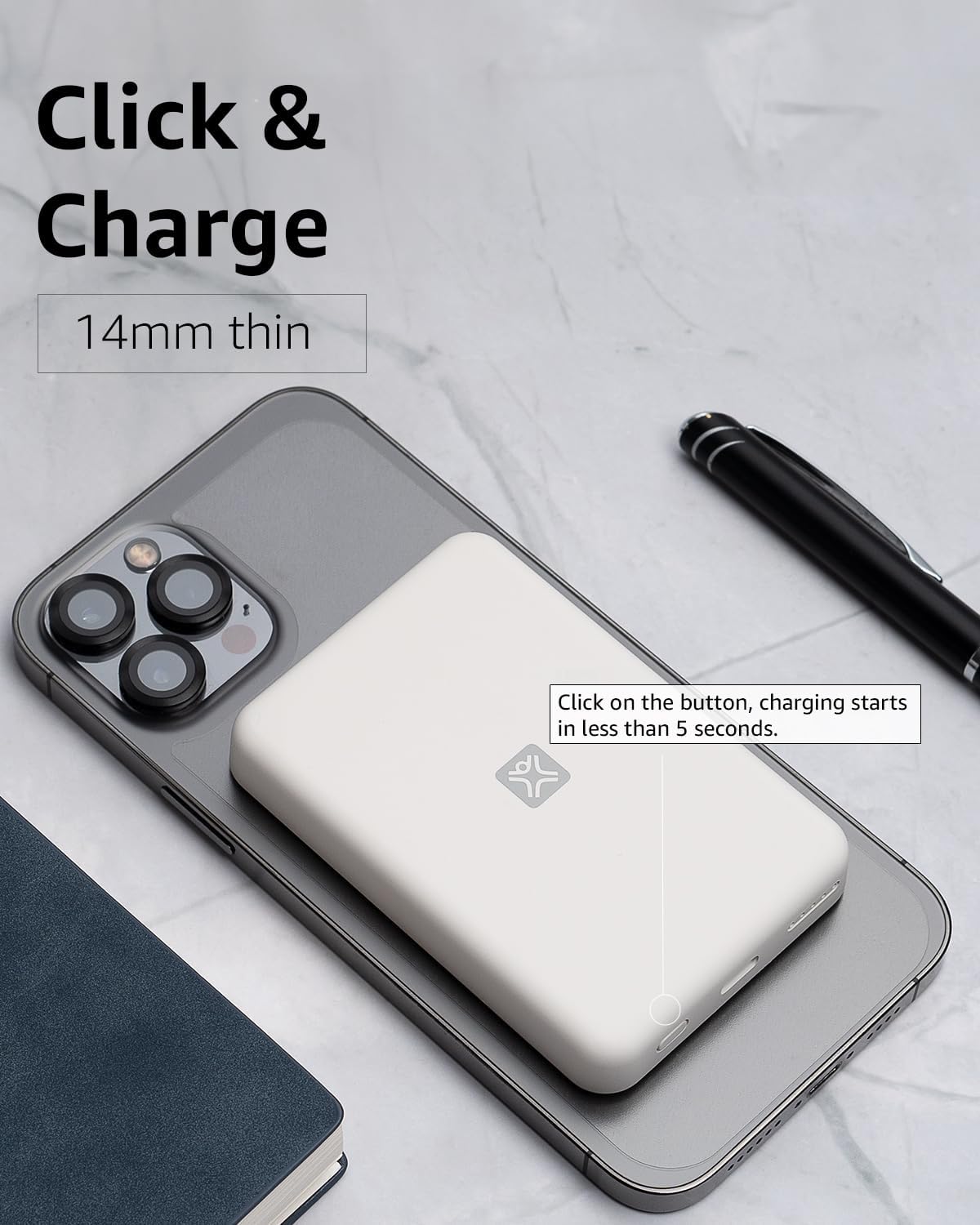
Figi 4: Activating Wireless Charge. This image highlights the power button and the quick activation of wireless charging.
2. Wired Charging (USB-C PD)
For faster charging or to charge non-wireless devices, use the USB-C port.

Figi 5: Wired Charging via USB-C. This image shows the power bank connected to a phone using a USB-C cable, demonstrating its faster wired charging capability.
- Connect one end of a USB-C cable (or a compatible cable for your device) to the USB-C port on the power bank.
- Connect the other end to your device's charging port.
- Charging will typically begin automatically. If not, press the power button on the power bank.
3. Tcheke Nivo Batri
Peze bouton pouvwa a yon fwa pou tcheke nivo batri ki rete a ki endike pa limyè LED yo.
Antretyen
- Netwayaj: Sèvi ak yon twal mou epi sèk pou netwaye sifas power bank lan. Pa sèvi ak pwodui netwayaj likid oswa ayewosòl.
- Depo: Sere bank pouvwa a nan yon kote ki fre epi sèk, lwen limyè solèy dirèk ak tanperati ekstrèm.
- Swen batri: Pou pwolonje lavi batri a, chaje bank ekstèn lan nèt omwen yon fwa chak twa mwa si w pa itilize li regilyèman.
Depanaj
| Pwoblèm | Kòz posib | Solisyon |
|---|---|---|
| Batri pouvwa a pa chaje. | Cable not connected properly; faulty cable/adapter; power bank fully charged. | Ensure cable is securely connected. Try a different USB-C cable and power adapter. Check LED indicators; if all are solid, it's fully charged. |
| Aparèy la pa chaje san fil. | Device not MagSafe compatible; misaligned; power bank low on charge; power button not pressed. | Ensure your device is MagSafe compatible (iPhone 12/13/14/15 series). Realign the power bank. Recharge the power bank. Press the power button to activate. |
| Device not charging via cable. | Cable not connected properly; faulty cable/device; power bank low on charge. | Ensure cable is securely connected. Try a different cable. Recharge the power bank. |
| Chaje dousman. | Using a non-PD charger/cable; device case interfering with wireless charging. | For wired charging, ensure you are using a USB-C PD compatible charger and cable. For wireless, remove thick or metallic phone cases. |
Espesifikasyon
| Karakteristik | Detay |
|---|---|
| Nimewo Modèl | XWH-PMS2-13 |
| Kapasite batri | 5000 mAh |
| Sòti san fil | Jiska 7.5W (konpatib ak MagSafe) |
| Wired Output/Input | USB-C (Power Delivery compatible) |
| Dimansyon | Apeprè 17.1 x 8.9 x 2.2 cm (6.7 x 3.5 x 0.9 pous) |
| Pwa | Apeprè 85 g (3 oz) |
| Kalite batri | Lityòm Ion |
| Konpatibilite | MagSafe compatible iPhones (12, 13, 14, 15 series) for wireless charging; USB-C devices for wired charging. |

Figi 6: 5000 mAh Capacity and Charge Estimates. This image provides an overview of the power bank's capacity and estimated number of full charges for various iPhone models.
Enfòmasyon sou Sekirite
- Pa ekspoze bank pouvwa a nan tanperati ekstrèm, limyè solèy dirèk, oswa imidite ki wo.
- Pa demonte, modifye, oswa eseye repare aparèy la.
- Kenbe soti nan atenn timoun yo.
- Evite jete oswa soumèt bank pouvwa a nan gwo enpak.
- Pa sèvi ak li si bank pouvwa a domaje oswa anfle.
- Jete pwodwi a yon fason responsab dapre règleman lokal yo.
Garanti ak sipò
For warranty information, technical support, or customer service inquiries, please refer to the official XtremeMac websit la oubyen kontakte sèvis kliyan yo dirèkteman. Kenbe resi acha w la kòm prèv acha.


