1. Entwodiksyon
Thank you for choosing the SZELAM RGB Digital Alarm Clock. This manual provides detailed instructions for setting up, operating, and maintaining your new alarm clock. Please read this manual thoroughly before use to ensure optimal performance and longevity of your device.
Kontni pake
- 1 x SZELAM RGB Digital Alarm Clock (Model SZ-8853A)
- 1 x pouvwa adaptè
- 1 x USB Kalite-C Chaje Kab
- 1 x manyèl itilizatè

Figure 1: Package Contents. The image displays the digital alarm clock, power adapter, USB-C charging cable, and the user manual.
2. Pwodwi Features
The SZELAM RGB Digital Alarm Clock is designed with a range of features to enhance your daily routine:
- 11-Color RGB Digital Display: Offers 4 dynamic RGB colors and 7 fixed color modes for personalized visual experience.
- 10-Color Modes Night Light: Features 3 dynamic RGB colors and 7 fixed color modes with 5 levels of adjustable brightness, also functions as an atmosphere light.
- USB-C ak USB-A pò chaje: Equipped with one USB Type-C and one USB-A output port to charge two electronic devices simultaneously.
- 7.4-Inch Mirror Display: Large HD display with clear digital fonts, visible from up to 30 feet. The acrylic mirror design can also serve as a makeup mirror.
- Automatic/Manual Dimming: 6 levels of display brightness adjustment, with an automatic light sensing mode that adjusts brightness based on ambient light.
- 5 Levels Volume Adjustable: Alarm volume options from 55-95dB, suitable for various sleep depths.
- Fonksyon Snooze: A dedicated snooze button allows for 5-60 minutes of extended sleep.
- 12/24H Mode: Supports both 12-hour and 24-hour time display formats.
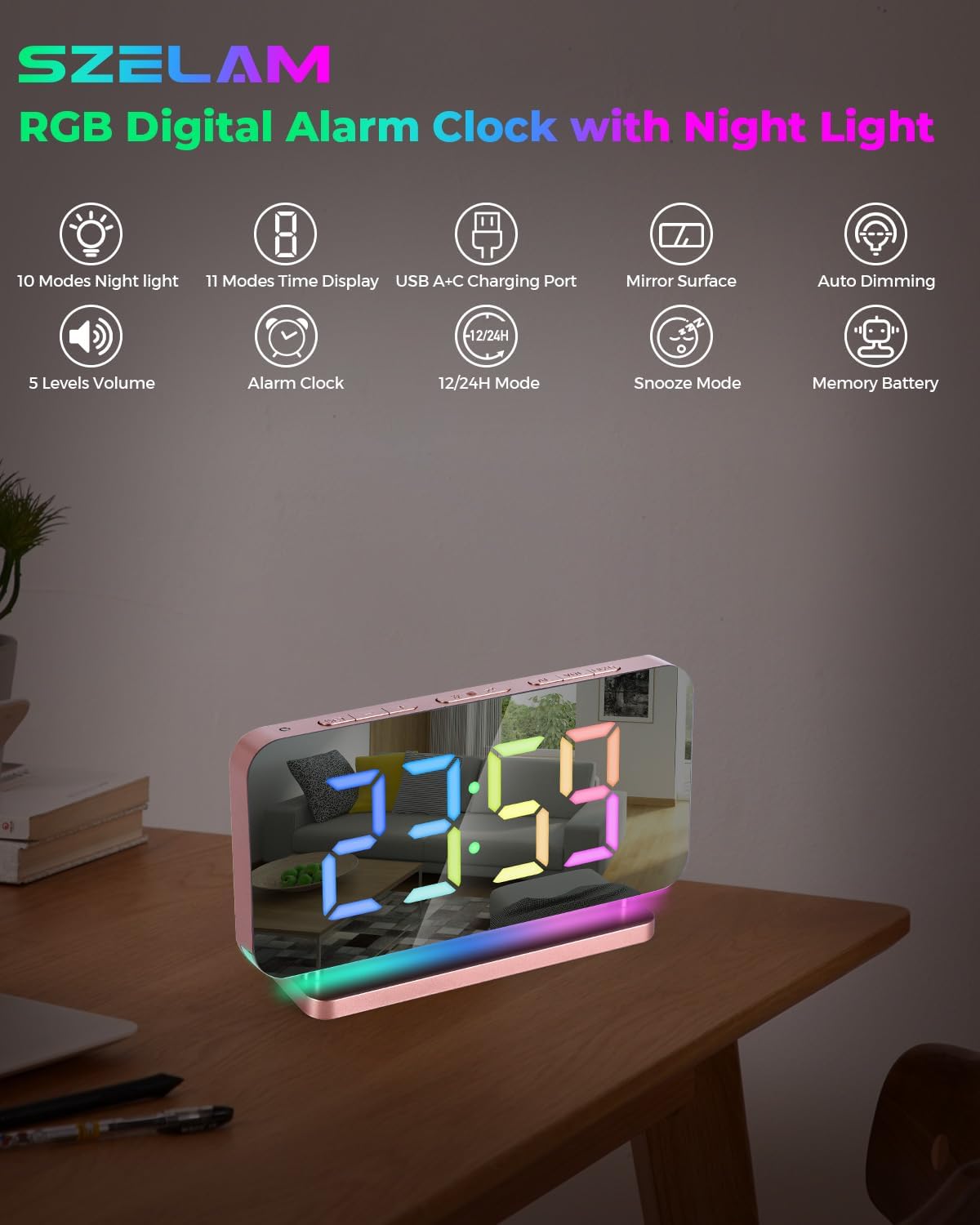
Figi 2: Plis paseview of Product Features. This graphic illustrates the main functionalities of the alarm clock.

Figure 3: SZELAM RGB Digital Alarm Clock. A clear view of the clock's display and base.
3. Inisyal Enstalasyon
Follow these steps to set up your alarm clock for the first time:
- Dekonpoze: Ak anpil atansyon retire tout eleman nan anbalaj la.
- Konekte pouvwa: Insert the USB Type-C cable into the clock's power input port and connect the other end to the provided power adapter. Plug the adapter into a standard electrical outlet. The clock display will illuminate.
- Fim pwoteksyon: Gently peel off any protective film from the mirror display surface.

Figure 4: Connecting Power and Charging Devices. The image shows the clock powered on and demonstrating its charging capabilities.
4. Operasyon Enstriksyon
4.1 Time Setting (12/24H Mode)
- Press and hold the 'SET' button (usually located on the back or top) to enter time setting mode.
- Use the '+' or '-' buttons to adjust the hour. Press 'SET' again to confirm.
- Use the '+' or '-' buttons to adjust the minute. Press 'SET' again to confirm.
- To switch between 12-hour and 24-hour format, press the '12/24H' button (often the same as '+' or a dedicated button) while in time display mode. The 'PM' indicator will show for 12-hour format.

Figure 5: 12/24 Hour Mode. This image demonstrates the two available time display formats.
4.2 Anviwònman Alam
- Press the 'ALARM' button (often labeled with a bell icon) to enter alarm setting mode.
- Use the '+' or '-' buttons to adjust the alarm hour. Press 'ALARM' again to confirm.
- Use the '+' or '-' buttons to adjust the alarm minute. Press 'ALARM' again to confirm.
- To activate or deactivate the alarm, press the 'ALARM' button briefly outside of setting mode. An alarm icon will appear/disappear on the display.
4.3 Repete Fonksyon
When the alarm sounds, press the large 'SNOOZE' button on the top of the clock to temporarily silence the alarm. The alarm will sound again after the preset snooze duration (default is often 9 minutes, but can be adjusted from 5-60 minutes depending on the model). To turn off the alarm completely, press any other button.

Figure 6: Snooze Mode Activation. The image shows the snooze button and its effect on the display.
4.4 Display Brightness (Automatic/Manual Dimming)
The clock display has 6 levels of brightness. You can adjust it manually or enable automatic dimming:
- Ajisteman manyèl: Press the 'LIGHT' button (often labeled with a sun icon) repeatedly to cycle through the 6 brightness levels (L0-L5). L0 is off, L5 is brightest.
- Otomatik gradyasyon: To activate the automatic light sensing mode, ensure the clock is not in manual brightness adjustment mode. The clock will then automatically adjust its display brightness according to the ambient light conditions.

Figure 7: 6 Levels of Brightness. This image illustrates the various display brightness settings.
4.5 Night Light & Display Colors
The clock features both an RGB digital display and a separate night light function:
- Night Light Modes: Press the 'LIGHT' button (separate from display brightness, often on the side or a dedicated 'Night Light' button) to cycle through 10 different night light modes, including 3 dynamic RGB colors and 7 fixed color modes.
- Display Color Modes: Press the 'COLOR' button (or similar) to change the color of the digital time display. There are 11 color modes available, including 4 dynamic RGB colors and 7 fixed color modes.

Figure 8: 10 Dynamic RGB Night Light Modes. This image showcases the various color options for the night light.
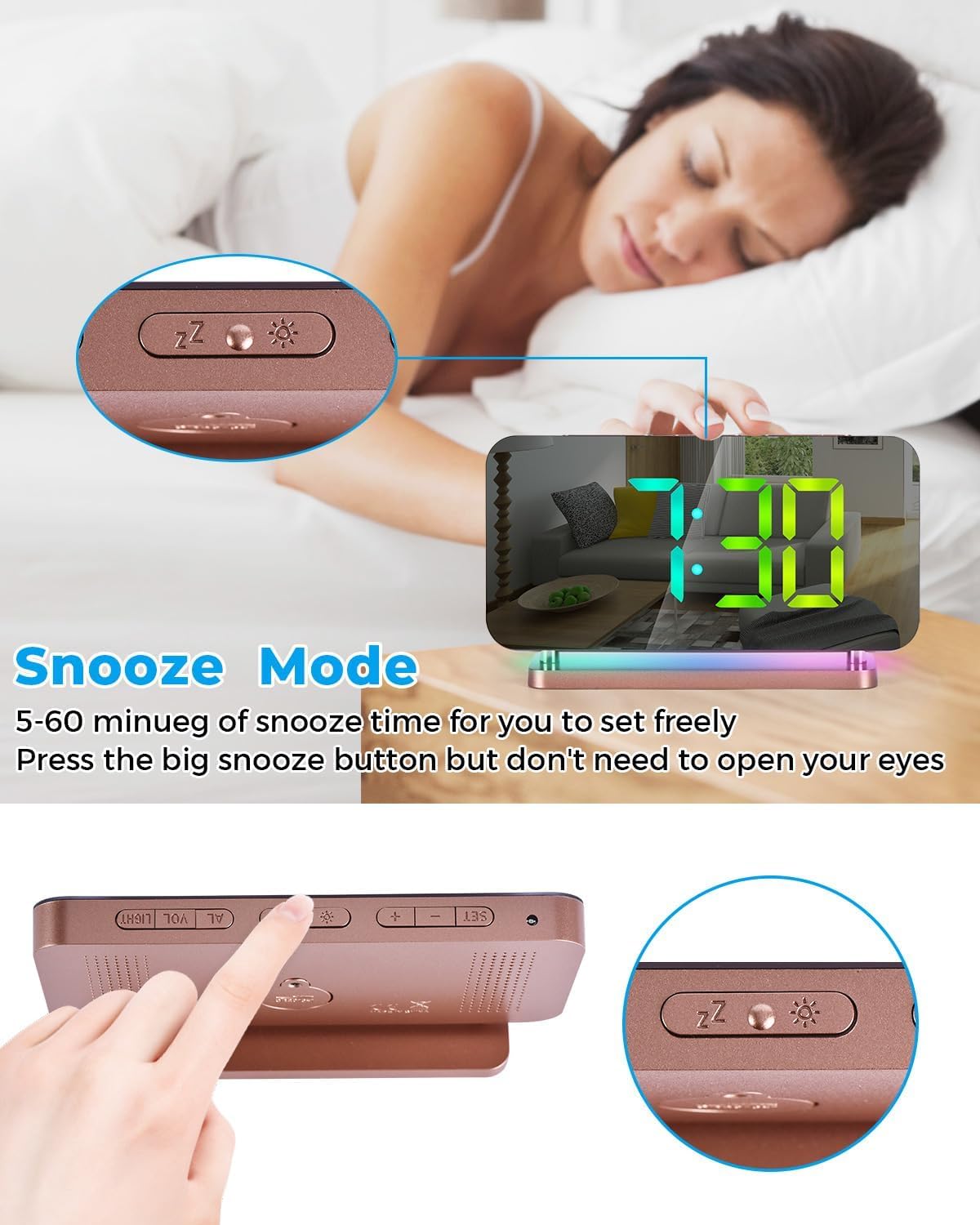
Figure 9: 11 Color Modes for Time Display. This image illustrates the diverse color options for the digital time display.
4.6 Ajisteman Volim
The alarm volume can be adjusted to 5 different levels (55dB, 65dB, 75dB, 85dB, 95dB). To adjust the volume, press the 'VOL' button (often labeled with a speaker icon) repeatedly to cycle through the available levels.
4.7 USB chaje pò
The clock includes both a USB-A and a USB-C output port, allowing you to charge up to two external electronic devices simultaneously. Simply connect your device's charging cable to the appropriate port on the side of the alarm clock.

Figure 10: Mirror Surface Functionality. The image demonstrates the clock's display acting as a reflective mirror.
5. Swen ak Antretyen
- Netwayaj: Use a soft, dry cloth to clean the clock's surface. For stubborn marks on the mirror display, a slightly damp cloth with mild, non-abrasive cleaner can be used, followed by immediate drying. Avoid harsh chemicals or abrasive materials.
- Plasman: Mete revèy la sou yon sifas ki plat e ki estab, lwen limyè solèy dirèk, chalè twòp, oswa imidite.
- Pouvwa: Always use the provided power adapter and USB cable to prevent damage.
6. Gid Depanaj
If you encounter any issues with your SZELAM RGB Digital Alarm Clock, please refer to the following table for common problems and solutions:
| Pwoblèm | Kòz posib | Solisyon |
|---|---|---|
| Afich revèy la etenn oswa li ap tranble. | Power connection issue; Brightness set to L0. | Check if the power adapter is securely plugged in. Ensure the USB cable is properly connected. Press the 'LIGHT' button to increase brightness from L0. |
| Alam lan pa sonnen. | Alarm is not activated; Volume is too low. | Ensure the alarm icon is visible on the display. Press the 'VOL' button to increase the alarm volume. |
| USB charging ports not working. | Device incompatibility; Cable issue; Power supply insufficient. | Ensure your device is compatible with standard USB charging. Try a different USB cable. Verify the clock is receiving adequate power. Note: Some devices (e.g., certain iPhone 15 models with USB-C to USB-C) may have specific charging requirements not met by all universal ports. |
| Time or alarm settings reset. | Entèripsyon pouvwa. | The clock has a memory battery for settings, but prolonged power loss might reset it. Re-enter time and alarm settings. |
7. Spécifications pwodwi
| Karakteristik | Spesifikasyon |
|---|---|
| Mak | SZELAM |
| Nimewo Modèl | SZ-8853A |
| Kalite ekspozisyon | Miwa dijital ki ap dirije |
| Gwosè ekspozisyon | 7.4 pous |
| Koulè | Rose Gold |
| Materyèl | Acrylic, Acrylonitrile Butadiene Styrene |
| Sous pouvwa | Fil elektrik |
| Koneksyon | USB (Type-A and Type-C output ports) |
| Nivo klète | 6 (Automatic/Manual) |
| Nivo Volim Alam yo | 5 (55-95dB) |
| Duration Snooze | Adjustable (5-60 minutes) |
| Dimansyon pwodwi | 6.6" lajè x 3.8" wotè |
| Pwa atik | 0.25 kilogram (8.8 ons) |
8. Garanti ak sipò
This SZELAM RGB Digital Alarm Clock comes with a 30-day unconditional money-back/exchange policy ak yon 1-ane garanti apati dat acha a. Garanti sa a kouvri domaj fabrikasyon ak fonksyònman ki pa kòrèk nan itilizasyon nòmal.
For warranty claims, technical support, or any questions regarding your product, please contact SZELAM customer service through the retailer's platform where you purchased the item. Please have your order number and product model (SZ-8853A) ready when contacting support.


