1. Entwodiksyon
Thank you for choosing the DOOMAY Digital Alarm Clock. This compact and modern alarm clock is designed for convenience and reliability, featuring an LCD display, adjustable volume, snooze function, weekend mode, and indoor temperature display. This manual provides detailed instructions to help you set up and operate your new alarm clock effectively.

Figi 1: Devan view of the DOOMAY Digital Alarm Clock.
2. Pake kontni
- DOOMAY Digital Alarm Clock (1 unit)
- Pil AAA (2 inite)
- Manyèl Enstriksyon (Dokiman sa a)
3. Enstalasyon
3.1 Enstalasyon batri
The DOOMAY Digital Alarm Clock is powered by two AAA batteries. These batteries are included in the package.
- Jwenn kouvèti konpatiman pil la sou dèyè revèy la.
- Glise kouvèti a anba pou ouvri konpatiman an.
- Mete de pil AAA, asire w polarite ki kòrèk la (+ ak -) jan yo endike anndan konpatiman an.
- Remèt kouvèti konpatiman batri a lè w glise l anlè jiskaske li fè yon klik pou l antre nan plas li.

Figi 2: Retounen view with battery compartment and control buttons.
Nòt: When the display flashes '8888' and the clock beeps, it indicates that the batteries are low and need to be replaced.
4. Operasyon Enstriksyon
The DOOMAY Digital Alarm Clock offers various functions for timekeeping, alarming, and environmental monitoring. Refer to the buttons on the back of the clock for settings.
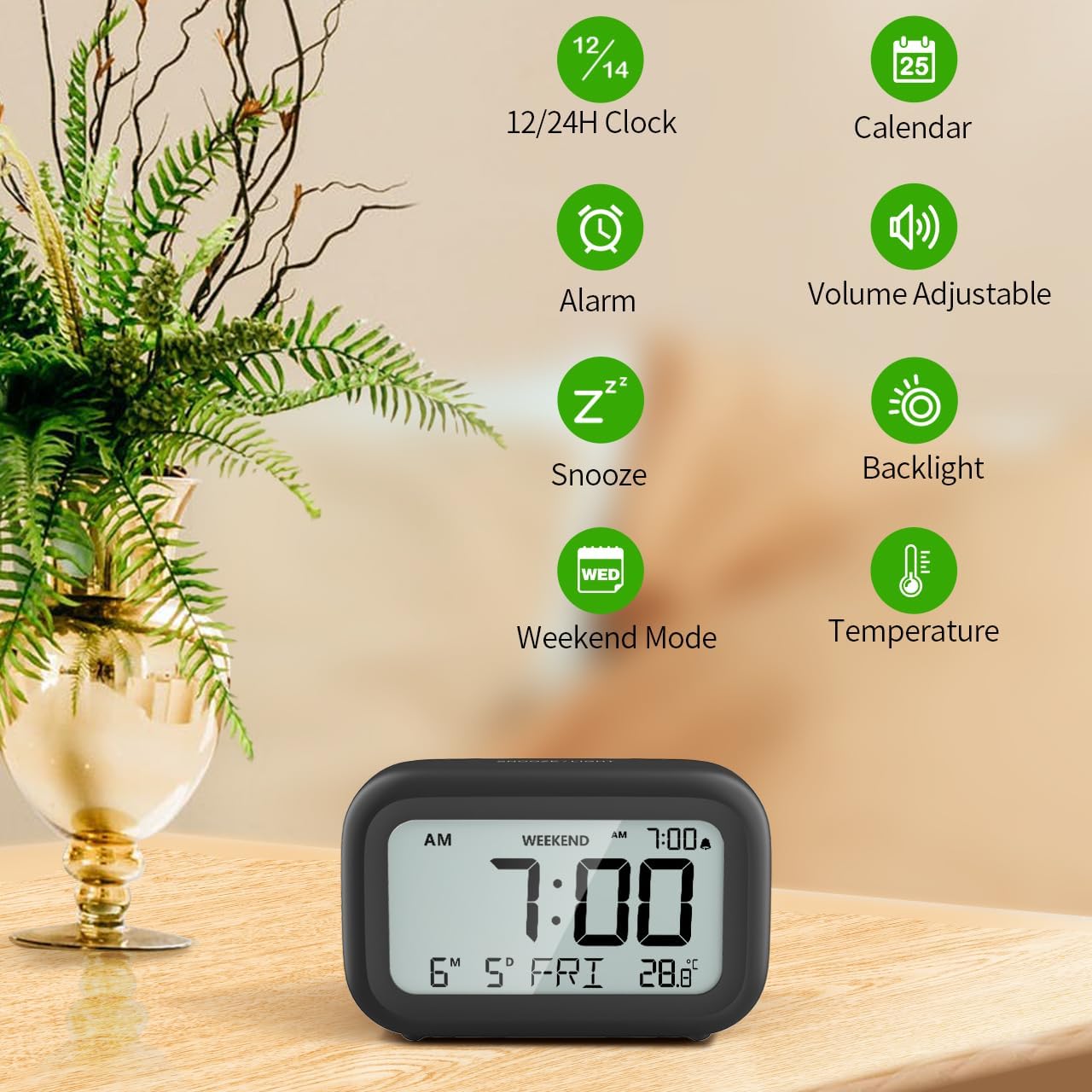
Figi 3: Plis paseview of clock features.
4.1 Tan ak Dat Anviwònman
To set the current time and date:
- Peze epi kenbe la SET button (usually represented by a clock icon or '12/24H' button) on the back of the clock until the numbers on the display begin to flash.
- Sèvi ak la + epi - buttons to adjust the flashing value (Year, Month, Day, Hour, Minute).
- Peze a SET button again to confirm the setting and move to the next value.
- Once all values are set, the display will stop flashing. The day of the week will automatically update based on the date.
For a visual guide, refer to the video below, specifically from 0:18 for Date Setting epi 0:32 for Time Setting.
4.2 Anviwònman Alam
To set your alarm time:
- Peze a ALAM button (bell icon) on the back of the clock. The alarm time will appear and flash.
- Sèvi ak la + epi - buttons to adjust the desired alarm hour and minute.
- Peze a ALAM button again to confirm the alarm setting.
- To turn the alarm ON or OFF, simply press the ALAM button once. An alarm icon will appear on the display when the alarm is active.
For a visual guide, refer to the video below, specifically from 0:13 for turning alarm ON/OFF epi 0:37 for Alarm Setting.
4.3 Repete Fonksyon
When the alarm sounds, gently touch the SNOOZE / limyè button located on the top of the clock. This will activate the snooze function, providing an additional 9 minutes of sleep before the alarm sounds again. You can repeat this process multiple times.

Figi 4: Aktive fonksyon repetisyon an.
To turn off the alarm completely after it sounds, press any button on the back of the clock.
For a visual guide, refer to the video below, specifically from 0:46 for Snooze function.
4.4 Weekend Mode
The Weekend Mode allows you to set the alarm to only sound from Monday to Friday, preventing it from disturbing you on weekends.
- Peze a WEEKEND button (calendar icon) on the back of the clock to toggle Weekend Mode ON or OFF.
- When Weekend Mode is active, 'WEEKEND' will be displayed on the screen, and the alarm will be automatically disabled on Saturday and Sunday.

Figure 5: Weekend Mode and Alarm Volume Levels.
For a visual guide, refer to the video below, specifically from 0:50 for Weekend Mode ON/OFF.
4.5 Fonksyon ekleraj dèyè
The clock features a convenient 5-second on-demand backlight for viewpase tan an nan kondisyon ki pa gen anpil limyè.
- Simply touch the SNOOZE / limyè button on the top of the clock to activate the backlight.
- The backlight will illuminate for approximately 5 seconds and then automatically turn off to conserve battery life.

Figure 6: Backlight in use.
For a visual guide, refer to the video below, specifically from 0:54 for 5 Seconds Backlight.
4.6 Display Tanperati
The clock displays the indoor temperature. You can switch between Celsius (°C) and Fahrenheit (°F) units.
- Peze a ° C / ° F. button on the back of the clock to toggle between Celsius and Fahrenheit.

Figure 7: Indoor Temperature Display.
4.7 12/24 Hour Time Format
You can switch the time display between 12-hour (with AM/PM indicator) and 24-hour formats.
- Peze a 12/24H button on the back of the clock to switch between the two formats.
For a visual guide, refer to the video below, specifically from 0:58 for 12/24Hr Time Format Switchable.
4.8 Ajisteman Volim Alam
The alarm clock offers two volume levels for the alarm sound: LOW (70dB) and HIGH (85dB).
- While setting the alarm, or when the alarm is sounding, you can cycle through the volume levels by pressing the appropriate button (often the + or - button, or a dedicated volume button if available). Refer to the icons on the back of your clock.
For a visual guide, refer to the video below, specifically from 0:42 for 2 Levels of Volume Adjustable.
Operating Instructions Video Guide
Video 1: Comprehensive guide on setting up and operating the DOOMAY Digital Alarm Clock. This video demonstrates battery installation, setting time and date, alarm functions, snooze, weekend mode, backlight, and volume adjustment.
5. Antretyen
- Netwayaj: Siye revèy la ak yon twal mou epi sèk. Pa sèvi ak pwodui netwayaj abrazif oswa solvan.
- Ranplasman batri: Replace batteries when the low battery indicator appears (flashing '8888' and beeping). Always use new AAA batteries.
- Depo: Si w ap sere revèy la pou yon peryòd tan pwolonje, retire pil yo pou anpeche likid koule.
NAN. Depanaj
| Pwoblèm | Kòz posib | Solisyon |
|---|---|---|
| Ekran revèy la vid oswa li fèb. | Pil yo mouri oswa yo mal enstale. | Ranplase pil yo ak nouvo pil AAA, asire polarite ki kòrèk la. |
| Alam lan pa sonnen. | Alarm is not activated or Weekend Mode is ON. | Press the ALARM button to activate. Check if Weekend Mode is active and disable if necessary. |
| Lè/Dat la pa kòrèk. | Not set correctly or batteries were removed. | Follow instructions in Section 4.1 to reset time and date. |
| Backlight does not stay on. | Sa a se operasyon nòmal. | The backlight is designed to illuminate for 5 seconds to conserve battery life. It is not a continuous backlight. |
7. Espesifikasyon
- Modèl: 5293B
- Kalite ekspozisyon: Digital LCD
- Sous pouvwa: 2 x AAA pil (Enkli)
- Dimansyon pwodwi: 4.29"W x 2.72"H (approx. 10.9cm x 6.9cm)
- Materyèl: Akrilonitrile butadien stirèn (ABS)
- Karakteristik: Alarm, Snooze, Weekend Mode, Indoor Temperature (°C/°F), 12/24H Time Format, 5-second Backlight
- Volim alam: 2 levels (70dB, 85dB)
- Pwa atik: 4.48 ons (apeprè 127g)
8. Garanti ak sipò
DOOMAY products are manufactured with high-quality materials and craftsmanship. For any questions, concerns, or technical support regarding your DOOMAY Digital Alarm Clock, please contact the seller or refer to the product listing on the platform where it was purchased. Please retain your proof of purchase for warranty claims.


