Entwodiksyon
This manual provides essential instructions for the safe and effective use of your Tronsmart Force Max Portable Outdoor Speaker. Please read this manual thoroughly before operating the device and retain it for future reference.

Image: The Tronsmart Force Max Portable Outdoor Speaker, a black rectangular speaker with a mesh grille and the 'Tronsmart' logo prominently displayed on the front. It features a rugged design with visible screws and a handle on one side.
Kontni pake
Verifye ke tout atik yo prezan nan pakè a:
- 1 x Tronsmart Force Max Outdoor Speaker
- 1 x User Manual (This document, also available as PDF)
- 1 x tip-C chaje kab
- 1 x Aux kab
- 1 x Pote senti
Pwodwi souview
The Tronsmart Force Max is an 80W portable outdoor speaker designed for robust audio performance. It features a 2.2 channel system with four drivers and dual passive radiators for omnidirectional sound. The speaker is equipped with a retractable strap for portability and is IPX6 waterproof, making it suitable for various outdoor environments.

Image: An exploded diagram illustrating the internal components of the Tronsmart Force Max speaker, highlighting its two tweeters and two woofers, which form the 2.2 channel audio system.
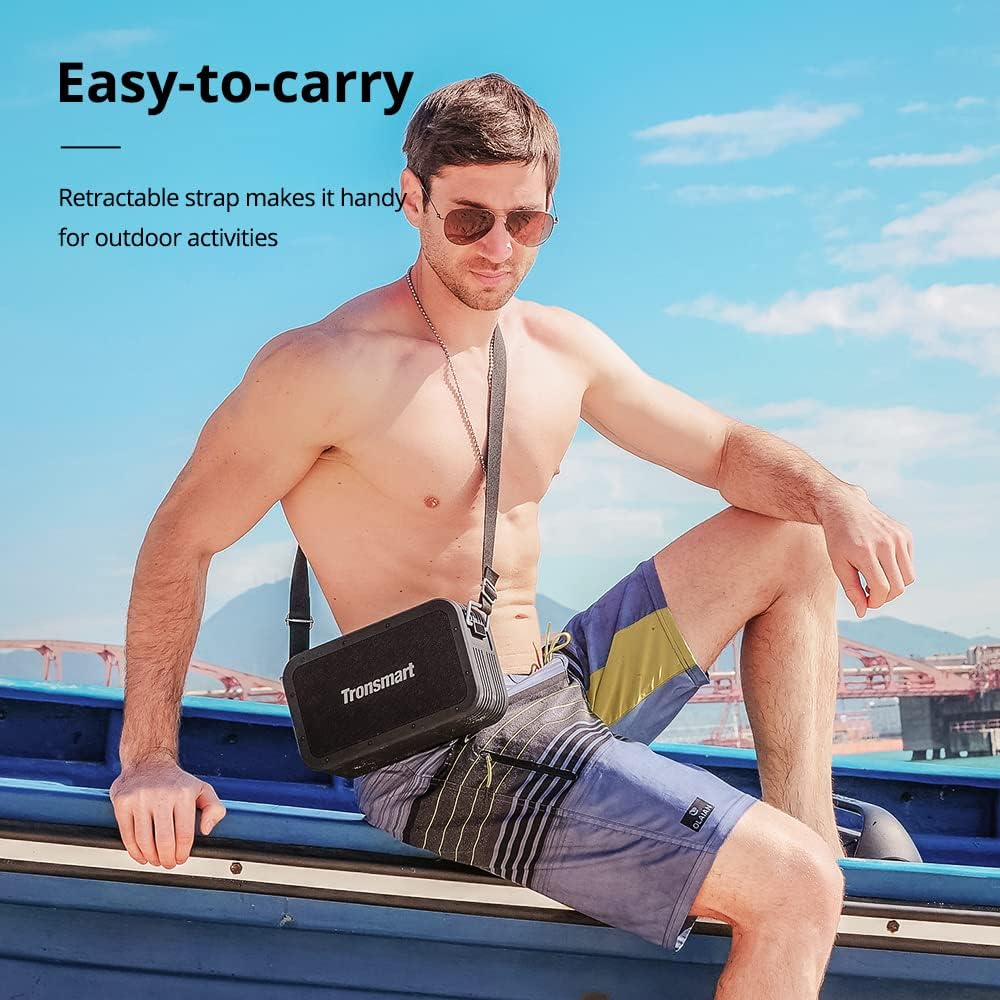
Image: A man sitting on a boat, wearing the Tronsmart Force Max speaker across his body using its retractable carrying strap, demonstrating its portability for outdoor activities.
Enstalasyon
1. Chaje Oratè a
Before first use, fully charge the speaker. Connect the provided Type-C charging cable to the speaker's charging port and a compatible USB power adapter (not included). The charging indicator will illuminate during charging and turn off when fully charged. A full charge takes approximately 4 hours.
2. Powering On / Off
Press and hold the power button for 2-3 seconds to turn the speaker on or off. A sound indicator will confirm the action.
3. Pè Bluetooth
- Limen oratè a. Li pral antre otomatikman nan mòd koneksyon Bluetooth, sa ap parèt ak yon LED k ap flache.
- Aktive Bluetooth sou aparèy ou an (telefòn entelijan, tablèt, elatriye).
- Chèche pou 'Tronsmart Force Max' in your device's Bluetooth list and select it to connect.
- Once connected, the LED indicator will remain solid, and a confirmation sound will play.
4. Connecting via AUX, USB Drive, or Micro SD Card
The speaker supports audio input via a 3.5mm AUX cable, a USB drive, or a Micro SD card. Insert the respective media or cable into the designated port on the speaker. The speaker will automatically switch to the corresponding input mode.
Enstriksyon Operasyon
1. Kontwòl debaz pou lèktur
- Jwe/Poz: Peze bouton jwe/poz la.
- Volim moute: Peze bouton '+' la.
- Volim desann: Peze bouton '-' la.
- Pwochen Track: Peze epi kenbe bouton '+' la.
- Track Previous: Peze epi kenbe bouton '-' la.
2. Tri-bass EQ Effects
The speaker offers three distinct EQ modes: Vocal, 3D Bass, and Deep Bass. Press the 'EQ' button to cycle through these modes and select your preferred audio profile.

Image: A graphic illustrating the Tri-bass EQ Effects feature of the Tronsmart Force Max speaker, showing options for Vocal, 3D Bass, and Deep Bass sound profiles.
3. Koneksyon Vrè Stereo San Fil (TWS)
To achieve a stereo sound experience, you can pair two Tronsmart Force Max speakers together:
- Asire w ke tou de oratè yo limen epi yo pa konekte ak okenn aparèy Bluetooth.
- On one speaker, press the TWS button. It will enter TWS pairing mode.
- The two speakers will automatically connect to each other. A confirmation sound will indicate successful pairing.
- Once paired, connect your device to one of the speakers via Bluetooth as described in the 'Bluetooth Pairing' section. Both speakers will now play audio in stereo.

Image: Two Tronsmart Force Max speakers placed on a table outdoors, demonstrating their True Wireless Stereo pairing capability to create a wider soundstage for a group of people.
4. Using the Voice Assistant
With your smartphone connected via Bluetooth, press the dedicated Voice Assistant button on the speaker to activate Siri or Google Assistant on your device. You can then issue voice commands through the speaker's built-in microphone.

Image: The Tronsmart Force Max speaker on an outdoor table, with speech bubbles above it displaying icons for Siri, Cortana, and Google Assistant, indicating its compatibility with voice assistants.
5. Hands-free Calls
When connected to your smartphone via Bluetooth, you can answer or end calls directly using the speaker's controls. The built-in microphone allows for hands-free communication.
6. Fonksyon Bank Pouvwa
The Tronsmart Force Max features a 15,000 mAh battery that can also be used to charge other devices. Connect your device to the speaker's USB-A output port using a compatible charging cable (not included) to utilize this function.

Image: The Tronsmart Force Max speaker on a wooden table, with a smartphone connected to it via a USB cable, demonstrating its built-in power bank functionality to charge external devices.
Antretyen
1. Waterproof Care (IPX6)
The speaker is IPX6 waterproof, meaning it is protected against high-pressure water jets from any direction. However, it is not designed for submersion. Ensure all port covers are securely closed before exposing the speaker to water. After exposure to water, wipe the speaker dry with a soft cloth.

Image: The Tronsmart Force Max speaker being splashed with water, illustrating its IPX6 waterproof rating and suitability for outdoor use.
2. Netwayaj jeneral
Netwaye oratè a ak yon mou, damp twal. Pa sèvi ak pwodui netwayaj abrazif, alkòl, oswa solvang chimik, paske sa yo ka domaje sifas la.
3. Depo
Store the speaker in a cool, dry place away from direct sunlight and extreme temperatures. If storing for an extended period, charge the battery to approximately 50% every three months to maintain battery health.
Depanaj
- Oratè pa limen: Asire w batri a chaje. Konekte oratè a nan yon sous kouran epi eseye ankò.
- Pa ka konekte atravè Bluetooth: Ensure the speaker is in pairing mode (flashing LED). Turn off and on your device's Bluetooth. If issues persist, clear the speaker from your device's Bluetooth history and try pairing again.
- Pa gen son: Check the volume levels on both the speaker and your connected device. Ensure the correct input mode is selected (Bluetooth, AUX, USB, Micro SD).
- Kalite son pòv: Prepare oratè a pi pre aparèy Bluetooth ou a pou diminye entèferans. Asire w pa gen okenn obstak ant oratè a ak aparèy la.
Espesifikasyon
| Karakteristik | Detay |
|---|---|
| Non modèl | Fòs Max |
| Mak | Tronsmart |
| Kalite Oratè | Deyò |
| Oratè maksimòm pwodiksyon pouvwa | 80 Watts |
| Konfigirasyon chanèl son antoure | 2.2 |
| Audio Sòti Mode | Tri-frequency Audio |
| Koneksyon Teknoloji | Bluetooth |
| Teknoloji kominikasyon san fil | Bluetooth |
| Gamme Bluetooth | 59 pye (18 mèt) |
| Metòd kontwòl | Vwa |
| Nivo rezistans dlo | IPX6 ki enpèmeyab |
| Kapasite batri | 15000 Miliamp Orè |
| Tan pou chaje | 4 èdtan |
| Playtime (50% volume) | Jiska 13 èdtan |
| Dimansyon pwodwi | 10.2"P x 6"L x 3.4"H (258 x 153 x 86 mm) |
| Pwa atik | 5.6 liv (2.54 kg) |
| Aparèy konpatib | Smartphone, tablèt |
| Opsyon Antre | Bluetooth, 3.5mm AUX, USB Drive, Micro SD Card |

Image: The Tronsmart Force Max speaker positioned next to a campfire at dusk, with text indicating '13 Hours of Playtime', highlighting its long battery life for outdoor use.
Enfòmasyon sou Garanti
The Tronsmart Force Max Portable Outdoor Speaker comes with a 1-ane garanti from the date of purchase. This warranty covers manufacturing defects and workmanship. It does not cover damage caused by misuse, accidents, unauthorized modifications, or normal wear and tear. Please retain your proof of purchase for warranty claims.
Sipò
For further assistance or detailed inquiries, please refer to the official Tronsmart website or contact customer support. An electronic version of this user manual is available for download isit la.


