1. Pwodwi souview
The SJCAM C300 is a compact and versatile action camera designed to capture high-quality video and photos in various environments. Featuring 4K video recording, 6-axis gyro stabilization, and a waterproof design, it is suitable for a wide range of activities.
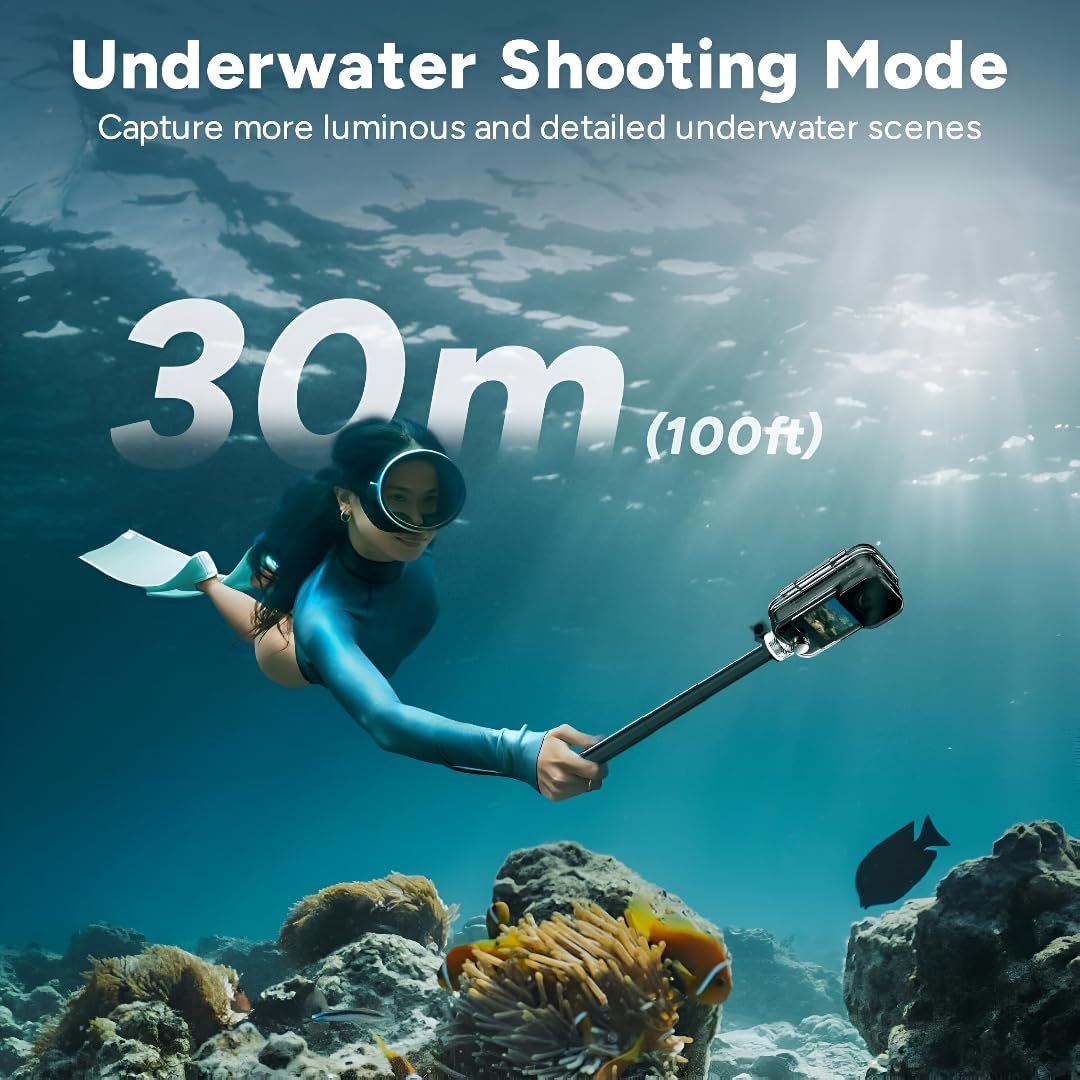
Figure 1: SJCAM C300 Action Camera in various usage scenarios, highlighting its versatility for activities like cycling, skiing, hiking, and vlogging.
Karakteristik kle:
- 4K High Resolution: Captures delicate 4K images at 30 frames per second, restoring true color.
- 6-Axis Gyro Stabilization: Built-in stabilizer for clear and stable images, even during dynamic action.
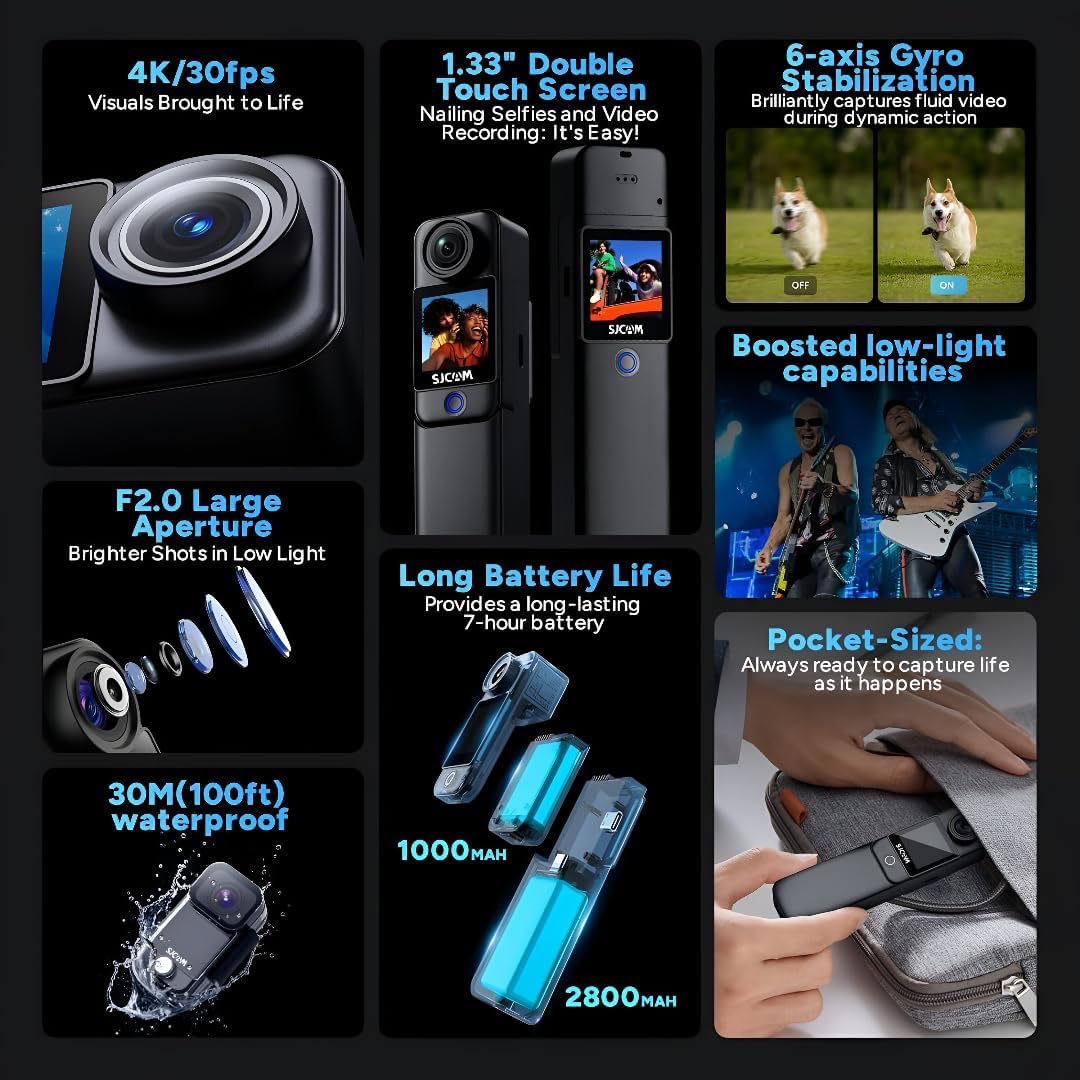
- 30m Waterproof with Case: Achieves IP68 diving waterproof grade with the included waterproof case, also drop-proof, dust-proof, and shock-proof.
- 1.3″ Dual Touch Color Screen: Front and back touchscreens for flexible shooting positions and easy control.
- 154° Large Wide Angle: Wide-angle lens with aspherical optics to control image distortion and capture broad scenes.
2. Pake kontni
Ensure all items are present in your SJCAM C300 package:
- 1 x C300 Camera
- 1 x Clip tounen
- 1 x Mòn baz
- 1 x Flat Bottom Bracket
- 2 x Helmet Base
- 1 x vis
- 1 x Ka ki enpèmeyab
- 1 x Lanyard
- 2 x 3M fich
- 2 x Sjcam Stickers
3. Konpozan Kamera
Familiarize yourself with the main components of your SJCAM C300 Action Camera:

Figi 2: Devan View
Figi 3: Side View (USB-C Port)

Figi 4: Retounen View (Mikwo SD plas)
Konsepsyon modilè:
The C300 features a modular design, allowing you to attach different battery packs for extended use. The standard module includes a 1000mAh battery, while an optional larger module provides a 2800mAh battery and a secondary screen.

Figure 5: Long Battery Life with Modular Attachments
4. Enstalasyon
4.1. Mete yon Kat Mikwo SD
- Open the battery compartment on the back of the camera.
- Insert a Micro SD card (up to 128GB, not included) into the designated slot until it clicks into place.
- Fèmen lòj batri a byen.
4.2. Chaje Kamera a
- Connect the camera to a 5V2A power source using the provided USB Type-C cable.
- Limyè endikatè chaj la ap montre eta chaj la.
4.3. Attaching Battery Modules and Accessories
- To attach the larger battery module, align the connectors and slide it onto the main camera unit until it locks.
- Use the included back clip, base mount, flat bottom bracket, or helmet bases to attach the camera to various surfaces or gear.
4.4. Itilizasyon Bwat ki Enpèmeyab la
- Insert the camera (without the larger battery module) into the waterproof case.
- Ensure the case is properly sealed before submerging the camera in water. The waterproof case allows for diving up to 30 meters (100 feet).

Figure 6: Underwater Shooting with Waterproof Case
5. Operasyon Enstriksyon
5.1. Powering On / Off
- Press and hold the power button (usually located on the front or side) to turn the camera on or off.
5.2. Navigating the Touch Screen
- Swipe left/right or up/down to navigate through menus and settings.
- Tap on icons to select options or confirm actions.
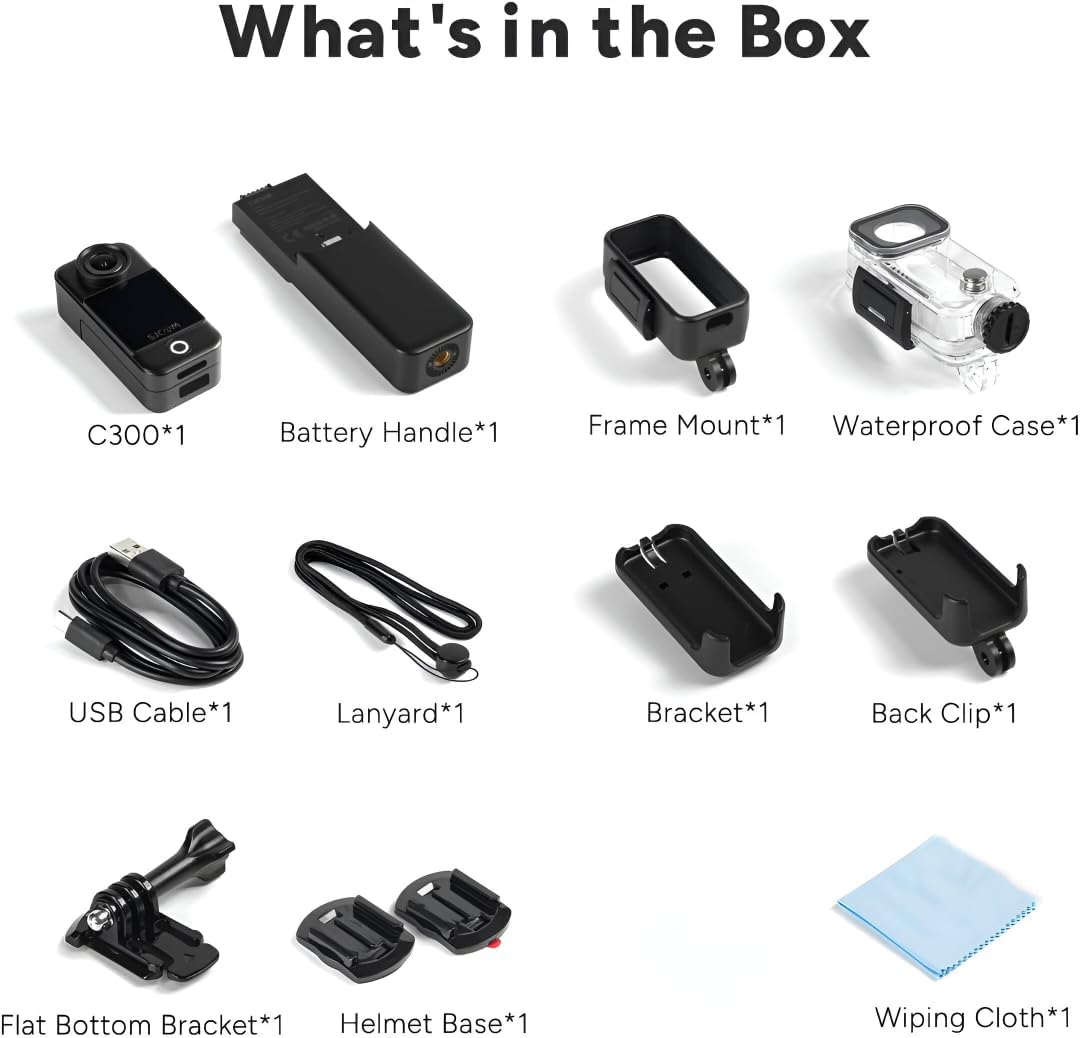
Figure 7: Dual Touchscreens in Operation
5.3. Video and Photo Modes
- Rezolisyon videyo: Select from 4K 30FPS, 2K 60/30FPS, 1080P 120/60/30FPS, or 720P 120/60/30FPS.
- Rezolisyon foto: Choose from 20M, 16M, 14M, 12M, 10M, 8M, 5M, 3M, 2M.
- Mòd Fiziyad: Includes Burst mode, Timed shooting, Quick shooting, Photo lapse, Slow motion, Motion detection, Video lapse, and Car mode.
5.4. 6-Axis Gyro Stabilization
- Enable the 6-axis gyro image stabilization in the settings menu for smoother footage, especially during movement. This feature is available up to 4K 30FPS.
5.5. Koneksyon
- Wi-Fi: Connect to the SJCAM Zone app via 2.4GHz/5GHz Wi-Fi for remote control and file transfè.
- Difizyon an dirèk: The camera supports live streaming functionality.
- Kontwòl Remote: The camera supports remote control accessories.
6. Antretyen
6.1. Netwayaj
- Use a soft, lint-free cloth to clean the camera body and screens.
- Pou lantiy la, sèvi ak yon twal espesyal pou netwaye lantiy ak yon solisyon pou evite reyur.
- Ensure the waterproof case is clean and free of debris before and after use.
6.2. Swen batri
- Chaje batri a konplètman anvan premye itilize.
- Evite ekspoze batri a nan tanperati ekstrèm.
- If storing for extended periods, charge the battery to about 50% and store in a cool, dry place.
6.3. Depo
- Sere kamera a nan yon anviwònman sèk epi san pousyè.
- Remove the Micro SD card if not in use for a long time.
NAN. Depanaj
7.1. Kamera a pa limen
- Asire w batri a chaje. Konekte l nan yon sous kouran epi eseye ankò.
- Tcheke si batri a byen mete.
7.2. SD Card Errors
- Use a high-speed (Class 10 or higher) Micro SD card from a reputable brand.
- Fòma kat SD a lè l sèvi avèk meni paramèt kamera a.
- Asire w ke kat SD a byen mete.
7.3. Kalite odyo ki pa bon
- When recording yourself (selfie mode), ensure the microphone is not obstructed. The microphone is located on the back of the camera.
- In windy conditions, consider using external wind reduction accessories if available.
7.4. Video Stabilization Issues
- Ensure 6-axis Gyro Stabilization is enabled in the camera settings.
- Note that stabilization may not be available at all resolutions or frame rates (e.g., 1080P 120FPS).
8. Espesifikasyon
| Karakteristik | Spesifikasyon |
|---|---|
| Modèl | C300 |
| Rezolisyon videyo | 4K 30FPS; 2K 60/30FPS; 1080P 120/60/30FPS; 720P 120/60/30FPS |
| Gwosè Imaj | 20M, 16M, 14M, 12M, 10M, 8M, 5M, 3M, 2M |
| Ekran | 1.3″ HD display with touch (main) |
| Segondè ekran | 1.3″ HD display with touch (on larger battery module) |
| Ang kamera | 154° |
| Battery (Main) | 1000mAh (detachable) |
| Battery (Larger Module) | 2800mAh (detachable) |
| WiFi | 2.4GHz/5GHz |
| Anti-tranbleman | Six-axis gyro image stabilization |
| Fòma kodaj | H.264/H.265 |
| Fòma videyo | MP4 |
| Fòma Imaj | JPG |
| Live Streaming | Sipòte |
| Kontwòl Remote | Sipòte |
| Entèfas USB | TIP-C |
| Antre pouvwa | 5V2A |
| Mwayen Depo | MICRO SD card, maximum support 128G |
| Tanperati Fonksyònman | -10 °C ~ 45 °C |
| Gwosè pwodwi | 130.0 x 32.0 x 22.2 mm |
| Pwa atik | 14.4 ons |
9. Garanti ak sipò
For warranty information and technical support, please refer to the official SJCAM websit la oubyen kontakte sèvis kliyan yo dirèkteman. Kenbe resi acha w la pou reklamasyon garanti.


