1. Entwodiksyon
This manual provides essential instructions for setting up, operating, and maintaining your Tibuta Android 13 Tablet. Please read this guide thoroughly to ensure proper use and to maximize your device's performance.
The Tibuta 10-inch tablet features the Android 13 operating system, an Octa-Core processor, 8GB RAM, 64GB internal storage (expandable up to 1TB), a 7000mAh battery, and a 1280x800 IPS display. It supports Wi-Fi 6, Bluetooth 5.2, and Widevine L1 for enhanced streaming.

Image 1.1: Tibuta Android 13 Tablet overview, highlighting its 8GB+64GB configuration, Android 13 OS, Wi-Fi 6, 7000mAh battery, and Widevine L1 support.
2. Layout aparèy
Familiarize yourself with the physical components and ports of your tablet.

Imaj 2.1: Devan ak bò view of the tablet with numbered components and dimensions.
Idantifikasyon konpozan:
- Bouton pouvwa: Used to turn the device on/off or wake/sleep the screen.
- Kalite-C Port: Pou chaje tablèt la ak transfè done.
- Bouton Volim: Ajiste volim odyo a.
- Mikwo SD kat plas: Insert a Micro SD card for expanded storage.
- Kamera: Kamera fè fas a dèyè.
- Bouton Reyajiste: A small pinhole button to force restart the device if unresponsive.
- Tèminal kas ekoutè: 3.5mm audio jack for headphones.
- Oratè: Pwodiksyon odyo.

Imaj 2.2: Detaye view of the tablet's ports and buttons, including front and rear cameras, speakers, and the 3.5mm headphone jack.
3. Kòmanse
3.1. Chaje batri a
Before first use, fully charge the tablet's 7000mAh lithium polymer battery. Connect the provided Type-C cable to the tablet's Type-C port and the other end to the power adapter, then plug the adapter into a wall outlet. The charging indicator will show the charging status.

Image 3.1: Visual representation of the tablet's 7000mAh battery capacity and Type-C charging port.
3.2. Powering On / Off
- Pou limen: Press and hold the Power Button until the Tibuta logo appears on the screen.
- Pou etenn: Press and hold the Power Button until the power options menu appears, then select 'Power off'.
- Pou dòmi/reveye: Briefly press the Power Button to put the tablet into sleep mode or wake it up.
3.3. Inisyal Enstalasyon
Upon first power-on, the tablet will guide you through an initial setup process. This includes selecting your language, connecting to a Wi-Fi network, and setting up your Google account. Follow the on-screen prompts to complete the setup.
4. Operasyon debaz yo
4.1. Touchscreen Gestures
The tablet's 10.1-inch IPS touchscreen responds to various gestures:
- Tape: Chwazi yon atik oubyen aktive yon bouton.
- Manyen epi kenbe: Aksè nan meni kontèks yo oubyen trennen atik yo.
- Glise: Navigate through screens or scroll lists.
- Zoom-pou-Zoom: Agrandi oswa diminye imaj yo epi web paj.
4.2. Koneksyon Wi-Fi
Pou konekte ak yon rezo Wi-Fi:
- Ale nan Anviwònman > Rezo ak entènèt > Entènèt.
- Limen Wi-Fi.
- Chwazi rezo ou vle a nan lis la epi antre modpas la si yo mande w.
The tablet supports 2.4G/5G dual-band Wi-Fi 6 for stable and fast connections.
4.3. Pè Bluetooth
Pou pè ak yon aparèy Bluetooth:
- Ale nan Anviwònman > Aparèy ki konekte > Preferans koneksyon > Bluetooth.
- Limen Bluetooth.
- Asire w aparèy Bluetooth ou a nan mòd koneksyon.
- Select the device from the 'Available devices' list and follow any on-screen prompts.
4.4. Itilizasyon kamera
The tablet is equipped with an 8MP rear camera and a 5MP front camera. Open the Camera application to capture photos and videos.

Imaj 4.1: Egzanpamples of camera usage and the split-screen function for multitasking.
4.5. Jesyon Depo
The tablet comes with 64GB of internal storage. You can expand this by inserting a Micro SD card (up to 1TB) into the dedicated slot.
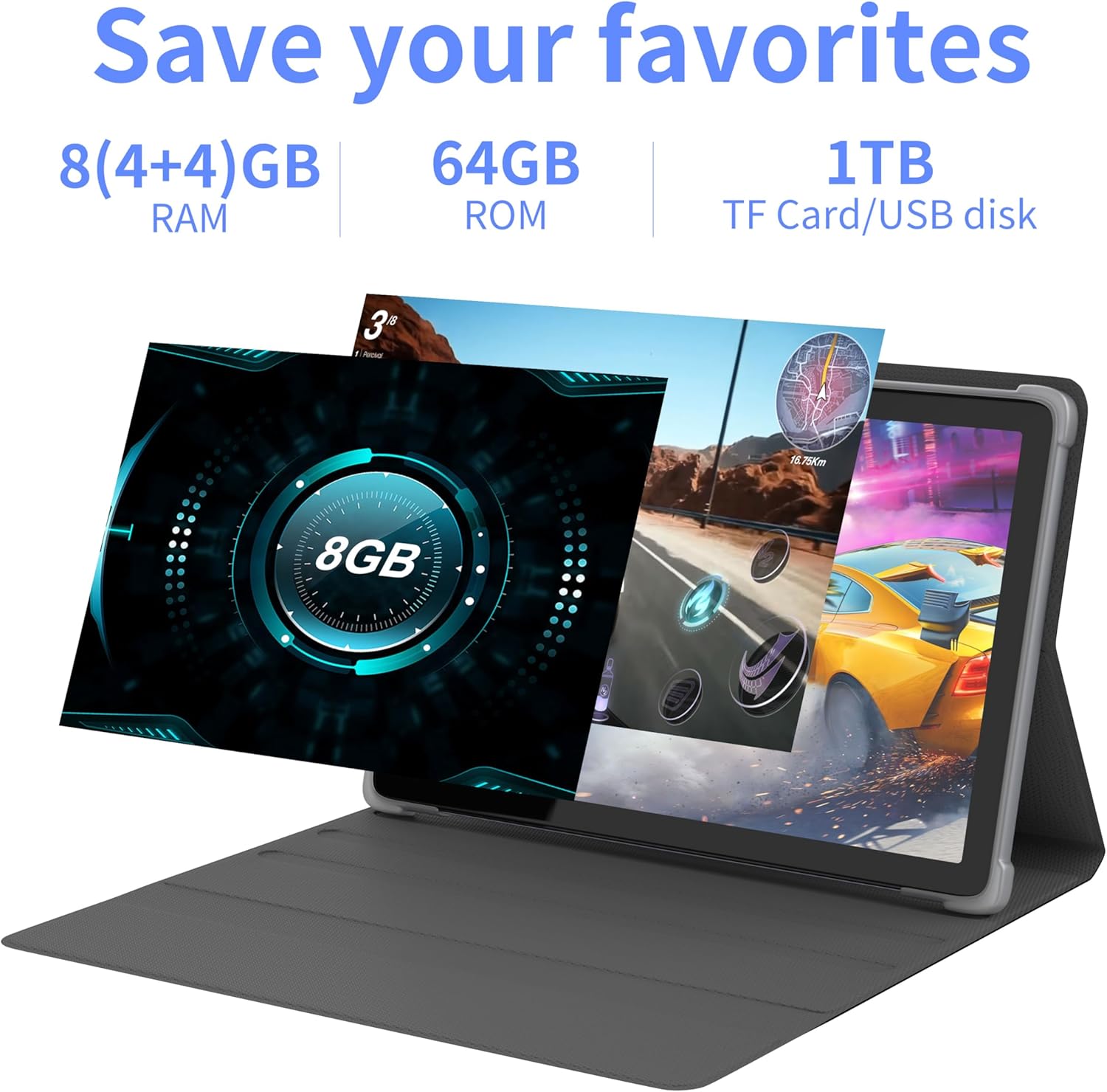
Imaj 4.2: Plis paseview of the tablet's memory and storage capabilities, including RAM, ROM, and expansion options.
4.6. Split-Screen Function
Android 13 allows for split-screen multitasking. To activate, open an app, then swipe up from the bottom of the screen to view recent apps. Touch and hold the app icon at the top of the app's card, then select 'Split screen'. Choose a second app to use simultaneously.
5. Karakteristik ekspozisyon
The tablet features a 10.1-inch IPS display with a resolution of 1280 x 800 pixels, providing clear visuals and wide viewang ing.

Image 5.1: The tablet's 10.1-inch HD IPS display, showcasing its resolution and wide-angle viewkapasite yo.
5.1. Sipò Widevine L1
The tablet supports Widevine L1, enabling high-definition streaming content from compatible services.
6. Antretyen
6.1. Netwaye Aparèy la
Sèvi ak yon twal mou ki pa gen pousyè pou netwaye ekran an ak kò tablèt la. Evite itilize pwodui chimik ki agresif oswa materyèl abrazif.
6.2. Mizajou lojisyèl
Tcheke epi enstale mizajou sistèm yo regilyèman pou asire pèfòmans ak sekirite optimal. Ale nan Anviwònman > Sistèm > Aktyalizasyon sistèm lan.
6.3. Optimizasyon Depo
Pou kenbe pèfòmans lan, retire sa ki pa nesesè detanzantan files and applications. Go to Anviwònman > Depo pou jere depo aparèy ou an.
NAN. Depanaj
Seksyon sa a adrese pwoblèm komen ou ka rankontre.
| Pwoblèm | Solisyon |
|---|---|
| Tablèt la pa limen. | Ensure the battery is charged. Connect the tablet to the charger for at least 30 minutes before attempting to power on again. |
| Tablet is unresponsive. | Use a thin pin or paperclip to press the Reset Button (refer to Device Layout section) to force a restart. |
| Pa ka konekte ak Wi-Fi. | Check if Wi-Fi is enabled in Settings. Ensure the Wi-Fi password is correct. Restart your router and the tablet. |
| Pèfòmans ralanti. | Fèmen aplikasyon ki pa itilize yo. Vide kach la ak aplikasyon tanporè yo files. Consider performing a factory reset if the issue persists (backup data first). |
8. Espesifikasyon
Detailed technical specifications for the Tibuta Android 13 Tablet (Model: 8GB+64GB).
| Karakteristik | Detay |
|---|---|
| Mak | Tibuta |
| Nimewo Modèl | 8GB + 64GB |
| Sistèm operasyon | Android 13 |
| Processeur | Okta-nwayo (Allwinner A523) |
| RAM | 8 GB (4GB + 4GB vityèl) |
| Depo Entèn | 64 GB |
| Depo dilatabl | Up to 1TB (Micro SD card) |
| Gwosè ekran | 10.1 pous |
| Rezolisyon ekran | 1280 x 800 piksèl (IPS) |
| Kamera dèyè | 8 MP |
| Kamera devan | 5 MP |
| Kapasite batri | 7000 mAh Lityòm Polymère |
| Mwayèn lavi batri | Jiska 8 èdtan (selon itilizasyon) |
| Koneksyon | Wi-Fi 6 (802.11ac, b, g, n), Bluetooth 5.2 |
| Dimansyon | 24.8 x 16.7 x 1.2 cm |
| Pwa | 539 g |
| Koulè | Gri |
| Karakteristik espesyal | Widevine L1, GMS Certified |
9. Sipò
For technical assistance or if you encounter any issues with your Tibuta tablet, please contact our customer service team. Refer to your purchase documentation or the retailer's websit la pou jwenn enfòmasyon kontak espesifik.


