1. Entwodiksyon
The ATTACK SHARK G6 Gaming Mouse is a versatile peripheral designed for both gaming and daily productivity. It offers three distinct connection modes: wired, 2.4G wireless, and Bluetooth, ensuring reliable and accurate transmission across various devices. Its ergonomic design, adjustable DPI settings, and customizable RGB lighting provide a tailored user experience.

Figure 1: The ATTACK SHARK G6 Gaming Mouse (Blue/White) with its USB receiver.
2. Karakteristik
- Koneksyon Tri-Mòd: Seamlessly switch between wired (USB-C), 2.4G wireless (via USB receiver), and Bluetooth connections for maximum flexibility.
- DPI reglabl: Features 5 adjustable DPI levels (1200/1600/2000/2400/4000) for precise control and responsiveness, suitable for various tasks from detailed work to fast-paced gaming.
- 11 Chroma RGB Lighting Modes: Customize your setup with 11 distinct RGB lighting effects, enhancing your gaming atmosphere.
- 10 bouton pwogramasyon: Equipped with 10 function buttons, strategically placed for easy access, allowing for quick actions like light changes, one-click web access, and navigation.
- Konsepsyon ergonomique: Specifically designed for right-hand users with a comfortable thumb rest, reducing fatigue during extended use.
- Bouton Klike Silansyeuz: Left and right buttons feature a silent click design, minimizing noise and preventing disturbance to others.
- Batri rechargeable: Built-in 500mAh lithium battery, rechargeable via Type-C, providing long-lasting use on a single charge (approx. 3-4 hours for full charge).
- Lajè konpatibilite: Compatible with Windows, Mac, Android, and other operating systems, ensuring broad usability.

Figi 2: Plis paseview of the 10 programmable buttons and ergonomic finger rests.
3. Pake kontni
Tanpri verifye sa ki nan pake a lè w ap debale l pou asire w tout bagay yo la:
- ATTACK SHARK G6 Gaming Mouse
- USB 2.4G Wireless Receiver
- USB-C Chaje Kab
- Manyèl Itilizatè (dokiman sa a)
4. Enstalasyon
4.1. Chaje Sourit la
Before first use, it is recommended to fully charge the mouse. Connect the supplied USB-C charging cable to the mouse's Type-C port and the other end to a USB power source (e.g., computer USB port, USB wall adapter). The charging indicator will show status (refer to LED indicator section for details). A full charge typically takes 3-4 hours.

Figure 3: Charging the G6 Gaming Mouse via its Type-C port.
4.2. Mòd Koneksyon
The G6 mouse supports three connection methods:
- 2.4G Wireless Mode:
- Locate the USB 2.4G wireless receiver, usually stored in a compartment on the underside of the mouse.
- Ploge reseptè a nan yon pò USB ki disponib sou òdinatè w lan.
- Limen sourit la avèk bouton pouvwa ki anba li a. Sourit la ta dwe konekte otomatikman.
- Mòd Bluetooth:
- Turn on the mouse and switch it to Bluetooth mode (refer to the switch on the underside).
- Sou aparèy ou an (òdinatè, tablèt, telefòn), ale nan paramèt Bluetooth epi chèche nouvo aparèy.
- Select "ATTACK SHARK G6" (or similar name) from the list to pair.
- Branche Mode:
- Connect the supplied USB-C cable to the mouse's Type-C port.
- Konekte lòt bout kab la nan yon pò USB sou òdinatè w lan.
- The mouse will function immediately in wired mode and will also charge simultaneously.
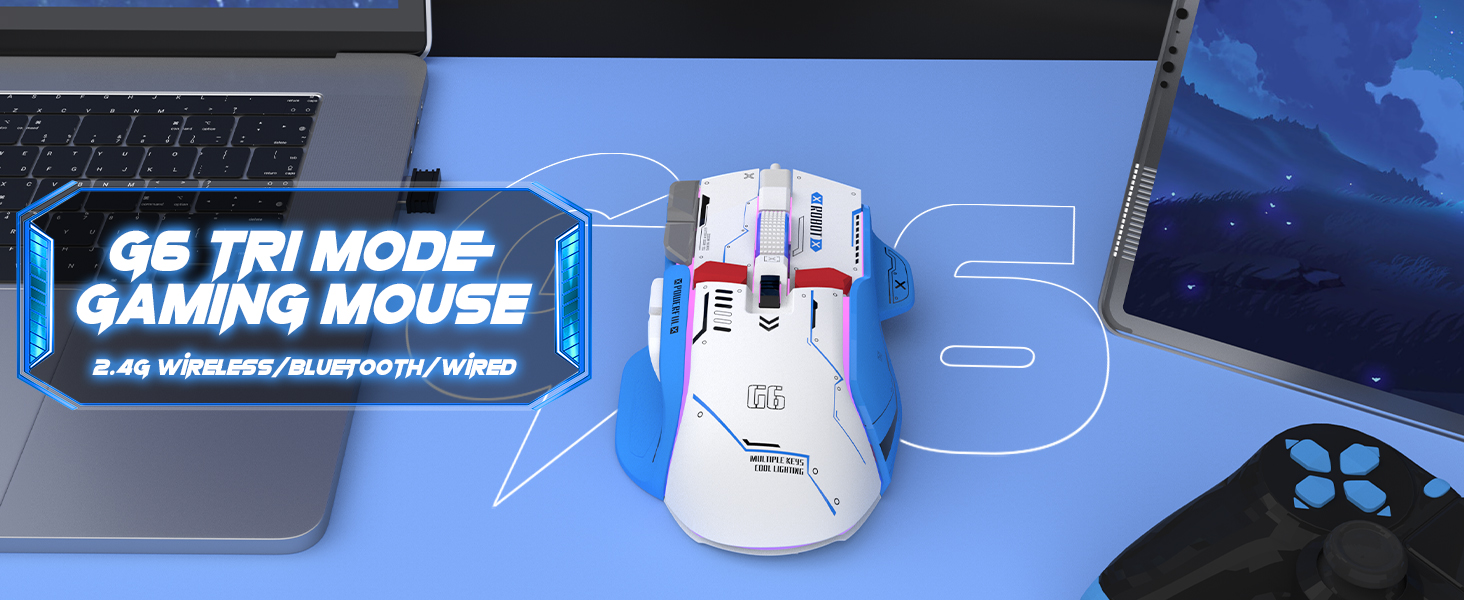
Figure 4: The G6 mouse supports 2.4G wireless, Bluetooth, and wired connections.
5. Operasyon Enstriksyon
5.1. Ajisteman DPI
The G6 mouse features a dedicated DPI button (refer to Figure 2 for location) to cycle through 5 adjustable DPI levels: 1200, 1600, 2000, 2400, and 4000. Press the DPI button to switch between sensitivity settings to match your preference or game requirements.
5.2. Kontwòl ekleraj RGB
The mouse offers 11 Chroma RGB lighting modes. Use the dedicated Light Control button (refer to Figure 2) to cycle through the different lighting effects. To turn off the RGB lighting, continue pressing the button until the lights are off, or refer to the software if available for more advanced control.

Figure 5: The G6 mouse features 11 kinds of RGB backlight modes.
5.3. Fonksyon bouton
The G6 mouse has 10 function buttons. Their default functions are:
- Klike Goch: Standard left mouse button.
- Klike sou dwa: Standard right mouse button (silent click).
- wou woulo liv: Defile monte/desann, klike sou bouton mitan bouton an.
- Bouton DPI: Chanje nan paramèt DPI yo.
- Bouton kontwòl limyè: Cycles through RGB lighting modes.
- Bouton Avant: Navige pi devan nan web browsers/folders.
- Bouton dèyè: Navige bak nan web browsers/folders.
- Bouton dife: Rapid fire function (default, may be programmable).
- Bouton Desktop: One-click access to desktop.
- Webbouton paj: One-click access to web navigatè.

Figi 6: Detaye view of key features including finger rests and Type-C port.

Figure 7: The silent click feature ensures quiet operation, ideal for shared spaces.
6. Antretyen
To ensure the longevity and optimal performance of your ATTACK SHARK G6 Gaming Mouse, follow these maintenance guidelines:
- Netwayaj: Sèvi ak yon twal mou epi sèk pou siye sifas sourit la. Pou pousyè tè ki difisil pou retire, siye yon ti kras.amp cloth with mild soap can be used, but ensure no liquid enters the mouse. Do not use harsh chemicals or abrasive materials.
- Depo: Sere sourit la nan yon kote ki fre epi sèk, lwen limyè solèy dirèk ak tanperati ekstrèm.
- Evite gout: Pwoteje sourit la kont tonbe ak enpak, ki ka domaje konpozan entèn yo.
- Swen kab: When using wired mode or charging, handle the USB-C cable carefully to prevent bending or fraying.
NAN. Depanaj
If you encounter issues with your ATTACK SHARK G6 Gaming Mouse, please refer to the following common solutions:
| Pwoblèm | Solisyon posib |
|---|---|
| Mouse not responding (Wireless/Bluetooth) |
|
| Anviwònman DPI pa chanje |
|
| Ekleraj RGB a pa fonksyone oswa li bloke |
|
| Koneksyon ki ralanti oswa ki pa ale souvan |
|
7.1. Gid Videyo Pwodwi a
For a visual guide on the mouse's features and operation, please watch the official product video:
Video: G6 Wireless/wired/bluetooth gaming mouse. This video demonstrates the RGB lighting effects and general appearance of the G6 gaming mouse in different colors.
8. Espesifikasyon
| Karakteristik | Detay |
|---|---|
| Mak | ATAK REKEN |
| Nimewo Modèl | G6 |
| Koneksyon Teknoloji | Bluetooth, Wired, Wireless (2.4G) |
| Teknoloji deteksyon mouvman | Optik |
| Nivo DPI reglabl | 1200/1600/2000/2400/4000 |
| Mòd RGB | 11 Chroma RGB modes |
| Kantite bouton | 10 |
| Kapasite batri | 500mAh rechargeable batri ityòm |
| Port chaje | Kalite-C |
| Pwa atik | 7.4 ons (apeprè 210 gram) |
| Dimansyon pake | 6.38 x 5.43 x 2.13 pous |
| Konpatibilite | Windows, Mac, Android, iOS |
9. Garanti ak sipò
ATTACK SHARK products are designed and manufactured to the highest quality standards. This product is covered by a limited warranty from the date of purchase. For detailed warranty terms, technical support, or customer service inquiries, please contact your retailer or visit the official ATTACK SHARK websit.
Sipò sou entènèt: Visit the ATTACK SHARK Store on Amazon


