1. Entwodiksyon
This manual provides comprehensive instructions for the installation, operation, maintenance, and troubleshooting of your Anpviz 4K PoE Turret IP Camera, Model IPC-D3A83W-S. Please read this manual thoroughly before using the product to ensure proper functionality and safety. Keep this manual for future reference.
2. Pwodwi souview
The Anpviz 4K PoE Turret IP Camera is designed for both indoor and outdoor security surveillance, offering high-resolution video and advanced detection capabilities.
Karakteristik kle:
- 4K Ultra HD (8MP) Resolution: Provides clear video at 3840x2160 pixels.
- Lantiy lajè ang 2.8mm: Ofri yon chan 110 degre view.
- Pouvwa sou Ethernet (PoE): Simplifies installation with a single cable for power and data.
- Deteksyon Moun ak Veyikil pa IA: Reduces false alarms by accurately identifying human and vehicle movement.
- Smart Dual Light Color Night Vision: Features infrared night vision (up to 98ft) and warm lights for color night vision upon motion detection.
- Mikwofòn entegre: Enables one-way audio monitoring.
- Evalyasyon ki enpèmeyab IP66: Ensures durability for outdoor use.
- Aksè Remote: View viv footage and recordings via mobile app or PC client.
Kontni pake:
- 1x Anpviz 4K PoE Turret IP Camera (Model IPC-D3A83W-S)
- 1x Waterproof Lid
- 1x manyèl itilizatè
- Screw Packs for installation
- 1x After-sales Card
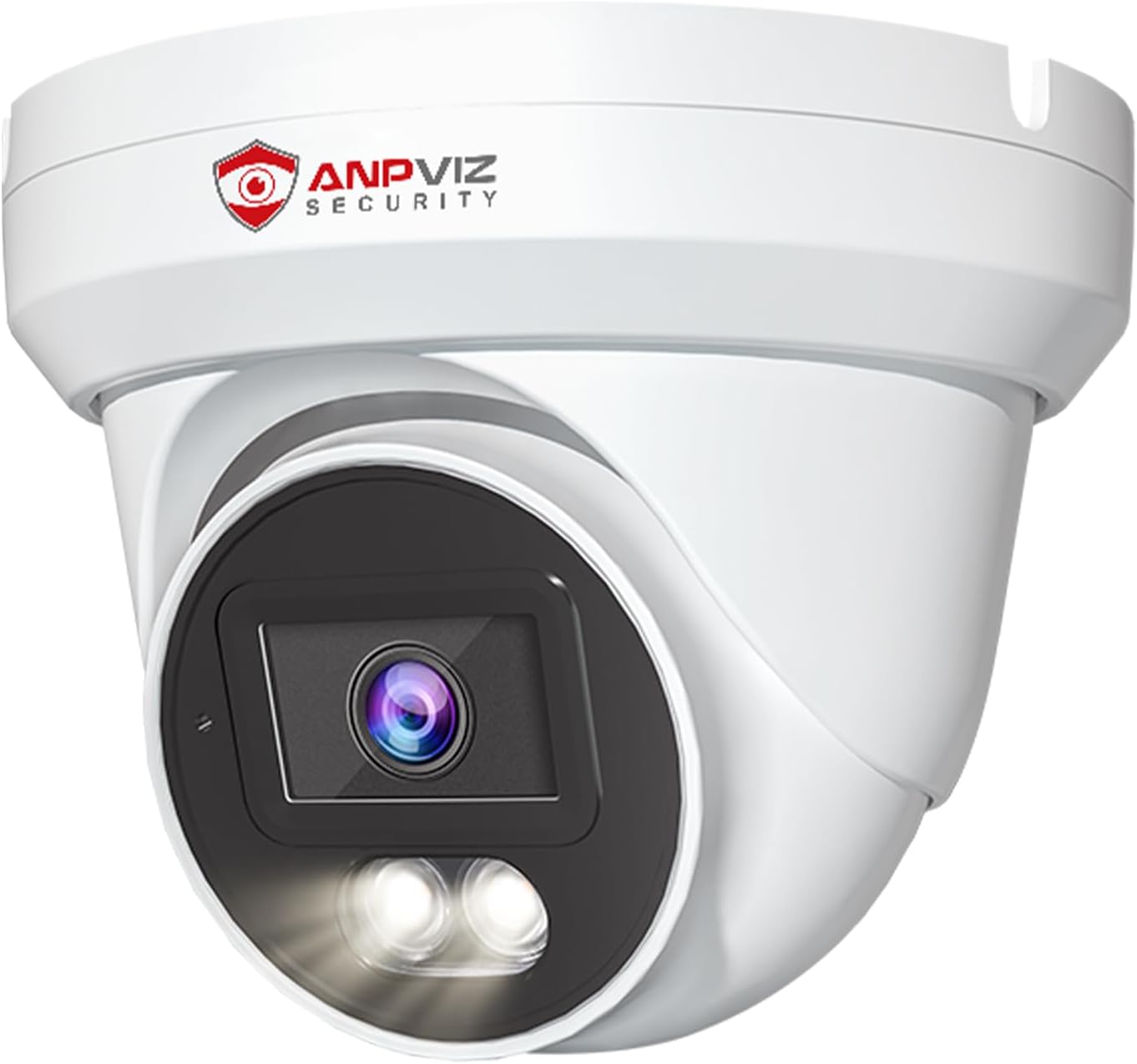
Imaj 1: Devan view of the Anpviz 4K PoE Turret IP Camera, showcasing konsepsyon kontra enfòmèl ant li yo ak lantiy li yo.
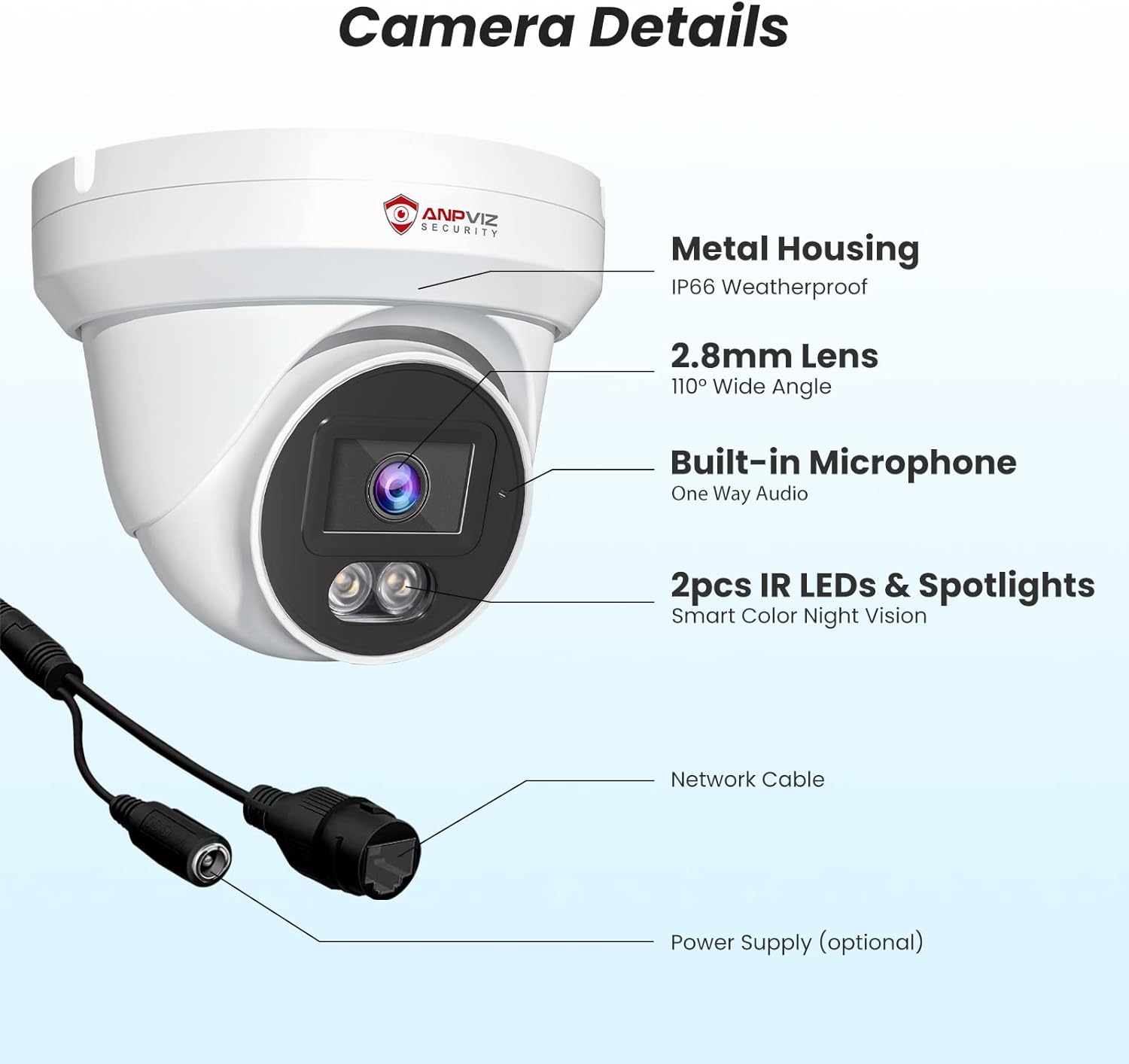
Imaj 2: Detaye view of the camera components, including the metal housing, 2.8mm lens, built-in microphone, IR LEDs, spotlights, network cable, and optional power supply port.
3. Enstalasyon ak Enstalasyon
The Anpviz 4K PoE Turret IP Camera supports Power over Ethernet (PoE) for simplified installation. A single Ethernet cable provides both power and data connection to a compatible PoE NVR or PoE switch.
3.1 Enstalasyon Fizik
- Chwazi yon kote pou monte: The camera can be ceiling-mounted or wall-mounted. Ensure the chosen location provides the desired field of view and is within range of your PoE network.
- Prepare sifas la: Use the provided screw packs and waterproof lid for secure outdoor installation. Drill pilot holes as needed.
- Konekte kab Ethernet la: Connect a standard Ethernet cable from your PoE NVR or PoE switch to the camera's network port. Ensure the waterproof lid is properly installed over the connection for outdoor use.
- Sekirize kamera a: Mount the camera securely using the provided screws. Adjust the camera's angle to cover the desired surveillance area.

Image 3: Diagram illustrating the PoE Plug & Play setup, showing the camera connected to an NVR and router via a single Ethernet cable.
3.2 Initial Configuration (NVR Connected)
If connecting to an Anpviz U-Series NVR, the camera should be automatically detected. For initial setup and configuration, refer to the NVR's user manual. The following video demonstrates how to preview the PoE camera via a monitor connected to the NVR:
Video 1: Instructions on how to preview the PoE camera feed using a monitor connected to an NVR, including initial NVR configuration steps like setting a new password and accessing camera settings.
4. Operasyon Enstriksyon
4.1 4K Ultra HD Video Monitoring
The camera delivers 4K (3840x2160) resolution video, providing detailed and clear images for surveillance. The 110-degree wide-angle lens ensures a broad coverage area.

Image 4: Visual comparison demonstrating the superior clarity and detail of 4K Ultra HD (8MP) resolution compared to 1080P resolution.

Image 5: Illustration of the 110-degree wide-angle lens coverage, showing how it captures a larger area.
4.2 Deteksyon Moun ak Veyikil pa IA
The camera features advanced AI technology to distinguish between human and vehicle movements and other environmental factors like leaves or insects. This reduces false alarms and ensures you receive relevant alerts.
- Konfigirasyon: Enable human and vehicle detection settings through the NVR interface or mobile application.
- Avètisman: Receive notifications on your smartphone or email when human or vehicle activity is detected.
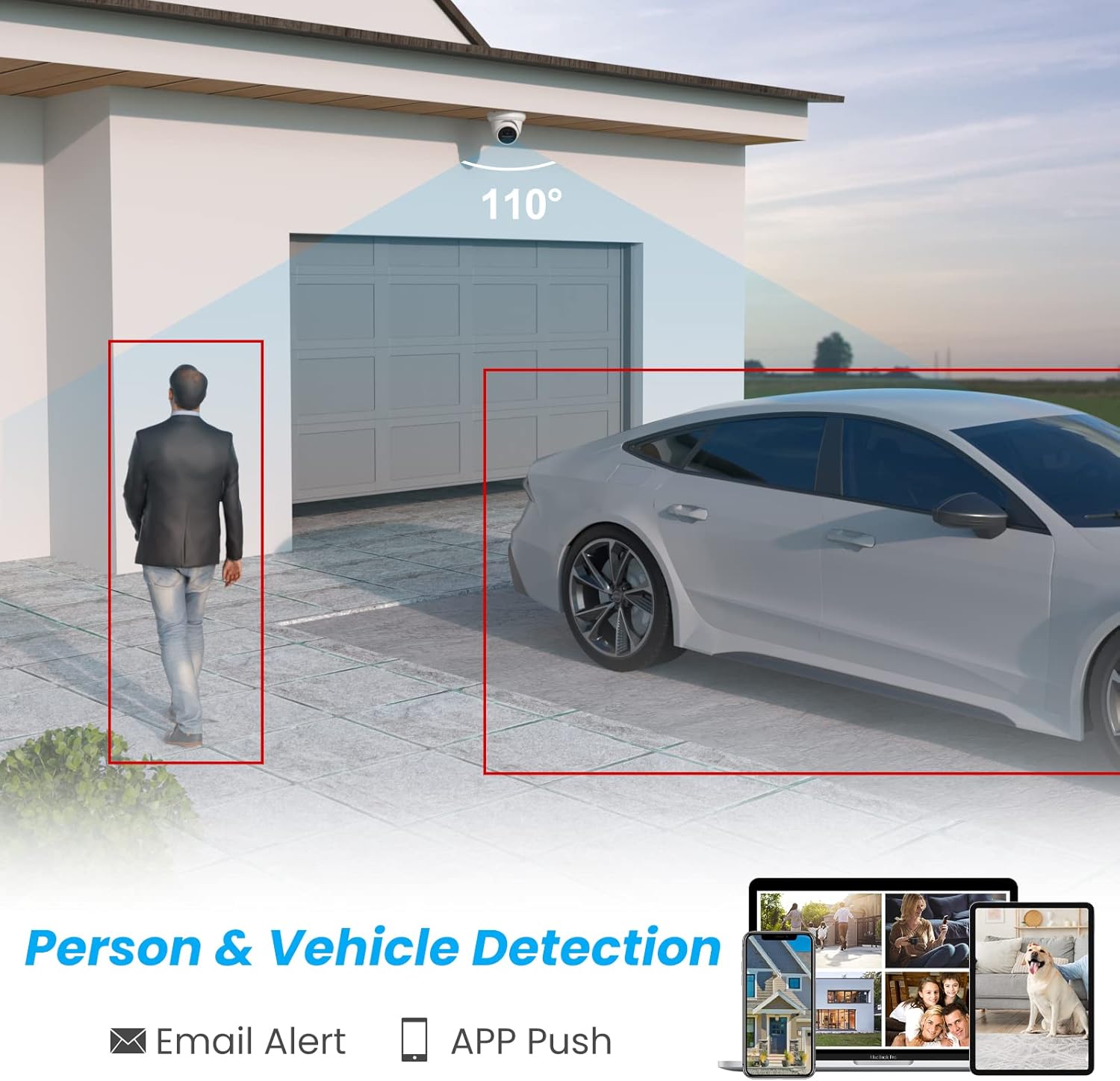
Image 6: Graphic demonstrating the camera's ability to detect and highlight human and vehicle presence within its field of view, triggering email and app push notifications.

Image 7: Illustration showing how the AI detection system filters out irrelevant alerts, focusing only on people and vehicles.
4.3 Smart Dual Light Color Night Vision
The camera offers flexible night vision options:
- IR Vizyon lannwit: Provides black and white video in low-light conditions using infrared LEDs.
- Vizyon lannwit koulè: When motion is detected, the camera's warm lights illuminate the area, providing full-color video.
- Pèsonalizasyon: You can customize the night vision mode to suit your preferences via the camera settings.
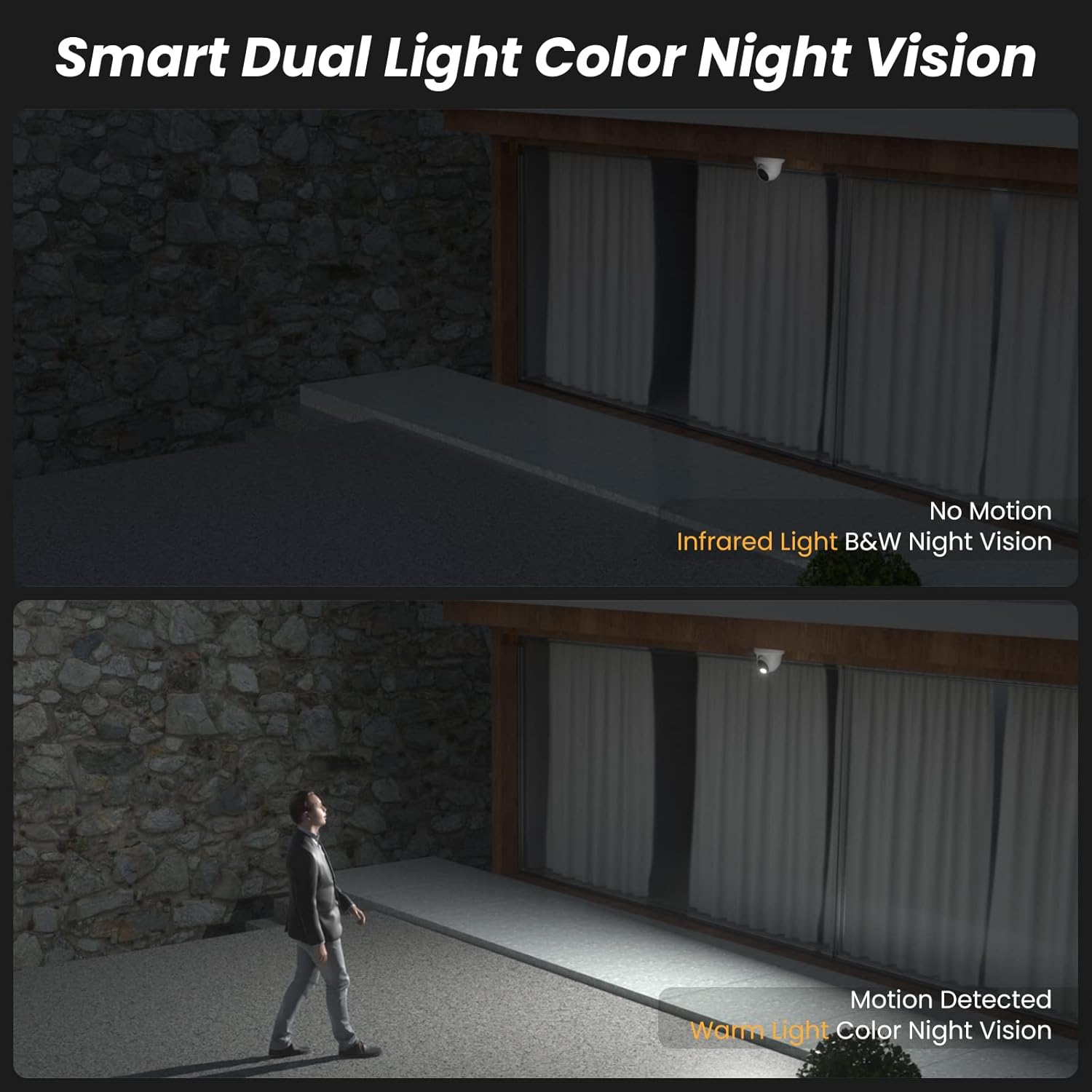
Image 8: Comparison showing infrared black and white night vision without motion, and color night vision with warm light activation upon motion detection.
Video 2: A short demonstration of the camera's infrared black and white night vision mode when no motion is detected.
Video 3: A short demonstration of the camera's white light color night vision mode activating upon motion detection.
4.4 Odyo yon sèl direksyon
The integrated microphone allows for one-way audio monitoring, capturing sounds from the camera's vicinity. This feature enhances situational awareness.

Image 9: Illustration showing the camera's built-in microphone capturing audio, which can be monitored remotely via an NVR or mobile device.
4.5 Aksè a distans ak an dirèk View
Jwenn aksè a fim an dirèk kamera ou a ak manje anrejistre yo.tage from anywhere using the dedicated mobile app (VideoLink) or PC client (LMS).
- Aplikasyon mobil: Download the VideoLink app from the App Store or Google Play.
- PC Client: Download the LMS client from the Anpviz support websit.
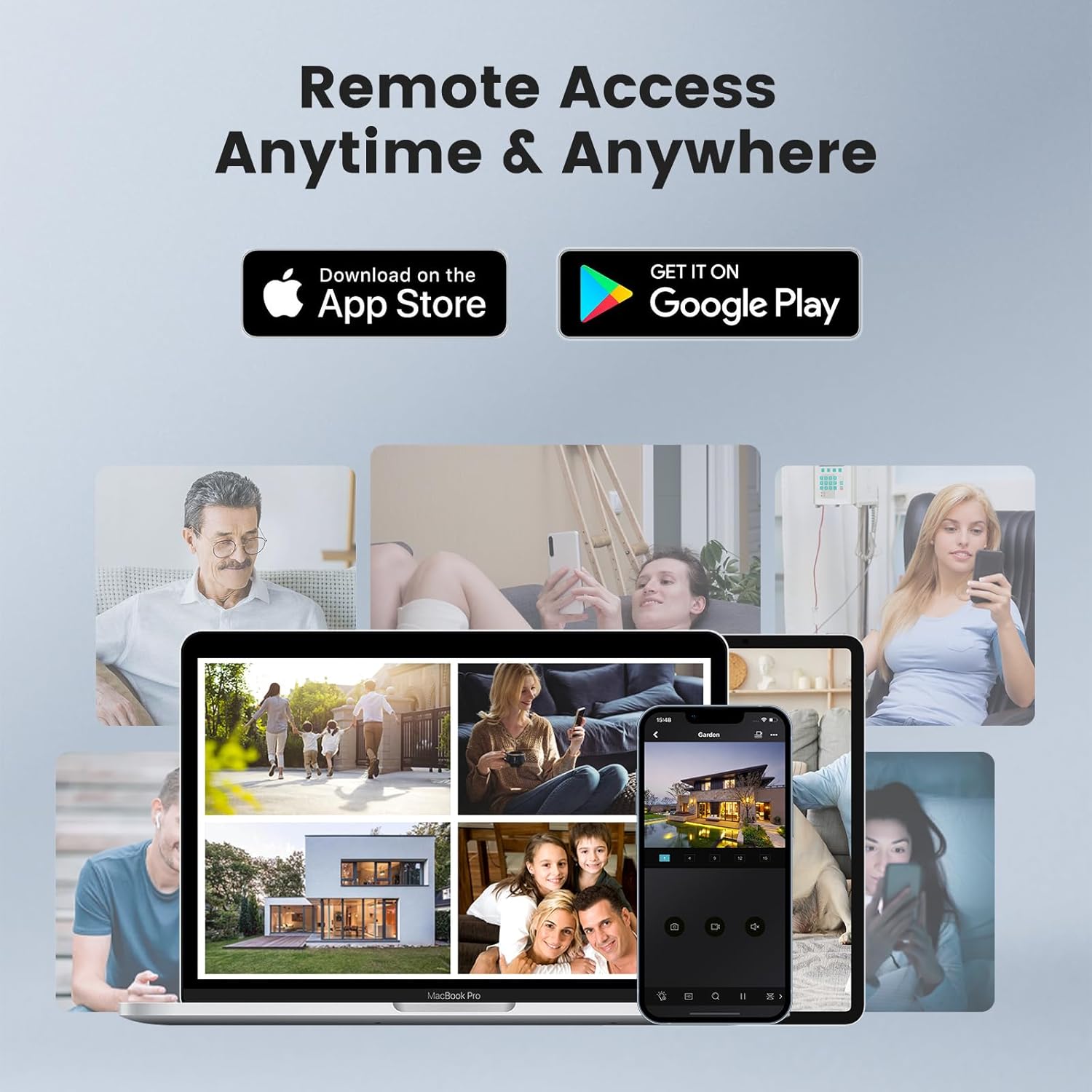
Image 10: Depiction of remote access capabilities, showing live camera feeds on various devices like smartphones, tablets, and laptops.

Imaj 11: Plis paseview of multi-platform remote access, highlighting the VideoLink mobile app and LMS PC client for various operating systems and browsers.
The following video demonstrates how to download the VideoLink and LMS applications for PC:
Video 4: A short instructional video on how to download the VideoLink and LMS applications for PC from the Anpviz support websit.
5. Antretyen
- Netwayaj regilye: Netwaye lantiy kamera a detanzantan avèk yon twal mou epi sèk pou asire yon bon jan kalite imaj. Evite pwodui netwayaj abrazif.
- Mizajou mikrolojisyèl: Check the Anpviz support website regularly for firmware updates. Keeping your camera's firmware up-to-date ensures optimal performance and security.
- Enspeksyon kab: For outdoor installations, periodically inspect the Ethernet cable and waterproof connections for any signs of wear or damage.
- Sik pouvwa: If the camera experiences issues, try power cycling it by disconnecting and reconnecting the PoE cable.
NAN. Depanaj
- Pa gen fil videyo:
- Ensure the PoE connection is secure and the NVR/switch is powered on.
- Verifye koneksyon rezo a.
- Check if the camera is properly added and configured in your NVR or viewing lojisyèl.
- Kalite imaj pòv:
- Netwaye lantiy kamera a.
- Ensure sufficient lighting in the area, especially at night.
- Check video resolution settings in your NVR or app.
- Fo Avètisman Mouvman:
- Adjust the sensitivity settings for human/vehicle detection.
- Asire w ke chan mayetik kamera a view pa bloke pa objè k ap deplase tankou branch pyebwa.
- Pwoblèm Aksè Remote:
- Verifye koneksyon entènèt ou.
- Ensure the NVR or camera is properly connected to the internet and port forwarding (if applicable) is configured correctly.
- Update the mobile app or PC client to the latest version.
7. Espesifikasyon
| Karakteristik | Spesifikasyon |
|---|---|
| Non modèl | IPC-D3A83W-S |
| Rezolisyon Capture Videyo | 4K (3840x2160) |
| Rezolisyon toujou efikas | 8 MP |
| Viewing Ang | 110 Degre |
| Lantiy | 2.8mm |
| Vizyon lannwit Range | 98 pye |
| Teknoloji limyè ki ba | Smart Color Night Vision (Default), Infrared Night Vision (Optional), Color Night Vision (Optional) |
| Koneksyon Teknoloji | Filaire (PoE) |
| Pwotokòl Koneksyon | Ethernet |
| Odyo | Built-in Microphone (One-way audio) |
| Kalite Alèt | Motion Only (AI Human & Vehicle Detection) |
| Rating Pwoteksyon Entènasyonal | IP66 (enpèmeyab) |
| Itilizasyon Andedan kay la / Deyò | Andedan kay la, deyò |
| Kalite aliye | Ceiling Mount, Wall-Mounted |
| Materyèl | Metal |
| Dimansyon pwodwi (L x W x H) | 4.72 x 4.72 x 4.92 pous |
| Pwa atik | 1.01 liv (0.46 kilogram) |
| Sous pouvwa | Fil elektrik (via PoE) |
| Aparèy konpatib | Smartphone, PC, Monitor, Computer, Laptop |
8. Garanti ak sipò
Anpviz provides a 1-year warranty and lifetime technical support for this product. For any questions or issues, please contact our professional technical staff.
Enfòmasyon pou kontakte:
- Vandè Amazon: Contact through the Amazon platform.
- Sipò Imèl: support@anpvizsecurity.com
- Orè operasyon: Monday - Friday, 9:00 AM - 6:00 PM (Time Zone not specified, assume PST or EST based on Amazon.com)

Image 12: Graphic detailing Anpviz's 1-year warranty and lifetime technical support, including contact methods and operating hours.


