Entwodiksyon
The Behringer Xenyx 802S is a premium analog 8-input mixer designed for a variety of audio applications, including streaming, podcasting, and recording. It features an ultra-low noise design, analog mixing and equalization for pure sound, and a stereo USB audio interface for seamless connection to your computer or mobile device. This manual provides comprehensive instructions for setting up, operating, maintaining, and troubleshooting your Xenyx 802S mixer.

Figi 1: Devan view of the Behringer Xenyx 802S mixer, showing all controls and inputs.
Enfòmasyon sou Sekirite
Before operating your Behringer Xenyx 802S, please read and understand all safety instructions. Keep this manual for future reference. Always disconnect the power cable before cleaning or servicing the unit. Do not expose the unit to rain or moisture. Ensure proper ventilation to prevent overheating. Only use attachments/accessories specified by the manufacturer. Refer all servicing to qualified service personnel.
Enstalasyon
Proper setup is crucial for optimal performance of your Xenyx 802S mixer. Follow these steps to get started:
- Debake: Carefully unpack the mixer and inspect it for any signs of damage. Retain the packaging for future transport or storage.
- Koneksyon pouvwa: Connect the supplied power adapter to the mixer's power input and then to a suitable AC outlet. Ensure the mixer is turned off before connecting or disconnecting power.
- Microphone Connections (MIC 1, MIC 2):
Use XLR cables to connect your microphones to the MIC 1 and MIC 2 inputs. These inputs feature XENYX mic preamps for high-quality audio. For condenser microphones requiring phantom power, ensure the +48V PHANTOM switch is engaged (located in the MAIN section). The +10 and +60 gain switches allow for adjusting input sensitivity.

Figure 2: Detail of the microphone and line inputs, showing gain controls.
- Line Input Connections (LINE IN 1-8):
Connect line-level devices such as keyboards, drum machines, or other audio players to the 1/4" LINE IN jacks. Channels 1 and 2 have dedicated line inputs, while channels 3/4, 5/6, and 7/8 are stereo paired inputs.
- USB/RCA Streaming Connection (STREAM USB/RCA):
Connect the mixer to your computer or mobile device using a USB cable for stereo audio streaming. The RCA IN/OUT jacks allow for connecting external recording devices or playback sources. This interface enables direct mixing of PC/gaming sounds into your streaming output.

Figure 3: USB and RCA input/output section for streaming and external devices.
- Koneksyon Sòti:
- SOTI PRINCIPAL: Connect to your main speakers or amplifier using 1/4" TRS cables.
- MONITOR SOTI: Connect to studio monitors or a separate monitoring system.
- TELEFÒN: Connect your headphones for monitoring.
- FX VOYE: For connecting external effects processors.
Enstriksyon Operasyon
This section details the functions of the various controls on your Xenyx 802S mixer.

Figi 4: Plis paseview nan panèl kontwòl mixer la.
Channel Controls (Channels 1-8)
- EQ (Egalizasyon): Each channel features a 3-band EQ (HIGH, MID, LOW) to shape the tone of your audio.
- HIGH (12 kHz): Ajiste frekans treble yo.
- MID (2.5 kHz): Ajiste frekans mitan-ranje yo.
- LOW (80 Hz): Ajiste frekans bas yo.
- FX (Effects Send): Controls the amount of signal sent from the channel to the FX SEND output, typically used for external effects processors.
- PAN/BAL (Pan/Balance):
- PAN (Channels 1-2): Adjusts the position of the mono signal within the stereo field (left to right).
- BAL (Channels 3/4, 5/6, 7/8): Adjusts the balance between the left and right signals of a stereo input.
- NIVO: Kontwole nivo pwodiksyon chak kanal endividyèl.
- CLIP ki ap dirije: Illuminates when the input signal is too high, indicating potential distortion. Reduce the input gain or level if this LED lights up frequently.
Kontwòl Seksyon Prensipal yo
- PHONES/MONITOR: Controls the overall volume for the headphones and monitor outputs.
- PHANTOM (+48V): Activates phantom power for condenser microphones connected to MIC 1 and MIC 2 inputs.
- STREAM TO MONITOR: Routes the USB/RCA input signal to the monitor output, allowing you to hear your computer's audio.
- STREAM TO MIX: Routes the USB/RCA input signal to the main mix, allowing it to be included in your overall output.
- MÈT NIVO: Displays the output level of the main mix. Aim for levels that are consistently in the green, occasionally peaking into yellow, and avoid red (CLIP) to prevent distortion.
- MELANJ PRENSIPAL: Kontwole volim jeneral pwodiksyon mixer la.

Figure 5: User interacting with the mixer, demonstrating a typical use case for monitoring audio.
Antretyen
To ensure the longevity and optimal performance of your Behringer Xenyx 802S, follow these maintenance guidelines:
- Netwayaj: Use a soft, dry cloth to clean the exterior of the mixer. Avoid using abrasive cleaners, solvents, or waxes, as they may damage the finish or controls.
- Pwoteksyon pousyè: Lè w pa ap itilize mixer a, kouvri l ak yon kouvèti pou anpeche pousyè ak debri akimile sou kontwòl yo ak andedan aparèy la.
- Depo: Sere mixer a nan yon kote ki fre epi sèk, lwen limyè solèy dirèk, tanperati ekstrèm, ak imidite ki wo.
- Jesyon kab: Ensure all cables are neatly organized and not under strain to prevent damage to the connectors or the mixer's ports.
Depanaj
If you encounter issues with your Xenyx 802S, refer to the following common problems and solutions:
| Pwoblèm | Kòz posib | Solisyon |
|---|---|---|
| Pa gen pwodiksyon son |
|
|
| Distorted audio (CLIP LED on) |
|
|
| Pa gen pouvwa fantom pou mikwofòn kondansateur |
|
|
| USB audio not recognized by computer |
|
|
Espesifikasyon
- Mak: Behringer
- Modèl: Xenyx 802s
- Kantite chanèl: 8
- Koneksyon Teknoloji: USB
- Sous pouvwa: Fil elektrik
- Pwa atik: 3.55 liv (1610 gram)
- Dimansyon pwodwi: 19.69 x 19.69 x 11.02 pous (19.69"P x 19.69"L x 11.02"H)
- Premye dat disponib: 13 avril 2023
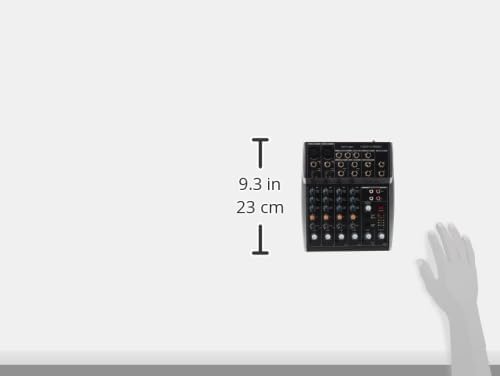
Figure 6: Product dimensions for the Behringer Xenyx 802S.
Garanti ak sipò
Behringer products are manufactured to the highest quality standards. For detailed warranty information and support, please refer to the warranty card included with your product or visit the official Behringer website. You can also find frequently asked questions, software downloads, and contact information for technical support there.
Pou plis asistans, tanpri vizite Magazen Behringer sou Amazon.


