Entwodiksyon
This manual provides instructions for the Trust 25025 AZERTY Wireless Keyboard and Mouse Set. This comfortable wireless set features silent keys and buttons, and is constructed using 85% recycled materials. It is designed for ease of use and long-lasting performance.
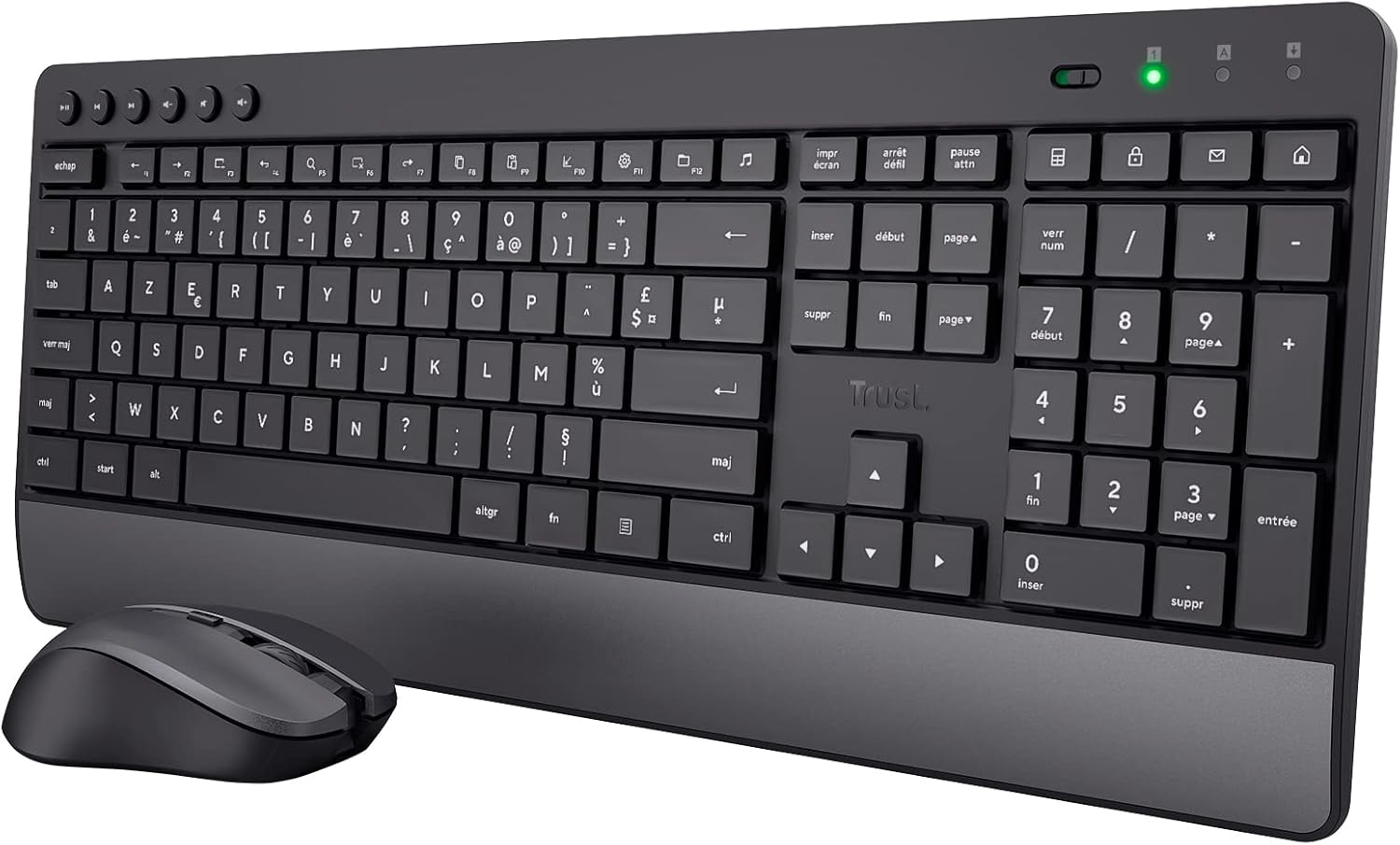
Image: The Trust 25025 AZERTY Wireless Keyboard and Mouse Set, featuring a full-size keyboard with a wrist rest and a compact mouse.
Kontni pake
- Trust 25025 AZERTY Wireless Keyboard
- Mete konfyans Wireless sourit
- USB Micro reseptè
- 3 x AA Batteries (pre-installed or included separately)
- Manyèl Itilizatè (dokiman sa a)
Enstalasyon
1. Enstalasyon batri
The keyboard requires 2 AA batteries and the mouse requires 1 AA battery. These are typically included. If not, or if replacing, ensure correct polarity.
- Jwenn konpatiman pil yo anba klavye a ak sourit la.
- Louvri kouvèti pil yo.
- Insert the AA batteries, matching the + and - indicators.
- Fèmen kouvèti batri yo byen fèm.
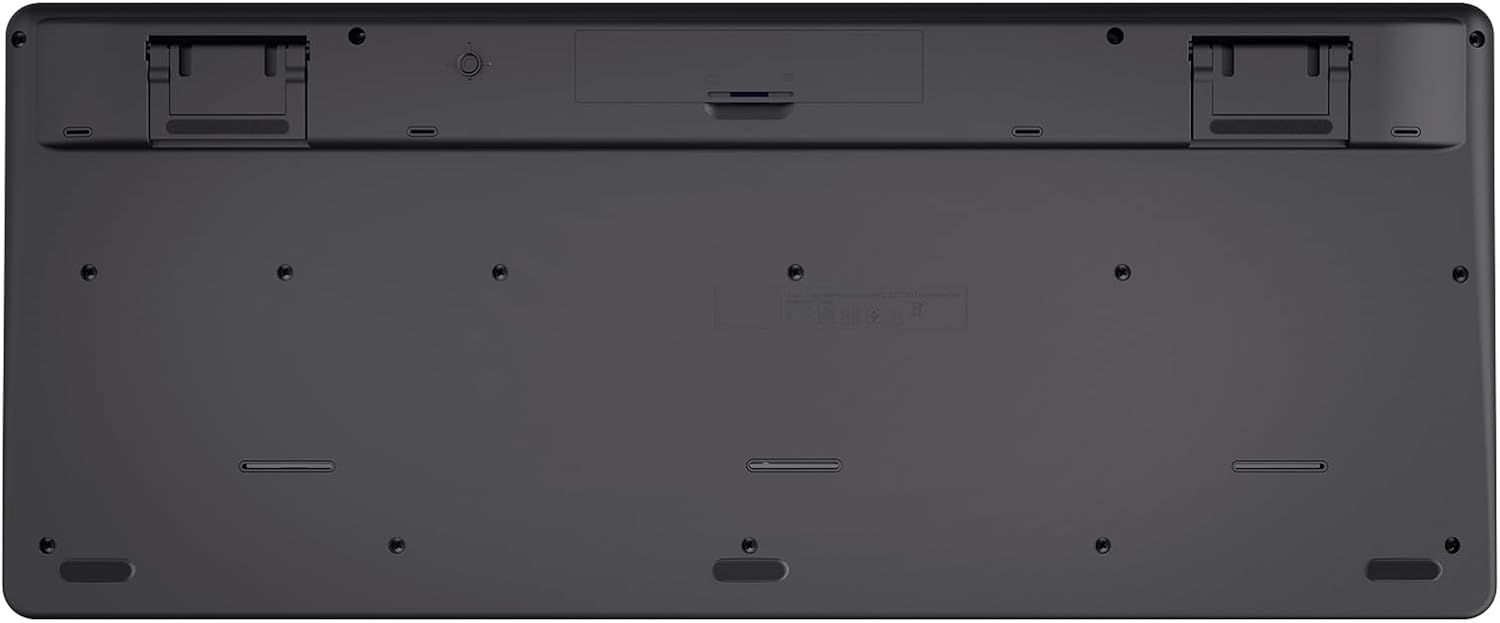
Image: The underside of the Trust 25025 keyboard, showing the battery compartment and the storage slot for the USB micro receiver.
2. Connecting the USB Micro Receiver
The keyboard and mouse connect wirelessly to your computer via a single USB micro receiver.
- Locate the USB micro receiver, usually stored in the mouse's battery compartment or a dedicated slot on the keyboard's underside.
- Plug the USB micro receiver into an available USB port on your computer (PC or Mac).
- Odinatè w la ta dwe detekte epi enstale chofè ki nesesè yo otomatikman. Sa a se yon aparèy plug-and-play, ki pa bezwen okenn enstalasyon lojisyèl adisyonèl.

Image: An icon representing 'Plug & Play' functionality, indicating easy setup without additional drivers.
3. Limen
Ensure the keyboard and mouse are switched on. The mouse typically has an on/off switch on its underside. The keyboard may have an indicator light to show it's active.
Enstriksyon Operasyon
Karakteristik klavye
- AZERTY Layout: Standard French keyboard layout for comfortable typing.
- Kle silans: Designed for quiet operation, reducing typing noise.
- Repoze ponyèt entegre: Provides ergonomic support during extended use.
- Kle miltimedya: Dedicated keys for quick access to media controls (play, pause, volume, etc.).
- Konsepsyon ki reziste kont koule: Helps protect against accidental liquid spills.
- Long lavi batri: Up to 48 months of battery life under typical usage conditions.

Imaj: Yon imaj anwo-anba view of the Trust 25025 keyboard and mouse, highlighting the AZERTY layout and multimedia keys.
Karakteristik sourit
- Bouton Silansye: Reduces click noise for a quieter working environment.
- DPI reglabl: Cycle through 1000, 1400, and 1800 DPI settings for precise cursor control. Use the DPI button located near the scroll wheel to change sensitivity.
- Konsepsyon anbidextre: Suitable for both left-handed and right-handed users.
- Long lavi batri: Up to 12 months of battery life under typical usage conditions.

Imaj: Yon gwo plan view of the Trust wireless mouse, showing its ergonomic shape and the DPI adjustment button.
Antretyen
Netwayaj
- Use a soft, dry cloth to clean the surfaces of the keyboard and mouse.
- Pou pousyè tè ki difisil pou retire, yon ti kras dampRense twal la avèk dlo oswa yon solisyon netwayaj dou. Evite pwodui chimik ki agresif.
- Pa plonje aparèy yo nan dlo.
Ranplasman batri
When the battery indicator light (if present) illuminates or performance degrades, replace the batteries.
- Turn off the mouse using its power switch.
- Open the battery compartments on both devices.
- Remove old batteries and dispose of them according to local regulations.
- Mete nouvo pil AA yo, asire w ke polarite a kòrèk.
- Fèmen kouvèti pil yo.
Depanaj
No Response from Keyboard or Mouse
- Tcheke batri yo: Asire w pil yo byen enstale epi yo pa fin itilize. Ranplase yo si sa nesesè.
- Pouvwa switch: Verify that the mouse (and keyboard, if applicable) is switched ON.
- Reseptè USB: Ensure the USB micro receiver is securely plugged into a working USB port on your computer. Try a different USB port.
- Distans: Make sure the keyboard and mouse are within the operational range of the USB receiver (typically up to 10 meters).
- Entèferans: Move the devices away from other wireless devices or large metal objects that might cause interference.
Kisè sourit la sote oswa li pa fiks
- Sifas: Use the mouse on a clean, non-reflective surface. A mouse pad is recommended.
- DPI Anviwònman: Adjust the DPI setting using the button on the mouse to find a comfortable sensitivity.
- Batri: Low battery power can affect mouse performance. Replace batteries if needed.
Espesifikasyon
| Karakteristik | Detay |
|---|---|
| Mak | Fè konfyans |
| Nimewo Modèl | 25025 |
| Seri | Trezo |
| Koulè | Nwa |
| Koneksyon Teknoloji | Radio Frequency (Wireless) |
| Layout klavye | AZERTY |
| Anviwònman DPI sourit | 1000, 1400, 1800 |
| Dire lavi batri klavye a | Jiska 48 mwa |
| Lavi Batri Sourit la | Jiska 12 mwa |
| Batri obligatwa | 3 x AA (enkli) |
| Dimansyon pwodwi | 18.2 x 43.6 x 4.4 cm |
| Pwa atik | 752 g |
| Platfòm pyès ki nan konpitè | Mac, PC |
| Sistèm operasyon konpatibilite | Windows, Mac OS, Chrome OS |
| Karakteristik espesyal | 85% recycled plastic, long battery life, silent typing and clicks, wrist rest, single USB adapter for mouse and keyboard |
| Aparèy konpatib | Laptop, PC |

Image: An icon indicating compatibility with multiple devices, including laptops and PCs.
Garanti ak sipò
For warranty information and technical support, please refer to the official Trust website or contact their customer service directly. Details regarding specific warranty periods and support channels are typically provided with the product packaging or on the manufacturer's websit.


