1. Entwodiksyon
This manual provides essential information for the safe and efficient installation, operation, and maintenance of your Antec NeoECO NE650G M 80+ Gold Certified Fully Modular Power Supply Unit (PSU). Please read this manual thoroughly before installation and keep it for future reference.
The Antec NeoECO Gold Modular series is designed to provide stable and efficient power to your PC system. Featuring an 80 PLUS Gold certification and a 100% full modular design, it ensures convenient installation and reduced electricity consumption. The integrated 120mm silent fan with Zero RPM mode optimizes cooling while maintaining quiet operation.
2. Enfòmasyon sou Sekirite
Toujou obsève prekosyon sekirite sa yo pou evite aksidan oswa domaj nan ekipman ou an:
- Asire w ke ekipman pou kouran an dekonekte nan priz kouran AC a anvan enstalasyon oswa antretyen.
- Pa louvri PSU a casing. Gwo volimtages yo prezan anndan, menm lè yo dekonekte.
- Install the PSU in a well-ventilated area, away from heat sources and moisture.
- Sèvi ak sèlman kab modilè ki vini ak ekipman pouvwa sa a. Itilizasyon kab ki pa konpatib ka domaje ekipman pouvwa a oswa konpozan ki konekte yo.
- This product is designed for use in personal computer systems. Do not use it for any other purpose.
- Manyen ak prekosyon pou evite lage oswa frape aparèy la.
3. Pake kontni
Verifye ke tout atik yo prezan nan pakè ou a:
- Antec NeoECO NE650G M Power Supply Unit
- Modular Cable Set (including ATX 24-pin, CPU 4+4-pin, PCIe 6+2-pin, SATA, and Molex cables)
- AC pouvwa kòd
- Montaj Vis
- Manyèl Itilizatè (dokiman sa a)
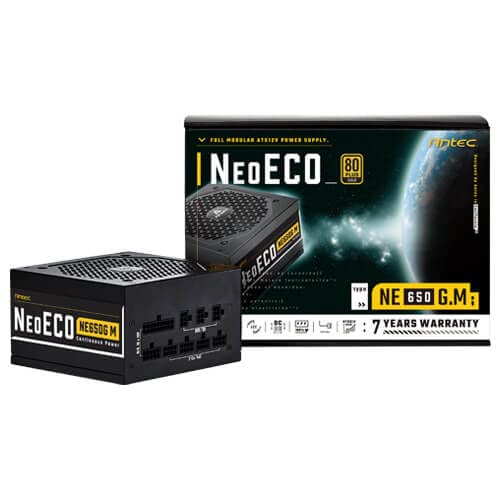
Figure 3.1: Antec NeoECO NE650G M Power Supply with its retail packaging.
4. Enstalasyon ak Enstalasyon
Follow these steps to install your Antec NeoECO NE650G M PSU into your computer system:
- Prepare Sistèm ou an: Asire w òdinatè w la etenn nèt epi li debranche nan priz miray la. Louvri bwat òdinatè w la.
- Retire ansyen PSU a (si sa aplikab): Dekonekte tout kab ki nan ansyen ekipman pou pouvwa a. Devise epi retire ansyen ekipman pou pouvwa a nan bwat la.
- Monte nouvo PSU a: Carefully slide the Antec NeoECO NE650G M into the PSU mounting bay of your computer case. Ensure the fan faces the correct direction (usually downwards if your case has a bottom vent, or upwards if it's a top-mounted PSU). Secure the PSU with the provided mounting screws.
- Konekte Kab Modilè yo: Identify the necessary cables for your components (motherboard, CPU, graphics card, storage drives). Connect the appropriate modular cables to the corresponding ports on the PSU. The ports are clearly labeled on the PSU.
- Konekte ak konpozan yo: Route the connected modular cables neatly through your case and connect them to your motherboard (24-pin ATX, 4+4-pin CPU), graphics card(s) (6+2-pin PCIe), and storage devices (SATA, Molex). Ensure all connections are firm and secure.
- Fèmen bwat la epi konekte kouran an: Once all internal connections are made, close your computer case. Connect the AC power cord to the PSU's inlet and then to a wall outlet or surge protector.
- Pouvwa sou: Flip the power switch on the back of the PSU to the 'ON' position. You can now power on your computer.
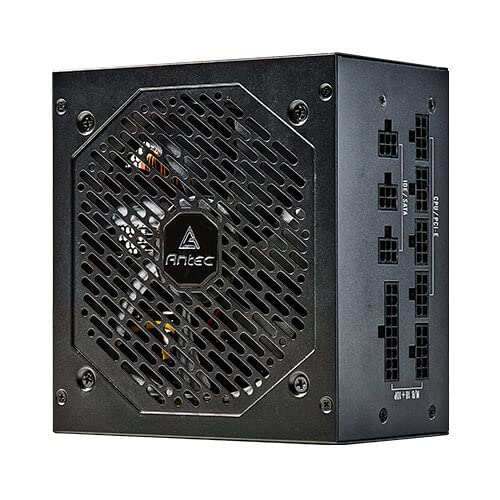
Figi 4.1: Side view of the Antec NeoECO NE650G M PSU, highlighting the modular cable connection ports.
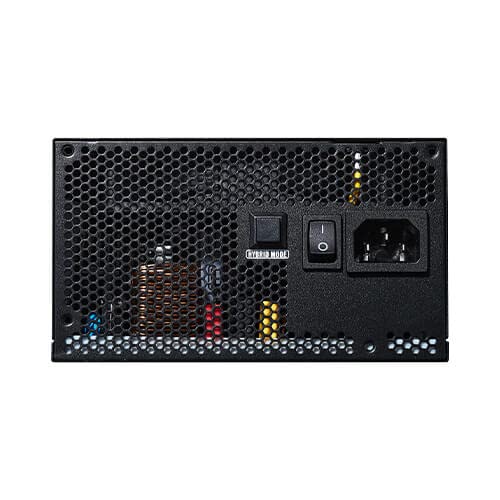
Figure 4.2: The Antec NeoECO NE650G M PSU with various modular cables attached, ready for system integration.
Figi 4.3: Dèyè view of the Antec NeoECO NE650G M PSU, showing the main power switch and AC power inlet.
5. Operasyon Enstriksyon
The Antec NeoECO NE650G M PSU is designed for reliable and efficient operation. Key features include:
- 80 PLUS Gold Certification: Ensures high power efficiency, reducing heat generation and electricity costs.
- Konsepsyon konplètman modilè: Allows for cleaner cable management and improved airflow within your PC case by only using the necessary cables.
- Zewo RPM mòd: The 120mm silent fan will remain off at low loads (typically below 30% of total wattage) to provide absolute silence. As the load increases, the fan will automatically spin up to maintain optimal temperatures. This feature helps extend the fan's lifespan and reduces noise during light usage.
- CircuitShield Protection: Incorporates industrial-grade protections including OVP (Over Voltage Pwoteksyon), UVP (Anba Voltage Protection), OCP (Over Current Protection), OPP (Over Power Protection), SCP (Short Circuit Protection), OTP (Over Temperature Protection), and NLO (No Load Operation) to safeguard your system.
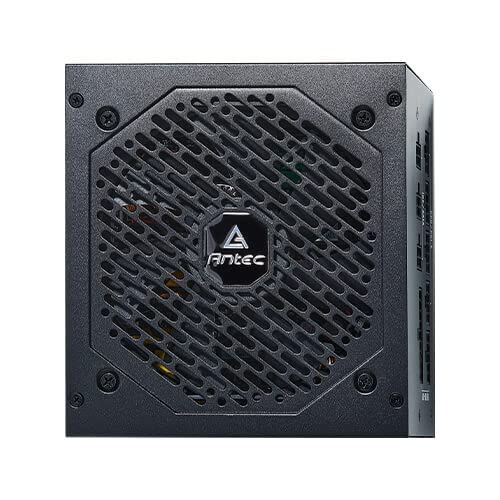
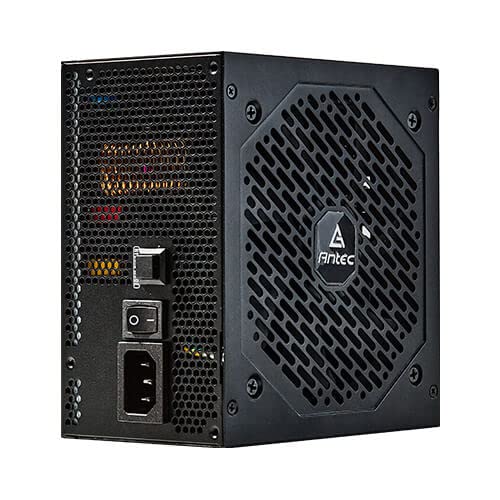
Figi 5.1: Devan view of the Antec NeoECO NE650G M PSU, showcasing the 120mm silent cooling fan grill.
6. Antretyen
Proper maintenance ensures the longevity and optimal performance of your PSU:
- Retire pousyè: Periodically clean dust from the PSU's fan grill and vents using compressed air. Ensure the PSU is powered off and unplugged before cleaning.
- Jesyon kab: Asire w ke fil yo byen pase epi yo pa bloke sikilasyon lè a andedan bwat òdinatè a.
- Kondisyon anviwònman: Operate the PSU within recommended temperature and humidity ranges. Avoid extreme conditions.
- Pa gen pati itilizatè ki ka fè sèvis: Do not attempt to open the PSU casing. There are no user-serviceable parts inside, and opening it will void the warranty.
NAN. Depanaj
If you encounter issues with your Antec NeoECO NE650G M PSU, refer to the following common problems and solutions:
| Pwoblèm | Kòz posib | Solisyon |
|---|---|---|
| Odinatè a pa limen. |
|
|
| Sistèm nan limen men li fèmen imedyatman. |
|
|
| Fanatik pa vire. |
|
|
| Unusual noises from PSU. |
|
|
If the problem persists after attempting these solutions, please contact Antec customer support or refer to the warranty section for service information.
8. Espesifikasyon
| Karakteristik | Detay |
|---|---|
| Mak | Antec |
| Non modèl | NE650G M |
| Faktè fòm | ATX |
| Wattage | 650 Watts |
| Sètifikasyon 80 PLUS | Lò |
| Modularite | Konplètman modilè |
| Gwosè fanatik | 120mm fanatik an silans |
| Zewo RPM mòd | Wi |
| Kondansateur Japonè yo | Wi |
| Dimansyon (LxWxH) | 15 x 14 x 9 cm |
| Pwa atik | 1.5 kg |
| Aparèy konpatib | Odinatè pèsonèl |
| Kalite Connector | ATX |
| Protections (CircuitShield) | OVP, UVP, OCP, OPP, SCP, OTP, NLO |
9. Garanti ak sipò
The Antec NeoECO NE650G M Power Supply Unit is backed by a 7-ane garanti soti nan dat acha a. Garanti sa a kouvri domaj nan materyèl ak atizan konn fè nan itilizasyon nòmal.
For warranty claims or technical support, please contact Antec customer service. Keep your proof of purchase for warranty validation.
For more information, visit the official Antec websit la oubyen gade enfòmasyon kontak ki vini ak anbalaj pwodwi a.


Antec provides a comprehensive warranty and is recognized as a top brand in PC components.


