1. Pwodwi souview
The JoFomp 13-inch Digital LED Wall Clock is a versatile timepiece designed for clear visibility and multiple functions. It features a large LED display, remote control operation, and various modes to enhance daily time management.
Karakteristik kle:
- Large 13-inch LED Display: Provides clear and comfortable visibility of time, date, and temperature.
- Mòd Milti-Fonksyon: Includes clock, date, week, temperature, alarm, and countdown timer.
- Dimmer otomatik klète: Features 10 levels of adjustable brightness and a built-in light sensor for automatic adjustment.
- Kontwòl Remote: Allows convenient adjustment of settings without needing to physically access the clock.
- Doub Alam: Supports setting two separate alarms for different schedules.
- Lè varè (DST): Automatic adjustment for DST.
- Batri Backup: Konsève paramèt pandan pouvwa outages (display does not light up on battery power alone). Requires 2 AAA Alkaline batteries (not included).
- Sous pouvwa: Plug-in powered via USB port (5V/1A or 5V/2A adapter required, not included).

Imaj 1.1: Devan view of the JoFomp Digital LED Wall Clock, showing its large display with time, day of the week, temperature, and date.
2. Enstriksyon Enstalasyon
2.1 Unboxing and Initial Power-Up
- Retire revèy la ak tout akseswa yo nan anbalaj la avèk prekosyon.
- Connect the provided USB cable to the clock's power input port.
- Plug the USB cable into a 5V/1A or 5V/2A USB adapter (not included) and then into a power outlet. The clock display will illuminate.
2.2 Enstalasyon batri backup
For battery backup functionality (to retain settings during power outages), install 2 AAA Alkaline batteries (not included) into the battery compartment located on the back of the clock. Note: The display will not light up using battery power alone.

Imaj 2.1: Dèyè view of the clock, indicating the battery compartment and mounting options.
2.3 Montaj Opsyon
- Mi Mount: Use the integrated keyholes on the back of the clock to hang it securely on a wall. Ensure the power cable can reach an outlet.
- Plasman biwo: The clock can also be placed on any flat surface, such as a desk or nightstand.
Video 2.1: This video demonstrates the physical setup of the digital clock, including connecting the power cable and showing the mounting options on the back of the device.
3. Operasyon Enstriksyon
The JoFomp Digital LED Wall Clock is operated primarily using the included remote control. Ensure the remote has working batteries.
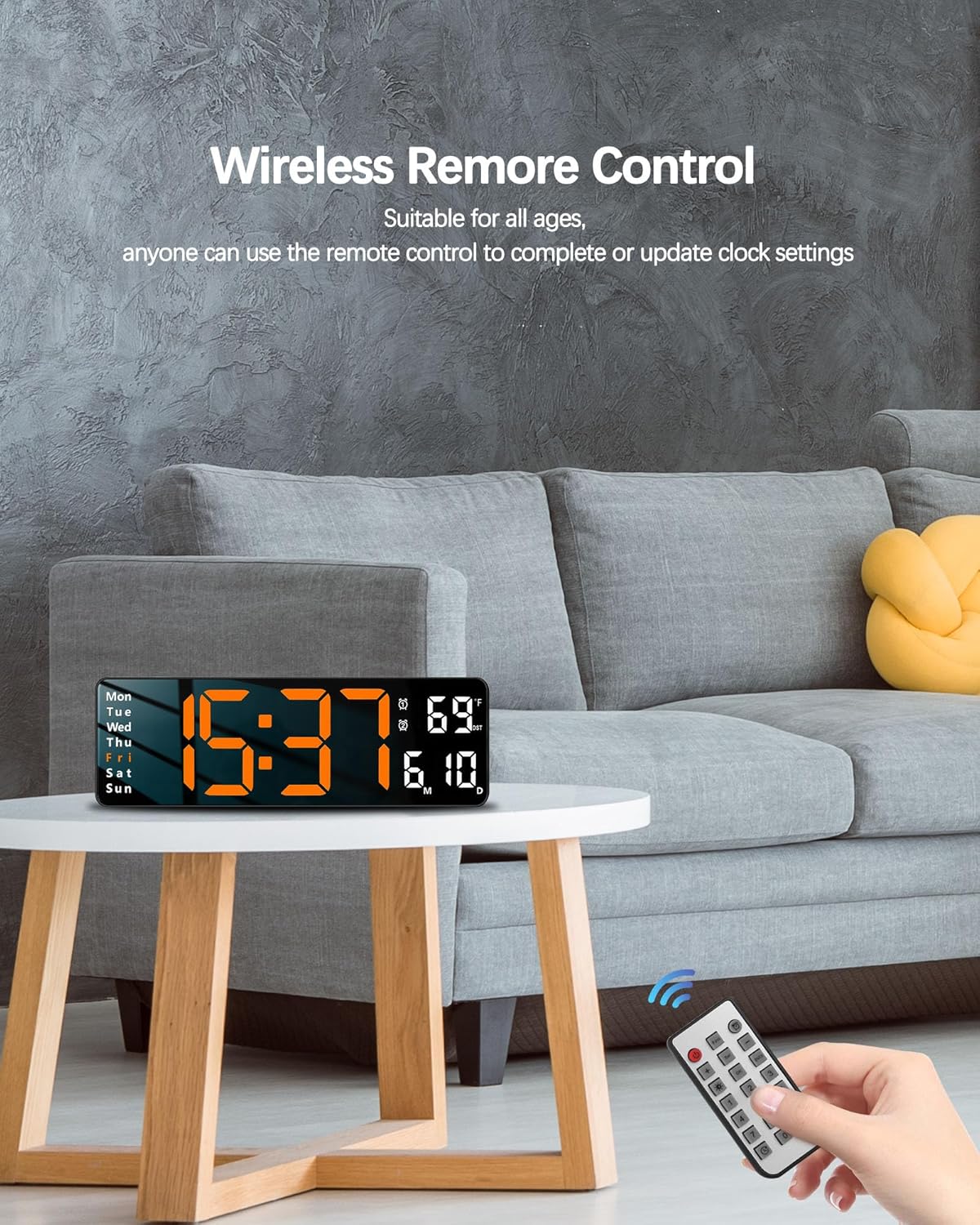
Image 3.1: The remote control used to operate the clock's functions.
3.1 Mete Lè ak Dat
- Peze a SET button on the remote control to enter time setting mode.
- Sèvi ak la + epi - bouton pou ajiste lè, minit, ane, mwa ak jou a.
- Peze SET again to confirm each setting and move to the next.
- Pou chanje ant fòma 12 èdtan ak 24 èdtan, peze bouton an 12/24H bouton.
3.2 Ajiste Klate
The clock offers 10 levels of adjustable brightness and an automatic dimming feature.
- Peze a Klète button (often indicated by a sun icon) on the remote to cycle through brightness levels or activate auto-dimming.
- In manual mode, use the + epi - buttons to fine-tune the brightness.
- The built-in light sensor will automatically adjust the display brightness based on ambient light when auto-dimming is enabled.

Image 3.2: Illustration of the clock's 10-level brightness dimmer and auto-dimming function.
3.3 Mete Alam yo
The clock supports setting two independent alarms.
- Peze a ALAM bouton sou remote la.
- Sèvi ak la + epi - bouton yo pou mete lè alam ou vle a.
- Peze SET to confirm the time and move to the next alarm setting (if applicable).
- To activate or deactivate an alarm, press the corresponding alarm button (e.g., AL1 or AL2) on the remote. An alarm icon will appear on the display when active.
- To snooze, press the SNOOZE / DIMMER bouton lè alam la sonnen.
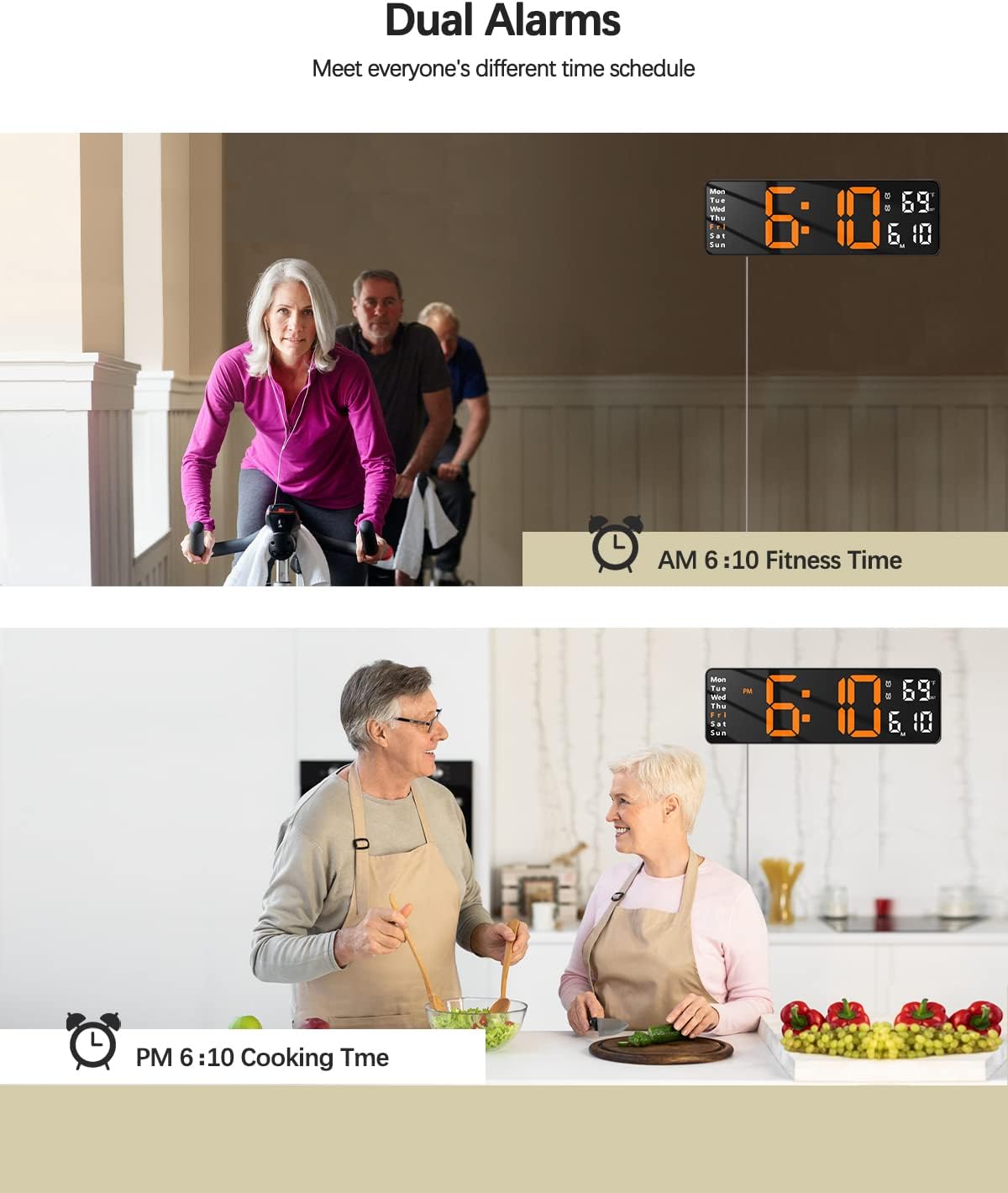
Image 3.3: The clock displaying two different alarm settings, illustrating its dual alarm capability.
3.4 Itilizasyon Fonksyon Revèy la
The clock includes both count-up and countdown timer functions.
- Countdown minutri: Peze a TIMER button. Use the number buttons on the remote to input the desired countdown duration (e.g., 0500 for 5 minutes). Press OK pou kòmanse.
- Count-Up Timer: Peze a TIMER button twice. The display will show 00:00. Press OK pou kòmanse konte.
- Peze OK again to pause/resume the timer. Press RESET pou netwaye revèy la.
3.5 Lè Ete (DST)
The clock can automatically adjust for Daylight Saving Time.
- Peze a DST button on the remote control to toggle the DST function On or Off.
- When enabled, the clock will automatically adjust by one hour during the spring forward and fall back periods.

Image 3.4: Visual representation of the Daylight Saving Time feature, showing how the clock adjusts for spring forward and fall back.
Video 3.1: This video provides a detailed demonstration of how to operate the JoFomp Digital Clock using its remote control, covering various settings and functions.
4. Antretyen
- Netwayaj: Sèvi ak yon twal mou epi sèk pou netwaye ekran an ak casing. Evite pwodui netwayaj oswa solvan abrazif.
- Pouvwa: Ensure the clock is always connected to a stable 5V power source.
- Ranplasman batri: Replace the AAA backup batteries annually or when the battery icon indicates low power to ensure settings are retained during power interruptions.
NAN. Depanaj
- Ekspozisyon pa limen:
- Ensure the USB power cable is securely connected to both the clock and a working power adapter/outlet.
- Verify the power adapter is 5V/1A or 5V/2A.
- The clock display does not light up on battery backup power alone.
- Kontwòl Remote pa reponn:
- Check if the remote control batteries are correctly installed and have sufficient power. Replace if necessary.
- Ensure there are no obstructions between the remote and the clock's sensor.
- Lè/Dat ki pa kòrèk:
- Follow the "Setting Time and Date" instructions in Section 3.1 to manually adjust.
- If DST is enabled, ensure it's set correctly for your region.
- Alam pa sonnen:
- Verifye ke alam lan aktive (ikòn alam lan vizib sou ekran an).
- Check the alarm volume settings if available (not explicitly mentioned, but a common feature).
6. Espesifikasyon
| Karakteristik | Detay |
|---|---|
| Mak | JoFomp |
| Nimewo Modèl | 6626-6629 |
| Kalite ekspozisyon | Dijital dirije |
| Gwosè | 13 INCH (12.6"W x 4.1"H) |
| Koulè | Orange (for this variant) |
| Sous pouvwa | Corded Electric (USB 5V/1A or 5V/2A adapter required) |
| Sovgad batri | 2 AAA Alkaline batteries (not included) for settings retention |
| Kalite aliye | Wall Mount, Desk Placement |
| Karakteristik espesyal | Remote Control, Auto-Dimming, DST, Dual Alarms, Timer, Temperature Display |
| Materyèl | Acrylonitrile Butadiene styrene |
| Pwa atik | 1 liv |
7. Garanti ak sipò
For warranty information or technical support, please contact the manufacturer, JoFomp, or the seller, JFeng Direct, through their official channels. Keep your purchase receipt for any warranty claims.


