Entwodiksyon
Thank you for choosing the AODSK AA-05 Digital Guitar Amplifier. This compact and portable 5W amplifier is designed for electric guitar practice and features Bluetooth connectivity for audio playback. This manual provides essential information for safe and effective use of your amplifier.
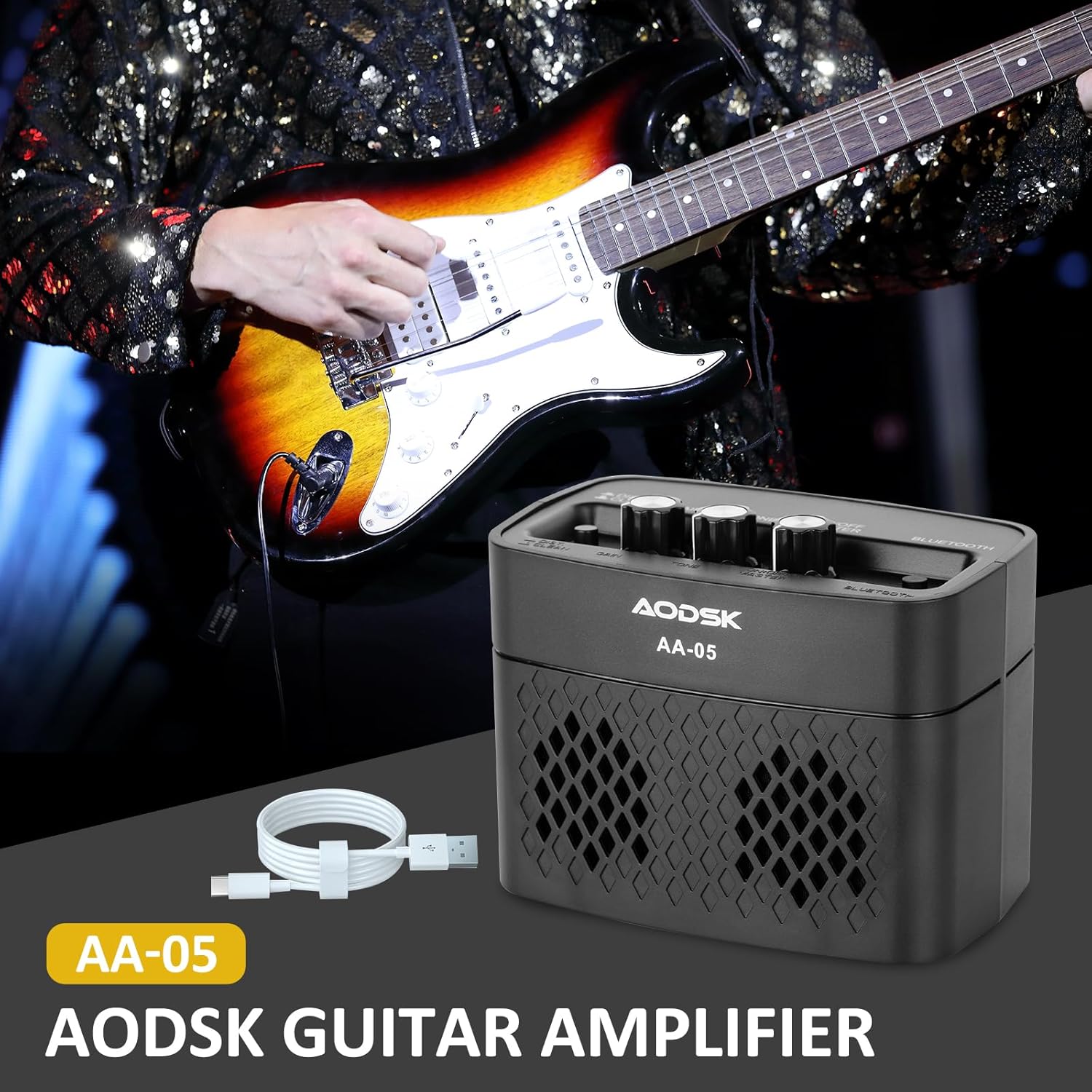
Image: The AODSK AA-05 Digital Guitar Amplifier, a compact black unit, shown with a Type-C charging cable. A guitar player is visible in the background, demonstrating its use.
Enfòmasyon sou Sekirite
- Pa ekspoze a amplifier to water or excessive moisture.
- Evite mete a amplifter toupre sous chalè oswa anba limyè solèy dirèk.
- Sèvi sèlman ak kab chaje ki vini ak aparèy la oswa yon kab Kalite-C sètifye pou chaje.
- Pa eseye demonte oswa modifye amplifier. This will void the warranty and may cause damage.
- Kenbe soti nan atenn timoun yo.
Kontni pake
Verifye ke tout atik yo prezan nan pakè a:
- AODSK AA-05 Digital Guitar Amplifier
- Kalite-C USB Chaje Kab
- Manyèl itilizatè
Pwodwi souview
Familiarize yourself with the controls and ports of your AA-05 amplifier:

Image: A detailed diagram showing the top and rear panels of the AODSK AA-05 amplifier, labeling each button, knob, and port with corresponding numbers and descriptions.
- Effect Switch: Toggles between Clean and Distortion channels.
- Akeri Knob: Adjusts the input signal level, affecting the amount of overdrive/distortion.
- Bouton Ton: Controls the tonal characteristics, from darker to brighter sounds.
- Bouton pouvwa/volim: Vire a amplifier on/off and adjusts the overall output volume.
- Endikatè pouvwa: Limyè lè a amplifier se sou.
- Bouton Bluetooth: Aktive mòd koneksyon Bluetooth la.
- Earphone Output Jack: For connecting headphones for silent practice.
- Jack Antre gita: Konekte gita elektrik ou isit la.
- Endikatè Chaj: Montre estati chaj la.
- Chaje Jack: Type-C port for charging the amplifier.
Enstalasyon
1. Chaje a Amplifier
Anvan premye itilizasyon an, chaje nèt amplifier. Connect the supplied Type-C USB cable to the amplifier's Charge Jack (10) and the other end to a USB power adapter (not included) or a computer USB port. The Charge Indicator (9) will show the charging status.

Image: An illustration of the AODSK AA-05 amplifier highlighting its battery life, indicating up to 8 hours of use on a full charge.
2. Koneksyon Inisyal
- Asire w la amplifier chaje.
- Turn the Power/Volume knob (4) clockwise to power on the amplifier. The Power Indicator (5) will light up.
- Connect your electric guitar to the Guitar Input Jack (8) using a standard 1/4-inch instrument cable.
Enstriksyon Operasyon
1. Adjusting Guitar Sound
- Volim: Use the Power/Volume knob (4) to adjust the overall output volume.
- Chanèl: Press the Effect Switch (1) to toggle between Netwaye epi Distòsyon chanèl.
- Genyen: In Distòsyon mode, rotate the Gain knob (2) to control the amount of distortion.
- Ton: Adjust the Tone knob (3) to shape the frequency response of your guitar sound.

Image: The AODSK AA-05 amplifier with visual cues indicating its two channels: Clean and Distortion, which can be switched with a single button. The image also mentions using all-analog audio processing.
2. Using Bluetooth Function
The AA-05 amplifier features integrated Bluetooth 5.0 for playing music from external devices.
- Limen an amplifier using the Power/Volume knob (4).
- Press the Bluetooth Button (6). The Bluetooth indicator will flash, indicating it's in pairing mode.
- On your Bluetooth-enabled device (phone, tablet, PC), search for "AODSK AA-05" in the Bluetooth settings.
- Select "AODSK AA-05" to pair. Once connected, the Bluetooth indicator will stop flashing and remain solid.
- You can now play music through the amplifier. La amplifier can play both music and electric guitar sounds simultaneously.
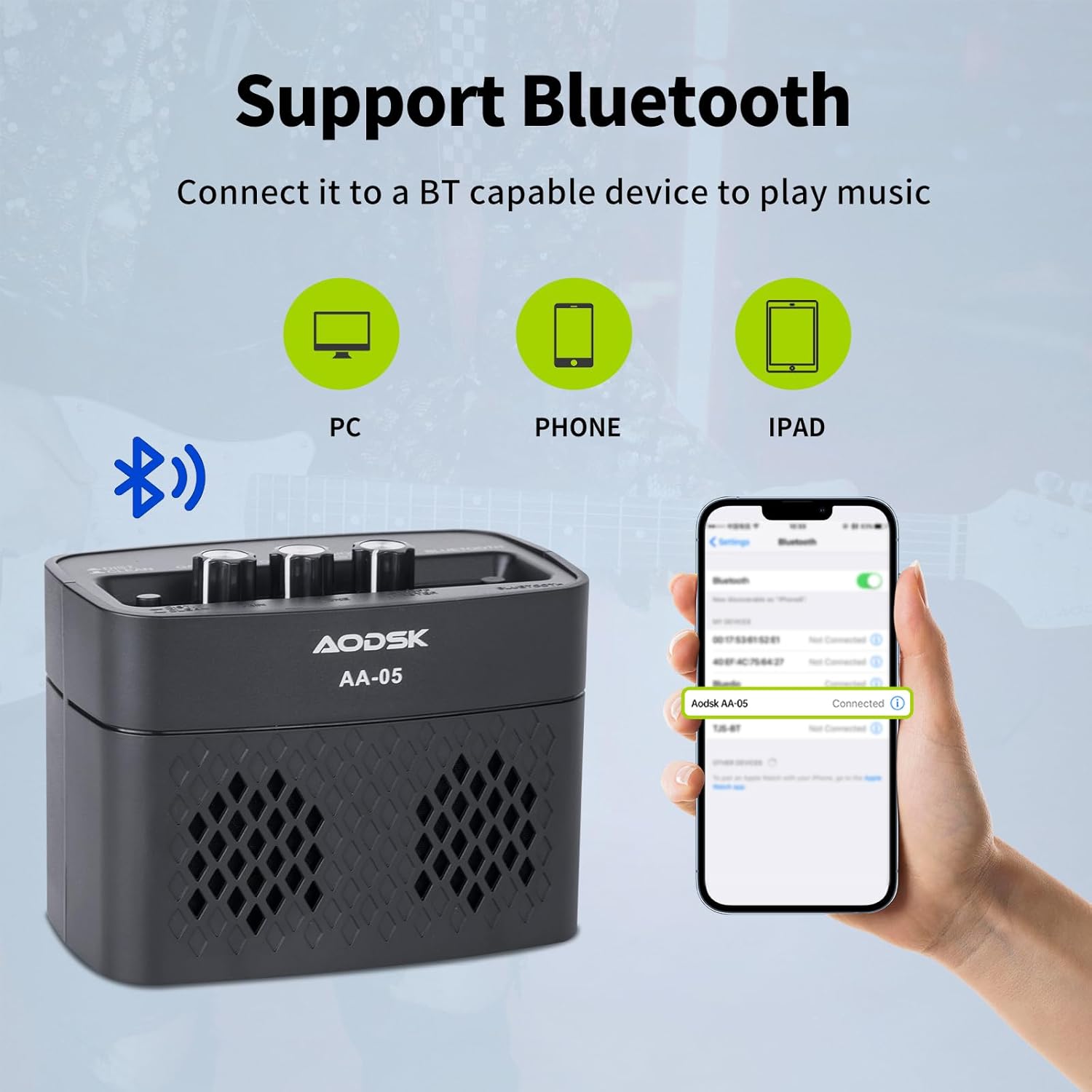
Image: An illustration demonstrating the AODSK AA-05 amplifier's Bluetooth connectivity, showing it can connect to PCs, phones, and iPads to play music.
3. Itilizasyon kas ekoutè
For private practice, connect standard 3.5mm headphones to the Earphone Output Jack (7). This will mute the main speaker output.
Antretyen
- Netwayaj: Siye a ampNetwaye lifter la avèk yon twal mou epi sèk. Pa sèvi ak pwodui netwayaj likid oswa materyèl abrazif.
- Depo: Sere a ampSere l nan yon kote ki fre epi sèk, lwen limyè solèy dirèk ak tanperati ekstrèm.
- Swen batri: For optimal battery life, avoid fully discharging the battery frequently. Charge the amplifier regularly, even if not in use for extended periods.
Depanaj
| Pwoblèm | Kòz posib | Solisyon |
|---|---|---|
| No sound from guitar | Amplifier not powered on; Volume too low; Guitar cable faulty; Guitar volume off. | Limen amplifier and increase volume; Check guitar cable and guitar volume. |
| Pa gen son ki soti nan Bluetooth | Bluetooth not paired; Device volume too low; AmpVolim lifyè a twò ba. | Ensure Bluetooth is paired (solid indicator); Increase volume on both device and amplifier. |
| Distorted sound (unexpected) | Gain too high; Effect switch in Distortion mode; Faulty cable. | Reduce Gain; Switch to Clean channel; Try a different guitar cable. |
| Amplifier not charging | Charging cable faulty; Power adapter faulty; Charge port damaged. | Try a different Type-C cable and power adapter. If issue persists, contact support. |
Espesifikasyon
| Karakteristik | Detay |
|---|---|
| Non modèl | AA-05 |
| Mak | AODSK |
| Sorti pouvwa | 5 Watts |
| Chèn pwodiksyon | 2 (Clean, Distortion) |
| Sous pouvwa | Battery Powered (Rechargeable Lithium Battery) |
| Lavi batri | Jiska 8 èdtan (lè chaj konplè) |
| Bluetooth vèsyon | 5.0 |
| Aparèy konpatib | Guitar, Bluetooth-enabled audio devices |
| Materyèl | Plastic, Metal, Battery |
| Koulè | Nwa |
| Dimansyon pwodwi | 20.32 x 10.16 x 11.94 cm (8 x 4 x 4.7 pous) |
| Pwa atik | 567 gram (1.25 liv) |
Garanti ak sipò
AODSK is committed to customer satisfaction. We offer an unconditional refund for quality issues. You can purchase our products with confidence.
For any questions, concerns, or support needs, please refer to your purchase platform or contact AODSK customer service directly. Please have your model number (AA-05) and purchase details ready when contacting support.


