1. Entwodiksyon
This manual provides essential information for the setup, operation, and maintenance of your HYTE Y40 Modern Aesthetic Panoramic Tempered Glass Mid-Tower ATX Computer Gaming Case. Please read this manual thoroughly before installation and use to ensure proper functionality and safety.

Figi 1: Devan view of the HYTE Y40 White Gaming Case, showcasing its panoramic tempered glass panels.
2. Karakteristik kle
- Panoramic Tempered Glass: Features precisely beveled edges and 2-piece panoramic tempered glass for an unobstructed view nan konpozan entèn yo.
- PCIE 4.0 Riser Cable: Includes a color-matched PCIE 4.0 Luxury Riser Cable for vertical GPU mounting, supporting the latest graphics cards.
- Amelyore Airflow: Designed with 4 full slots for GPU support and additional airflow space for high-intensity processing.
- Fanatik pre-enstale: Comes with 2x120mm fans pre-installed (one beneath the power supply shroud and one at the rear) for immediate cooling.
- Advanced Cable Management: Robust cable management strategy with dedicated spaces and tie-downs behind the motherboard shelf and within the power supply shroud.
- Sipò pou radyatè: Side mount accommodates up to a 280mm radiator with a combined thickness of up to 120mm, suitable for custom liquid cooling loops.
3. Espesifikasyon teknik
| Spesifikasyon | Detay |
|---|---|
| Non modèl | Y40 |
| Nimewo Modèl Atik | CS-HYTE-Y40-BW |
| Kalite Ka | Mid Tower |
| Mèr konpatibilite | ATX |
| Materyèl | Tanpered Glass |
| Koulè | Blan |
| Dimansyon pwodwi (LxWxH) | 17.2 x 9.4 x 18.4 pous |
| Pwa atik | 19 liv |
| Kalite montaj ekipman pouvwa | Anba mòn |
| Metòd refwadisman | Air |
| Fan Size (Pre-installed) | 120 Millimeters (2x) |
| Kantite USB 3.0 pò | 1 |
4. Enstalasyon ak Enstalasyon
This section outlines the general steps for assembling your PC components within the HYTE Y40 case. For detailed instructions on specific component installation, please refer to the respective component manuals.
4.1 Prepare Ka a
Before installing any components, ensure the case is placed on a stable, flat surface. Remove the tempered glass side and front panels by loosening the captive thumb screws and carefully lifting them away. This provides full access to the interior.
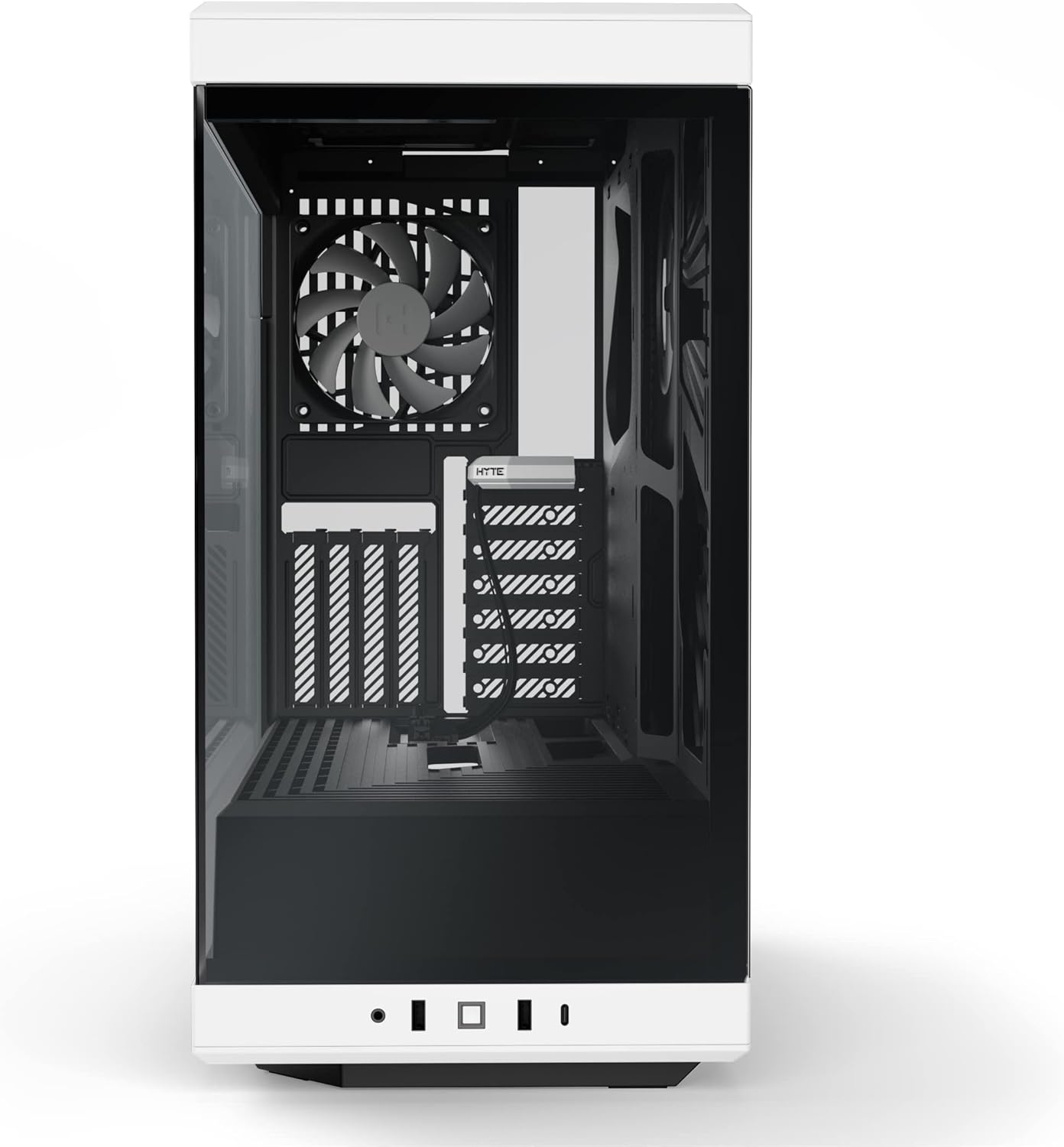
Figure 2: HYTE Y40 case with the side panel removed, showing the interior layout.
4.2 Enstalasyon mèr
Align your ATX motherboard with the standoffs inside the case. Secure the motherboard using the provided screws. Ensure all necessary cables (e.g., 24-pin ATX, 8-pin CPU) are routed through the designated cutouts for clean cable management.

Figure 3: Motherboard installed within the HYTE Y40 case, illustrating cable routing options.
4.3 Enstalasyon Power Supply Unit (PSU).
The HYTE Y40 supports bottom-mounted ATX PSUs. Slide your PSU into the dedicated compartment at the bottom rear of the case. Secure it with screws from the rear of the case. Utilize the cable management channels to route PSU cables to their respective components.
Video 1: Demonstration of PSU installation and cable management within a PC case. This video illustrates the process of securing the PSU and routing its cables effectively.
4.4 Enstalasyon Kat Grafik (GPU)
The HYTE Y40 features a vertical GPU mounting system with an included PCIE 4.0 Luxury Riser Cable. Install your GPU onto the riser cable and secure it within the case. Ensure proper connection of the riser cable to the motherboard's PCIE slot and connect the necessary power cables from the PSU to the GPU.
Videyo 2: Finiview of the HYTE Y40 case, highlighting its vertical GPU mounting and PCIE 4.0 riser cable. This video demonstrates the aesthetic and functional aspects of the GPU installation.
4.5 Enstalasyon Sistèm Refwadisman an
The case comes with 2x120mm fans pre-installed. Additional fans or radiators can be installed on the side mount (up to 280mm radiator) or other designated areas. Ensure correct fan orientation for optimal airflow (intake/exhaust).
Video 3: Installation guide for an AIO cooler and fans in a PC case, demonstrating how to manage tubes and cables for a clean build.
5. Operasyon Enstriksyon
After all components are securely installed and cables are connected, replace the tempered glass panels. Connect your peripherals (monitor, keyboard, mouse) and power cable. Press the power button located on the front I/O panel to start your system.

Figure 4: Fully assembled HYTE Y40 case with internal components illuminated by RGB lighting.
6. Antretyen
Regular maintenance ensures optimal performance and longevity of your PC. Keep the case clean and free of dust.
- Filtè Pousyè: Periodically clean the dust filters to maintain optimal airflow and prevent dust buildup inside the case.
- Netwayaj Panèl: Use a soft, lint-free cloth to clean the tempered glass panels. Avoid abrasive cleaners that may scratch the surface.
- Jesyon kab: Periodically check cable routing to ensure no cables are obstructing airflow or fan operation.
NAN. Depanaj
If you encounter issues with your HYTE Y40 case, consider the following common troubleshooting steps:
- Pa gen pouvwa: Ensure the PSU is properly connected to the wall outlet and the power switch on the PSU is in the 'ON' position. Check all internal power connections (24-pin, CPU, GPU).
- Surchof: Verify that all fans are spinning correctly and are oriented for optimal airflow. Clean any dust filters that may be clogged. Ensure CPU and GPU coolers are properly seated.
- Konpozan pa detekte: Re-seat the component (e.g., GPU, RAM) in its slot. Check all power and data connections.
8. Garanti ak sipò
For warranty information and technical support, please visit the official HYTE websit la oubyen kontakte sèvis kliyan yo. Kenbe prèv acha ou pou reklamasyon garanti.
Visit the HYTE Store: HYTE Store
Dokiman ki gen rapò - Y40
 |
Bwat PC HYTE Y40 ATX: Enstriksyon Asanblaj ak Enfòmasyon sou Pwodwi aview Gid konplè pou bwat òdinatè HYTE Y40 ATX la, ki gen ladan kontni, espesifikasyon, enfòmasyon sou garanti, ak enstriksyon detaye pou asanblaj. Aprann kijan pou konstwi sistèm ou a ak chasi òdinatè sa a ki gen gwo sikilasyon lè epi ki rich an fonksyon. |
 |
Enstriksyon pou asanblaj bwat PC HYTE Y60 ATX ak plis ankòview Enstriksyon detaye pou asanblaj, espesifikasyon, ak enfòmasyon sou garanti pou bwat PC HYTE Y60 ATX la. Aprann kijan pou konstwi PC ou a ak bwat mid-tower prim sa a. |
 |
Gid Enstalasyon ak Espesifikasyon pou Bwat Odinatè HYTE X50 ak X50 Air Gid konplè pou bwat òdinatè HYTE X50 ak X50 Air yo, ki kouvri enstalasyon, pyès, ak enfòmasyon sou garanti. |
 |
HYTE Y70 E-ATX Case Assembly Instructions and Product Overview This document provides comprehensive assembly instructions and product overview for the HYTE Y70 E-ATX computer case, detailing component compatibility, front I/O ports, and warranty information. It guides users through the installation of motherboards, GPUs, storage drives, cooling solutions, and power supplies. |
 |
Twous LCD HYTE Y60 DIY: Espesifikasyon ak Gid Konektivite Aprann plis sou Twous LCD HYTE Y60 la, ki gen ladan espesifikasyon li yo, opsyon koneksyon, ak enfòmasyon debaz sou konfigirasyon an. Esansyèl pou moun ki konstwi òdinatè ak amatè yo. |
 |
Gid Konpatibilite Bwat Refwadisè HYTE THICC Q60 AIO a Tablo konpatibilite konplè pou refwadisè likid HYTE THICC Q60 280mm All-In-One (AIO) la, ki detaye sipò pou divès bwat PC atravè konfigirasyon montaj devan, bò ak anlè. |