1. Entwodiksyon
This manual provides comprehensive instructions for the installation, operation, and maintenance of your LEDVANCE WiFi Smart Outdoor Camera (Model 75830 Cam v3). This device is designed to enhance your home security by providing high-definition video surveillance with smart features.
The camera integrates with the SYLVANIA App and is compatible with Amazon Alexa and Google Home, allowing for convenient remote management and alerts.
2. Pake kontni
Verifye ke tout atik yo prezan nan pakè ou a:
- LEDVANCE WiFi Smart Outdoor Camera (Model 75830 Cam v3)
- Adaptè pouvwa (DC 12V/1A)
- Zouti tournevis
- Materyèl pou monte (vis, lank)
- Gid pou kòmanse rapidman (pa enkli nan manyèl sa a)
3. Pwodwi souview

Figure 3.1: LEDVANCE WiFi Smart Outdoor Camera (Model 75830 Cam v3)
The LEDVANCE WiFi Smart Outdoor Camera is designed for outdoor use, featuring a weatherproof IP65 rating. It provides 1080p HD video resolution and is equipped with a 1/2.9" 2 Megapixel CMOS image sensor, capable of up to 25 frames per second. The lens is 3.0mm@F2.0 with a 130-degree viewing angle, offering a wide field of view.
Karakteristik kle yo enkli:
- Videyo HD 1080p: Clear day and night video surveillance.
- Deteksyon Mouvman: Customizable zone selection to minimize false alerts.
- Son Deteksyon: Alerts for unusual sounds.
- Vizyon lannwit: Effective up to 32.8 feet (10 meters) in low light conditions.
- De-fason Audio: Communicate through the camera.
- Depo lokal: MicroSD slot supports up to 128GB (MicroSD card not included).
- Optional Cloud Storage: Subscription-based cloud storage available.
- Mòd konfidansyalite: Temporarily disable recording and live view for privacy.
- Rezistan a move tan (IP65): Ki fèt pou reziste anba eleman deyò yo.
- Entegrasyon kay entelijan: Konpatib ak Amazon Alexa ak Google Home.
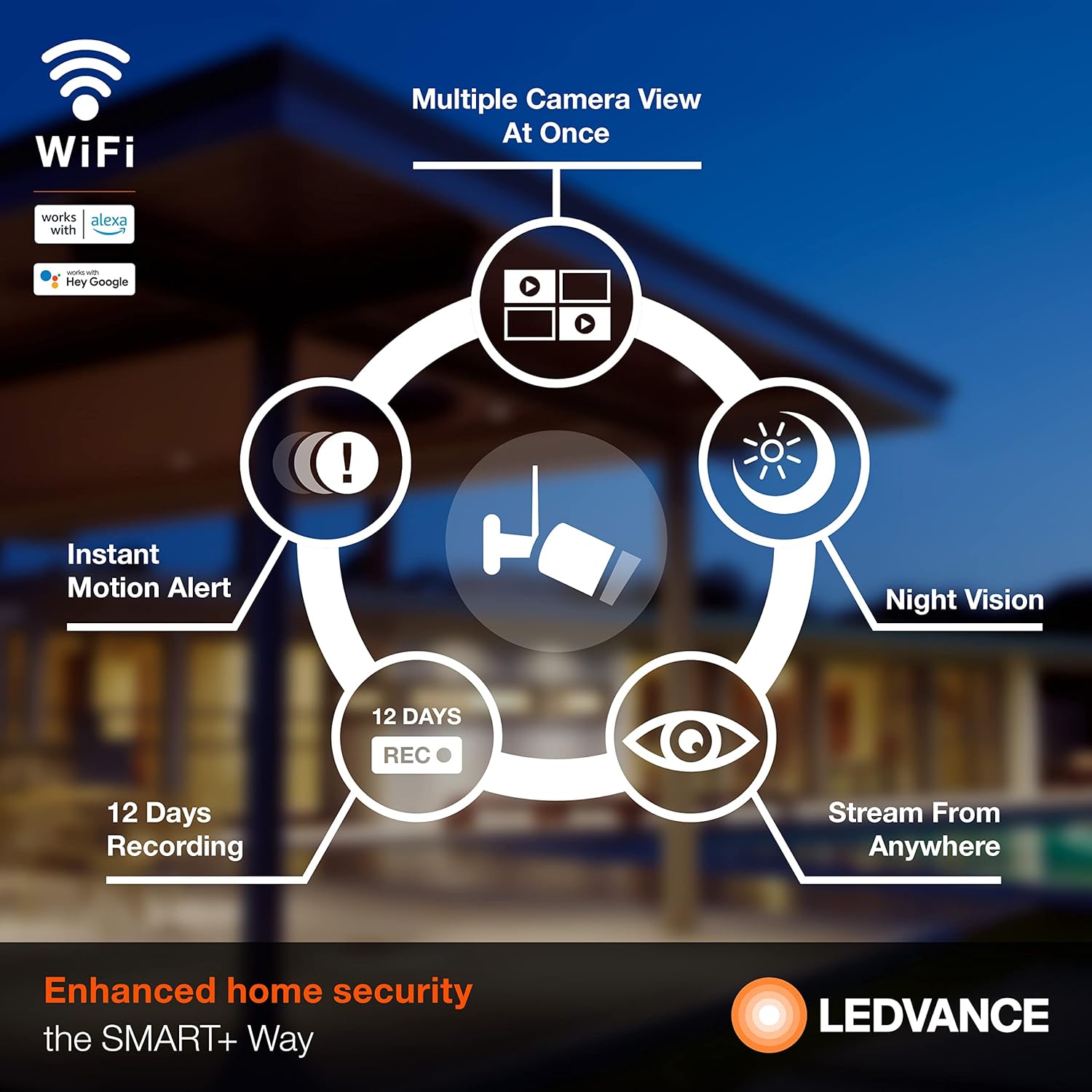
Figi 3.2: Plis paseview of Camera Features
4. Enstalasyon
4.1 Enstalasyon App
To operate your camera, download the SYLVANIA App from your smartphone's app store (available for iOS and Android devices). Chèche pou "SYLVANIA App" and follow the on-screen instructions to install.
4.2 Account Creation and Device Pairing
- Open the SYLVANIA App and create a new account or log in if you already have one.
- Follow the in-app instructions to add a new device. Select your LEDVANCE WiFi Smart Outdoor Camera from the list of available devices.
- Asire w ke telefòn entelijan ou an konekte ak yon Rezo WiFi 2.4GHz. The camera requires a 2.4GHz network for connectivity.
- Limen kamera a lè l sèvi avèk adaptè pouvwa yo bay la.
- Follow the app's prompts to connect the camera to your WiFi network. This typically involves scanning a QR code displayed on your phone with the camera or entering WiFi credentials.
- Yon fwa konekte, endikatè estati kamera a ap chanje, epi w ap resevwa yon konfimasyon nan aplikasyon an.
4.3 Enstalasyon Fizik
The camera is designed for wall mounting. Use the included screwdriver tool and mounting hardware for secure installation.
- Choose a suitable outdoor location that provides the desired viewing angle and is within range of your 2.4GHz WiFi network.
- Mark the drilling points using the camera's mounting base as a template.
- Drill pilot holes and insert the wall anchors if necessary.
- Secure the camera's mounting base to the wall using the provided screws.
- Adjust the camera angle as needed to cover the desired area.
- Connect the power adapter to the camera and plug it into a suitable outdoor power outlet. Ensure the power connection is protected from weather elements.
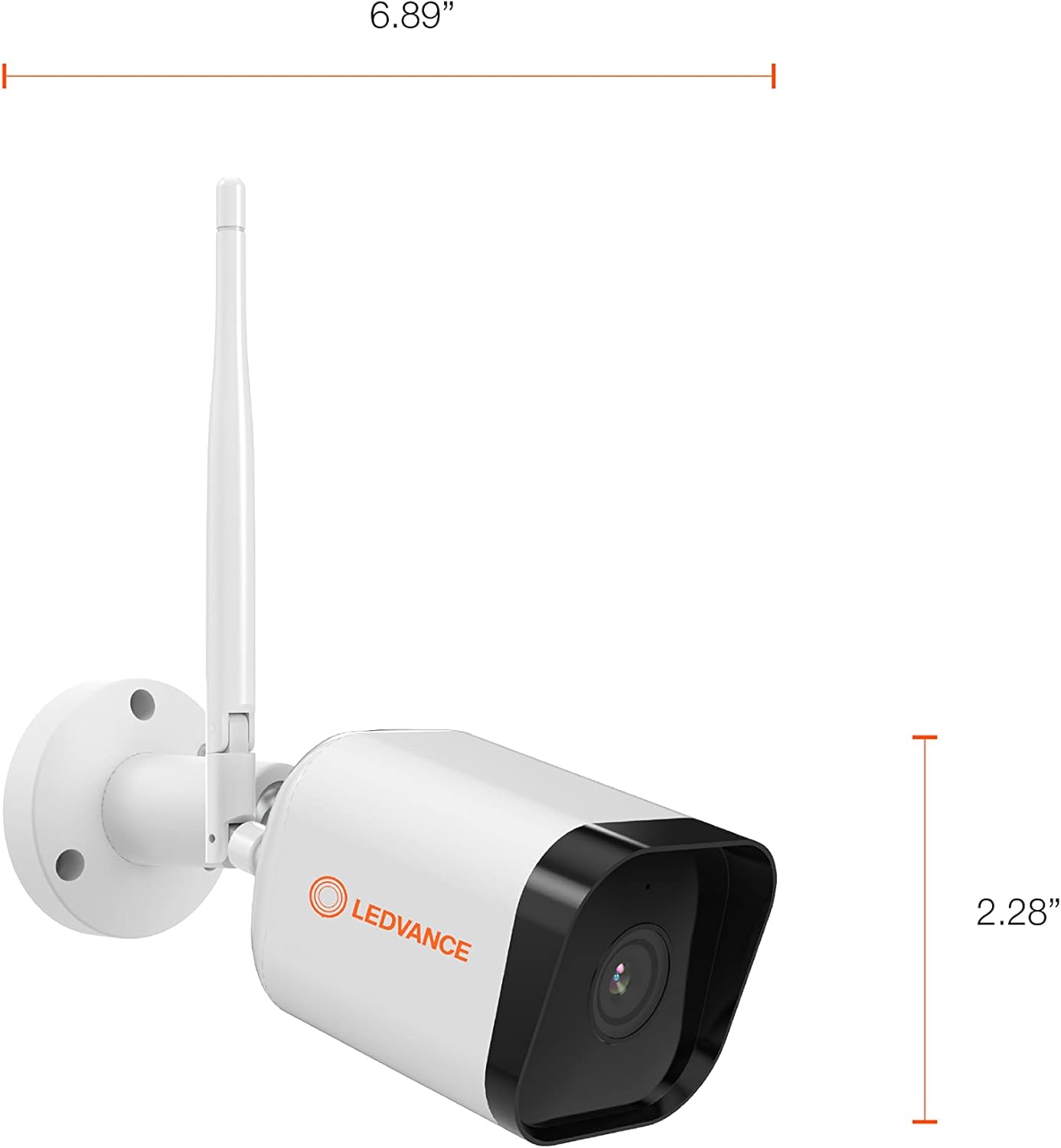
Figure 4.1: Camera Dimensions
5. Operasyon Enstriksyon
5.1 Viv View ak Anrejistreman
Once the camera is set up and connected, open the SYLVANIA App to access the live video feed. You can view foo an tan reyèltage from anywhere with internet access.
- Anrejistreman manyèl: Within the app, you can manually initiate video recording or capture still images directly to your phone or tablet.
- Depo lokal: If a MicroSD card (up to 128GB) is inserted, the camera will record events directly to the card.
- Depo nwaj: For continuous recording or extended storage, subscribe to the optional cloud storage service through the SYLVANIA App.

Figure 5.1: Managing Camera via SYLVANIA App
5.2 Deteksyon Mouvman ak Son
The camera is equipped with advanced motion and sound detection capabilities:
- Mouvman Alèt: Resevwa notifikasyon imedya sou smartphone ou lè yo detekte mouvman.
- Seleksyon Zòn: Pèsonalize zòn espesifik nan kamera a view for motion detection to reduce unwanted alerts.
- Avètisman Son: Get notified when the camera detects significant sounds.

Figure 5.2: Motion Detection in Action
5.3 Odyo De-fason
Utilize the built-in microphone and speaker to communicate with visitors or deter intruders directly through the SYLVANIA App.
5.4 Mode konfidansyalite
Activate Privacy Mode through the SYLVANIA App to temporarily disable video recording and live streaming, ensuring your privacy when needed.
5.5 Entegrasyon Kay Entelijan
Connect your LEDVANCE camera with Amazon Alexa or Google Home for voice control and integrated smart home routines. Refer to the respective app's instructions for linking your SYLVANIA account.
6. Antretyen
- Netwayaj: Siye lantiy kamera a ak kò a dousman avèk yon twal mou,amp twal. Evite pwodui netwayaj abrazif oswa solvan.
- Mizajou mikrolojisyèl: Regularly check the SYLVANIA App for available firmware updates to ensure optimal performance and security.
- Kat MicroSD: If using a MicroSD card, periodically check its status in the app and consider formatting it every few months to maintain performance. Back up important recordings before formatting.
- Koneksyon pouvwa: Asire w ke adaptè kouran an ak kab la rete byen konekte epi yo pa domaje.
NAN. Depanaj
If you encounter issues with your LEDVANCE WiFi Smart Outdoor Camera, refer to the following common solutions:
- Kamera a pa konekte ak WiFi a:
- Asire w ke rezo WiFi ou a se 2.4GHz. Kamera a pa sipòte rezo 5GHz.
- Verifye ke modpas WiFi a kòrèk.
- Move the camera closer to your WiFi router to improve signal strength.
- Rekòmanse routeur ou a ak kamera a.
- Pa gen Live View or Recording:
- Tcheke koneksyon entènèt ou an.
- Ensure the camera is powered on and connected to WiFi.
- If using a MicroSD card, ensure it is properly inserted and not full. Format the card if necessary (back up data first).
- Check if Privacy Mode is accidentally activated in the SYLVANIA App.
- Motion/Sound Alerts Not Received:
- Verify that motion/sound detection is enabled in the SYLVANIA App settings.
- Check your phone's notification settings for the SYLVANIA App.
- Adjust motion detection sensitivity and zone settings.
- Kalite videyo pòv:
- Netwaye lantiy kamera a.
- Ensure sufficient WiFi signal strength.
- Check your internet upload speed.
- Kamera pa reponn:
- Perform a hard reset by unplugging the power adapter for 10 seconds and then plugging it back in.
- If issues persist, consult the SYLVANIA App's help section or contact customer support.
8. Espesifikasyon
| Karakteristik | Spesifikasyon |
|---|---|
| Nimewo Modèl | 75830 Cam v3 |
| Itilizasyon Andedan kay la / Deyò | Deyò |
| Pwotokòl Koneksyon | Wi-Fi (2.4GHz sèlman) |
| Sous pouvwa | Corded Electric (DC 12V/1A) |
| Rezolisyon Capture Videyo | 1080p HD |
| To Frame | 25 fps |
| Capteur Imaj | 1/2.9" 2 Megapixel CMOS |
| Lantiy | 3.0mm@F2.0 |
| Viewing Ang | 130 degre |
| Vizyon lannwit Range | Jiska 32.8 pye (10m) |
| Depo lokal yo | MicroSD card (max. 128GB) |
| Rating Pwoteksyon Entènasyonal | IP65 (enpèmeyab) |
| Aparèy konpatib | Smartphone (via SYLVANIA App), Amazon Alexa, Google Home |
| Kalite aliye | Mi mòn |
| Dimansyon pwodwi (L x W x H) | 6.89 x 2.91 x 2.28 pous |
| Pwa atik | 1.16 liv |
| Koulè | Blan |
| Karakteristik espesyal | 2-Way Audio, Motion Sensor, Night Vision |
9. Garanti ak sipò
The LEDVANCE WiFi Smart Outdoor Camera (Model 75830 Cam v3) is covered by a yon ane garanti from the date of purchase. This warranty covers manufacturing defects and ensures the product functions as intended under normal use.
For warranty claims, technical support, or further assistance, please refer to the support section within the SYLVANIA App or visit the official LEDVANCE websit pou enfòmasyon kontak.

Figure 9.1: LEDVANCE Quality Assurance


