Entwodiksyon
This manual provides comprehensive instructions for the safe and efficient operation of your Max Power Portable Speaker, model MPD661. Please read this manual thoroughly before using the device and retain it for future reference.
The Max Power MPD661 is a versatile portable sound system designed for various indoor and outdoor activities, featuring Bluetooth connectivity, USB and SD card playback, FM radio, and integrated LED lights. It is also suitable for karaoke use.
Kontni pake
Verifye ke tout atik yo prezan nan pakè a:
- Max Power Portable Speaker (MPD661)
- Kalite-C chaje kab
- Manyèl Itilizatè (dokiman sa a)
Nòt: Additional accessories such as microphones or auxiliary cables may be sold separately.
Pwodwi souview
Familiarize yourself with the main components and controls of your MPD661 speaker.

Figi 1: Devan view of the Max Power MPD661 Portable Speaker, showcasing the main speaker grille and the illuminated green LED ring. Control buttons are visible at the top.
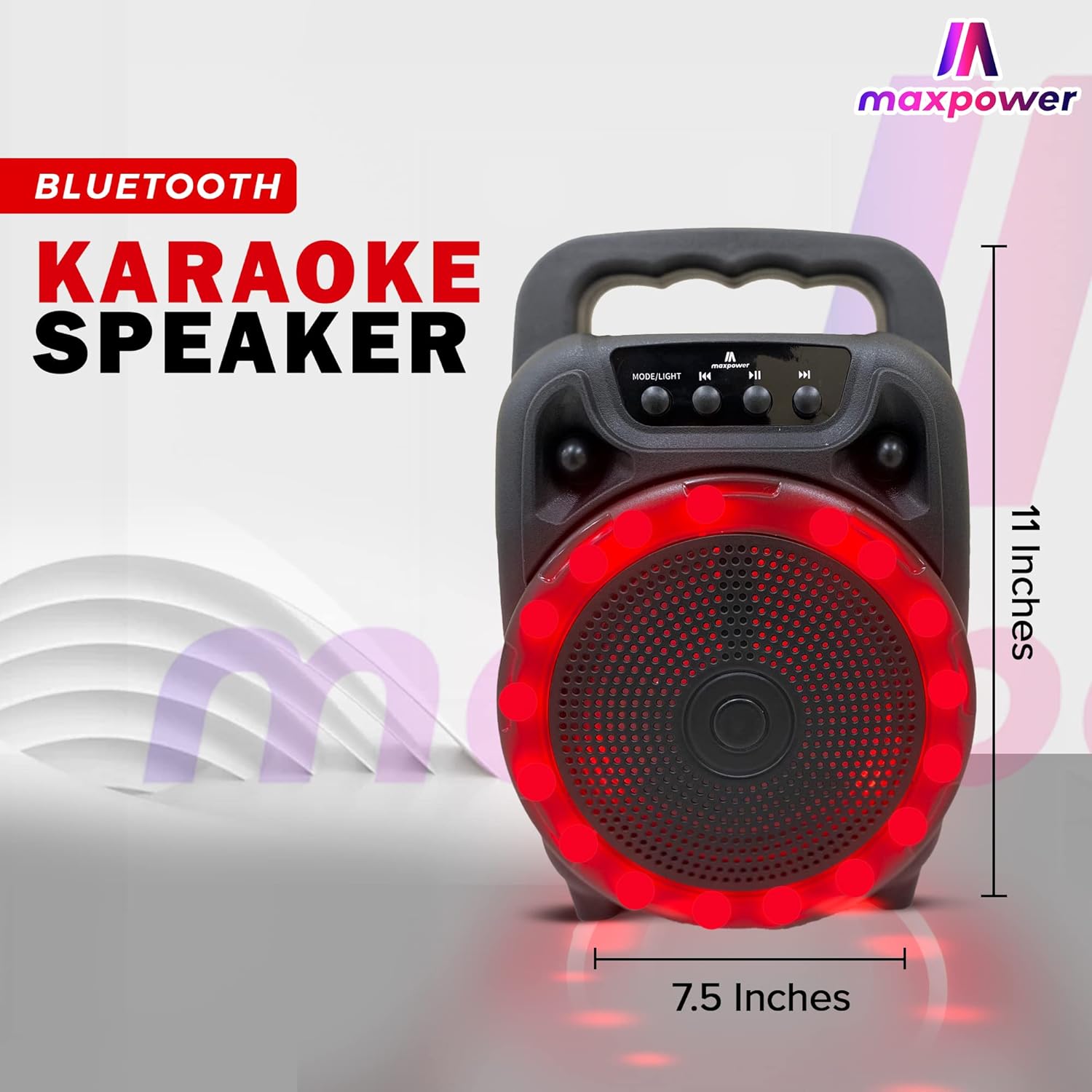
Figi 2: Side view of the Max Power MPD661 Portable Speaker, illustrating its compact dimensions of approximately 11 inches in height and 7.5 inches in width. The integrated carry handle is visible.
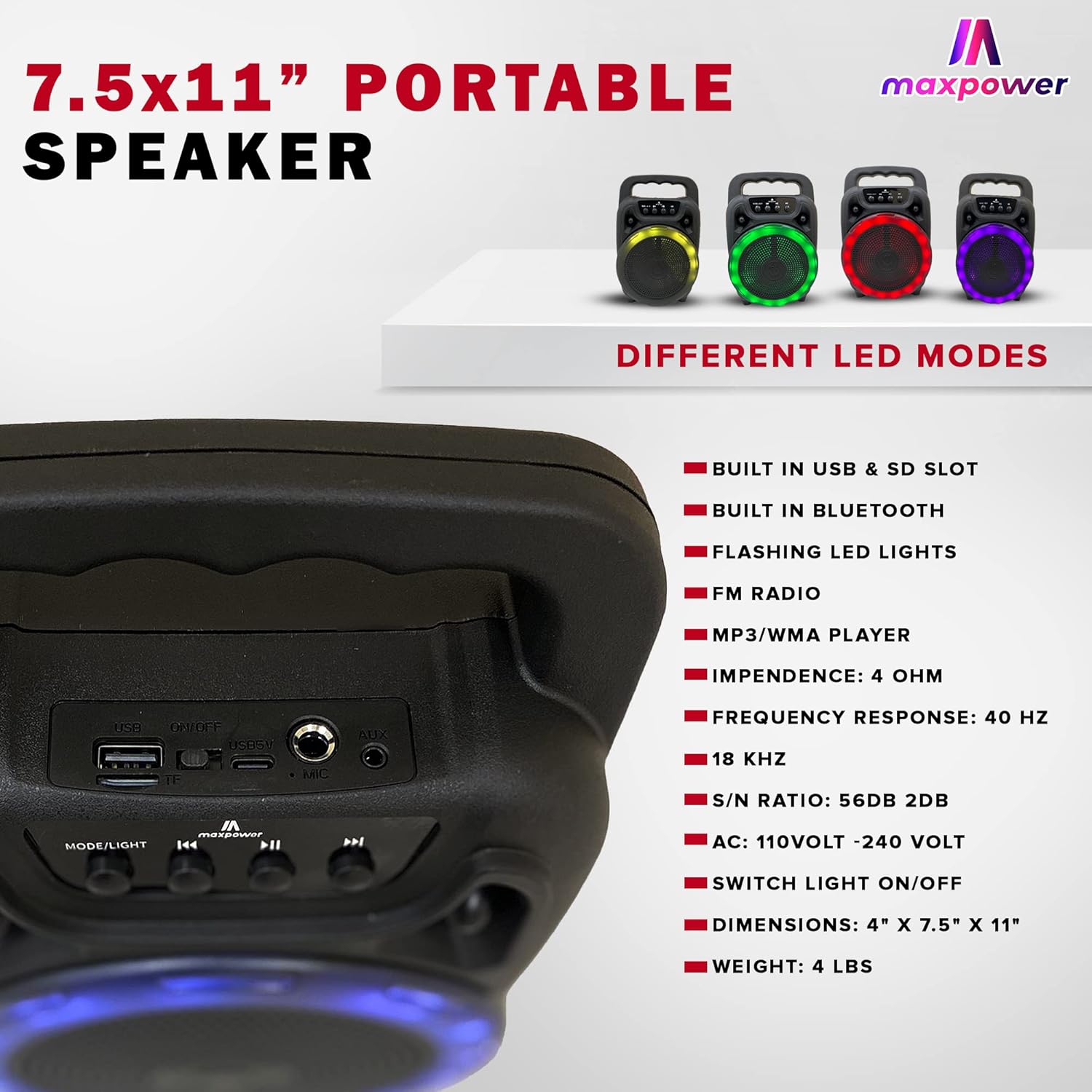
Figi 3: Rear panel of the Max Power MPD661 Portable Speaker, detailing the USB port, SD card slot, and microphone input. Key technical specifications are also listed next to the image.
Panèl kontwòl ak pò:
- MODE/LIGHT Button: Press to switch between Bluetooth, FM Radio, USB, and SD card modes. Long press to toggle LED lights on/off.
- Previous Track bouton: Peze pou ale nan mizik anvan an. Peze lontan pou diminye volim nan.
- Bouton jwe/poz: Peze pou jwe oswa pou mete odyo a sou poz. Nan mòd FM, peze pandan lontan pou eskane estasyon yo otomatikman epi sove yo.
- Next Track bouton: Peze pou ale nan pwochen mizik la. Peze lontan pou ogmante volim nan.
- Pò USB: Pou lekti sou yon kle USB.
- Plas kat SD: Pou lekti kat SD.
- Antre MIC: Yon jack 6.35mm pou konekte yon mikwofòn.
- Antre AUX: Yon jack 3.5mm pou konekte aparèy odyo ekstèn.
- DC 5V Antre: Type-C port for charging the speaker.
Enstalasyon ak chaje
Premye chaj:
Before first use, fully charge the speaker. Connect the supplied Type-C charging cable to the DC 5V input port on the speaker and the other end to a standard USB power adapter (not included) or a computer USB port. The charging indicator light will illuminate during charging and turn off when fully charged.
The speaker features a built-in Type-C charger that enables faster charging.
Limen/Etenyen:
Locate the power switch, usually on the rear or side panel. Flip the switch to the "ON" position to power on the speaker. Flip to "OFF" to power off.
Enstriksyon Operasyon
Mòd Bluetooth:
- Power on the speaker. It will automatically enter Bluetooth pairing mode, indicated by a flashing LED light or an audible prompt.
- Sou aparèy mobil ou a (telefòn entelijan, tablèt, elatriye), aktive Bluetooth epi chèche aparèy ki disponib yo.
- Select "MPD661" from the list of devices. Once connected, you will hear a confirmation sound.
- You can now play audio from your device through the speaker. Use the speaker's control buttons or your device to adjust volume, play/pause, and skip tracks.
Lektur kat USB/SD:
- Insert a USB flash drive or SD card (pre-loaded with MP3/WMA audio files) nan pò respektif la.
- The speaker will automatically switch to USB or SD card mode and begin playing audio. If not, press the "MODE/LIGHT" button to select the correct mode.
- Use the Previous/Next Track buttons to navigate through songs and the Play/Pause button for playback control.
Mòd radyo FM:
- Press the "MODE/LIGHT" button until you hear the FM radio prompt.
- Peze bouton Lekti/Pòz la pandan yon bon bout tan pou kòmanse yon rechèch otomatik pou estasyon FM ki disponib yo. Oratè a ap sove tout estasyon yo jwenn.
- Use the Previous/Next Track buttons to switch between saved FM stations.
Fonksyon Karaoke:
- Connect a wired microphone (not included) to the MIC input port.
- Play music via Bluetooth, USB, or SD card mode.
- Adjust the microphone volume and echo (if available on your microphone) for optimal sound.
Ki ap dirije limyè kontwòl:
The speaker features flashing LED lights. Long press the "MODE/LIGHT" button to toggle the LED lights on or off. The speaker supports different LED display modes.

Figi 4: Illustration of the Max Power MPD661 Portable Speaker displaying various LED light color options, including green, red, blue, and purple, which can be cycled through.
Antretyen ak Swen
- Netwayaj: Sèvi ak yon twal mou epi sèk pou netwaye deyò oratè a. Pa sèvi ak pwodui netwayaj abrazif oswa solvan.
- Depo: Sere oratè a nan yon kote ki fre epi sèk, lwen limyè solèy dirèk ak tanperati ekstrèm.
- Swen batri: Pou pwolonje lavi batri a, evite dechaje batri a nèt souvan. Chaje oratè a regilyèman, menm si w pa itilize l pandan yon bon bout tan.
- Rezistans dlo: Oratè sa a pa enpèmeyab. Evite ekspoze li a dlo oswa imidite twòp.
- Manyen: Pa lage oratè a oswa pa sibi gwo enpak.
Depanaj
| Pwoblèm | Kòz posib | Solisyon |
|---|---|---|
| Oratè a pa limen. | Batri a fini. Entèriptè a etenn. | Chaje oratè a nèt. Asire w ke switch pouvwa a nan pozisyon "ON". |
| Pa gen son ki soti nan oratè a. | Volume is too low. Incorrect mode selected. Device not connected via Bluetooth. | Increase volume on both speaker and connected device. Press "MODE/LIGHT" to select correct input. Re-pair Bluetooth device. |
| Koneksyon Bluetooth la pa estab. | Device is too far from speaker. Interference from other devices. | Move device closer to the speaker (within 33 feet/10 meters). Avoid obstacles between devices. Turn off other Bluetooth devices. |
| Kat USB/SD a pa ap jwe. | Pa kòrèk file fòma. Kat/kondwi a pa byen mete. | Asire w files are MP3/WMA format. Re-insert the USB drive or SD card firmly. |
Espesifikasyon
| Karakteristik | Detay |
|---|---|
| Nimewo Modèl | MPD661 (647625056175) |
| Dimansyon | 4" x 7.5" x 11" (apeprè 10.16 cm x 19.05 cm x 27.94 cm) |
| Pwa | 2.18 liv (apeprè 0.99 kg) |
| Koneksyon | Bluetooth, USB, SD Card, AUX |
| Antre odyo | Bluetooth, USB |
| Repons Frekans | 40 Hz - 18 KHz |
| S/N rapò | 56dB ± 2dB |
| Enpedans | 4 OHM |
| Sous pouvwa | Mache ak pil (1 pil ityòm-ion, enkli) |
| Port chaje | Type-C (DC 5V) |
| Fòma odyo sipòte | MP3/WMA |
| Karakteristik | Flashing LED Lights, FM Radio, Karaoke Function |
Enfòmasyon sou Sekirite ak Avètisman
AVÈTISMAN: Kansè ak Pwoblèm Repwodiksyon - www.P65Warnings.ca.gov
- Pa ekspoze oratè a nan tanperati ekstrèm, limyè solèy dirèk, oswa imidite ki wo.
- Do not disassemble, repair, or modify the speaker yourself. This will void the warranty and may cause damage or injury.
- Kenbe oratè a lwen timoun ak bèt kay.
- Sèvi ak sèlman kab chaje espesifye a.
- Evite koute gwo volim pou peryòd pwolonje pou anpeche domaj tande.
Garanti ak sipò
For warranty information or technical support, please contact Max Power customer service. Refer to the product packaging or the official Max Power websit pou detay kontak.
Please have your model number (MPD661) and UPC (647625056175) ready when contacting support.


