1. Entwodiksyon
This manual provides detailed instructions for the setup, operation, and maintenance of your Logitech MK670 Comfort Wave Wireless Keyboard and Mouse Combo, along with the included Mini Bluetooth Speaker, Gel Wrist Pad, and Gel Mouse Pad. Please read this manual thoroughly before using the products to ensure optimal performance and longevity.

Image 1.1: Complete bundle including the Logitech MK670 keyboard, mouse, mini Bluetooth speaker, and gel pads.
2. Pwodwi konpozan
Pake ou a ta dwe genyen atik sa yo:
- Logitech MK670 Comfort Wave Wireless Keyboard
- Logitech Wireless sourit
- Reseptè USB Logitech Inifying
- Mini Portable Wireless Bluetooth Oratè
- Gel Wrist Pad
- Gel Mouse Pad
- Micro USB Charging Cable (for speaker)
- Dokimantasyon pou itilizatè a (manyèl sa a)
3. Enstriksyon Enstalasyon
3.1. Logitech Keyboard and Mouse Setup
- Dekonpoze: Retire klavye a ak sourit la nan anbalaj yo avèk prekosyon.
- Mete pil: The keyboard and mouse typically come with pre-installed batteries or require standard AA/AAA batteries. Open the battery compartments (usually on the underside of each device) and ensure batteries are correctly inserted.
- Locate Unifying Receiver: The small USB Unifying receiver is often stored inside the mouse's battery compartment for safekeeping. Remove it.
- Konekte Reseptè a: Branche reseptè USB Logitech Unifying lan nan yon pò USB ki disponib sou òdinatè w la.
- Pouvwa sou: Turn on the keyboard and mouse using their respective power switches (usually located on the underside or side). The devices should automatically connect to your computer.

Image 3.1: The Logitech MK670 wireless keyboard and mouse, ready for connection via the Unifying receiver.
3.2. Mini Bluetooth Speaker Setup
- Chaje Oratè: Before first use, fully charge the mini Bluetooth speaker using the provided Micro USB charging cable. Connect the Micro USB end to the speaker and the USB-A end to a power source (e.g., computer USB port, USB wall adapter). The charging indicator light will typically turn off or change color when fully charged.
- Pouvwa sou: Press and hold the power button on the speaker until you hear an audible prompt or see an indicator light flash, indicating it is in pairing mode.
- Pè via Bluetooth:
- Sou aparèy ou an (telefòn entelijan, tablèt, òdinatè pòtab), ale nan paramèt Bluetooth yo.
- Asire Bluetooth pèmèt.
- Chèche pou available devices. The speaker will typically appear as a name like "Mini Speaker" or similar.
- Chwazi oratè a pou konekte. Yon fwa konekte, ou pral tande yon son konfimasyon.
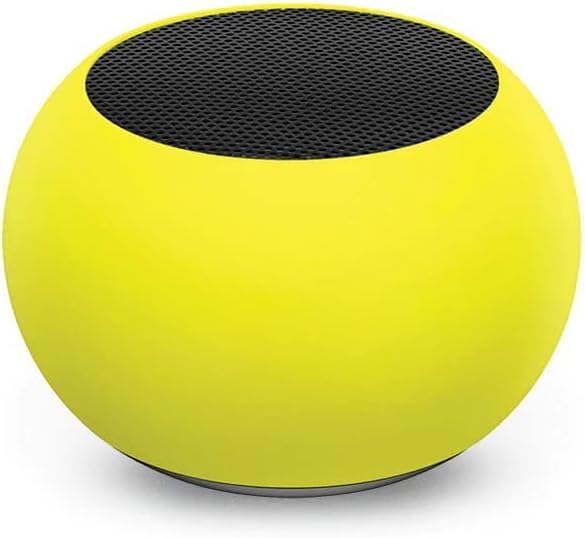
Imaj 3.2: Yon gwo plan view of the compact mini Bluetooth speaker, highlighting its design.
3.3. Gel Pads Placement
- Keyboard Wrist Rest: Place the longer gel wrist pad directly in front of your Logitech MK670 keyboard, aligning it to support your wrists while typing.
- Mouse Pad with Wrist Rest: Position the gel mouse pad on your desk where you typically use your mouse. Ensure the integrated wrist rest provides comfortable support for your mousing hand.

Image 3.3: The ergonomic gel wrist pad and gel mouse pad, designed for comfort and support.
4. Operasyon Enstriksyon
4.1. Itilizasyon klavye
- Sezisman: The Comfort Wave design provides an ergonomic layout for natural hand and wrist positioning.
- Klavye nimerik: Utilize the full-size numeric keypad for efficient data entry.
- Kle rakoursi: Access common functions quickly using the dedicated shortcut keys (e.g., media controls, volume, application launch). Refer to the key legends for specific functions.
- Janm reglabl enklinezon: Flip out the tilt legs on the underside of the keyboard to adjust the typing angle for personalized comfort.

Imaj 4.1: Kote view of the Logitech MK670 keyboard, illustrating the adjustable tilt legs for ergonomic customization.
4.2. Itilizasyon Sourit
- Montre ak Klike: Use the mouse for precise cursor control, left-clicks, and right-clicks.
- Defile: The scroll wheel allows for smooth navigation through documents and web paj.
- Konsepsyon anbidextre: The mouse is designed for comfortable use by both left and right-handed users.
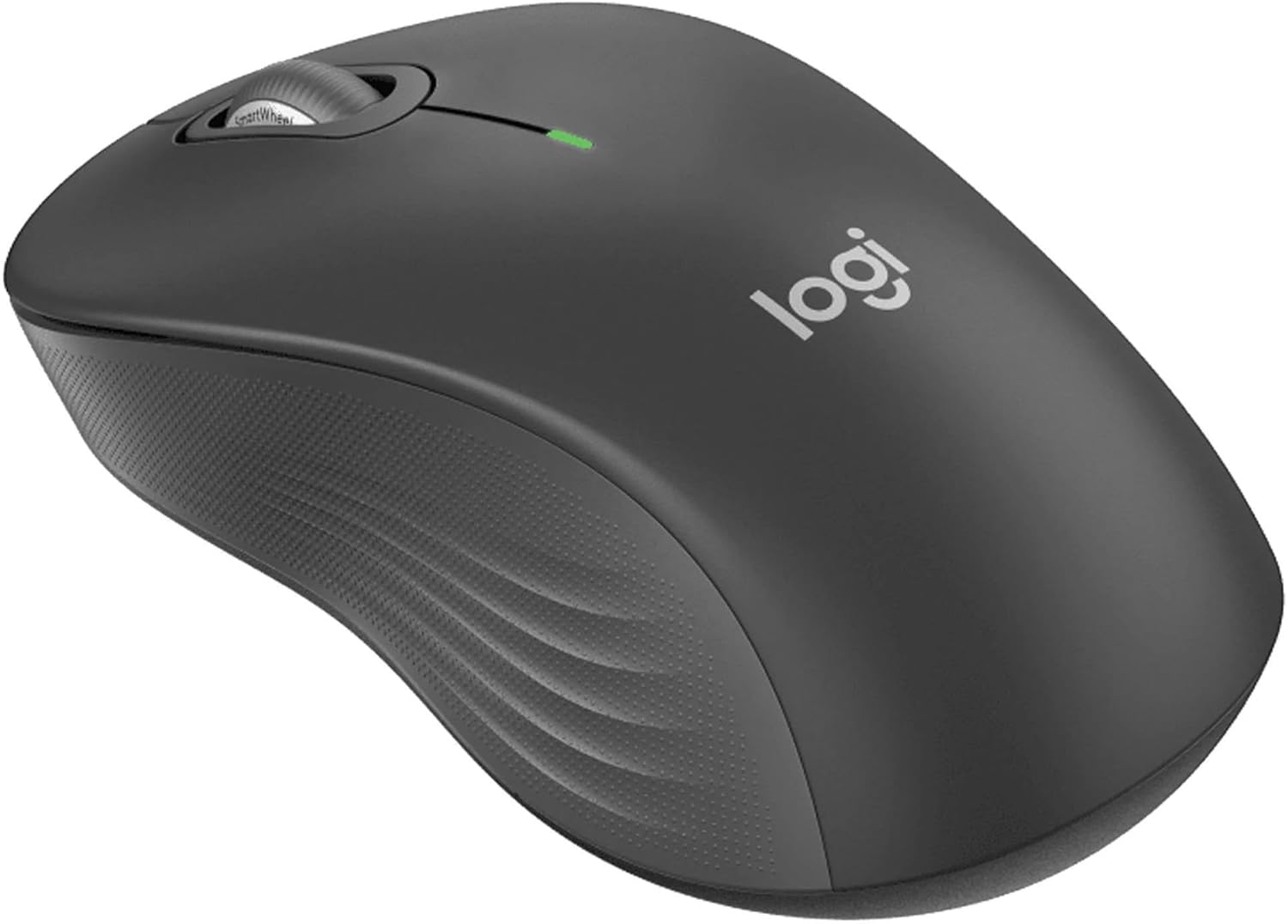
Imaj 4.2: Yon imaj detaye view of the Logitech wireless mouse, showcasing its ergonomic shape.
4.3. Mini Bluetooth Speaker Usage
- Limen/Etenyen: Peze epi kenbe bouton pouvwa a pou limen oswa etenn oratè a.
- Bluetooth mak: Once powered on, the speaker will automatically attempt to connect to the last paired device. If not, it will enter pairing mode for new connections (refer to Section 3.2).
- Kontwòl Volim: Volume is typically controlled via the connected device. Some speakers may have integrated volume buttons.
- Selfie Remote: The speaker may feature a remote selfie button. Consult the speaker's specific instructions for activation and use with your device's camera.
- Apèl men lib: With its built-in microphone, the speaker can be used for hands-free calls when connected to a smartphone.
5. Antretyen
5.1. Netwayaj
- Klavye ak sourit: Sèvi ak yon ti moso twal mou, ki san pèl dampened with water or a mild cleaning solution. Avoid harsh chemicals or abrasive materials. For dust between keys, use compressed air.
- Mini Bluetooth Speaker: Wipe the exterior with a soft, dry cloth. Do not immerse in water.
- Gel Pads: Siye ak anonsamp cloth and mild soap if necessary. Allow to air dry completely before reuse.
5.2. Battery Replacement (Keyboard and Mouse)
When the battery indicator light on your keyboard or mouse signals low power, replace the batteries with new ones of the same type (e.g., AA or AAA). Ensure correct polarity when inserting new batteries.
NAN. Depanaj
6.1. Keyboard/Mouse Not Responding
- Tcheke batri yo: Asire w pil yo byen mete epi yo gen ase chaj. Ranplase yo si sa nesesè.
- Bouton pouvwa: Verify that both the keyboard and mouse power switches are in the 'ON' position.
- Reseptè USB: Ensure the Logitech Unifying USB receiver is securely plugged into a working USB port on your computer. Try a different USB port.
- Pwoksimite: Ensure the keyboard and mouse are within the operational range (up to 33 feet) of the USB receiver.
- Re-pè: If issues persist, you may need to re-pair the devices using Logitech's Unifying software (downloadable from the Logitech support websit).
6.2. Mini Bluetooth Speaker Connection Issues
- Pouvwa Oratè: Asire w ke oratè a chaje epi li limen.
- Bluetooth limen: Verify Bluetooth is enabled on your source device.
- Bliye Aparèy: On your source device, 'forget' or 'unpair' the speaker from your Bluetooth device list, then attempt to pair again.
- Pwoksimite: Keep the speaker and source device within close range (typically 10 meters or 33 feet) for stable connection.
- Entèferans: Ale lwen lòt aparèy san fil ki ka lakòz entèferans.
6.3. No Sound from Speaker
- Nivo volim: Check the volume on both the speaker and the connected device.
- Sòti Aparèy Sous: Ensure your device's audio output is set to the Bluetooth speaker.
- Media lèktur: Verify that media is playing on your source device.
7. Espesifikasyon
| Karakteristik | Detay |
|---|---|
| Mak | Logitech |
| Modèl | MK670 (Keyboard & Mouse Combo) |
| Koneksyon Teknoloji | 2.4GHz Wireless (Keyboard & Mouse), Bluetooth 5.0 (Speaker) |
| Wireless Range | Jiska 33 pye (10 mèt) |
| Karakteristik klavye | Ergonomic Comfort Wave design, Full-size with numeric keypad, Shortcut keys, Cushioned palm rest, Adjustable tilt legs |
| Karakteristik sourit | Ambidextrous design, Precise tracking |
| Dimansyon Oratè | 45.45 mm x 33 mm (1.75" x 1.3") |
| Pwa Oratè | 2.46 oz |
| Kapasite Batri Oratè a | 400mAh |
| Speaker Playback Time | Jiska 4 èdtan |
| Speaker Special Features | Magnetic base, Built-in mic, Remote selfie button, Glow in the Dark (Yellow variant) |
| Aparèy konpatib | Laptops, Gaming Consoles (for keyboard/mouse functionality), Bluetooth-enabled devices (for speaker) |
| Pwa Atik (Pake) | 4 liv |
| Dimansyon pake | 23 x 10 x 10 pous |
8. Enfòmasyon sou Garanti
Logitech products are typically covered by a limited hardware warranty. For specific warranty terms and conditions, including duration and coverage details, please refer to the warranty card included with your product or visit the official Logitech websit la. Kenbe prèv acha ou pou reklamasyon garanti.
9. Sipò
For further assistance, technical support, or to download the latest drivers and software for your Logitech products, please visit the official Logitech support websit la. Ou kapab jwenn tou FAQ ak fowòm kominotè la.
Sipò Logitech Websit: https://support.logi.com/


