Entwodiksyon
This manual provides detailed instructions for the Strex Bluetooth 2-in-1 Transmitter and Receiver, Model SP173. This versatile device allows you to wirelessly transmit or receive audio signals, enhancing your audio experience with various devices.
The Strex Bluetooth adapter supports both Transmetè (TX) epi Reseptè (RX) modes, utilizing Bluetooth 5.0 technology for stable, high-quality audio transmission.
Kontni pake
- Strex Bluetooth 2-in-1 Audio Transmitter/Receiver
- Mikwo USB pouvwa kab
- 3.5mm AUX Audio Kab
- 3.5mm pou RCA kab
- Manyèl Itilizatè (dokiman sa a)

Aparèy souview
Familiarize yourself with the various components and ports of your Strex Bluetooth adapter.

- Bouton On/Off: Limen oswa etenn aparèy la.
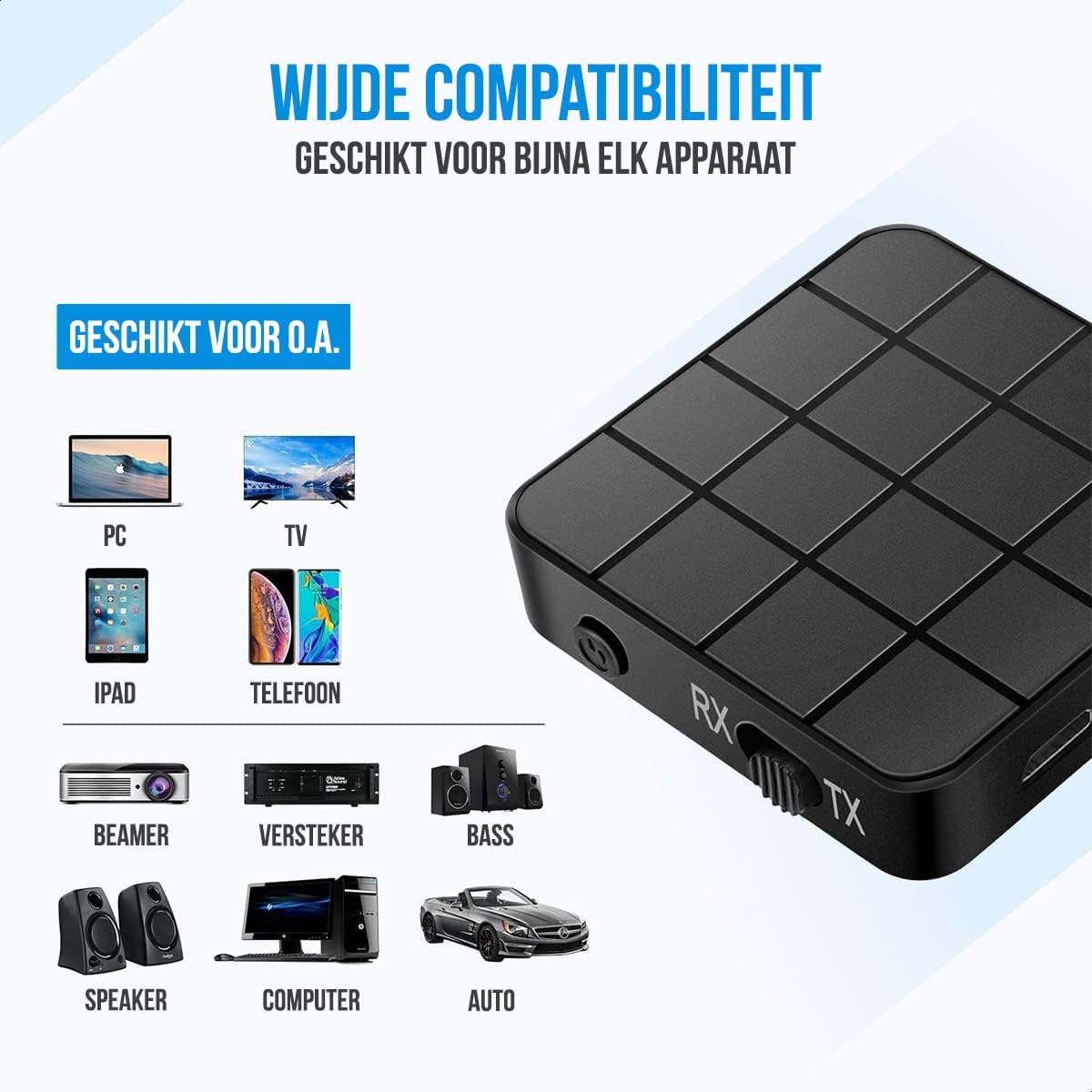
- Chanjman Mòd (RX/TX): Selects between Receiver (RX) and Transmitter (TX) modes.
- Ki ap dirije Status: Indicates power, pairing, and connection status.
- Mikwo USB chaje Port: Pou chaje batri entèn lan.
- 3.5mm Audio Input/Output: Connects to audio sources or output devices using the provided cables.
Enstalasyon ak operasyon
Chaje Aparèy la
Before first use, ensure the device is fully charged. Connect the Micro USB power cable to the charging port on the adapter and the other end to a USB power source (e.g., computer USB port, USB wall adapter).
- Yon chaj konplè pran apeprè 90 minit.
- The device provides up to 6-8 èdtan of continuous playtime on a single charge.

Reseptè (RX) mòd
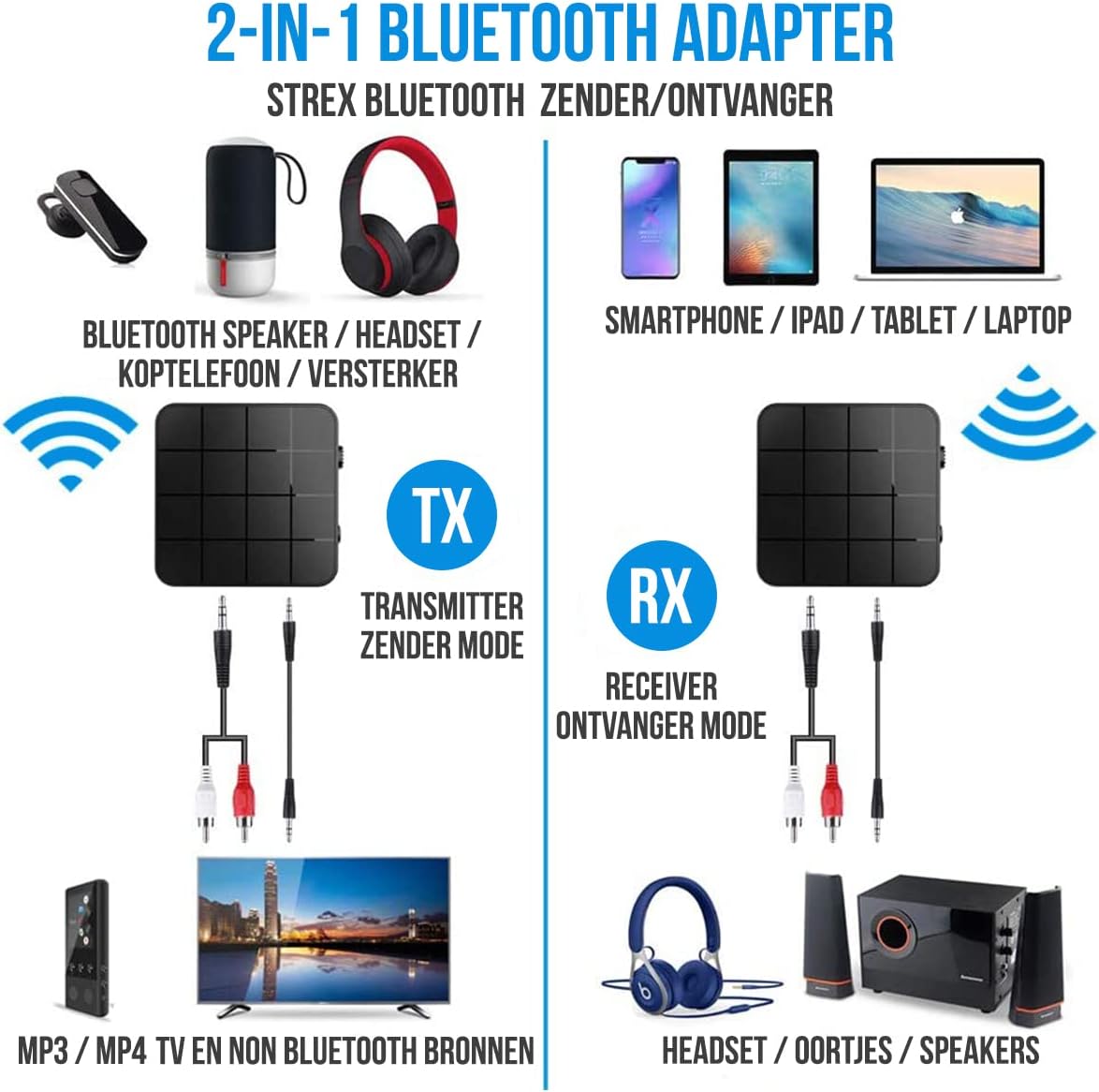
In RX mode, the Strex adapter receives audio wirelessly from a Bluetooth-enabled device (e.g., smartphone, tablet) and outputs it to a non-Bluetooth audio system (e.g., wired speakers, car stereo).
- Chanje aparèy la pou Mòd RX using the mode selector switch.
- Connect the Strex adapter to your non-Bluetooth audio system using either the 3.5mm kab AUX oswa la 3.5mm kab RCA.
- Power on the Strex adapter. The Status LED will indicate pairing mode (typically blinking blue).
- On your Bluetooth-enabled device (e.g., smartphone), go to Bluetooth settings and search for available devices. Select "Strex" (or similar name) to pair.
- Once paired, the Status LED will show a solid blue light. You can now stream audio from your device to your audio system.

Mòd transmetè (TX).
In TX mode, the Strex adapter transmits audio wirelessly from a non-Bluetooth audio source (e.g., TV, PC, old stereo system) to a Bluetooth-enabled receiving device (e.g., Bluetooth headphones, Bluetooth speakers).
- Chanje aparèy la pou TX mòd using the mode selector switch.
- Connect the Strex adapter to your non-Bluetooth audio source (e.g., TV's audio output) using either the 3.5mm kab AUX oswa la 3.5mm kab RCA.
- Power on the Strex adapter. The Status LED will indicate pairing mode.
- Mete kas ekoutè Bluetooth ou yo oswa oratè ou yo nan mòd koneksyon.
- The Strex adapter will automatically search for and connect to nearby Bluetooth receiving devices. Once connected, the Status LED will show a solid light.
- Ensure your Bluetooth headphones/speakers are unpaired from any other devices (e.g., smartphone) before attempting to pair with the Strex adapter in TX mode.

Nòt enpòtan sou operasyon an:
- The adapter cannot simultaneously send and receive audio. It must be set to either TX or RX mode.
- For optimal performance, ensure the adapter is within 10 meters (33 feet) of the connected Bluetooth device.
- Bluetooth 5.0 provides HD Audio with minimal latency, but some older Bluetooth devices may experience slight synchronization differences.
Antretyen
- Netwayaj: Sèvi ak yon twal mou epi sèk pou netwaye aparèy la. Pa sèvi ak pwodui netwayaj likid oswa ayewosòl.
- Depo: Sere aparèy la nan yon kote ki fre epi sèk, lwen limyè solèy dirèk ak tanperati ekstrèm.
- Swen batri: Pou pwolonje lavi batri a, evite dechaje batri a nèt souvan. Chaje aparèy la regilyèman, menm si ou pa itilize li pandan yon bon bout tan.
Depanaj
- Pa gen pouvwa:
Ensure the device is charged. Connect it to a power source using the Micro USB cable and allow it to charge for at least 15 minutes before attempting to power on.
- Cannot Pair in RX Mode:
Make sure the adapter is in RX mode. Ensure your smartphone/tablet's Bluetooth is enabled and it is searching for new devices. If previously paired, try unpairing and re-pairing. Keep the devices within 10 meters.
- Cannot Pair in TX Mode:
Verify the adapter is in TX mode. Ensure your Bluetooth headphones/speakers are in pairing mode and are not connected to any other device. Some devices may require you to manually initiate pairing on the adapter (refer to Status LED indications).
- No Audio Output/Input:
Check all cable connections (3.5mm AUX or RCA) are secure. Ensure the volume on both the adapter and the connected audio device is turned up. Confirm the correct input/output source is selected on your audio system/TV.
- Audio Lag/Poor Quality:
Ensure devices are within range and there are no significant obstructions. Reduce interference from other wireless devices. While Bluetooth 5.0 minimizes lag, some older audio sources or receiving devices might introduce slight delays.
Espesifikasyon
| Nimewo Modèl | SP173 |
| Bluetooth vèsyon | Bluetooth 5.0 (A2DP, AVRCP in Receiver mode) |
| Mòd fonksyònman | Transmetè (TX) ak Reseptè (RX) |
| Koneksyon | 3.5mm AUX, RCA (via 3.5mm to RCA cable) |
| Wireless Range | Jiska 10 mèt (33 pye) |
| Kalite batri | Li-Polymer |
| Kapasite batri | 200 mAh |
| Playtime | Apeprè 6-8 èdtan |
| Tan pou chaje | Apeprè 90 minit |
| Dimansyon (L x W x H) | 4.4 x 4.4 x 1.2 cm (1.73 x 1.73 x 0.47 pous) |
| Pwa | 18 gram (0.63 ons) |
| Materyèl | Plastik |
| Aparèy konpatib | Smartphones, Tablets, PCs, TVs, Audio Systems, Headphones, Speakers |

Enfòmasyon sou Sekirite
- Do not dispose of batteries in fire. Batteries may explode.
- Kenbe aparèy la lwen dlo ak imidite twòp.
- Pa chaje aparèy la tou pre materyèl ki ka pran dife.
- The device has an operating range of 10 meters and may interfere with other wireless devices within this range.
- Always adhere to local regulations for the disposal of electronic waste.
Garanti ak sipò
Specific warranty details are not provided in this manual. For warranty information or technical support, please refer to the product packaging or contact Strex customer service through their official websit oswa revandè kote yo te achte pwodwi a.


