Entwodiksyon
The SONICAKE Amphonix QAP-10 is a portable, rechargeable plug-in headphone amplifier designed for electric guitars. It features multiple built-in effects, including clean, overdrive, distortion, modulation, delay, and reverb, allowing for versatile tone shaping. With Bluetooth audio and an auxiliary input, it provides a convenient solution for silent practice and jamming along with backing tracks.

Figure 1: SONICAKE Amphonix QAP-10 Guitar Headphone Amplifier
This image displays the compact, black SONICAKE Amphonix QAP-10 headphone amplifier with its 1/4-inch jack plugged in, showing the illuminated effect indicators.
Enstalasyon
Chaje Aparèy la
La Amphonix QAP-10 is USB-rechargeable and provides up to 5 hours of continuous operation on a full charge. Use the included USB charging cable to connect the device to a standard USB power source (e.g., computer USB port, USB wall adapter).
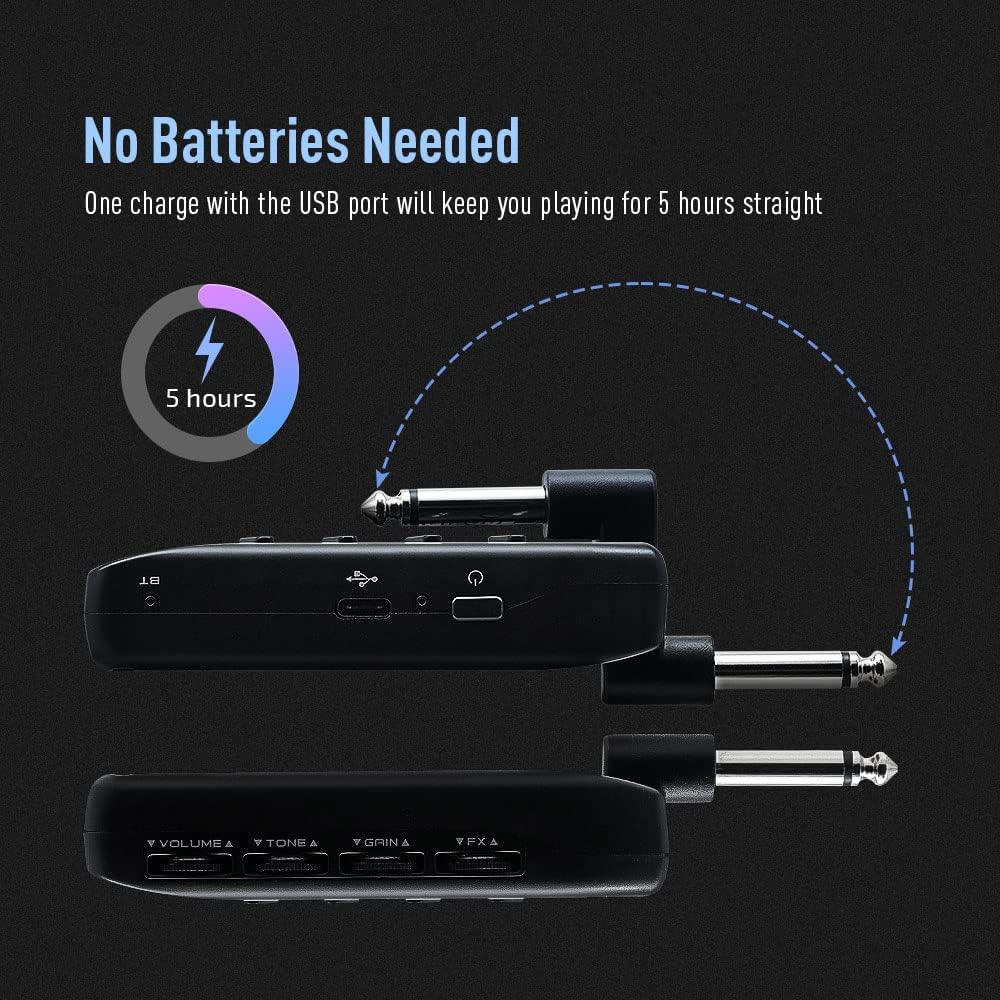
Figure 2: Charging the Amphonix QAP-10
This illustration shows the Amphonix QAP-10 being charged via a USB cable, highlighting its 5-hour battery life.
Connecting to Your Guitar and Headphones
- Branche priz 1/4 pous la nan Amphonix QAP-10 directly into your electric guitar's output jack.
- Connect your wired headphones to the headphone output jack on the Amphonix QAP-10.
- To use an external audio source, connect it to the AUX input jack.

Figi 3: Konekte Amphonix QAP-10
This image shows the Amphonix QAP-10 connected to a guitar and headphones, illustrating the various input and output ports.
Pè Bluetooth
La Amphonix QAP-10 supports Bluetooth audio input for playing along with backing tracks. To pair:
- Limen an Amphonix QAP-10. The Bluetooth indicator light will flash.
- On your smartphone or computer, enable Bluetooth and search for available devices.
- Chwazi "Amphonix" from the list to pair. Once paired, the Bluetooth indicator light will become solid.
- Audio from your paired device will now play through your headphones along with your guitar signal.
Video 1: Sonicake Amphonix Bluetooth headphone guitar amplifier souview
This video demonstrates the features and connectivity of the Sonicake Amphonix, including its Bluetooth capabilities for playing along with music.
Opere a Amplifier
La Amphonix QAP-10 features intuitive controls for adjusting your tone and effects.
Kontwòl souview

Figi 4: Amphonix QAP-10 Controls
This image highlights the four control dials (Volume, Tone, Gain, FX) and the effect module buttons on the Amphonix QAP-10.
- Volim: Ajiste volim jeneral son an nan kas ekoutè ou yo.
- Ton: Shapes the tonal characteristics, from darker to brighter sounds.
- Genyen: Kontwole kantite distòsyon oswa overdrive la.
- FX: Adjusts the intensity or parameter of the selected effect.
- AMP/MOD/DLY/RVB Buttons: Press these buttons to cycle through the different amplifier models and effect types within each module. The illuminated LEDs indicate the currently selected setting.
Amplifier and Effect Modules
La Amphonix QAP-10 features 6 AMP modules and 18 effects across Modulation (MOD), Delay (DLY), and Reverb (RVB) modules. These can be used simultaneously.
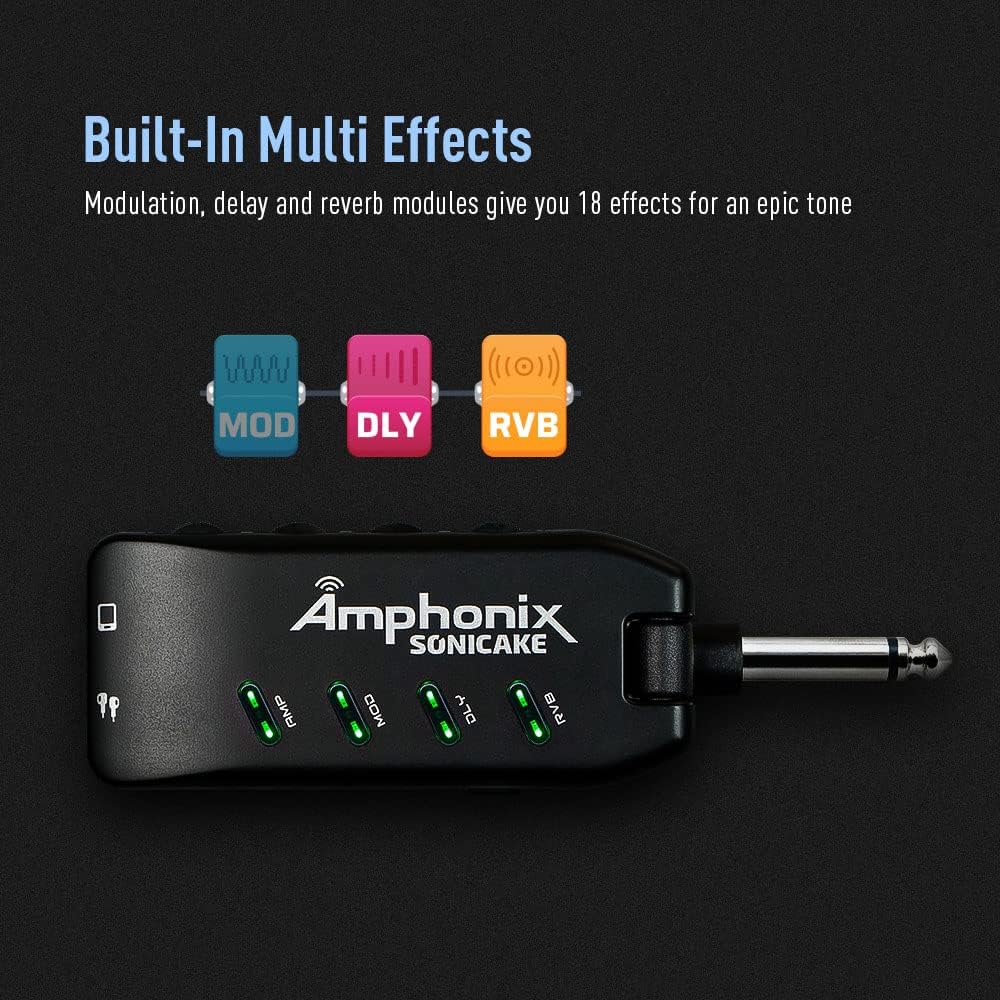
Figure 5: Effect Module Indicators
This image shows the illuminated AMP, MOD, DLY, and RVB indicators on the Amphonix QAP-10, signifying active effect modules.
| Modil | Koulè | Non | Description / Based On |
|---|---|---|---|
| AMP | Vèt | Netwaye 1 | Fender Bassman* |
| Ble | Netwaye 2 | Lejand Jazz Amp* | |
| Wouj | Overdrive 1 | Orange Rockerverb 50* | |
| Cyan | Overdrive 2 | Marshall JCM 800* | |
| Jòn | Distòsyon 1 | Mesa/Boogie Dual Rectifier* | |
| Woz | Distòsyon 2 | ENGL Powerball II* | |
| MOD | Vèt | Refren | Produces a vintage chorus sound |
| Ble | Rotary | Produces a rotary speaker sound | |
| Wouj | Tremolo | Pwodui yon son tremolo optik klasik | |
| Cyan | Vibrato | Produces a natural vibrato sound | |
| Jòn | Flanger | Pwodui yon ton flanger klasik | |
| Woz | Phaser | Produces a bright, sharp phasing tone | |
| DLY | Vèt | Echo cho | Pwodui yon cho, vintage efè reta analòg-vwa |
| Ble | Pi Eko | Pwodui yon efè reta pi bon kalite, egzat | |
| Wouj | Tep Eko | Simile ton eko ki soti nan yon machin kasèt | |
| Cyan | Mod Echo | Pwodui yon reta pi bon kalite ak yon efè koral | |
| Jòn | Eko nwa | Pwodui yon efè reta lis, dou | |
| Woz | Slapback | Simile ton eko klasik slapback la | |
| RVB | Vèt | Studio | Simile acoustics yon estidyo |
| Ble | Chanm | Simile acoustics yon chanm | |
| Wouj | Sal B | Simile acoustics yon sal ak pi klere pouri | |
| Cyan | Hall D | Simile acoustics yon sal ak pi fonse pouri | |
| Jòn | Legliz | Simulates the acoustics of a church | |
| Woz | Plak | Simile yon reverberator plak |
* Manifaktirè yo ak non pwodwi yo mansyone pi wo a se mak oswa mak anrejistre pwopriyetè respektif yo. Mak komèsyal yo te itilize senpleman pou idantifye karaktè son pwodwi yo.
Video 2: Pocket Guitar Amplifier with Bluetooth Multi-Effects demonstration
This video showcases the various amplifier models and multi-effects available on the SONICAKE Amphonix, demonstrating their sonic capabilities.
Antretyen
- Netwayaj: Sèvi ak yon twal mou epi sèk pou netwaye deyò aparèy la. Evite itilize pwodui netwayaj abrazif oswa solvan.
- Depo: Sere a Amphonix QAP-10 in a cool, dry place away from direct sunlight and extreme temperatures.
- Swen batri: To prolong battery life, avoid fully discharging the device frequently. Recharge it regularly, even if not in use for extended periods.
Depanaj
| Pwoblèm | Kòz posib | Solisyon |
|---|---|---|
| Pa gen son nan kas ekoutè yo. | Headphones not fully plugged in; low battery; incorrect volume setting; device not powered on. | Ensure headphones are securely connected. Charge the device. Increase the Volume knob. Press the power button to turn on. |
| Son defòme oswa klè. | Gain or Volume set too high; incorrect effect setting; low battery. | Reduce Gain or Volume. Adjust effect settings. Charge the device. |
| Pwoblèm koneksyon Bluetooth. | Device not in pairing mode; "Amphonix" not selected; interference. | Ensure the Bluetooth indicator is flashing. Re-scan for devices on your phone/computer. Move closer to the device. |
| No sound after turning on (requires gain adjustment). | Specific device behavior or setting. | As noted by some users, try slightly adjusting the Gain knob after powering on to activate the sound. |
| Constant buzzing/hissing sound. | Interference; high gain setting; faulty cable/headphones. | Try different headphones or cables. Reduce the Gain setting. Ensure no strong electromagnetic interference sources are nearby. |
Espesifikasyon
| Karakteristik | Detay |
|---|---|
| Mak | SONICAKE |
| Nimewo Modèl | QAP-10 |
| Pwa atik | 2.22 ons |
| Dimansyon pwodwi | 1.61 x 5.16 x 4.65 pous |
| Peyi orijin | Lachin |
| Batri | 1 Lityòm Polymère batri obligatwa |
| Koulè | Nwa |
| Aparèy konpatib | gita |
| Kalite Connector | Ploge-an |
| Kalite Materyèl | Metal |
| Sòti Wattage | 5 Watts |
| Sous pouvwa | Batri Powered |
Garanti ak sipò
For detailed warranty information, please refer to the documentation included with your product or contact SONICAKE customer support directly. Protection plans may be available for purchase separately.
Resous sipò adisyonèl:
- Manyèl Itilizatè Ofisyèl (PDF): Telechaje PDF
- Visit the SONICAKE Store: SONICAKE Amazon Store


