Entwodiksyon
This instruction manual provides essential information for the safe and effective use of your LIGE Smartwatch Charger. Please read this manual thoroughly before using the product to ensure proper operation and to prevent damage to the charger or your smartwatch.
The LIGE Smartwatch Charger is designed to provide a reliable and convenient charging solution for compatible LIGE smartwatch models. Its magnetic design ensures a secure connection for efficient power transfer.
Pwodwi souview
The LIGE Smartwatch Charger features a USB-A connector on one end and a magnetic charging puck with two contact pins on the other. The cable is designed for durability and flexibility.

Image: The LIGE Smartwatch Charger showing the USB-A plug and the magnetic 2-pin charging connector.
Karakteristik kle:
- Koneksyon mayetik: Ensures a secure and stable connection to your smartwatch, preventing accidental disconnections during charging.
- 2-Pin Design: Compatible with LIGE smartwatches requiring a 2-pin magnetic charging interface.
- Kab dirab: Constructed to withstand repeated bending, enhancing the product's lifespan.
- Kontra enfòmèl ant ak pòtab: Lightweight design makes it easy to carry for use at home, office, in the car, or while traveling.
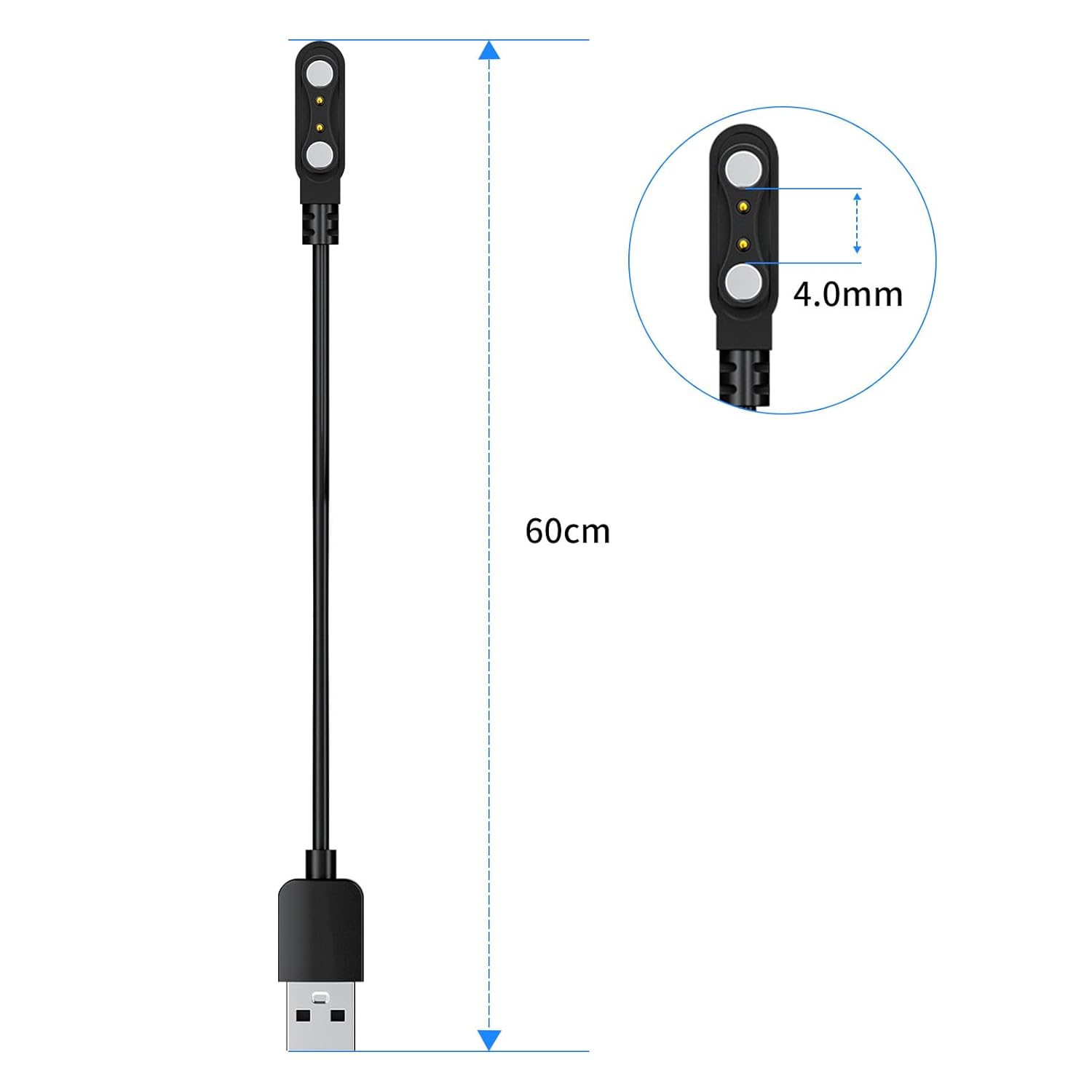
Image: Diagram illustrating the charger's dimensions, including a 60cm cable length and 4.0mm pin spacing on the magnetic connector.

Image: Illustration demonstrating the charger cable's ability to withstand repeated bending up to 180 degrees without damage.

Image: The LIGE Smartwatch Charger cable shown coiled, indicating its compact nature for storage and portability.
Enstalasyon
Before charging, ensure your LIGE smartwatch is compatible with a 2-pin magnetic charger.
- Prepare sous kouran an: Connect the USB-A end of the charger cable to a compatible USB power source, such as a computer's USB port, a USB wall adapter (5V/1A recommended), or a power bank.
- Pozisyon Smartwatch: Place your LIGE smartwatch on a flat, stable surface.
- Konekte Charger: Bring the magnetic charging puck close to the charging contacts on the back of your smartwatch. The magnets will automatically align the charger with the smartwatch's charging pins. Ensure the pins on the charger align correctly with the contacts on the smartwatch.
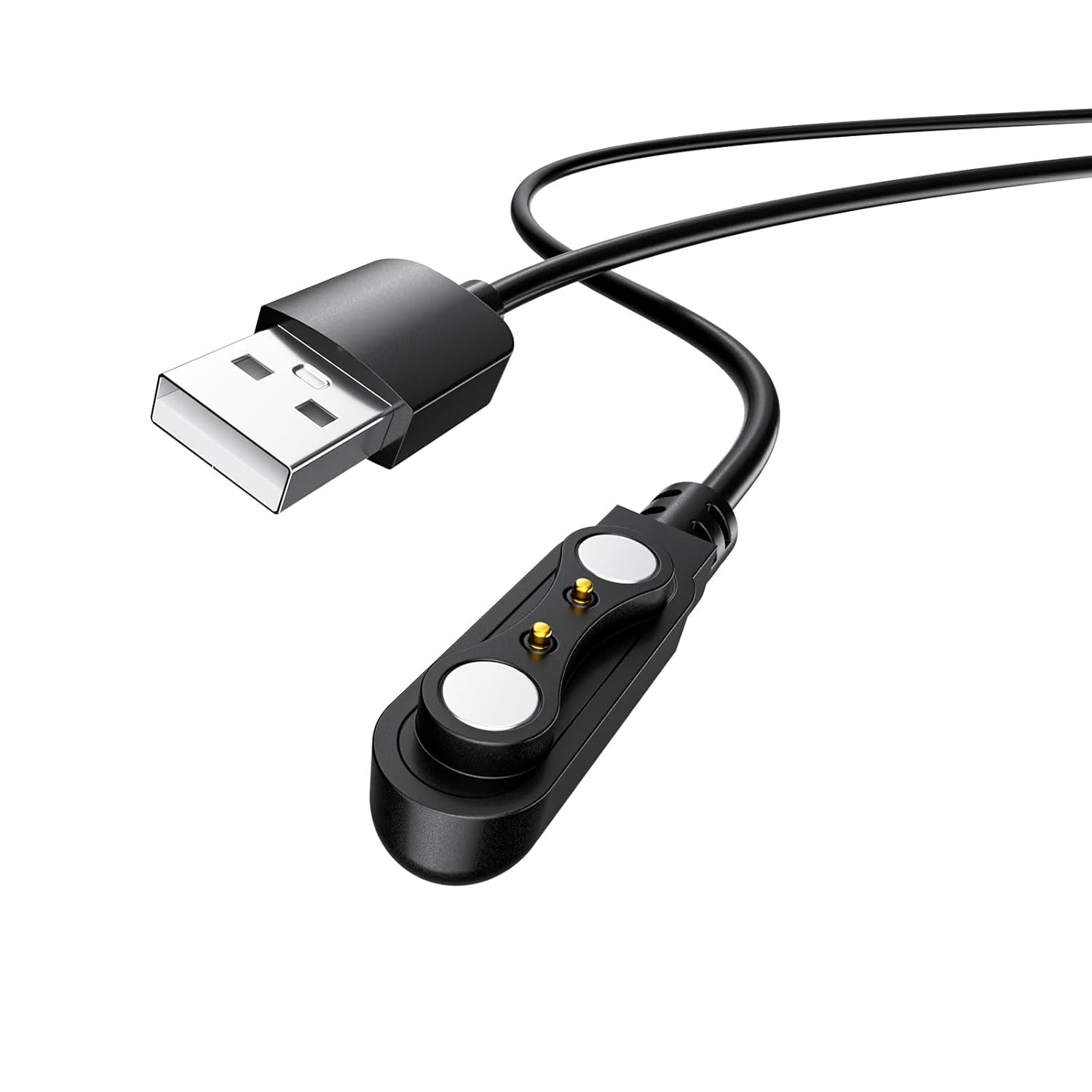
Imaj: Yon gwo plan view of the magnetic charging connector, highlighting the two contact pins.
Enstriksyon Operasyon
Once the charger is securely connected to both the power source and your smartwatch, the charging process will begin automatically. The smartwatch display should indicate that it is charging.
- Endikatè chaje: Refer to your smartwatch's user manual for specific charging indicators (e.g., battery icon, LED light).
- Tan pou chaje: Charging time may vary depending on the smartwatch model, battery level, and power source.
- Dekoneksyon: To disconnect, gently pull the magnetic charging puck away from the smartwatch. Then, unplug the USB-A connector from the power source.

Image: The charger depicted in different usage scenarios, emphasizing its portability for office, home, car, and travel.
Antretyen
Proper maintenance will extend the life of your LIGE Smartwatch Charger.
- Netwayaj: Use a soft, dry cloth to wipe the charging contacts on both the charger and your smartwatch. Do not use liquid cleaners or abrasive materials.
- Depo: When not in use, store the charger in a cool, dry place, away from direct sunlight and extreme temperatures. Avoid tangling the cable.
- Manyen: Do not pull the cable forcefully to disconnect the charger. Always grasp the USB plug or the magnetic puck.
Depanaj
If you encounter issues with your LIGE Smartwatch Charger, refer to the following common solutions:
| Pwoblèm | Kòz posib | Solisyon |
|---|---|---|
| Mont entelijan an pa chaje. |
|
|
| Chaje dousman. |
|
|
| Chajè a santi l cho. | Nòmal pandan operasyon an. | Yon ti chalè nòmal. Si li vin twò cho, dekonekte imedyatman epi kontakte sèvis kliyan an. |
Espesifikasyon
- Mak: LIGE
- Dimansyon pwodwi (L x W x H): 5 x 3 x 1 cm (1.97 x 1.18 x 0.39 pous)
- Pwa: 10 gram (0.35 ons)
- Longè kab: Apeprè 60 cm (23.6 pous)
- Kalite konektè: USB-A to 2-pin Magnetic
- Kantite broch: 2
- Sèks Connector: Gason pou Fi
- Kalite kab: Smartwatch Charging Cable
- Aparèy konpatib: LIGE Smartwatches (Models: 290, 1290, 327, 328, 329, ST1, ST2, ST3)
- Karakteristik espesyal: Koneksyon mayetik
- Itilizasyon Rekòmande: Chaje
- Standards Complied: Qi (Note: This is a wired charger; the Qi standard may refer to internal component compatibility.)
- Anviwònman Itilizasyon: Andedan kay la
- Manifakti: LIGE
- ASIN: B0BN8CBWW6
Garanti ak sipò
For any questions, concerns, or technical support regarding your LIGE Smartwatch Charger, please contact the seller or refer to the official LIGE support channels. Keep your purchase receipt for warranty claims, if applicable.
Please note that specific warranty terms and conditions may vary by region and retailer. It is recommended to consult the seller's return and warranty policy at the time of purchase.


