1. Entwodiksyon
The EIZO ColorEdge CG2700X is a 27-inch 4K UHD (3840 x 2160) LCD monitor designed for professional color management applications. This monitor features HDR gamma support, USB Type-C connectivity, a built-in calibration sensor, and a new cabinet design. It provides ample screen space for displaying high-resolution content, making it suitable for video editing, 3DCG creation, game development, photography, and other creative fields.
2. Ki sa ki nan bwat la
Verifye ke tout atik yo prezan nan anbalaj la:
- ColorEdge CG2700X Widescreen LCD Monitor
- USB Kalite-C Kab (2 m)
- HDMI kab (2 m)
- AC kòd pouvwa
- USB Type-A - USB Type-B cable (2 m)
- Gid konfigirasyon
- Factory Report
- ScreenCleaner
- Kapo monitè
- Kat garanti
3. Enstalasyon
Follow these steps to set up your EIZO ColorEdge CG2700X monitor:
- Debake: Retire monitè a ak tout akseswa yo nan anbalaj la avèk prekosyon.
- Kanpe Asanble: Attach the monitor to its stand according to the instructions in the included setup guide. Ensure it is securely fastened.
- Pozisyon: Place the monitor on a stable, flat surface. Adjust the height, tilt, and swivel for optimal viewing comfort. The monitor can also be rotated to portrait mode.
- Konekte Cables: Connect the necessary cables (power, video, USB) to the appropriate ports on the monitor and your computer. Refer to the 'Connections' section for details.
- Pouvwa sou: Connect the AC power cord to the monitor and a power outlet. Press the power button on the monitor to turn it on.
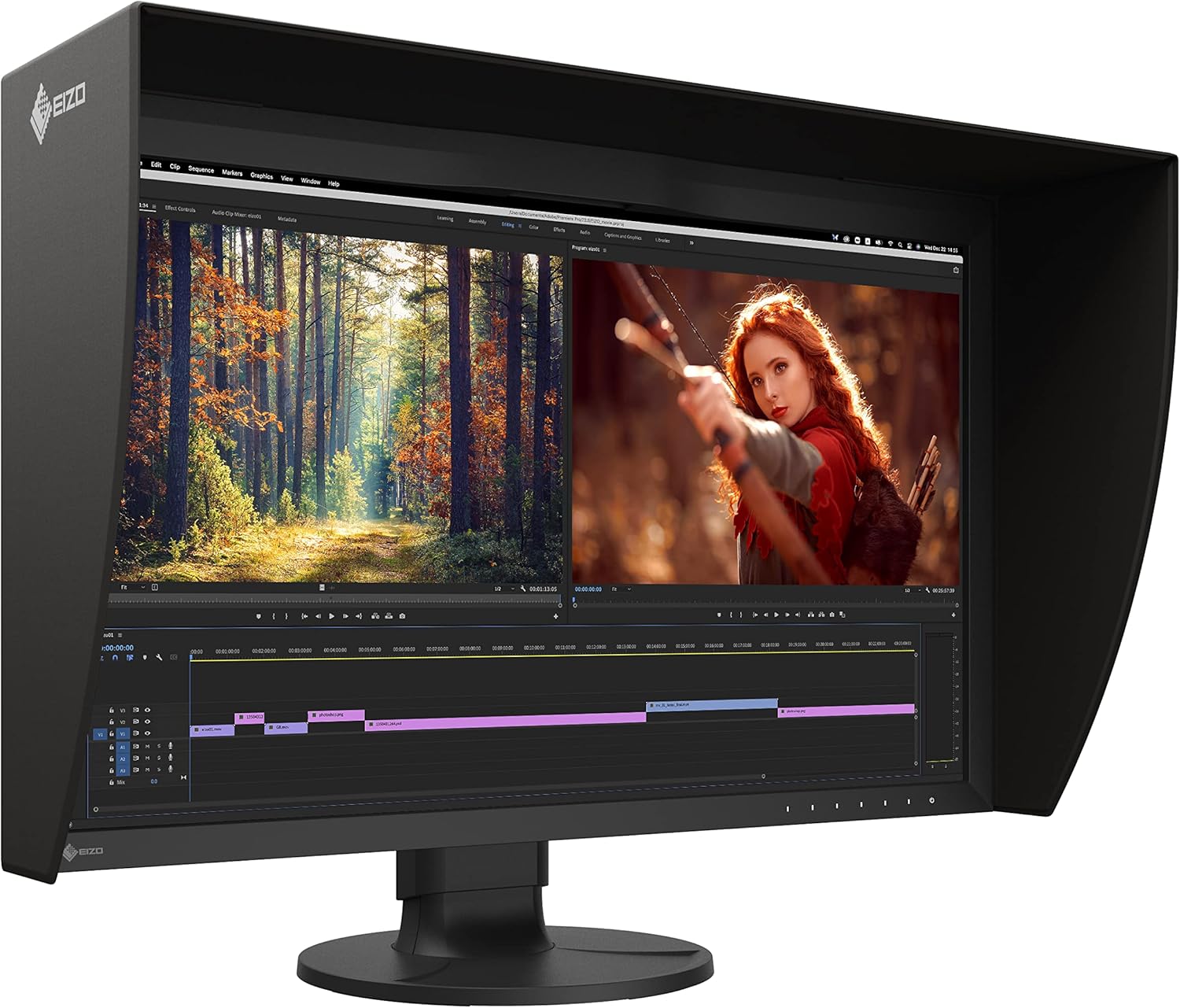
Figure 3.1: EIZO ColorEdge CG2700X monitor in use with its light-shielding hood.
4. Koneksyon
The ColorEdge CG2700X offers versatile connectivity options:
- USB Kalite-C: This single cable connection allows for video display, USB signal transmission, and up to 94W power delivery to a connected device like a laptop.
- HDMI: Connect to devices using an HDMI cable for video and audio transmission.
- DisplayPort: Connect to devices using a DisplayPort cable for high-resolution video transmission.
- Pò LAN: Provides a stable wired network connection for laptops connected via USB Type-C, enabling network-based color management and file pataje.
- Pò USB Kalite-A: Four easy-access USB ports are available for connecting peripherals.

Figi 4.1: Dèyè view of the monitor's connection ports.

Figure 4.2: Side-mounted USB ports for convenient access.
5. Kalibrasyon
The ColorEdge CG2700X features a built-in calibration sensor to ensure consistent color accuracy over time. This sensor can be configured to perform automatic calibration at scheduled intervals, eliminating the need for external calibration devices.
- Kalibrasyon otomatik: The sensor swings onto the screen at designated times to perform calibration, allowing you to continue working with minimal interruption.
- ColorNavigator Network: For network-based color management, the EIZO MAC Address Clone Utility software can temporarily assign the MAC address of a connected PC to the monitor, granting network access to authenticated devices.

Figure 5.1: Built-in calibration sensor in operation.
Video 5.1: Official EIZO video demonstrating the features and benefits of the ColorEdge CG2700X and CG2700S monitors, including color accuracy, calibration, and connectivity.
6. Operasyon Enstriksyon
The ColorEdge CG2700X is designed for optimal visual performance in professional environments.
- Rezolisyon 4K UHD: Experience crisp and detailed visuals with a 3840 x 2160 resolution, providing four times the pixels of Full HD.
- Gamme koulè lajè: The monitor supports a wide color gamut, including 99% Adobe RGB and 98% DCI-P3, ensuring accurate color reproduction for critical work.
- HDR Gamma Support: Compatible with HDR gamma curves (HLG and PQ curve) for displaying HDR content with appropriate brightness and contrast.
- Segondè klète ak kontras: With 500 Nit brightness and true black reproduction, content is easily viewable in various lighting conditions with excellent contrast.
- Reduced Screen Burning: Engineered for longevity and reduced screen burning, ensuring maximum efficiency over extended use.
- Ekspozisyon san flicker: A 13 ms GTG response time provides flicker-free video and images.

Figure 6.1: Multiple EIZO ColorEdge CG2700X monitors in a professional setup.
7. Espesifikasyon
| Karakteristik | Spesifikasyon |
|---|---|
| Kanpe Screen Display Size | 26.9 pous |
| Rezolisyon ekran | 3840x2160 (4K UHD) |
| Rezolisyon ekran maksimòm | 3840 x 2160 piksèl |
| Aspè rapò | 16:9 |
| Rafrechisman pousantaj | 60 Hz |
| Klète | 500 nit |
| Tan repons | 13 ms GTG |
| Kantite USB 2.0 pò | 6 |
| Kantite USB 3.0 pò | 6 |
| Pwa atik | 14.99 liv |
| Dimansyon pwodwi | 3.4 x 25.1 x 15.4 pous |
| Koulè | Nwa |
| Voltage | 18 Volts |
| Manifakti | EIZO Corporation |

Figi 7.1: Dimansyon monitè a.
8. Antretyen
To ensure the longevity and optimal performance of your EIZO ColorEdge CG2700X monitor, follow these maintenance guidelines:
- Netwayaj: Use the provided ScreenCleaner or a soft, lint-free cloth slightly dampened with water to clean the screen and exterior surfaces. Avoid harsh chemicals or abrasive materials.
- Vantilasyon: Asire w ouvèti vantilasyon monitè a pa bloke pou anpeche li chofe twòp.
- Jesyon pouvwa: Utilize the monitor's power-saving features when not in use to conserve energy and extend component life.
- Calibration Schedule: Maintain a regular calibration schedule using the built-in sensor to preserve color accuracy.
NAN. Depanaj
If you encounter issues with your EIZO ColorEdge CG2700X monitor, consider the following basic troubleshooting steps:
- Pa gen pouvwa: Check that the power cord is securely connected to both the monitor and the power outlet. Verify the power outlet is functional.
- Pa gen imaj: Ensure all video cables (USB-C, HDMI, DisplayPort) are correctly connected to both the monitor and your computer. Confirm the correct input source is selected on the monitor.
- Ekran k ap flache: Check the video cable connections. Ensure your graphics card drivers are up to date.
- Enpresizyon koulè: Perform a calibration using the built-in sensor. Verify that the correct color profile is selected in your operating system and applications.
- Aparèy USB yo pa fonksyone: Ensure the USB upstream cable (USB Type-C or USB Type-A to B) is connected to your computer. Check device drivers for connected USB peripherals.
For more detailed troubleshooting or persistent issues, refer to the comprehensive user manual available on the EIZO support website or contact EIZO customer support.
10. Garanti ak sipò
Your EIZO ColorEdge CG2700X monitor comes with a warranty. Please refer to the included Kat Garanti for specific terms, conditions, and registration information. For technical support, product inquiries, or service requests, visit the official EIZO websit oswa kontakte depatman sèvis kliyan yo.
EIZO Official Websit: www.eizo.com


