Entwodiksyon
This manual provides essential information for setting up, operating, and maintaining your Apple iPad (10th Generation). The iPad features an all-screen design, a 10.9-inch Liquid Retina display, the powerful A14 Bionic chip, Wi-Fi 6 connectivity, and advanced cameras. It is designed for everyday tasks, creativity, and staying connected.
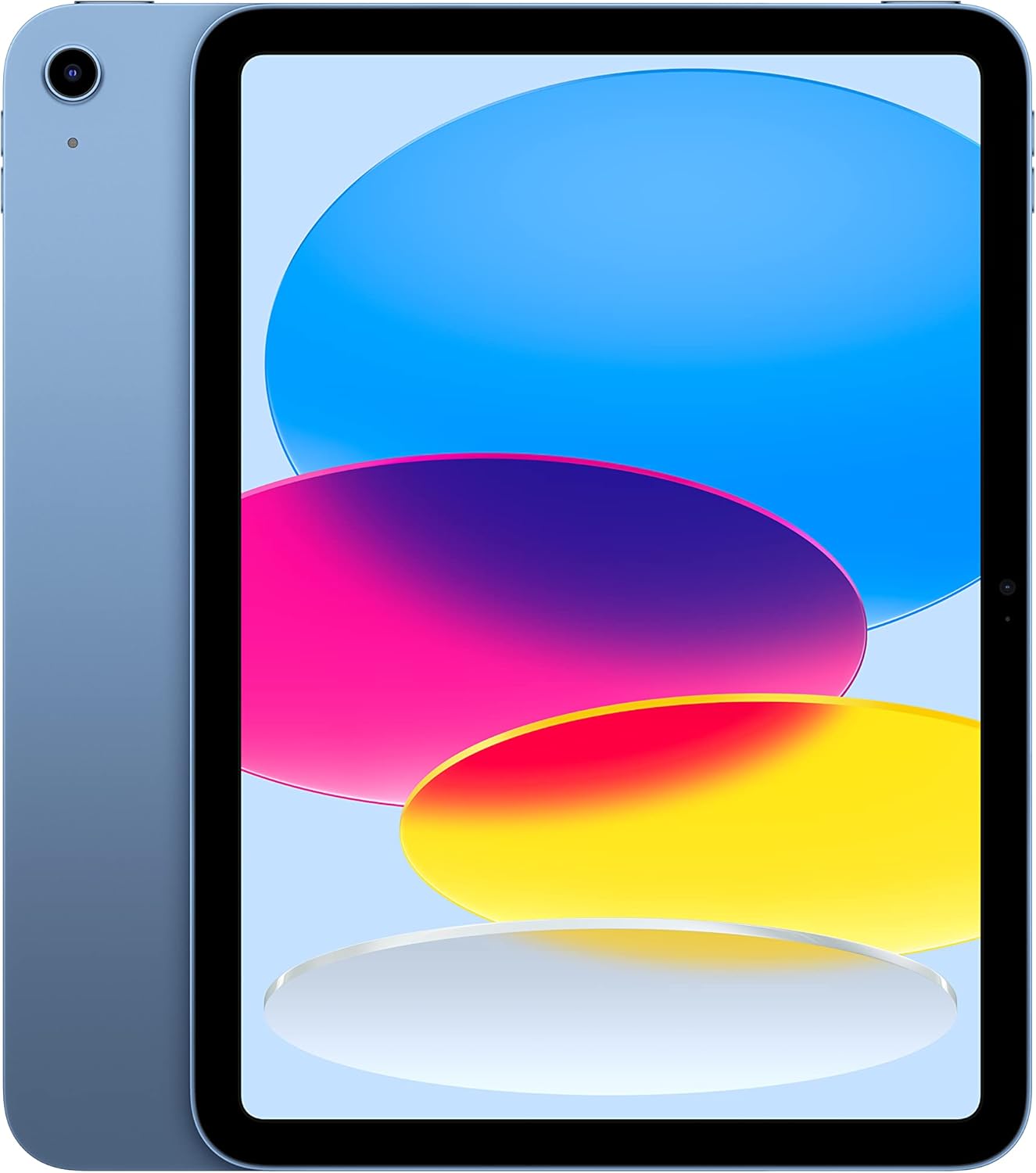
Image: The Apple iPad (10th Generation) in blue, showcasing its full-screen display and sleek design.
Ki sa ki nan bwat la
Verify that all items are present in your iPad packaging:
- iPad (10yèm jenerasyon)
- Kab Chaje USB-C (1 mèt)
- 20W USB-C pouvwa adaptè

Image: A visual representation of the items included in the iPad packaging: the iPad device, a USB-C charging cable, and a 20W USB-C power adapter.
Enstalasyon
- Pouvwa sou: Peze epi kenbe bouton an tèt la jiskaske logo Apple la parèt.
- Premye konfigirasyon: Swiv enstriksyon ki sou ekran an pou chwazi lang ou, rejyon ou, epi konekte ak yon rezo Wi-Fi.
- Transfè Done (Si ou vle): If you have a previous iPad or iPhone, you can transfer your data during setup.
- Apple ID: Konekte avèk ID Apple ou a oubyen kreye yon nouvo. Sa a esansyèl pou telechaje aplikasyon, itilize iCloud, ak lòt sèvis Apple yo.
- Konfigirasyon Touch ID: Configure Touch ID for secure unlocking and purchases.
- Chaje: Konekte kab chaj USB-C a nan pò USB-C iPad la ak adaptè kouran USB-C 20W la, answit branche li nan yon priz kouran.
Itilizasyon iPad ou a
Ekspozisyon
The iPad features a 10.9-inch Liquid Retina display with True Tone technology. True Tone automatically adjusts the display's color and intensity to match the ambient light, providing a more natural vieweksperyans nan.

Image: An illustration of the iPad's key features, including the 10.9-inch Liquid Retina display, Landscape Ultra Wide front camera, and the A14 Bionic chip.
Manyen ID
Touch ID is integrated into the top button of your iPad. It allows you to securely unlock your device, sign in to apps, and authorize purchases with Apple Pay using your fingerprint.
- Debloke: Place your registered finger on the top button.
- Apple Pay: Double-press the top button and then place your finger on it to authenticate a payment.
Kamera
The iPad is equipped with advanced cameras:
- Kamera devan: Landscape 12MP Ultra Wide camera with Center Stage and Smart HDR 3. Center Stage otomatikman kenbe ou nan kad la pandan apèl videyo.
- Kamera dèyè: 12MP Wide camera with Smart HDR 3, capable of recording 4K video at 24, 25, 30, or 60 frames per second.
Koneksyon
The iPad supports Wi-Fi 6, providing fast and reliable wireless internet access for streaming, downloading, and browsing.
Pèfòmans ak Depo
Powered by the A14 Bionic chip with a 6-core CPU, 4-core graphics, and a 16-core Neural Engine, the iPad delivers robust performance for various applications, from immersive games to photo and video editing. It is available with 64GB or 256GB storage options.
Lavi batri
The iPad offers up to 10 hours of web surfing on Wi-Fi or video playback. When using cellular data (on Wi-Fi + Cellular models), battery life is up to 9 hours.
Pwodwi pou Telefòn
Enhance your iPad experience with compatible accessories (sold separately):
- Apple kreyon (1ye jenerasyon): Transforms your iPad into a digital canvas and note-taking device. Requires a USB-C to Apple Pencil Adapter.
- Magic Keyboard Folio: Features a two-piece design with a detachable keyboard and protective back panel that attach magnetically.

Image: The Apple iPad (10th Generation) shown with the Magic Keyboard Folio and Apple Pencil, demonstrating its versatility for productivity and creativity.
Antretyen
To ensure the longevity and optimal performance of your iPad, follow these maintenance guidelines:
- Netwayaj: Sèvi ak yon twal mou ki pa gen pousyè pou netwaye ekran an ak deyò a. Evite materyèl abrazif oswa pwodui chimik ki agresif.
- Tanperati: Operate and store your iPad within recommended temperature ranges (0° to 35° C / 32° to 95° F). Avoid extreme heat or cold.
- Mizajou lojisyèl: Regularly update iPadOS to the latest version to benefit from new features, security enhancements, and bug fixes. Go to Settings > General > Software Update.
- Jesyon Depo: Tanzantan review and manage your storage to free up space. Go to Settings > General > iPad Storage.
Depanaj
Si w rankontre pwoblèm ak iPad ou a, konsidere etap depanaj komen sa yo:
- Aparèy pa reponn: If your iPad is unresponsive, force restart it. Press and quickly release the volume up button, press and quickly release the volume down button, then press and hold the top button until the Apple logo appears.
- Pwoblèm koneksyon Wi-Fi:
- Asire w ke Wi-Fi a aktive nan Anviwònman yo.
- Rekòmanse routeur Wi-Fi ou a.
- Bliye rezo a epi rekonekte.
- Drenaj batri: Check battery usage in Settings > Battery to identify apps consuming significant power. Adjust settings or background app refresh as needed.
- Pwoblèm aplikasyon: If an app is not working correctly, try closing and reopening it. If the problem persists, delete and reinstall the app.
Pou plis detay sou depanaj oswa pwoblèm ki pèsistan, vizite Sipò ofisyèl Apple la. websit la oubyen kontakte sèvis kliyan Apple la.
Espesifikasyon
| Karakteristik | Detay |
|---|---|
| Non modèl | iPad (10yèm jenerasyon) |
| Nimewo Modèl Atik | MPQ93LL/A |
| Ekspozisyon | 10.9-inch Liquid Retina display with True Tone |
| Rezolisyon ekspozisyon | 2360 x 1640 piksèl |
| Chip | A14 Bionic chip (6-core CPU, 4-core graphics, 16-core Neural Engine) |
| Kapasite Depo memwa | 256 GB (also available in 64GB) |
| Kamera dèyè | 12MP Wide camera with Smart HDR 3, 4K video recording |
| Kamera devan | Landscape 12MP Ultra Wide with Center Stage and Smart HDR 3 |
| Lavi batri | Up to 10 hours (Wi-Fi), Up to 9 hours (Cellular) |
| Konektè | USB-C |
| Dimansyon (H x W x P) | 9.79 x 7.07 x 0.28 pous (248.6 x 179.5 x 7 mm) |
| Pwa | 1.05 liv (477 gram) Wi-Fi modèl |
| Compatible Apple Pencil | Apple Pencil (1st generation) - requires USB-C to Apple Pencil Adapter |
| Manifakti | Apple |
| Dat Premye Disponib | 18 oktòb 2022 |
Garanti ak sipò
Your Apple iPad (10th Generation) is covered by Apple's standard limited warranty. For detailed information regarding warranty terms, coverage, and service options, please refer to the warranty documentation included with your product or visit the official Apple Support websit.
For technical assistance, troubleshooting guides, and additional resources, please visit the Apple sipò website for iPad.
Nòt enpòtan
This manual provides general instructions. For the most up-to-date information and advanced features, always refer to the official Apple iPad User Guide available digitally on your device or Apple's websit.


