Entwodiksyon
Mèsi pou acha aasing the Coby 1080HD Dash Cam. This device is designed to record your on-road experiences in high-definition, providing a reliable eyewitness for any driving situation. This manual will guide you through the setup, operation, and maintenance of your dash cam to ensure optimal performance.
Ki sa ki nan bwat la
- Coby 1080HD Dash Cam
- Pouvwa kab
- USB kab
- Manyèl itilizatè
Note: A memory card is required for recording and is sold separately.
Pwodwi souview
Familiarize yourself with the components of your Coby 1080HD Dash Cam.

Figi 1: Devan view of the Coby 1080HD Dash Cam, showing the lens, infrared lights, and control buttons.
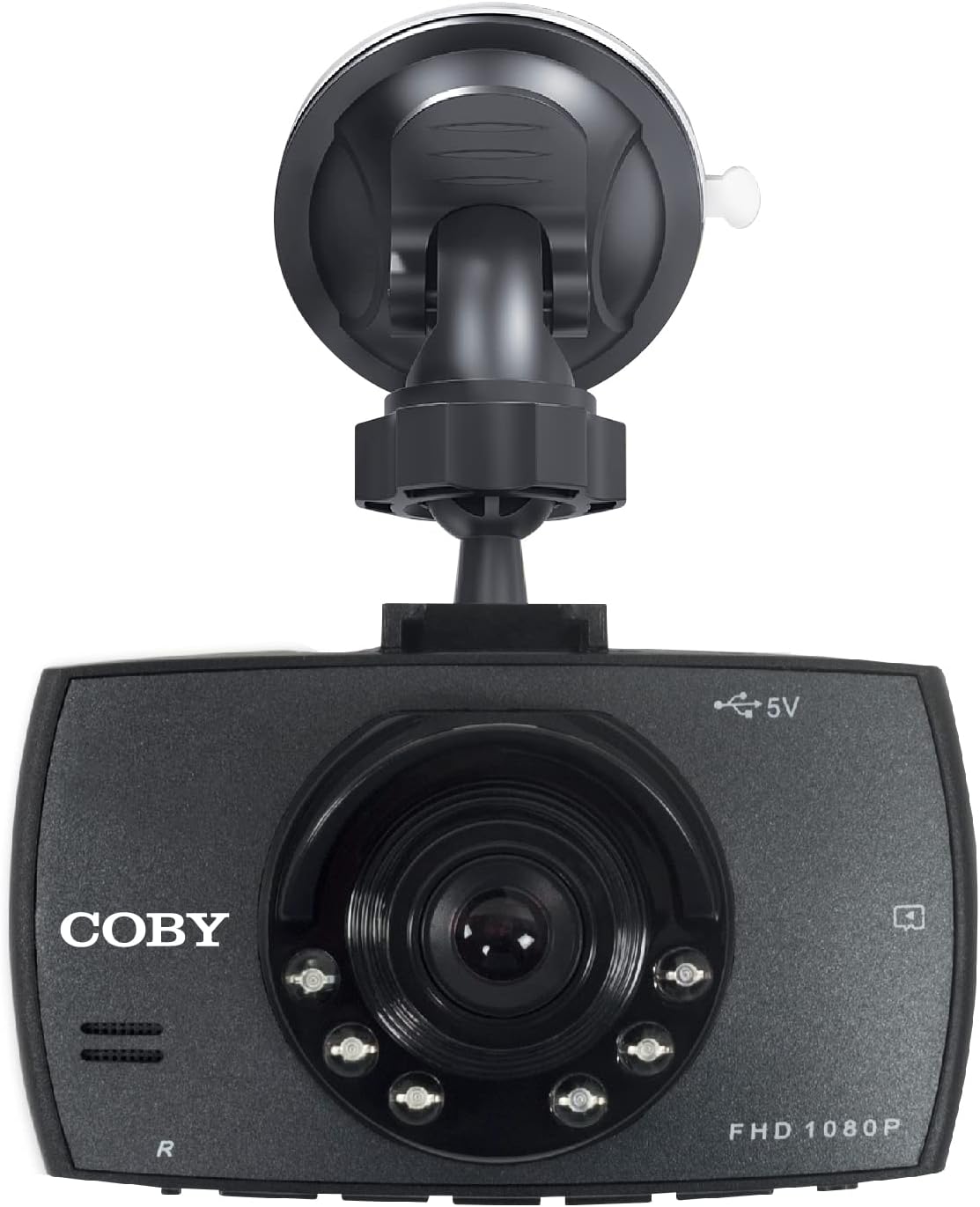
Figi 2: The dash cam attached to its suction cup mount, highlighting the Coby branding and FHD 1080P label.
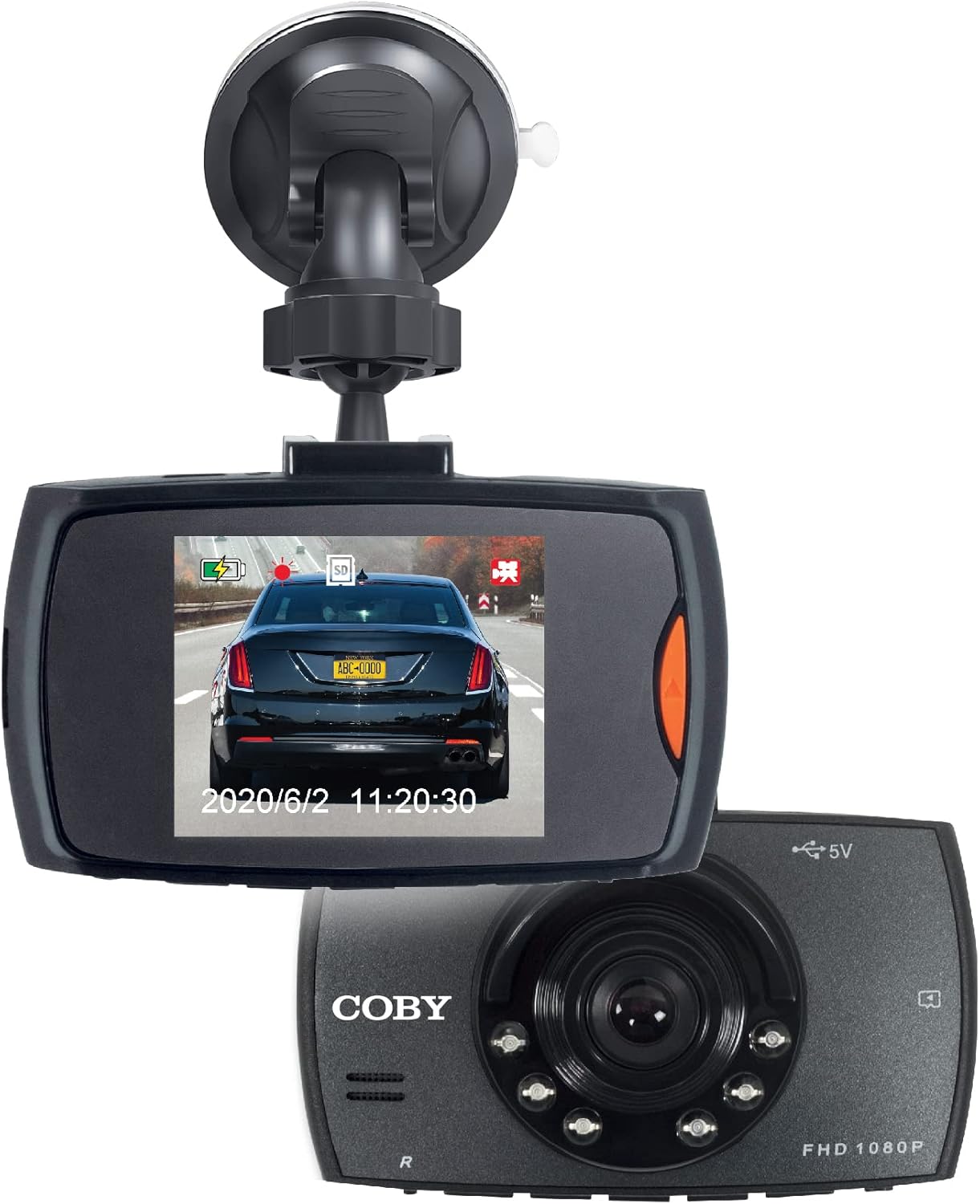
Figi 3: The dash cam displaying a live road view on its screen, with another unit shown for perspective.
Enstalasyon
Follow these steps for a quick and easy installation of your dash cam.
- Mete kat memwa: Locate the memory card slot on the dash cam. Gently insert a compatible microSD card (not included) until it clicks into place. Ensure the card is formatted before first use (refer to Operating Instructions for formatting).
- Monte Dash Cam la:
- Kole sipò ventouz la sou kamera tablodbò a.
- Clean the desired area on your windshield, preferably behind the rearview mirror, to ensure a clear view of the road and minimal obstruction to your driving vision.
- Peze ventouz la byen fèm kont vit machin nan epi vire levye a pou fikse li.
- Adjust the camera angle using the 360° swivel head and adjustable ball head to capture the optimal recording angle.
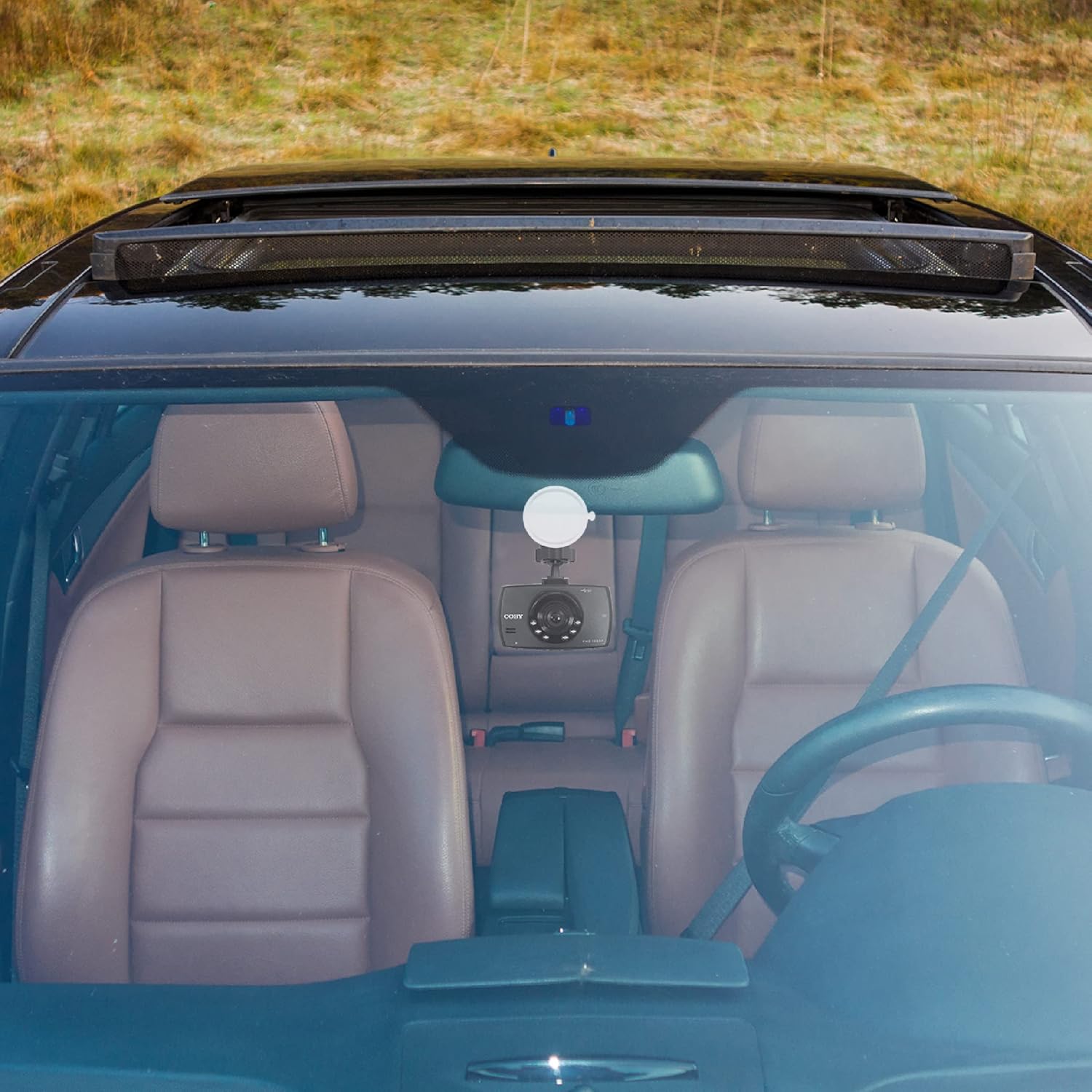
Figi 4: The dash cam mounted on the windshield of a car, showing its discreet placement.
- Konekte pouvwa: Connect the provided power cable to the dash cam and plug the other end into your car's 12V power outlet (cigarette lighter socket). The dash cam is designed for true plug-and-play installation.
- Pouvwa sou: The dash cam will typically power on automatically when your vehicle starts. If not, press the power button.
Enstriksyon Operasyon
Learn how to use the various functions of your Coby 1080HD Dash Cam.
Operasyon debaz
- Anrejistreman otomatik: Once powered on and a memory card is inserted, the dash cam will automatically begin recording in a continuous loop.
- Anrejistreman manyèl: Peze a Dosye button to manually start or stop recording.
- Navigasyon nan meni: Use the directional buttons to navigate through the menu options on the 2.2" LCD display. Press the OK bouton pou konfime seleksyon yo.
Karakteristik kle
- 1080p Full HD Video Resolution: The dash cam records in 1080p Full HD, ensuring clear and detailed video footage.
- Anrejistreman bouk: When the memory card is full, the dash cam will automatically overwrite the oldest unlocked video files to continue recording. This ensures continuous operation without manual intervention.
- Night Vision Support: The dash cam is equipped with night vision capabilities, allowing it to record clear footage even in low-light conditions or at night.
- 360° Swivel Head & Adjustable Ball Head: The mounting system allows for flexible positioning, enabling you to capture the perfect recording angle or rotate the camera to record other areas of your vehicle.
- Lektur: Ou ka review anrejistre footage directly on the dash cam's screen. Navigate to the playback mode using the menu buttons, select the desired file, ak peze OK pou jwe.

Figi 5: Visual representation of the dash cam's key features including 1080p resolution, distortion-free coverage, night vision, dynamic display, and smart battery readout.

Figi 6: Illustration of the 360° swivel head and adjustable ball head features for flexible camera positioning.
Antretyen
Proper care will extend the life and performance of your dash cam.
- Netwayaj: Use a soft, dry cloth to clean the camera lens and body. Avoid using abrasive cleaners or solvents.
- Swen kat memwa: Regularly format your memory card (at least once a month) to prevent data corruption and ensure optimal recording performance. Back up important footage anvan fòma.
- Tanperati: Avoid exposing the dash cam to extreme temperatures for prolonged periods, as this can affect battery life and internal components.
- Montaj sekirite: Periodically check that the dash cam is securely mounted to prevent it from falling during driving.
Depanaj
If you encounter issues with your dash cam, refer to the following common problems and solutions.
| Pwoblèm | Kòz posib | Solisyon |
|---|---|---|
| Kamera tablodbò a pa limen. | Pa gen ekipman pou kouran; koneksyon ki lach; kab kouran an gen pwoblèm. | Check power cable connection to the dash cam and car's 12V outlet. Ensure the car's outlet is functional. Try a different power source if available. |
| Anrejistreman an sispann sanzatann. | Memory card full; memory card error; low battery. | Format the memory card. Use a high-speed, reputable memory card. Ensure the dash cam is continuously powered. |
| Video footage flou oswa pa klè. | Protective film on lens; dirty lens; incorrect focus (unlikely for fixed focus). | Remove any protective film from the lens. Clean the lens with a soft, lint-free cloth. |
| Kamera tablodbò a bloke oswa li pa reponn. | Software glitch; memory card issue. | Press and hold the power button to force a restart. If the issue persists, try formatting or replacing the memory card. |
Espesifikasyon
| Karakteristik | Detay |
|---|---|
| Nimewo Modèl | DCS407 |
| Rezolisyon Capture Videyo | 1080p plen HD |
| Ekspozisyon | Ekran LCD 2.2 pous |
| Koneksyon Teknoloji | USB |
| Karakteristik espesyal | Loop Recording, 360 Degree Swivel, Night Vision |
| Kalite aliye | Vit devan mòn |
| Dimansyon pwodwi | 10.9 x 14.8 x 14.8 pous |
| Pwa atik | 8.4 ons |
| Koulè | Nwa |
| Manifakti | Summit Electronics, LLC |
Garanti ak sipò
For warranty information or technical support, please refer to the contact details provided on the product packaging or visit the official Coby websit la. Kenbe resi acha ou kòm prèv acha pou reklamasyon garanti.
You can visit the Coby Store for more information: Coby Official Store


