1. Enstalasyon
1.1 Kontni pake a
Anvan ou kòmanse enstalasyon an, tanpri verifye si tout konpozan yo prezan nan pake a:
- WiFi Camera (x1)
- 3M Power Adapter (x1)
- Konektè ki enpèmeyab (x1)
- Pake Vis (x1)
- Manyèl itilizatè (x1)
- Montaj Modèl (x1)
- senti (x1)

Image: All components included in the Techage WiFi Security IP Camera package.
1.2 Enstalasyon Fizik
The camera supports both wall mounting and ceiling hanging for flexible placement.

Image: Illustration showing the camera mounted on a wall and hanging from a ceiling.
- Choose a suitable location for installation, ensuring good Wi-Fi signal strength.
- Sèvi ak modèl montaj ki bay la pou make twou yo.
- Fè twou epi mete lank miray si sa nesesè.
- Fikse baz kamera a avèk vis yo bay yo.
- Connect the power adapter to the camera and a power outlet.
1.3 Network Connection & App Setup
The camera connects to 2.4GHz Wi-Fi networks. It does not support 5GHz networks.
- Download the ICSEE App from your device's app store (available on App Store and Google Play).
- Register or log in to your ICSEE account.
- Follow the in-app instructions to add your camera to the network. This typically involves scanning a QR code on the camera or manually entering device details.

Image: The VicoHome Security Camera App, used for camera control.
1.4 Entegrasyon Amazon Alexa
The camera can be integrated with Amazon Alexa for voice control and viewing on compatible devices like Amazon Echo Show.

Image: A user interacting with an Alexa device to view manje kamera a.
Video: A detailed guide on how to connect the Techage WiFi Security IP Camera to Amazon Alexa and control it via voice commands.
- Ensure your camera is successfully added to the ICSEE App.
- Open the ICSEE App, navigate to the 'Me' section, and tap the 'Alexa' icon.
- Click 'Login to Amazon account' and input your Amazon username and password (the same account used for your Alexa device).
- Select the camera you wish to bind.
- Once successfully bound, you can control the camera using voice commands such as "Alexa, show me [camera name]" or "Alexa, rotate [camera name] to the left/right/up/down."
2. Itilizasyon Kamera a
2.1 Fonksyonalite Panoramik ak Enklinasyon
The camera offers a 355° pan and 90° tilt range, providing a 360° full view of the monitored area. Control is available remotely via the ICSEE mobile application.
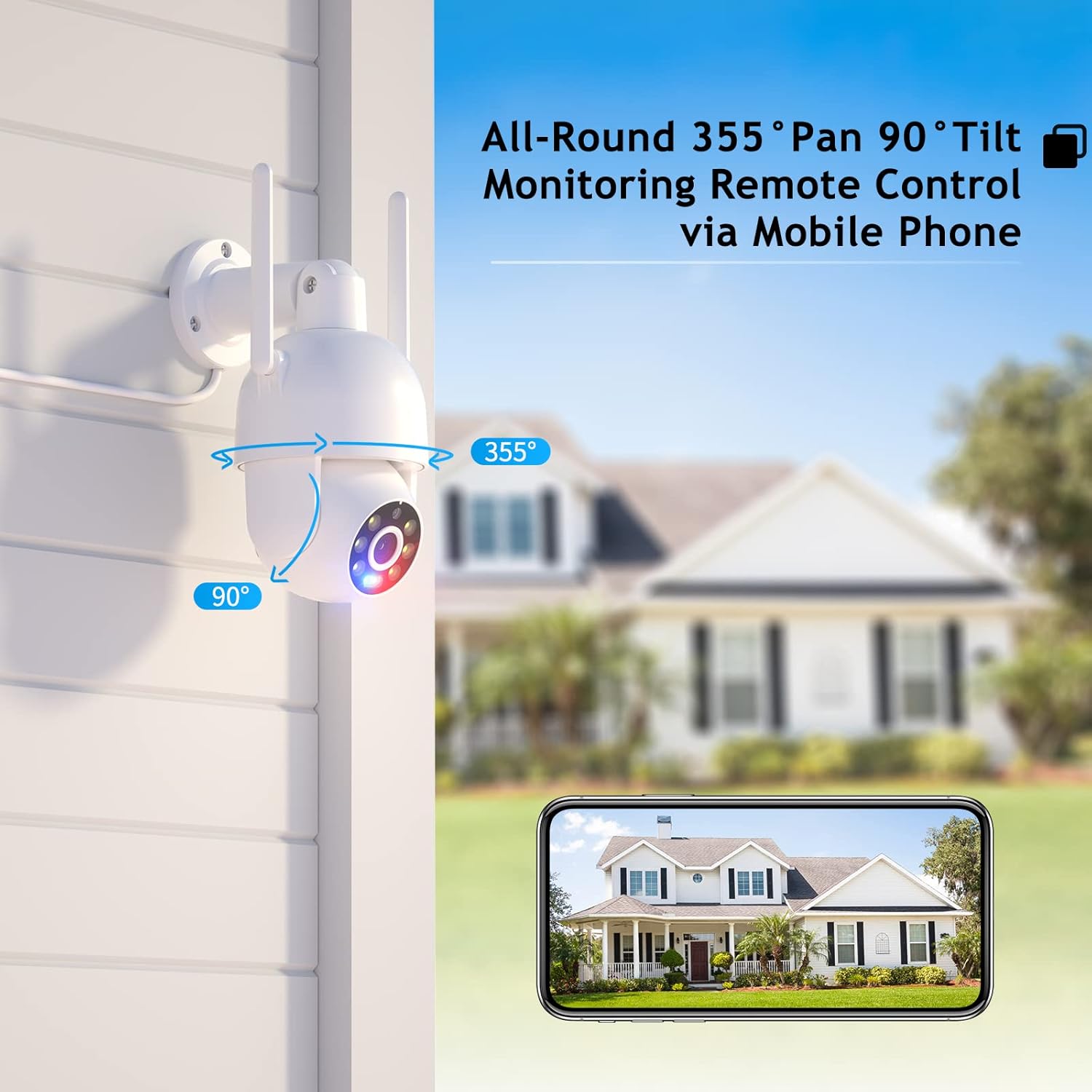
Image: Visual representation of the camera's pan (355°) and tilt (90°) capabilities.
2.2 High-Definition & Night Vision
Experience full HD 4MP picture quality throughout the day. The camera features built-in 6 white lights for color night vision and IR LEDs for traditional infrared night vision, ensuring clear visuals in various lighting conditions.

Imaj: Egzamples of day vision, color night vision, and IR night vision captured by the camera.
2.3 Odyo De-fason
The integrated speaker and microphone enable real-time two-way audio communication, allowing you to listen and speak through the camera.

Image: Demonstrating the two-way audio feature for real-time communication.
2.4 Humanoid Motion Auto Tracking & Alerts
When the camera detects a moving person, it will automatically track the target until it is lost or the set tracking duration ends. The camera returns to its preset position after tracking. Motion detection triggers accurate real-time notifications to the ICSEE App, and recorded video is stored on a MicroSD card or Cloud.

Image: The camera's human detection and auto-tracking capabilities in action.
2.5 Smart Spotlight & Siren Alarm
Upon motion detection in the monitoring area, the camera automatically activates its spotlight and siren alarm to deter intruders. This feature enhances security by providing both visual and auditory warnings.
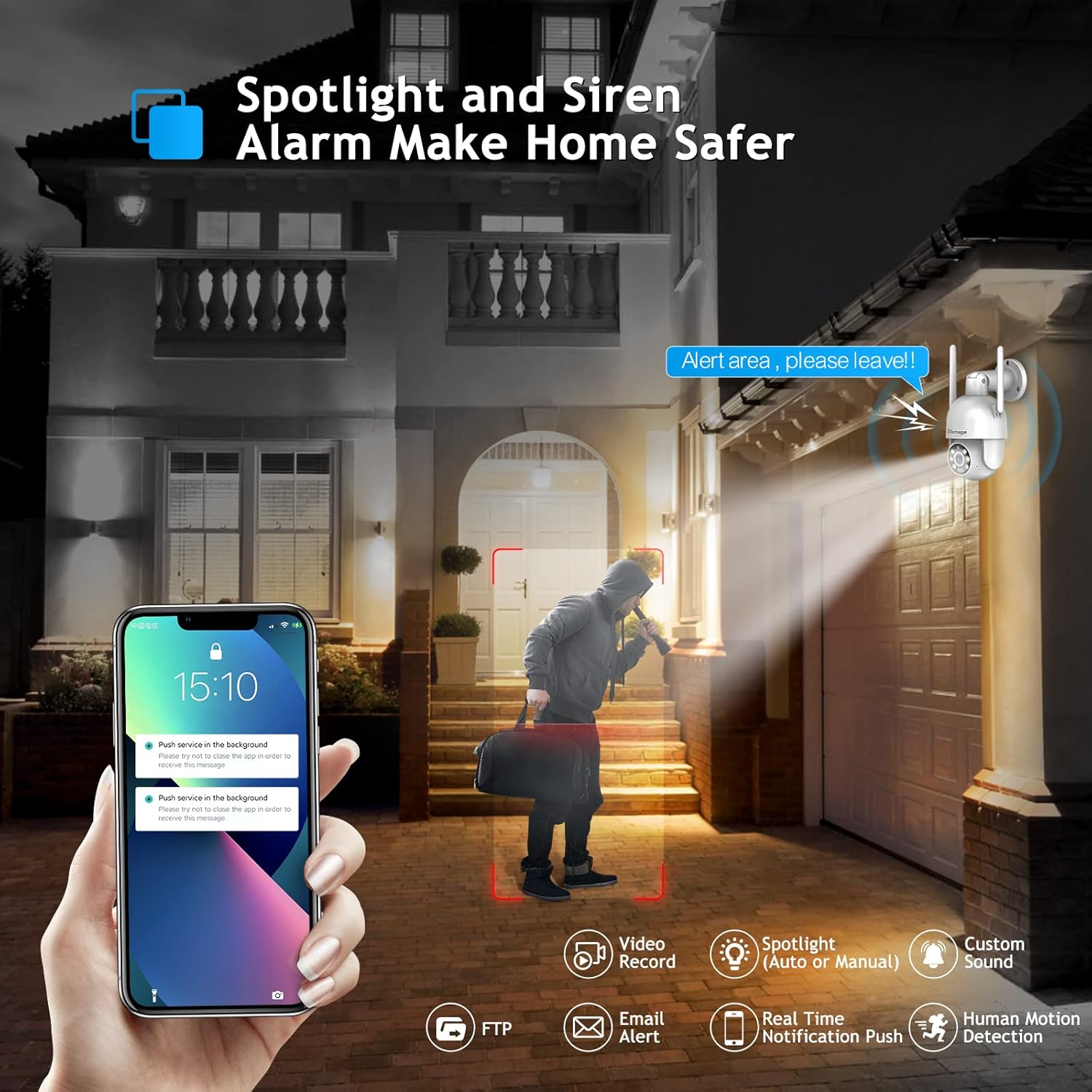
Image: The camera's spotlight and siren alarm activating upon detecting a person.
2.6 Automatic Cruise Function
The camera supports preset cruise points, allowing it to patrol specific areas automatically. You can define the path, time, and speed of the patrol within the app.

Image: The camera's smart cruise function, showing preset patrol points.
3. Antretyen
3.1 Netwayaj Kamera a
- Siye lantiy kamera a ak kò a dousman avèk yon twal mou epi sèk.
- Avoid using harsh chemicals or abrasive cleaners that could damage the camera's surface or lens.
3.2 Opsyon Depo
The camera supports local storage via a MicroSD card (up to 128GB) and cloud storage for recorded video.

Image: Depiction of cloud storage and MicroSD card for video recording.
3.3 Rezistans move tan
The camera is designed with IP66 weather resistance, offering protection against water, dust, lightning, and extreme temperatures. It operates effectively in environments from -10°C to 45°C with less than 80% RH (non-condensation).

Image: The camera's IP66 rating, showing its resilience to various weather conditions.
NAN. Depanaj
4.1 Kesyon yo poze souvan
- Q: Do I need to pay a monthly payment for this camera?
A: No, a subscription service is optional. Up to 3 days of cloud recording, intelligent notifications, and activity zones are available with a subscription, but the camera functions without one. - Q: How do I set it up with Alexa?
A: Link the camera to the Alexa app and control it via Amazon Echo Show for easy viewing. Refer to Section 1.4 for detailed steps. - Q: Can I use this with 5G Wi-Fi?
A: The camera connects to 2.4GHz Wi-Fi for better range and does not support 5GHz networks.
4.2 Konsèy Jeneral pou Depanaj
- Pwoblèm Koneksyon: Ensure your Wi-Fi network is 2.4GHz and the camera is within range. Restart the camera and your router.
- Kalite imaj pòv: Check the lens for dirt or obstructions. Ensure adequate lighting for optimal night vision performance.
- Deteksyon mouvman pa travay: Verify motion detection settings in the ICSEE App. Adjust sensitivity levels and define activity zones as needed.

Image: Setting up motion detection zones within the camera's software.
4.3 Third-Party Software Compatibility
The camera supports RTSP, FTP, DHCP, NTP, and UPNP protocols. It is compatible with most NVR systems and third-party software such as Ispy, Blue Iris, and Tinycam.

Image: The camera's compatibility with popular third-party surveillance software.
5. Espesifikasyon
| Karakteristik | Detay |
|---|---|
| Nimewo Modèl | XM-PT825-40W |
| Rezolisyon Capture Videyo | 4MP |
| Pan / Panche Range | 355° Pan, 90° Panche |
| Pwotokòl Koneksyon | Wi-Fi (2.4GHz sèlman) |
| Itilizasyon Andedan kay la / Deyò | Andedan kay la, deyò |
| Nivo rezistans dlo | IP66 ki enpèmeyab |
| Vizyon lannwit | Color Night Vision, IR Night Vision (30 Feet Range) |
| Odyo | 2-Way Audio |
| Deteksyon Mouvman | Human Motion Detection, Auto Tracking |
| Kalite Alèt | Audio and Motion (Siren Alarm, Spotlight) |
| Sous pouvwa | Fil elektrik |
| Materyèl | Akrilonitrile butadien stirèn (ABS) |
| Dimansyon | 8.1 x 6.5 x 5.5 pous |
| Pwa atik | 1.57 liv |
6. Garanti ak sipò
Techage provides a 1-ane garanti for this product. For any questions or concerns, lifetime support is available via US local phone call or Amazon email service.
For technical assistance, please refer to the contact information provided with your product or visit the official Techage support channels.

Image: Techage offers free technical support for its products.


