Entwodiksyon
The Picun PG-06 Wireless Gaming Headset offers a versatile audio experience for gamers and multimedia enthusiasts. Designed for multi-platform compatibility, it provides seamless connectivity across various devices through 2.4Ghz wireless, Bluetooth 5.2, and a 3.5mm wired connection. Experience immersive 3D stereo surround sound with 40mm dynamic EQ speaker units, and communicate clearly with its retractable noise-cancelling microphone. The headset features soft dual-layer memory foam for extended comfort during long gaming sessions.

Image: The Picun PG-06 Wireless Gaming Headset, showcasing its sleek black design with red accents, along with the included USB-A dongle and 3.5mm AUX cable.
Videyo: Yon ofisyèl finiview of the Picun PG-06 Wireless Gaming Headset, highlighting its features and design.
Ki sa ki nan bwat la
Your Picun PG-06 Wireless Gaming Headset package includes the following components:
- Wireless kas ekoutè
- 2.4Ghz USB dongle
- USB-C chaje kab
- 3.5mm kab AUX
- Manyèl Itilizatè (dokiman sa a)
Enstalasyon
Chaje Headset la
Before initial use, fully charge your headset. The headset provides approximately 30 hours of playtime on a full charge, with a quick charge time of 1-2 hours.
- Locate the USB-C charging port on the headset.
- Konekte kab USB-C chaje yo bay nan kas ekoutè a.
- Plug the USB-A end of the cable into a compatible USB power source (e.g., computer USB port, USB wall adapter).
- Limyè endikatè a ap montre eta chaj la epi li pral etenn lè li konplètman chaje.
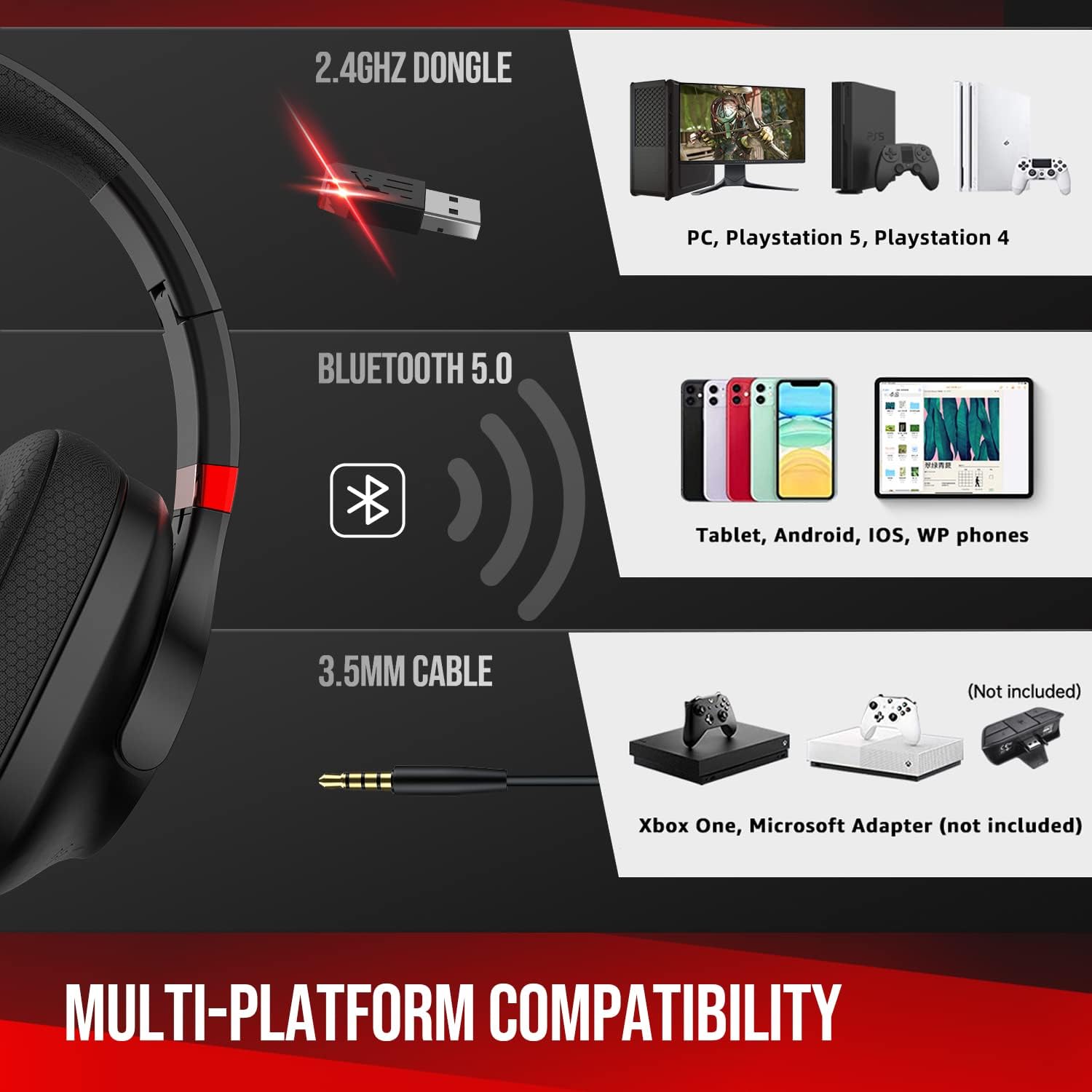
Image: Close-up of the headset showing the USB-C charging port and a charging cable connected, indicating 30+ hours of battery life.
Konekte ak Aparèy
The Picun PG-06 offers multiple connectivity options:
1. 2.4Ghz Wireless Connection (via USB Dongle)
This mode provides lossless transmission for PC, PS5, and PS4.
- Plug the 2.4Ghz USB dongle into an available USB-A port on your PC, PS5, or PS4.
- Power on the headset by pressing and holding the Power On/Off button.
- The headset should automatically connect to the dongle. A blue indicator light on the headset will confirm connection.

Image: A diagram illustrating the multi-platform compatibility, including the 2.4Ghz dongle for PC/PlayStation, Bluetooth for mobile/tablet, and 3.5mm AUX for other devices.
2. Koneksyon Bluetooth 5.2
Connect wirelessly to your cell phone, tablet, or other Bluetooth-enabled devices.
- Asire w ke kask la limen.
- Press and hold the Mute/Mode switch button for 3 seconds to enter Bluetooth pairing mode. The indicator light will flash.
- On your device, go to Bluetooth settings and select "Picun PG-06" from the list of available devices.
- Once paired, the indicator light on the headset will become solid blue.
3. 3.5mm AUX Cable Connection
Use the included 3.5mm AUX cable for a wired connection, especially useful when the battery is low or for devices without wireless capabilities (e.g., Xbox One, Nintendo Switch).
- Plug one end of the 3.5mm AUX cable into the headset's 3.5mm jack.
- Branche lòt bout la nan priz odyo 3.5mm aparèy ou an.
- Kas ekoutè a ap chanje otomatikman nan mòd filaire.
Opere Headset la
Kontwòl Headset
Kas ekoutè a gen kontwòl entwisyon ki sitiye sou ekoutè yo:
- Pouvwa sou / Off bouton: Peze epi kenbe sou pouvwa sou oswa sou.
- Volim wou: Scroll up or down to adjust the audio volume.
- Mute/Mode Switch Button:
- Press once to mute/unmute the microphone.
- Press and hold for 3 seconds to switch between 2.4Ghz wireless and Bluetooth modes (when not in AUX mode).

Imaj: Yon imaj detaye view of the headset's controls, indicating the power button, volume wheel, and mute/mode switch button.
Retractable Noise-Cancelling Microphone
The advanced noise-cancelling microphone reduces background noise for clear communication. It is retractable for convenience.
- To use the microphone, gently pull it out from the left earcup.
- Adjust the flexible microphone arm to position it optimally for your voice.
- To store, simply push the microphone back into the earcup until it is fully retracted.

Image: An illustration demonstrating the retractable noise-cancelling microphone extending and retracting from the headset.
Comfort and Audio Experience
The PG-06 headset is designed for comfort and superior sound quality:
- Soft Dual-Layer Memory Foam: The earcups and headband feature soft memory foam that conforms to your head, providing a comfortable and secure fit for extended use.
- 40mm Dynamic EQ Speaker Units: These units deliver rich, thumping bass and crisp treble, creating a 3D stereo surround sound experience that allows you to hear every detail in your games and media.
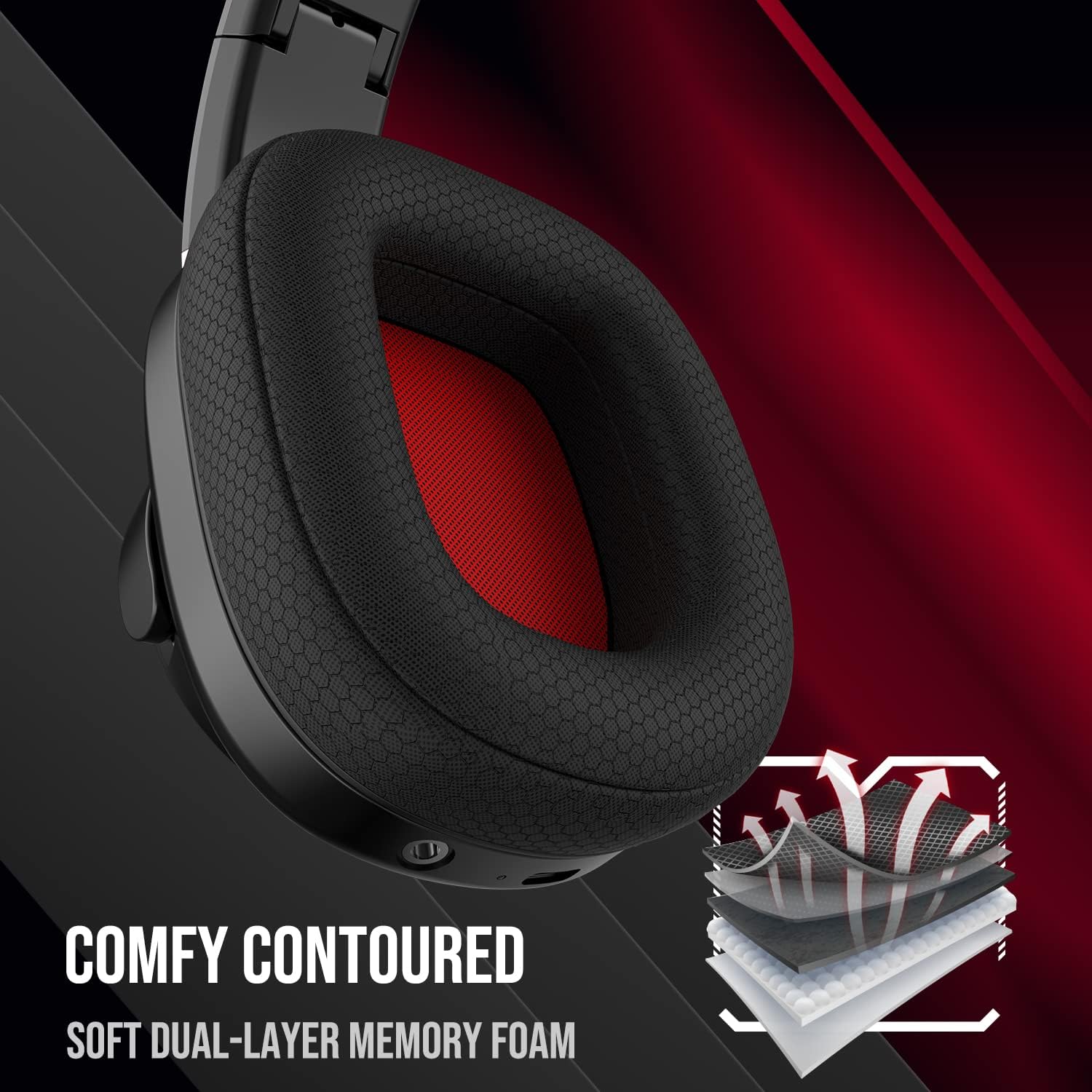
Imaj: Yon gwo plan view of the headset's earcup, highlighting the soft dual-layer memory foam for enhanced comfort.

Image: The headset depicted with visual effects representing 3D stereo surround sound, emphasizing its audio capabilities.
Antretyen
To ensure the longevity and optimal performance of your Picun PG-06 headset, follow these maintenance guidelines:
- Netwayaj: Sèvi ak yon twal mou epi sèk pou siye ekoutè yo ak bann tèt la. Evite itilize pwodui chimik ki agresif oswa materyèl abrazif.
- Depo: When not in use, store the headset in a cool, dry place away from direct sunlight and extreme temperatures. The foldable design allows for compact storage.
- Swen kab: Handle all cables gently. Avoid sharp bends or excessive pulling to prevent damage.
Depanaj
If you encounter any issues with your Picun PG-06 headset, refer to the following common troubleshooting steps:
- Pa gen son:
- Ensure the headset is powered on and properly connected (2.4Ghz dongle, Bluetooth, or 3.5mm AUX).
- Tcheke nivo volim yo sou kas ekoutè a ak sou aparèy ki konekte a.
- If using 2.4Ghz, ensure the dongle is securely plugged in and recognized by your device.
- If using Bluetooth, ensure the headset is paired and selected as the audio output device.
- Mikwofòn pa travay:
- Ensure the microphone is fully extended and not muted (check the mute button on the headset).
- Verify microphone input settings on your connected device.
- For PC/console, ensure the headset is selected as the default input device.
- Pairing Issues (Bluetooth):
- Ensure the headset is in pairing mode (flashing indicator light).
- Etenn epi aktive Bluetooth la sou aparèy ou an, epi eseye chèche ankò.
- Move the headset closer to your device to ensure it's within the 10-meter range.
- Clear previous Bluetooth connections on your device if you have too many.
- Koneksyon tanzantan:
- Reduce interference by moving away from other wireless devices (e.g., Wi-Fi routers, other Bluetooth devices).
- Ensure the headset is within the optimal connection range of your device.
- Re-konekte kas ekoutè a ak aparèy ou an.
Espesifikasyon
| Karakteristik | Detay |
|---|---|
| Non modèl | PG-06 wireless gaming headset |
| Koneksyon Teknoloji | 2.4Ghz + Bluetooth |
| Teknoloji kominikasyon san fil | Bluetooth |
| Bluetooth vèsyon | 5.2 |
| Gamme Bluetooth | 10 mèt |
| Kalite chofè odyo | Chofè dinamik |
| Gamme frekans | 20 Hz - 20,000 Hz |
| Lavi batri | 30 èdtan |
| Port chaje | USB-C |
| Ekoutè Jack | 3.5mm Jack |
| Aparèy konpatib | PS5, PS4, PC, Laptops, Cellphones, Tablets |
| Mikwofòn | Retractable Noise-Cancelling |
| Plasman Zòrèy | Sou Zòrèy |
| Pwa atik | 13.2 ons |
| Dimansyon pake | 6.69 x 6.14 x 3.39 pous |
Garanti ak sipò
For detailed warranty information and further support, please refer to the official user manual provided with your product or visit the manufacturer's websit.
Ou kapab jwenn aksè tou nan Manyèl Itilizatè a (PDF) isit la.