Entwodiksyon
This manual provides essential information for setting up, operating, maintaining, and troubleshooting your Apple Watch Series 8 GPS 45mm. Designed for health monitoring, fitness tracking, and seamless connectivity, this smart watch integrates advanced technology to enhance your daily life. Please read this guide thoroughly to ensure proper use and to maximize your device's capabilities.

Image: The Apple Watch Series 8, featuring a Starlight Aluminum Case and a matching Starlight Sport Band. The always-on Retina display shows a classic watch face with additional information such as UV index, temperature, and activity rings.
Ki sa ki nan bwat la
Upon unboxing your Apple Watch Series 8, verify that all the following components are present:
- Apple Watch Series 8 Case (45mm Starlight Aluminum)
- Starlight Sport Band (M/L size, fits 160–210mm wrists)
- Kab Chaje Mayetik 1m (USB-C)

Image: A visual representation of the Apple Watch Series 8 packaging contents, showing the watch case, the sport band, and the USB-C magnetic fast charging cable.
Enstalasyon
1. Chaje Apple Watch ou a
Before initial use, fully charge your Apple Watch. Connect the magnetic charging cable to the back of your watch and plug the USB-C end into a compatible power adapter (sold separately) or a USB-C port. The watch will display a charging indicator.
2. Mete braslè a
Slide the band pieces into the slots on the top and bottom of the Apple Watch case until you feel and hear a click. Ensure the band is securely fastened before wearing.
3. Konekte ak iPhone
- Ensure your iPhone is running the latest iOS version and has Bluetooth and Wi-Fi enabled.
- Limen Apple Watch ou a lè w peze epi kenbe bouton bò a jiskaske logo Apple la parèt.
- Pote iPhone ou toupre Apple Watch ou a. Yon ekran koneksyon ap parèt sou iPhone ou a. Tape 'Kontinye'.
- Mete iPhone ou a yon fason pou Apple Watch ou a parèt nan viewlokalizatè aplikasyon Apple Watch la.
- Swiv enstriksyon ki parèt sou ekran an sou tou de aparèy yo pou konplete pwosesis koneksyon an, tankou konfigirasyon yon kòd epi chwazi paramèt ou prefere yo.
Operating Your Apple Watch
Navigasyon ak Kontwòl
- Kouwòn dijital: Rotate to scroll, zoom, or adjust values. Press once to go to the watch face or app launcher. Double-press to switch between recently used apps. Press and hold to activate Siri.
- Bouton bò: Press once to open the Dock (recently used apps). Press and hold to access Emergency SOS, Medical ID, and power options. Double-press for Apple Pay.
- Manyen Display: Tape pou chwazi, glise pou navige, fòse touche pou plis opsyon (sou aplikasyon ki sipòte yo).
Karakteristik Sante
- Aplikasyon Oksijèn nan San: Mezire nivo oksijèn nan san ou lè w bezwen.
- Aplikasyon EKG: Generate an electrocardiogram similar to a single-lead ECG.
- Deteksyon Tanperati: Bay estimasyon ovilasyon retrospektiv ak fonksyon avanse pou swiv sik règ.
- Suivi dòmi: Kontwole dòmi ou yotages (REM, Core, Deep) and overall sleep patterns.
- Siveyans batman kè: Track your heart rate throughout the day and receive notifications for high, low, or irregular rhythms.
Karakteristik sekirite
- Deteksyon Aksidan: Li detekte aksidan machin grav otomatikman epi li konekte ou ak sèvis ijans yo.
- Deteksyon Otòn: Detects hard falls and can initiate an emergency call if you are unresponsive.
- SOS Ijans: Peze epi kenbe bouton bò a pou rele sèvis ijans yo rapidman epi avèti kontak ijans ou yo.
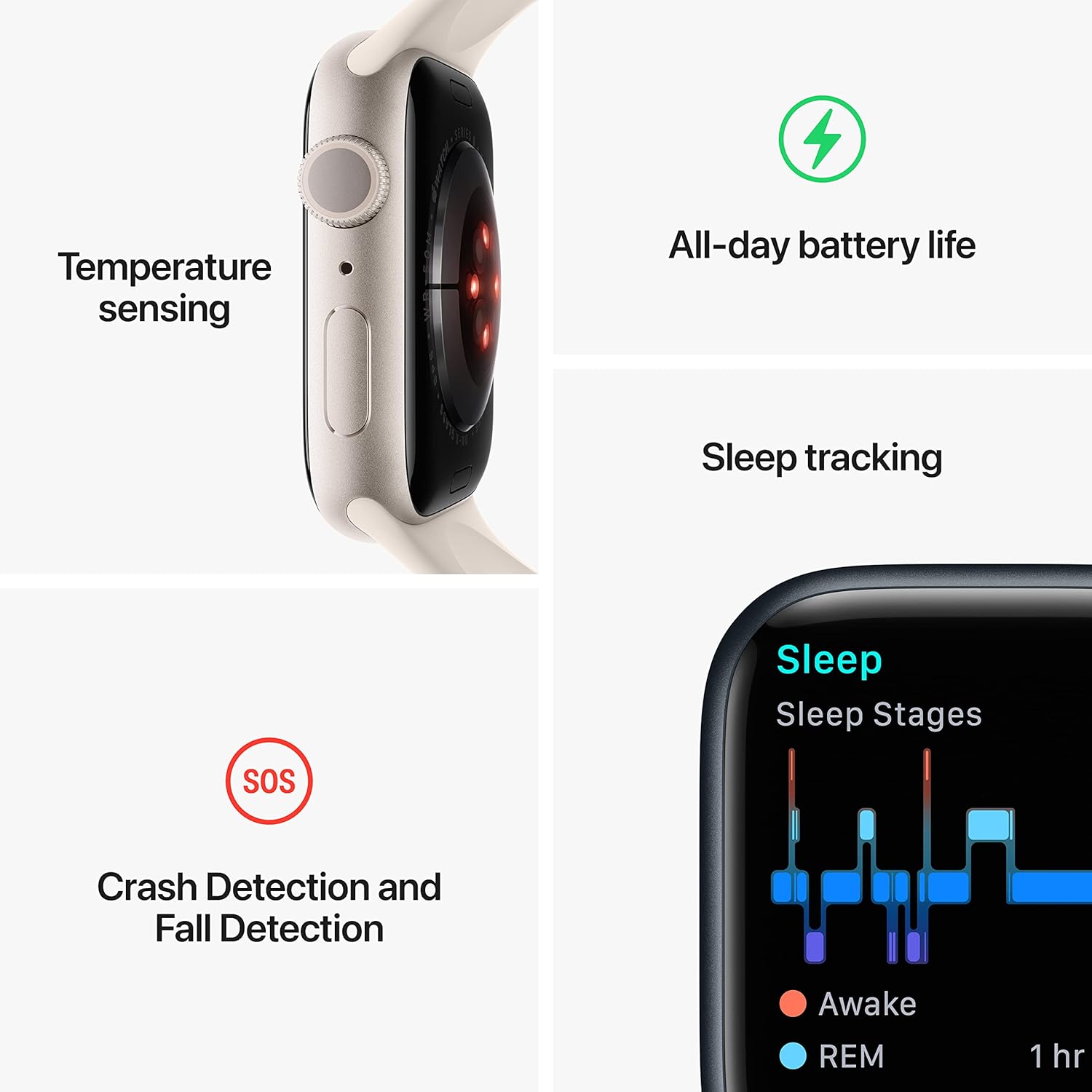
Image: A graphic illustrating key features of the Apple Watch Series 8: temperature sensing, all-day battery life, sleep tracking with sleep stages, and crash detection with fall detection.
Fòm Tracking
- Aplikasyon Antrennman: Track various workouts with advanced metrics.
- Bag aktivite: Monitor your daily Move, Exercise, and Stand goals.
- GPS: Built-in GPS for accurate tracking of outdoor activities without your iPhone.
Koneksyon ak Kominikasyon
- Apèl ak tèks: Make and receive calls and send messages directly from your wrist when connected to your iPhone or Wi-Fi.
- Siri: Sèvi ak kòmandman vokal pou plizyè travay.
- Apple Pay: Make secure payments with a double-press of the side button.
- App Store: Access and download thousands of apps directly on your watch.
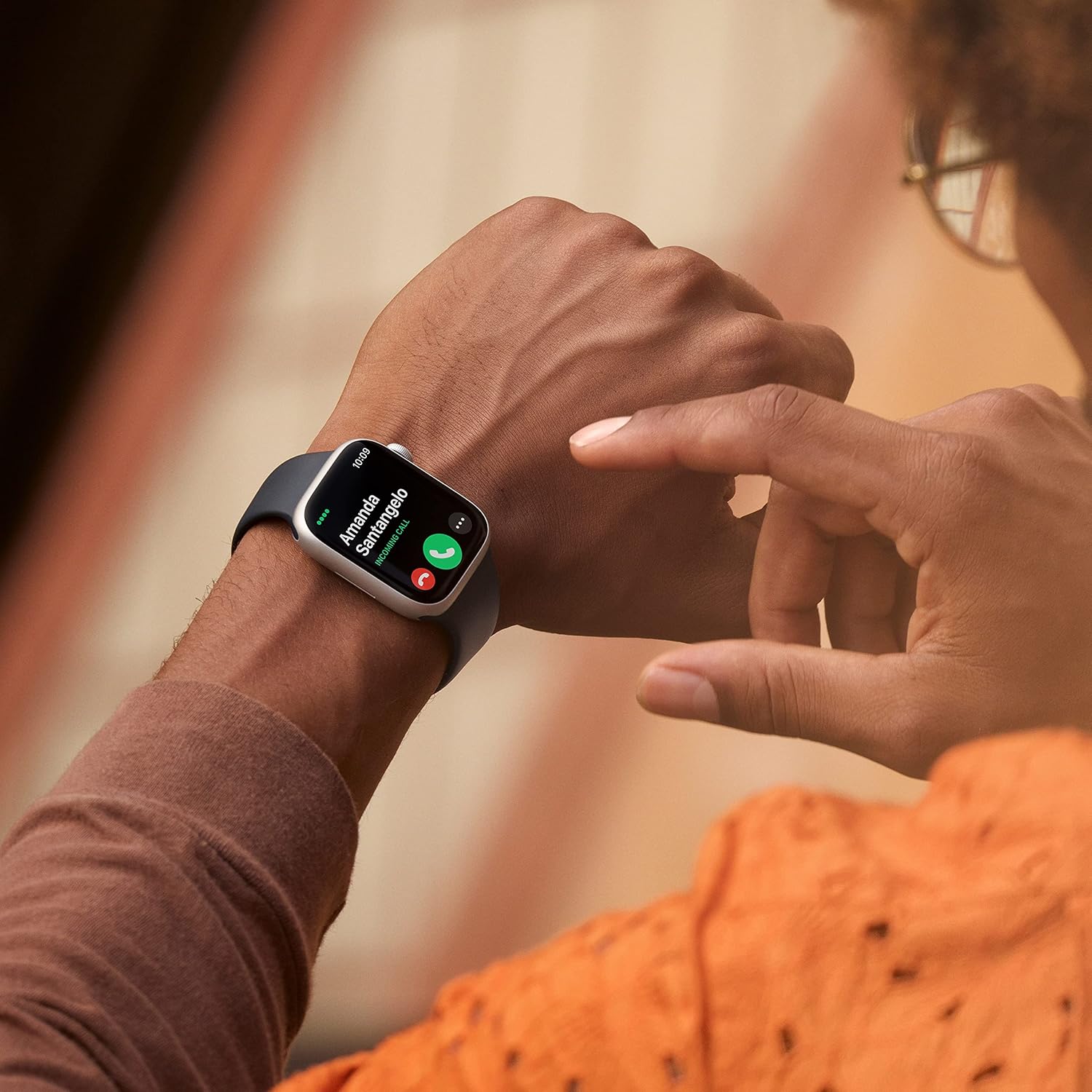
Image: A close-up of a person's wrist wearing an Apple Watch Series 8, displaying an incoming call from 'Amanda Santangelo' with options to accept or decline.
Antretyen
Netwaye Apple Watch ou a
Regularly clean your Apple Watch to maintain its appearance and functionality. Use a soft, lint-free cloth. If necessary, lightly dampen the cloth with fresh water. Avoid using soaps, cleaning products, abrasive materials, or compressed air. Ensure the watch is dry before charging or wearing.
Bann Swen
Clean your sport band with a non-abrasive, lint-free cloth. For deeper cleaning, you can use a mild, hypoallergenic hand soap and rinse thoroughly with fresh water. Allow the band to air dry completely before reattaching it to your watch.
Mizajou lojisyèl
Keep your Apple Watch software updated to the latest version of watchOS for optimal performance, new features, and security enhancements. Updates can be managed through the Apple Watch app on your iPhone.
Depanaj
Gade a pa limen oswa li pa reponn
- Chaje mont lan: Ensure the watch is charged. Connect it to the magnetic charging cable and a power source for at least 30 minutes.
- Fòs rekòmanse: Press and hold both the side button and the Digital Crown for at least 10 seconds, until you see the Apple logo.
Pwoblèm Pairing
- Check iPhone Settings: Asire w ke Bluetooth ak Wi-Fi yo aktive sou iPhone ou a.
- Rekòmanse Aparèy: Rekòmanse tou de iPhone ou ak Apple Watch ou.
- Reset Apple Watch: If pairing fails repeatedly, you may need to erase your Apple Watch and try pairing again. (Go to Settings > General > Reset > Erase All Content and Settings on the watch).
Batri seche byen vit
- Check Battery Usage: In the Apple Watch app on your iPhone, go to My Watch > Battery to see which apps are consuming the most power.
- Ajiste Anviwònman: Reduce screen brightness, turn off Always-On Display if not needed, limit background app refresh, and disable unnecessary notifications.
- Mizajou lojisyèl: Ensure your watchOS is up to date.
Espesifikasyon
| Nimewo Modèl | MNUQ3LL/A |
| Mak | Apple |
| Gwosè ekran | 45 Milimèt |
| Fòm | Kare |
| GPS | GPS entegre |
| Kalite batri | Lityòm Ion |
| Wireless Kominikasyon Creole | 802.11n |
| Koneksyon Teknoloji | USB |
| Karakteristik espesyal | Suivi aktivite, Monitè batman kè, Monitè dòmi, Oksijèn nan san |
| Kapasite Depo memwa | 32 GB |
| Sistèm operasyon | WatchOS |
| Dimansyon pwodwi | 1.73 x 0.42 x 1.5 pous |
| Pwa atik | 1.28 ons |
Garanti ak sipò
Your Apple Watch Series 8 is covered by Apple's standard limited warranty. For detailed warranty information, please refer to the documentation included with your product or visit the official Apple support website. Apple also provides extensive online support resources, including user guides, troubleshooting articles, and community forums. For technical assistance, contact Apple Support directly.
Pou jwenn enfòmasyon ak sipò ki pi ajou yo, tanpri vizite: sipò.apple.com/watch


