Manyèl Enstriksyon Kamera Sonèt Pòt Videyo Entelijan Feit Electric
Model: CAM/DOOR/WIFI/BATG2
Entwodiksyon
The Feit Electric Smart Video Doorbell Camera provides advanced home security and convenience, allowing you to monitor your front door from anywhere. This versatile device offers both hardwired and battery-powered installation options, 1080p HD video, two-way audio, motion detection, and night vision. It integrates with the Feit Electric app for seamless control and alerts, ensuring you stay connected to your home.
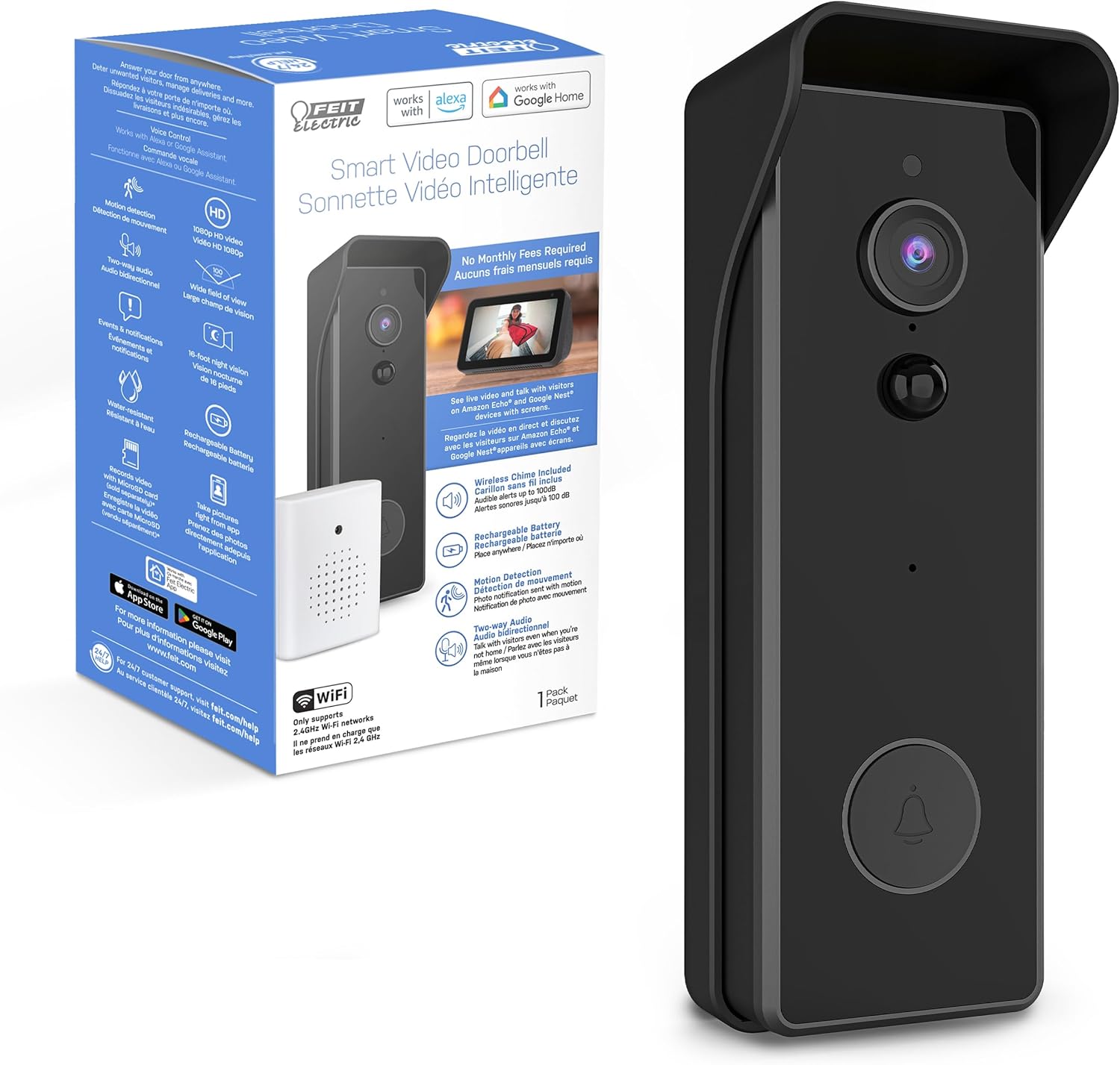
Image: The Feit Electric Smart Video Doorbell Camera shown alongside its retail packaging, highlighting key features and compatibility.
Ki sa ki enkli
Verifye ke tout konpozan yo prezan nan pake ou a:
- Entelijan Videyo Sonèt
- Mounting Bracket
- Adaptè pouvwa
- Twous pouvwa
Karakteristik kle
- Videyo HD 1080p: Provides clear, high-definition video recording.
- De-fason Audio: Communicate with visitors from anywhere using the built-in microphone and speaker.
- Deteksyon Mouvman: Resevwa alèt imedya sou smartphone ou lè yo detekte mouvman.
- Vizyon lannwit: See clearly up to 30 feet in low-light conditions.
- Opsyon pouvwa fleksib: Can be hardwired to existing doorbell wiring or powered by its rechargeable 6700 mAh battery.
- Depo lokal: Supports Micro SD card storage (up to 128 GB, not included) for video recording without monthly fees.
- Koneksyon Wi-Fi: Connects to your home's 2.4 GHz Wi-Fi network.
- Entegrasyon kay entelijan: Works with Amazon Alexa and Google Home for voice control and video display on compatible devices.

Image: An illustration detailing the smart camera's features, including 1080p HD video, MicroSD storage, two-way audio, night vision, motion detection, and rechargeable battery, alongside a smartphone displaying the live feed.

Image: A visual representation of the doorbell camera's 30-foot motion detection and night vision range, showing a person approaching a house.
Enstalasyon
1. Powering the Doorbell
The Feit Electric Smart Video Doorbell Camera can be powered in two ways:
- Enstalasyon fil elektrik: Connect the doorbell to your existing doorbell wiring (16-24 VAC). Ensure power is off at the breaker before installation.
- Batri Powered: The doorbell comes with a rechargeable 6700 mAh battery. Fully charge the battery before initial use. The battery provides continuous operation even during power outages.
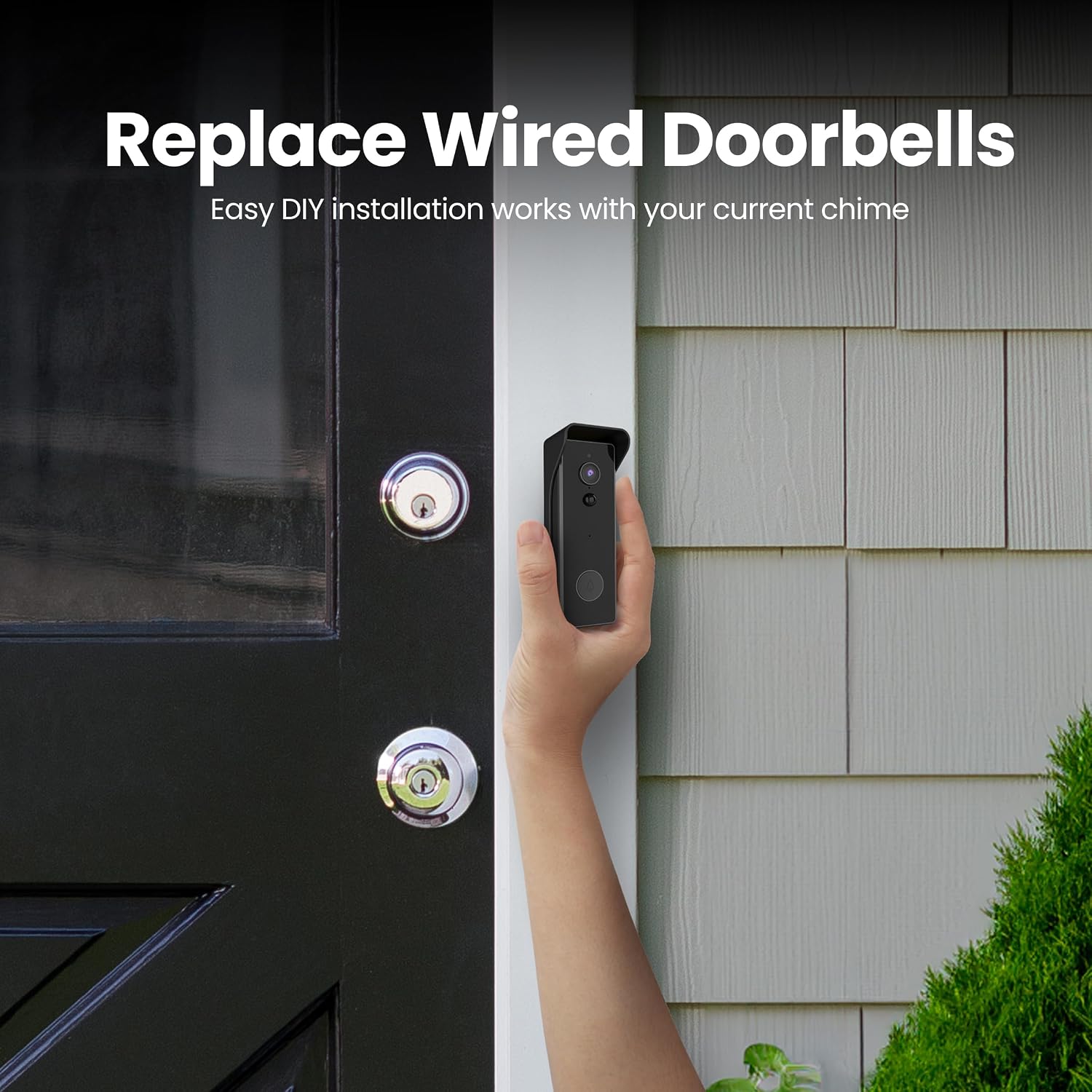
Image: A hand holding the Feit Electric Smart Video Doorbell Camera next to a residential door, illustrating its compact size and ease of placement for replacing wired doorbells.
2. Telechaje aplikasyon an ak koneksyon an
- Telechaje gratis la Feit app elektrik soti nan App Store (iOS) oubyen Google Play Store (Android).
- Kreye yon kont oswa konekte si ou deja gen youn.
- Follow the in-app instructions to add your new Smart Video Doorbell Camera. This typically involves scanning a QR code on the device or manually selecting it from a list.
- Ensure your Wi-Fi network is 2.4 GHz for successful pairing.

Image: A graphic promoting the download of the free Feit App for Android and iOS, showing the App Store and Google Play logos next to a smartphone displaying the app interface.
3. Enstalasyon kat mikwo SD (si ou vle)
For local video storage without subscription fees, insert a Micro SD card (up to 128 GB, FAT32 format, not included) into the designated slot on the doorbell camera. Refer to the device diagram for the exact location.

Image: The Feit Electric Smart Video Doorbell Camera with text emphasizing "No Subscription Fees" due to direct saving of files to an onboard microSD card (sold separately).
Operating the Doorbell Camera
Viv View ak Odyo De-fason
Access the live video feed and communicate with visitors through the Feit Electric app. When someone presses the doorbell or motion is detected, you will receive a notification on your smartphone. Tap the notification to view the live feed and use the microphone and speaker icons to engage in two-way conversation.

Image: A person using the Feit Electric app on a smartphone to communicate with a visitor at their door, demonstrating the two-way audio feature.
Deteksyon Mouvman ak Alèt
Customize motion detection sensitivity and set detection zones within the app to reduce false alerts. You can also schedule when motion detection notifications are active or use the Geofencing feature to automatically turn them ON/OFF based on your location.
Anrejistreman videyo ak lèktur
The doorbell camera records video clips when motion is detected or the doorbell is pressed. If an SD card is installed, recordings are saved locally. You can review recorded events and playback footage directly from the Feit Electric app's album or playback section.
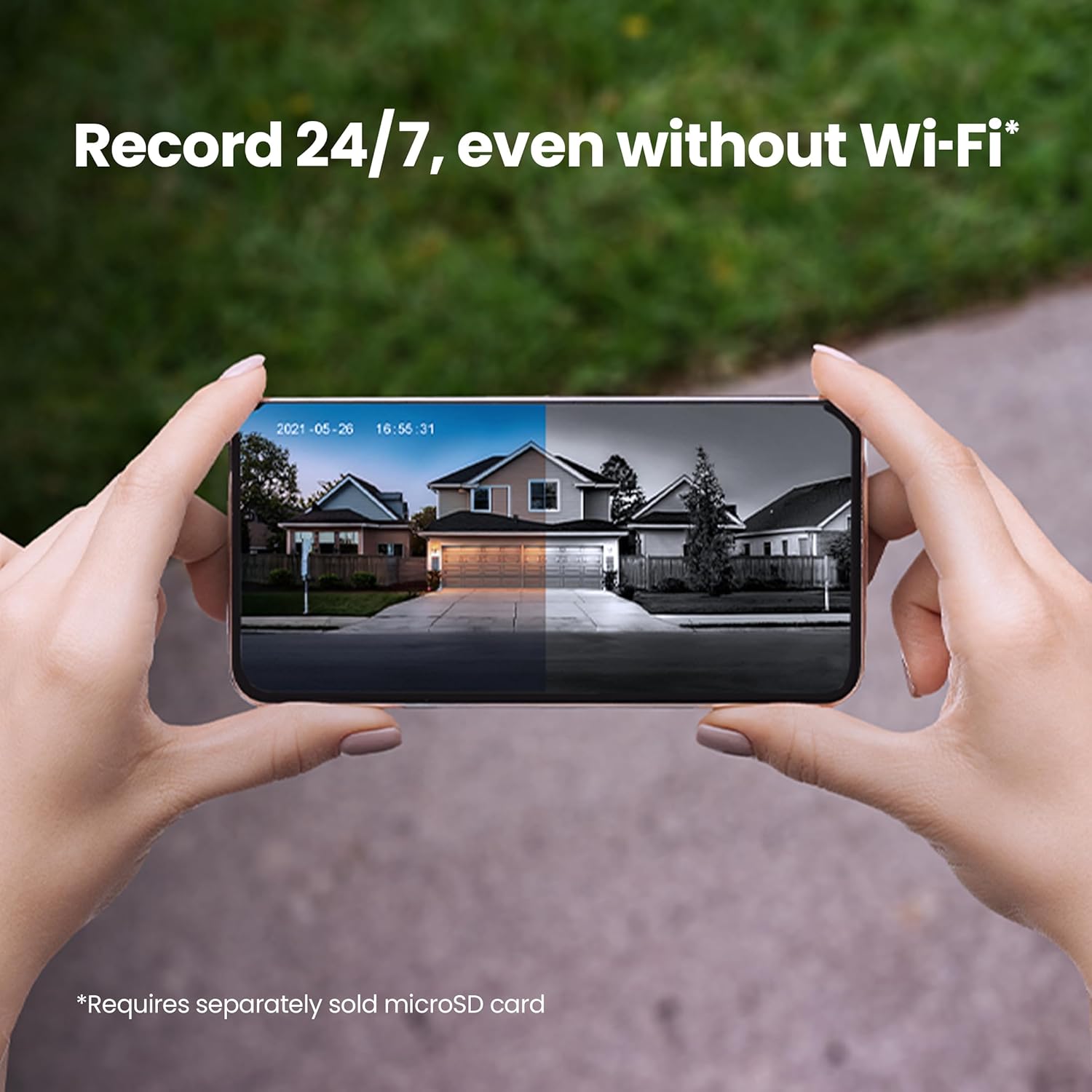
Image: A smartphone displaying a split screen view of a house, showing both day and night recordings, with text indicating the ability to record 24/7 even without Wi-Fi (requires separately sold microSD card).
App Features and Settings
The Feit Electric app provides comprehensive control over your doorbell camera, including:
- Aksè Remote
- Grouping multiple cameras
- Scheduling (e.g., motion detection, recording times)
- Device Sharing with family members
- Voice Control integration setup

Image: A smartphone displaying the Feit Electric app's scheduling interface, with icons representing various features like remote access, grouping, dimming, voice control, scheduling, and device sharing.

Image: A smart speaker device with the Feit Electric logo and text indicating compatibility with Alexa and Hey Google for voice control when connected through the Feit app.
Antretyen
- Chaje batri: If using battery power, monitor the battery level in the app and recharge as needed using the provided power adaptor.
- Netwayaj lantiy: Periodically wipe the camera lens with a soft, clean cloth to ensure clear video quality.
- Koneksyon Wi-Fi: Ensure your Wi-Fi router is within optimal range and signal strength for consistent performance.
- Mizajou mikrolojisyèl: Keep the doorbell's firmware updated through the Feit Electric app to ensure optimal performance and access to new features.
Depanaj
| Pwoblèm | Kòz posib | Solisyon |
|---|---|---|
| Doorbell not powering up. | Low battery, incorrect wiring, insufficient power. | Fully charge the battery. Verify wiring connections and ensure adequate voltage (16-24 VAC for hardwired). |
| Poor Wi-Fi connectivity or frequent disconnections. | Doorbell too far from router, Wi-Fi interference, incorrect Wi-Fi password. | Move router closer or use a Wi-Fi extender. Ensure correct 2.4 GHz Wi-Fi password. Reduce interference from other devices. |
| Motion detection clips are too short or miss events. | Sensitivity settings too low, detection zone not optimized. | Adjust motion sensitivity in the Feit Electric app. Expand or refine the motion detection zone. |
| Kat SD a pa anrejistre oswa li pa rekonèt. | Incorrect format, faulty card, improper insertion. | Ensure the Micro SD card is formatted to FAT32. Reinsert the card. Try a different, known-good SD card. |
| Two-way audio is unclear or has echo. | Network latency, microphone/speaker obstruction. | Ensure a stable internet connection. Check for any obstructions around the microphone and speaker on the doorbell. |
Espesifikasyon
| Karakteristik | Detay |
|---|---|
| Nimewo Modèl | CAM/DOOR/WIFI/BATG2 |
| Rezolisyon videyo | 1080p HD |
| Koneksyon | 2.4GHz Wi-Fi |
| Sous pouvwa | Hardwired (16-24 VAC) or Rechargeable Battery (6700 mAh) |
| Vizyon lannwit Range | Jiska 30 pye |
| Jaden nan View | 140 degre |
| Depo | Micro SD Card (up to 128 GB, FAT32 format, not included) |
| Itilizasyon Andedan kay la / Deyò | Deyò |
| Evalyasyon IP | IP44 |
| Dimansyon (L x W x H) | 2.6 x 3.9 x 7.1 pous |
| Pwa atik | 14.4 ons |
Enfòmasyon sou Garanti
This Feit Electric Smart Video Doorbell Camera comes with a 1 ane garanti from the date of purchase. Please retain your proof of purchase for warranty claims. For detailed warranty terms and conditions, refer to the official Feit Electric websit oswa kontakte sipò kliyan.
Sipò
For additional assistance, troubleshooting, or product information, please visit the Feit Electric support resources:
- Sipò elektrik Feit Websit: help.feit.com/hc/en-us
- Visit the Feit Electric Store on Amazon: Feit Electric Store

Image: A family using a tablet, with an overlay indicating "24/7 HELP" and directing users to visit feit.com/help for customer support.


