1. Entwodiksyon
Thank you for choosing the ROCAM CR1020 Emergency Hand Crank NOAA Weather Radio Flashlight. This multi-functional device is designed to provide reliable communication, illumination, and power in various situations, especially during emergencies or outdoor activities. Please read this manual thoroughly before using the product to ensure proper operation and to maximize its lifespan.
2. Pwodwi souview ak Karakteristik kle yo
The ROCAM CR1020 combines several essential tools into one compact and durable unit:
- NOAA Emergency Weather Radio: Receives critical weather alerts and news broadcasts from NOAA, AM, and FM stations.
- Multi-Mode Flashlight: Features 5 lighting modes, including 3 adjustable brightness levels, strobe, and SOS, with a 300LM output and a range of up to 656 feet.
- Lekti Lamp: Integrated soft light for nighttime use without disturbing others.
- Bank pouvwa 3000mAh: Built-in rechargeable battery to charge mobile phones and other small electronic devices via USB.
- Plizyè sous pouvwa: Can be charged via hand crank, solar panel, or Micro USB cable.
- Konsepsyon dirab: IPX4 waterproof, dustproof, and shockproof, suitable for outdoor and emergency conditions.

Figure 1: The ROCAM CR1020 Emergency Hand Crank NOAA Weather Radio Flashlight, showcasing konsepsyon kontra enfòmèl ant li yo ak karakteristik entegre li yo.
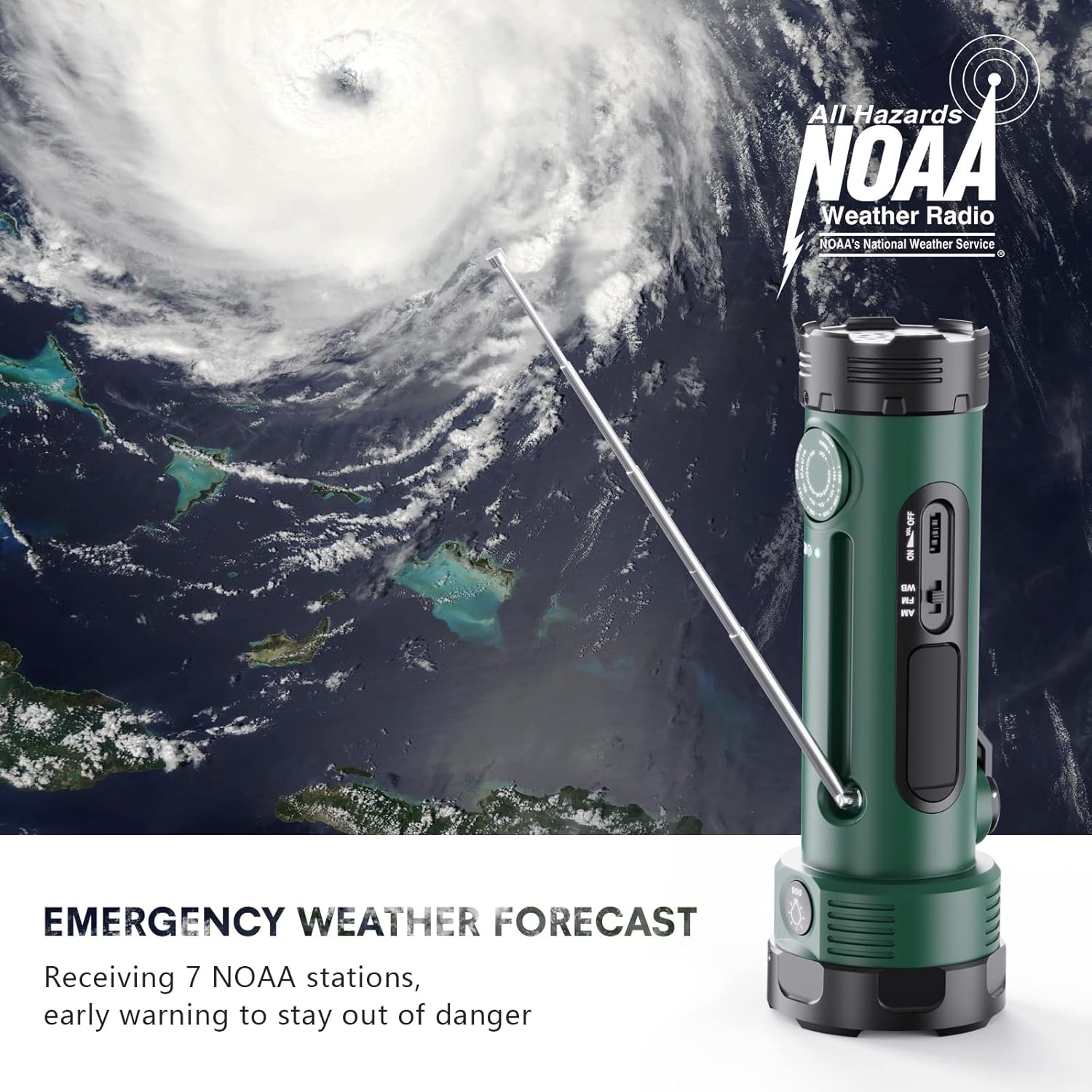
Figure 2: The device demonstrating its NOAA weather radio capability with an extended antenna, set against a background of a hurricane, emphasizing its emergency preparedness function.

Figure 3: An illustration highlighting the 8-in-1 features of the ROCAM CR1020, including 3 light levels, 1 strobe mode, 1 SOS mode, 1 reading lamp, 1 charge port, and 1 emergency radio.
3. Enstriksyon Sekirite
- Do not expose the device to extreme temperatures, direct sunlight for prolonged periods, or high humidity.
- Evite lage aparèy la oswa soumèt li a gwo chòk.
- Pa demonte oswa eseye repare aparèy la tèt ou. Kontakte sèvis kliyan pou asistans.
- Kenbe aparèy la lwen timoun yo.
- When charging external devices, ensure they are compatible with 5V USB power.
- Pa gade dirèkteman nan reyon flach la pou evite blese je.
- Ensure the USB port cover is securely closed when not in use to maintain water resistance.
4. Konpozan ak Kontwòl
Familiarize yourself with the various parts and controls of your ROCAM CR1020:
- Flashlight Head: Main light source.
- Bouton flach: Controls flashlight modes and SOS.
- Lekti Lamp: Foldable light panel.
- Panèl solè: Pou chaje ak enèji solè.
- Manivèl men: Pou jenerasyon enèji manyèl.
- Kadran Sintonizatè Radyo: For selecting radio frequency.
- Volume/Power Switch: Controls radio power and volume.
- Chanjman Seleksyon Gwoup Mizik: Selects AM, FM, or WB (NOAA Weather Band).
- Antèn teleskopik: For radio reception.
- Pò Sòti USB (5V/1A): Pou chaje aparèy ekstèn yo.
- Micro USB Input Port (5V/2A): Pou chaje aparèy la.
- Limyè endikatè batri: Montre nivo batri ki rete a.
5. Enstalasyon ak Premye Chajman
Before first use, it is recommended to fully charge the device using the Micro USB cable.
- Locate the Micro USB input port on the side of the device.
- Connect the provided Micro USB cable to the device and the other end to a 5V/2A USB power adapter (not included) or a computer USB port.
- The battery indicator lights will illuminate to show charging status. A full charge typically takes 4-5 hours with a 5V/2A adapter.
- Once fully charged, disconnect the cable and ensure the port cover is sealed.

Figure 4: An illustration detailing the three power sources for the ROCAM CR1020: USB adapter (4-5 hours), hand crank (9 hours), and solar panel (100 hours for full charge).
6. Operasyon Enstriksyon
6.1. Operasyon Flach
- Press the Flashlight Button once to turn on the flashlight (Low mode).
- Press again to cycle through brightness modes (Medium, High).
- Press a fourth time for Strobe mode.
- Press a fifth time for SOS mode (flashing Morse code for distress).
- Press a sixth time to turn off the flashlight.

Figure 5: Demonstrating the 300 lumens long-distance lighting of the flashlight, reaching up to 656 feet, and the 1.5W reading lamp fonksyon.
6.2. Radio Operation (AM/FM/NOAA Weather Band)
- Lonje antèn teleskopik la pou yon pi bon resepsyon.
- Turn the Volume/Power Switch clockwise to power on the radio and adjust the volume.
- Use the Band Selector Switch to choose between AM, FM, or WB (Weather Band).
- Rotate the Tuner Dial to find your desired station. For NOAA Weather Band, tune to the local NOAA frequency.
- To turn off the radio, turn the Volume/Power Switch counter-clockwise until it clicks.
6.3. Fonksyon Bank Pouvwa
The built-in 3000mAh battery can charge external devices.
- Louvri kouvèti pò USB a.
- Connect your device's charging cable to the USB Output Port (5V/1A) on the ROCAM CR1020.
- Chaje ap kòmanse otomatikman.
- Disconnect your device once charged and close the USB port cover.
6.4. Chaje Aparèy la
The ROCAM CR1020 offers three charging methods:
- Mikwo USB chaje: (Recommended for initial charge) Connect the Micro USB cable to the input port and a 5V/2A adapter.
- Manvèl chaje: Rotate the hand crank clockwise or counter-clockwise at a steady pace (approximately 130-150 RPM). Cranking for 1 minute provides approximately 10-15 minutes of radio use or 5-10 minutes of flashlight use. A full charge via hand crank takes about 9 hours.
- Solè chaje: Place the device with the solar panel facing direct sunlight. Solar charging is primarily for maintaining battery life or for emergency trickle charging, not for a full rapid charge. A full charge via solar panel takes approximately 100 hours.
6.5. Lekti Lamp Operasyon
- Gently lift the reading lamp panel from the side of the device until it locks into position.
- Lekti a lamp pral otomatikman vire sou.
- To turn off, fold the reading lamp panel back into its original position.
6.6. SOS Alam
The device features an emergency siren and flashing light for distress signaling.
- Press and hold the Flashlight Button for approximately 3 seconds to activate the SOS alarm (loud siren and flashing light).
- Press the Flashlight Button again to deactivate the SOS alarm.
7. Antretyen
- Netwayaj: Siye aparèy la ak yon mou, damp twal. Pa sèvi ak pwodui chimik piman bouk oswa pwodui netwayaj abrazif.
- Depo: Sere aparèy la nan yon kote ki fre epi sèk, lwen limyè solèy dirèk ak tanperati ekstrèm.
- Swen batri: For optimal battery life, fully charge the device at least once every three months, even if not in use.
- Ensure all port covers are securely closed when not in use to protect against dust and water.
NAN. Depanaj
| Pwoblèm | Kòz posib | Solisyon |
|---|---|---|
| Aparèy pa limen. | Batri ap vide. | Charge the device using Micro USB, hand crank, or solar panel. |
| Flashlight is dim or not working. | Batri fèb; mòd ki pa kòrèk la chwazi. | Recharge the device. Cycle through flashlight modes to ensure it's not in off or SOS mode. |
| Resepsyon radyo pa bon. | Antenna not extended; weak signal; incorrect band selected. | Extend the telescopic antenna fully. Adjust the Tuner Dial. Ensure the correct band (AM/FM/WB) is selected. Move to an open area for better reception. |
| Aparèy ekstèn lan pa ap chaje. | Low battery in CR1020; incompatible cable; device not connected properly. | Ensure the CR1020 has sufficient charge. Use a functional USB cable. Verify the cable is securely connected to both devices. |
| Manivèl la rèd oswa li pa chaje. | Crank mechanism obstructed or damaged. | Ensure no debris is obstructing the crank. If damaged, do not force it; contact customer service. |
9. Espesifikasyon
| Karakteristik | Detay |
|---|---|
| Modèl | CR1020 |
| Kapasite batri | 3000mAh (Lityòm Polymè) |
| Klète flach | 300 Lumen |
| Flashlight Range | Jiska 656 pye |
| Bann Radyo | AM, FM, Gwoup Meteo NOAA (WB) |
| Oratè Sorti pouvwa | 1.6 Watts |
| Chaje Antre | Mikwo USB (5V/2A) |
| Sorti pouvwa | USB (5V/1A) |
| Sous pouvwa | Rechargeable Battery, Solar Power, Hand Crank |
| Materyèl | ABS |
| Rezistans dlo | IPX4 (enpèmeyab) |
| Dimansyon | 7.7 x 5.99 x 22 cm |
| Pwa | 0.74 liv (335.66 g) |
10. Garanti ak sipò
The ROCAM CR1020 comes with a 24-mwa garanti from the date of purchase. This warranty covers manufacturing defects and ensures the product functions as described under normal use.
For any questions, technical support, or warranty claims, please contact ROCAM customer service. Please have your purchase details and model number (CR1020) ready when contacting support.


