Manyèl Itilizatè Ekstendè WiFi Aigital 300Mbps la
Model: B0BBQ8MZSS
Entwodiksyon
This manual provides detailed instructions for the installation, operation, and maintenance of your Aigital 300Mbps WiFi Extender. This device is designed to extend the range of your existing wireless network, eliminate Wi-Fi dead zones, and provide stable internet access throughout your home or office. It supports multiple operating modes including Repeater, Router, and Access Point.

Imaj: Devan view of the Aigital WiFi Extender, showing its compact design, two external antennas, and LED indicators for WLAN, WAN, LAN, Power, and WPS button.
Karakteristik kle
- Gwo vitès: Up to 300Mbps data transfer rate, ideal for streaming, gaming, and browsing.
- Lajè Kouvèti: Equipped with 2x3dBi external antennas for improved range and stable signal.
- Mòd miltip: Supports Repeater Mode, Router Mode, and Access Point Mode for versatile use.
- Pò Ethernet: Includes Fast Ethernet ports (RJ45) for wired connections to devices like gaming consoles, Smart TVs, and PCs.
- Enstalasyon fasil: One-button WPS setup for quick and convenient connection to your existing router.
- Konpatibilite: Works with most standard routers and devices.
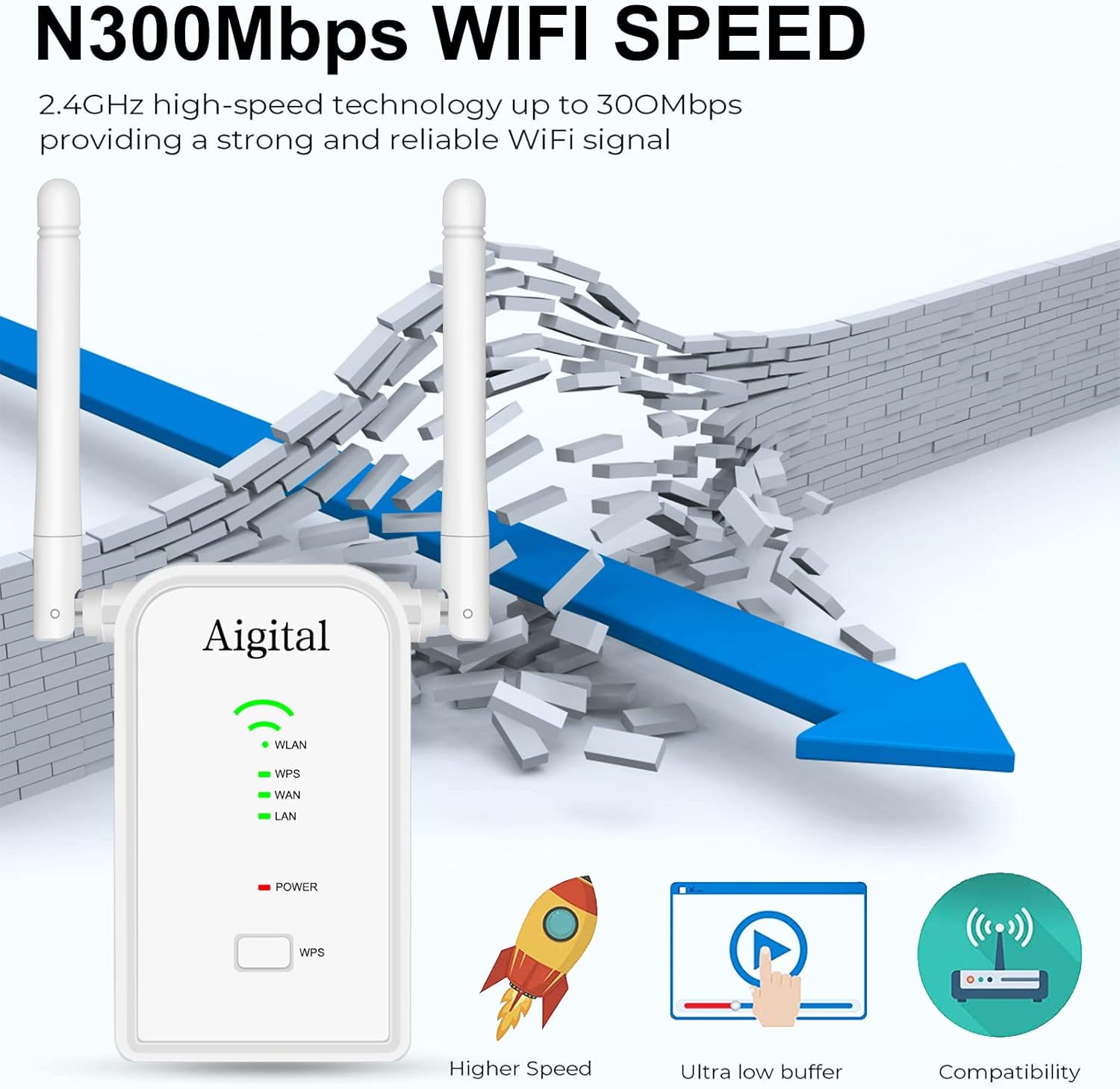
Image: Visual representation of the N300Mbps WiFi speed, illustrating its ability to provide a strong and reliable signal, breaking through barriers, and highlighting benefits like higher speed and ultra-low buffering.
Kontni pake
Tanpri verifye ke tout atik yo prezan nan pakè ou a:
- Aigital 300Mbps WiFi Extender
- Ethernet kab
- Gid Enstalasyon Rapid

Image: The contents of the product package, showing the Aigital WiFi Extender, an Ethernet cable, and the quick installation guide booklet.
Enstalasyon
1. Metòd WPS (Wi-Fi Protected Setup)
The WPS method allows for a quick and easy connection to your existing router without manual configuration.
- Plug the Aigital WiFi Extender into an electrical outlet near your router.
- Wait for the Power LED to turn solid.
- Press the WPS button on the Aigital WiFi Extender.
- Within 2 minutes, press the WPS button on your main router.
- The WLAN LED on the extender will turn solid, indicating a successful connection.
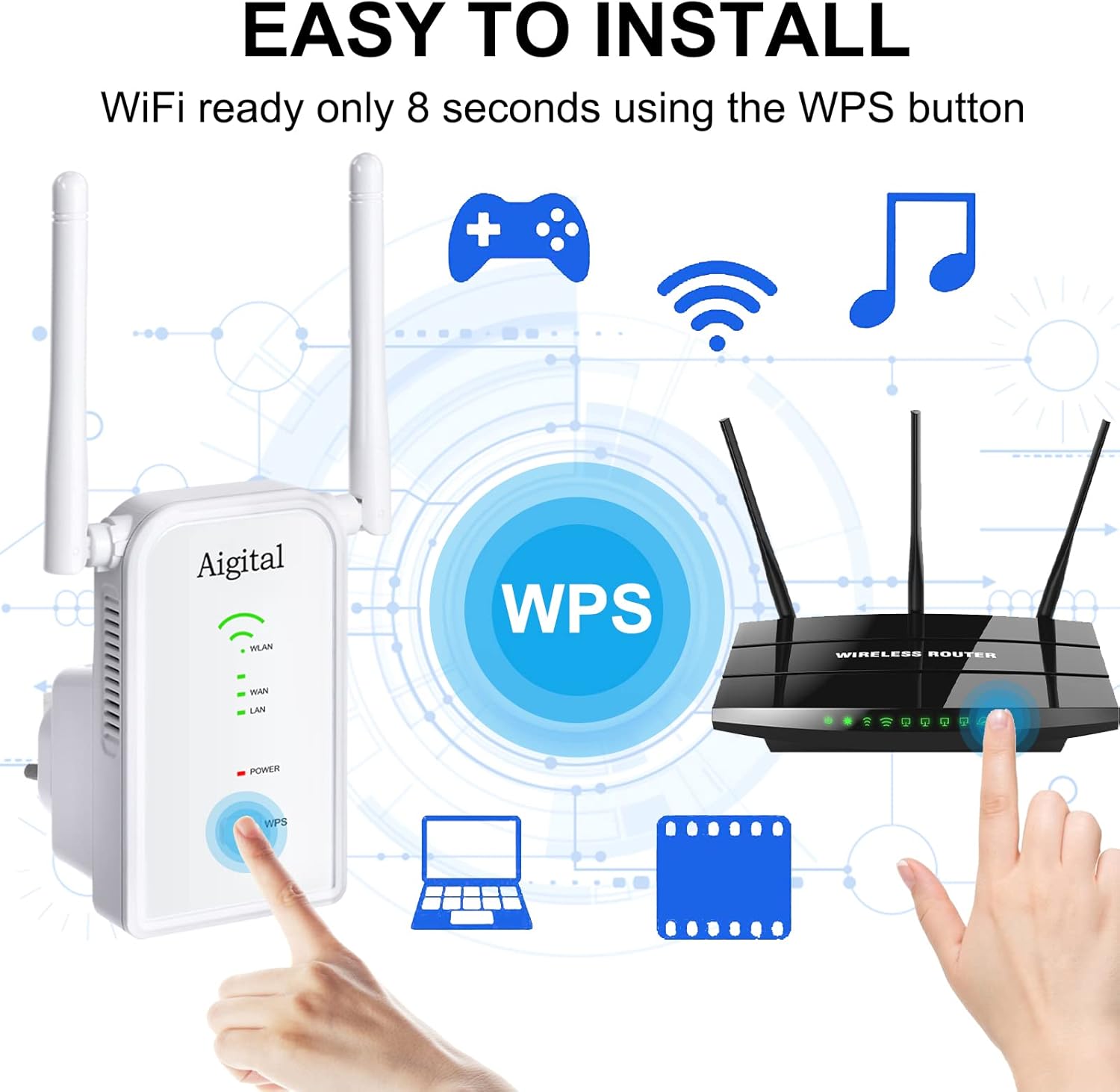
Image: A visual guide demonstrating the WPS setup process, showing a hand pressing the WPS button on the Aigital extender and another hand pressing the WPS button on a wireless router, indicating an 8-second setup time.
2. Web Browser Method (Manual Setup)
If your router does not support WPS or you prefer manual configuration, follow these steps:
- Plug the Aigital WiFi Extender into an electrical outlet.
- Connect your computer or mobile device to the extender's default Wi-Fi network (e.g., "Aigital_Ext"). No password is required initially.
- Louvri a web navigatè ak kalite
192.168.10.1oraigital.wifinan ba adrès la. - Konekte avèk non itilizatè ak modpas default la (anjeneral
adminpou tou de). - Follow the on-screen instructions to select your desired operating mode (Repeater, Router, or Access Point) and configure network settings.
Mòd fonksyònman
The Aigital WiFi Extender offers three distinct operating modes:
1. Mòd Repeater
In Repeater Mode, the extender wirelessly connects to your existing router and amplifies its signal, extending Wi-Fi coverage to areas with weak or no signal. This is the most common mode for eliminating dead zones.
2. Mòd Routeur
In Router Mode, the extender acts as a primary router, creating a new private wireless network. This mode is suitable if you have a modem but no router, or if you want to create a separate network.
3. Mòd Pwen Aksè (AP)
In Access Point Mode, the extender connects to your existing wired network (e.g., via an Ethernet cable from your router) and broadcasts a new wireless signal. This is useful for adding Wi-Fi capability to a wired-only network or improving Wi-Fi coverage in a specific area by converting a wired connection to wireless.
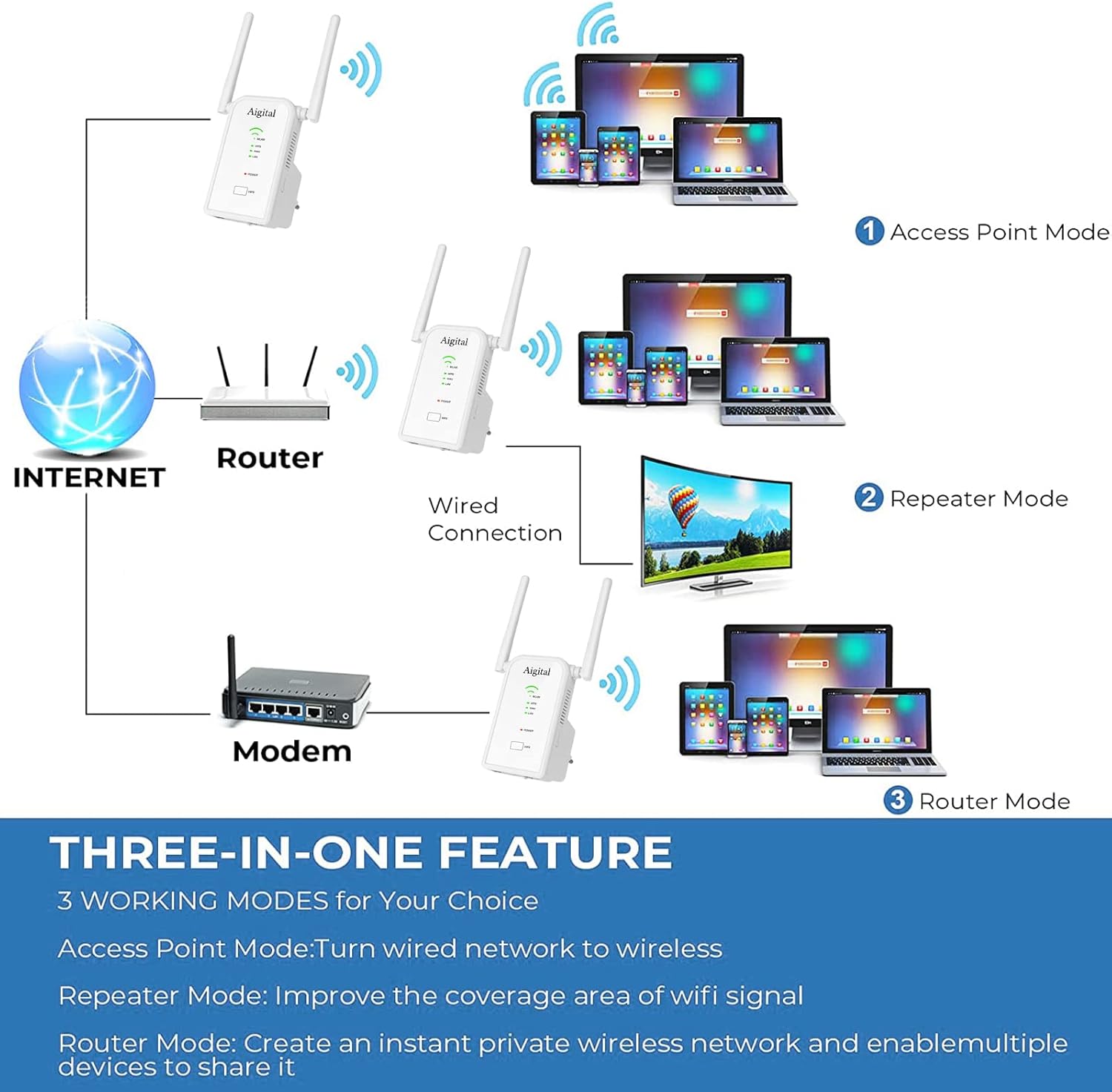
Image: A diagram titled 'THREE-IN-ONE FEATURE' illustrating the three working modes: Access Point Mode (wired network to wireless), Repeater Mode (improving WiFi signal coverage), and Router Mode (creating a private wireless network).
Enstriksyon Operasyon
Konekte Aparèy
Once the extender is set up in your desired mode, you can connect your wireless devices (smartphones, tablets, laptops) to the extended Wi-Fi network. The network name (SSID) will typically be your original network name followed by "_EXT" or similar, unless you configured a new name in Router or AP mode.
- Koneksyon san fil: Chèche pou available Wi-Fi networks on your device and select the extender's network name. Enter the password if prompted (this will be the same as your main router's password in Repeater mode, or a new one you set in Router/AP mode).
- Koneksyon filaire: For devices like gaming consoles, Smart TVs, or desktop PCs, connect an Ethernet cable from the device to one of the RJ45 ports on the extender. This provides a stable, high-speed wired connection.

Image: The Aigital WiFi Extender plugged into a wall outlet, with an Ethernet cable connecting it to a gaming console, illustrating its use of Fast Ethernet Ports for wired devices like gaming consoles, 4K HDTVs, PCs, and printers.
Antretyen
To ensure optimal performance and longevity of your Aigital WiFi Extender, consider the following maintenance tips:
- Plasman: Place the extender in a central location between your router and the area where you need extended coverage. Avoid placing it near large metal objects, concrete walls, or other electronic devices that may cause interference.
- Netwayaj: Siye deyò aparèy la dousman avèk yon twal mou epi sèk. Pa sèvi ak pwodui netwayaj likid oswa ayewosòl.
- Mizajou mikrolojisyèl: Periodically check the Aigital support website for firmware updates. Keeping your device's firmware up-to-date can improve performance, security, and add new features.
- Vantilasyon: Asire w ke ouvèti vantilasyon ki sou aparèy la pa bouche pou anpeche li chofe twòp.
Depanaj
If you encounter issues with your Aigital WiFi Extender, refer to the following common problems and solutions:
| Pwoblèm | Solisyon posib |
|---|---|
| No internet access after setup. |
|
| Weak signal or slow speed from the extender. |
|
| Pa ka jwenn aksè nan web paj jesyon (192.168.10.1). |
|
| WPS connection fails. |
|
Espesifikasyon
| Karakteristik | Detay |
|---|---|
| Modèl | B0BBQ8MZSS |
| Wireless Kominikasyon Creole | 802.11bgn |
| Pousantaj Transfè Done | 300 Megabit pou chak segonn |
| Gwoup Frekans Sipòte | 2.4 GHz |
| Antèn | 2 x 3dBi External Antennas |
| Kalite Connector | RJ45 (Ethernet Ports) |
| Pwa atik | 7 ons |
| Dimansyon pake | 4.06 x 3.94 x 3.9 pous |
Garanti ak sipò
Aigital products come with a standard manufacturer's warranty. For specific warranty terms and conditions, please refer to the warranty card included in your product packaging or visit the official Aigital support websit.
If you require technical assistance, troubleshooting, or have questions about your Aigital WiFi Extender, please contact Aigital customer support through their official channels. Support contact information can typically be found on the Aigital website or in the quick installation guide.
Resous sou entènèt:
- Vizite la Aigital Store on Amazon pou enfòmasyon ak mizajou sou pwodwi yo.


