Entwodiksyon
This manual provides comprehensive instructions for the installation, operation, and maintenance of your Caliber RMD805BT Car Radio Infotainment System. Please read this manual thoroughly before using the product to ensure proper operation and to prevent damage.
Enfòmasyon sou Sekirite
Always observe the following safety precautions to avoid injury or damage to the unit:
- Pa sèvi ak aparèy la yon fason ki distrè w pandan w ap kondui. Toujou bay sekirite wout priyorite.
- Ensure proper wiring and connections to prevent electrical shorts or fire hazards. Consult a professional for installation if unsure.
- Pa ekspoze aparèy la nan tanperati ekstrèm, limyè solèy dirèk pou yon peryòd tan pwolonje, oswa imidite twòp.
- Sèvi sèlman ak sous kouran ak akseswa espesifye yo.
- Pa eseye demonte oswa modifye aparèy la. Konfye tout antretyen bay pèsonèl kalifye.
Kontni pake
Verifye ke tout atik yo prezan nan pakè a:
- Caliber RMD805BT Car Radio Unit
- Power/Speaker Wiring Harness (ISO connector)
- Kontwòl Remote
- Mounting Materyèl
- Manyèl Itilizatè (dokiman sa a)
Pwodwi souview




Enstalasyon
Enstalasyon
The Caliber RMD805BT is designed for 2 DIN standard openings. Professional installation is recommended. Refer to Figure 3 for rear connections.
- Montaj: Secure the unit into the vehicle's 2 DIN opening using the provided mounting brackets and screws.
- Fil elektrik: Connect the main power/speaker harness (ISO connector) to the vehicle's existing wiring. Ensure correct polarity for all connections.
- Antèn: Connect the vehicle's FM antenna to the unit's antenna input.
- Koneksyon opsyonèl:
- Subwoofer/Amplifier: Connect external subwoofer or amplifier via the RCA output connectors.
- Kamera dèyè: Konekte yon konpatib dèyè-view camera to the dedicated video input for automatic display when reversing.
- Odyo/Videyo Ekstèn: Use the auxiliary RCA inputs for other external audio/video sources.
- Tcheke final la: Before fully securing the unit, perform a quick power-on test to ensure basic functionality.
Premye pouvwa-sou
After installation, turn on your vehicle's ignition. The unit should power on automatically or by pressing the power button. The touchscreen will display the main menu.
Opere
Fonksyon debaz yo
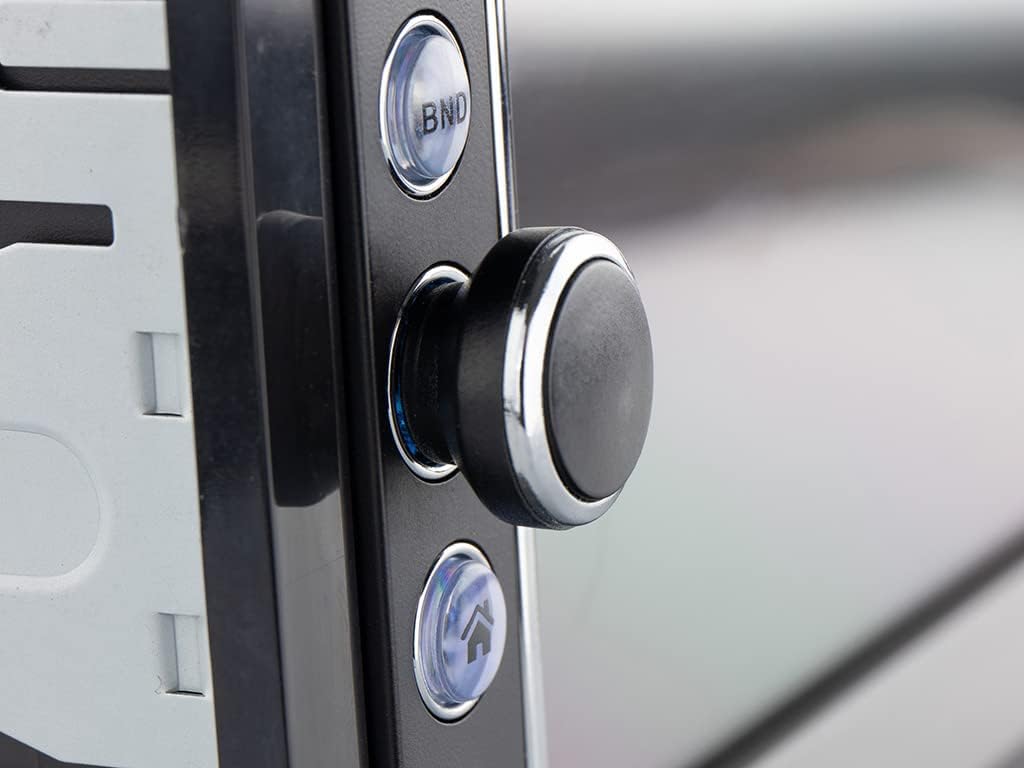
- Limen/Etenyen: Press the power button (usually the rotary knob) to turn the unit on or off.
- Kontwòl Volim: Vire bouton an pou ajiste volim la.
- Seleksyon sous: Tap the 'Mode' icon on the touchscreen or press the 'MODE' button on the remote to cycle through available sources (FM, Bluetooth, USB, SD, AV-IN).
Radio Operation (FM/RDS-EON)
- Akor: In FM mode, use the touchscreen controls to manually tune or auto-scan for stations.
- Prereglaj: Sove estasyon pi renmen ou yo sou bouton prereglaj pou aksè rapid.
- RDS-EON: The unit supports RDS-EON, displaying station information, program type, and traffic announcements (TA) when available.
Koneksyon Bluetooth
- Peyaj: Enable Bluetooth on your smartphone. On the RMD805BT, select the Bluetooth source. Chèche pou 'RMD805BT' on your phone and pair.
- Apèl men lib: Once paired, you can make and receive calls directly through the unit. Use the touchscreen or remote control buttons to answer, end, or reject calls.
- Difizyon Odyo (A2DP): Stream music from your smartphone to the car radio. Control playback (play/pause, skip tracks) using the unit's controls or the remote.
Mirrorlink Functionality
The RMD805BT supports Mirrorlink for limited iOS and Android devices. This feature allows you to mirror your smartphone's screen onto the unit's display and control it via the touchscreen.
- Koneksyon: Connect your smartphone to the unit via USB.
- Aktivasyon: Follow the on-screen prompts on both the unit and your smartphone to activate Mirrorlink.
- Kontwòl: Once active, your phone's screen will appear on the RMD805BT, and you can interact with your phone's apps directly from the unit's touchscreen.
Lektur USB/SD
The unit supports media playback from USB sticks and SD cards (up to 32 GB).
- Mete medya: Insert a USB stick into the USB port or an SD card into the SD card slot.
- Fòma sipòte: The unit can play MP3 and WMA audio files, and display MPEG4, DivX video files, ak imaj JPEG files.
- Navigasyon: Use the touchscreen to browse folders and select files pou lèktur.
Touchscreen and Remote Control
The 6.2-inch touchscreen provides intuitive control. Alternatively, use the included remote control for convenient operation from a distance.
Antretyen
- Netwayaj: Use a soft, dry cloth to clean the unit's surface and touchscreen. For stubborn marks, slightly dampRense twal la avèk dlo. Evite pwodui netwayaj abrazif oswa solvan.
- Swen Jeneral: Ensure the unit is not exposed to extreme temperatures or direct sunlight for extended periods. Keep USB and SD card slots free of dust and debris.
Depanaj
If you encounter issues with your Caliber RMD805BT, refer to the following common problems and solutions:
| Pwoblèm | Kòz posib | Solisyon |
|---|---|---|
| Pa gen pouvwa | Fil elektrik ki pa kòrèk; Fuzib ki boule; Ignisyon machin nan koupe | Check power connections; Replace fuse; Turn on vehicle ignition |
| Pa gen son | Volume too low; Mute activated; Speaker wiring incorrect | Increase volume; Deactivate mute; Check speaker connections |
| Bluetooth pa konekte | Bluetooth not enabled on phone/unit; Unit not in pairing mode; Device already paired to another unit | Ensure Bluetooth is on; Put unit in pairing mode; Disconnect from other devices |
| USB/SD a pa ap jwe | Pa sipòte file format; Corrupted media; Media not inserted correctly | Tcheke file formats; Try different media; Reinsert USB/SD card |
| Touchscreen pa reponn | Pwoblèm lojisyèl tanporè; Pwoblèm kalibrasyon ekran | Restart the unit (turn off/on vehicle ignition); If persistent, consult support |
Espesifikasyon
| Karakteristik | Detay |
|---|---|
| Mak | Kalib |
| Nimewo Modèl | RMD805BT |
| Koulè | Nwa |
| Koneksyon Teknoloji | Bluetooth, USB |
| Kalite kontwolè | Touchscreen |
| Karakteristik espesyal | Apèl men-gratis |
| Aparèy konpatib | Oratè, Smartphone |
| Kalite Connector | USB Kalite A |
| Audio Sòti Mode | Stereo, Antoure |
| Konfigirasyon chanèl son antoure | 2.0 |
| Kodaj videyo | MPEG4, DivX |
| Max USB/SD Capacity | 32 GB |
| Sortie pouvwa | 4 x 75 W |
| Battery (for remote) | 1 CR2032 (required) |
Enfòmasyon sou Garanti
The Caliber RMD805BT comes with a 1-year spare parts availability guarantee from the date of purchase. For specific warranty terms and conditions, please refer to the warranty card included with your product or contact Caliber customer support.
Sipò
For further assistance, technical support, or service inquiries, please contact Caliber customer support through their official website or the contact information provided in your product packaging. When contacting support, please have your product model number (RMD805BT) and purchase details ready.


