Entwodiksyon
Thank you for choosing the HTC True Wireless Earbuds 7. This manual provides essential information for setting up, operating, maintaining, and troubleshooting your new earbuds. Please read it thoroughly before use to ensure optimal performance and longevity of your device.
Kontni pake
Asire w tout atik yo prezan nan pakè a:
- 2 x HTC Wireless Earbuds (Left and Right)
- 1 x ka chaje
- 1 x USB-C kab
- 2 Pairs x Silicone Earplugs (S, L) - Note: Medium size earplugs are pre-installed on the earbuds.
- 1 x English Manual (This document)

Image: HTC True Wireless Earbuds 7, charging case, and USB-C cable.
Gid Enstalasyon
1. Premye Chajman
Anvan premye itilizasyon an, chaje ekoutè yo ak bwat chaje a nèt.
- Mete tou de ekouteur nan ka chaje a.
- Connect the provided USB-C cable to the charging port on the case and a power source (e.g., USB wall adapter, computer USB port).
- The indicator lights on the charging case will illuminate to show charging status. All three indicator lights will show blue when fully charged.
Tan pou chaje:
- Ekoutè: Apeprè 40 minit
- Bwat chaje: Apeprè 1.5 èdtan

Image: HTC True Wireless Earbuds 7 charging case showing battery indicator lights.
Video: Demonstrates charging the HTC True Wireless Earbuds 7 charging case using the USB-C cable.
2. Konekte ak Aparèy ou a (Konekte an yon sèl etap)
The earbuds utilize advanced Bluetooth 5.3 technology for fast and stable connection.
- Louvri bwat chaje a. Ekoutè yo ap antre otomatikman nan mòd koneksyon.
- Sou aparèy ou an (telefòn entelijan, tablèt, òdinatè), aktive Bluetooth.
- Chèche pou "HTC TWS7" in the list of available Bluetooth devices.
- Select "HTC TWS7" to connect. Once paired, the earbuds will automatically connect to your device in the future when taken out of the case.
Important Tip: When pairing for the first time, please take both earbuds out of the charging box for pairing.

Image: Illustrates the one-step pairing process with a smartphone.
3. Adjusting Earplugs for Best Fit
For optimal sound quality and comfort, choose the silicone earplugs that best fit your ears. The earbuds come with medium-sized earplugs pre-installed, and S/L sizes are included in the package.
- Gently remove the pre-installed earplug from the earbud.
- Select a different size (S or L) and carefully attach it to the earbud's nozzle, ensuring it is securely fastened.
- Test the fit and sound quality. A good seal will provide better bass and noise isolation.

Image: Close-up of an earbud highlighting the soft silicone eartips for a comfortable fit.
Enstriksyon Operasyon
Kontwòl Smart Touch
The HTC True Wireless Earbuds 7 feature intuitive touch controls on each earbud. The touch-sensitive area is located on the outer surface of each earbud.
| Fonksyon | Aksyon |
|---|---|
| Jwe/Poz | Tape swa ekoutè yon fwa. |
| Reponn/Ranke Rele | Tape swa ekoutè yon fwa. |
| Previous Song | Tape doub ekoutè gòch la. |
| Next Song | Tape doub ekoutè dwat la. |
| Asistan vwa | Tape twa fwa swa ekoutè a. |
| Rejte apèl | Tape epi kenbe pou 2 segonn. |
| Mode jwèt On/Off | Tape epi kenbe pou 2 segonn. |
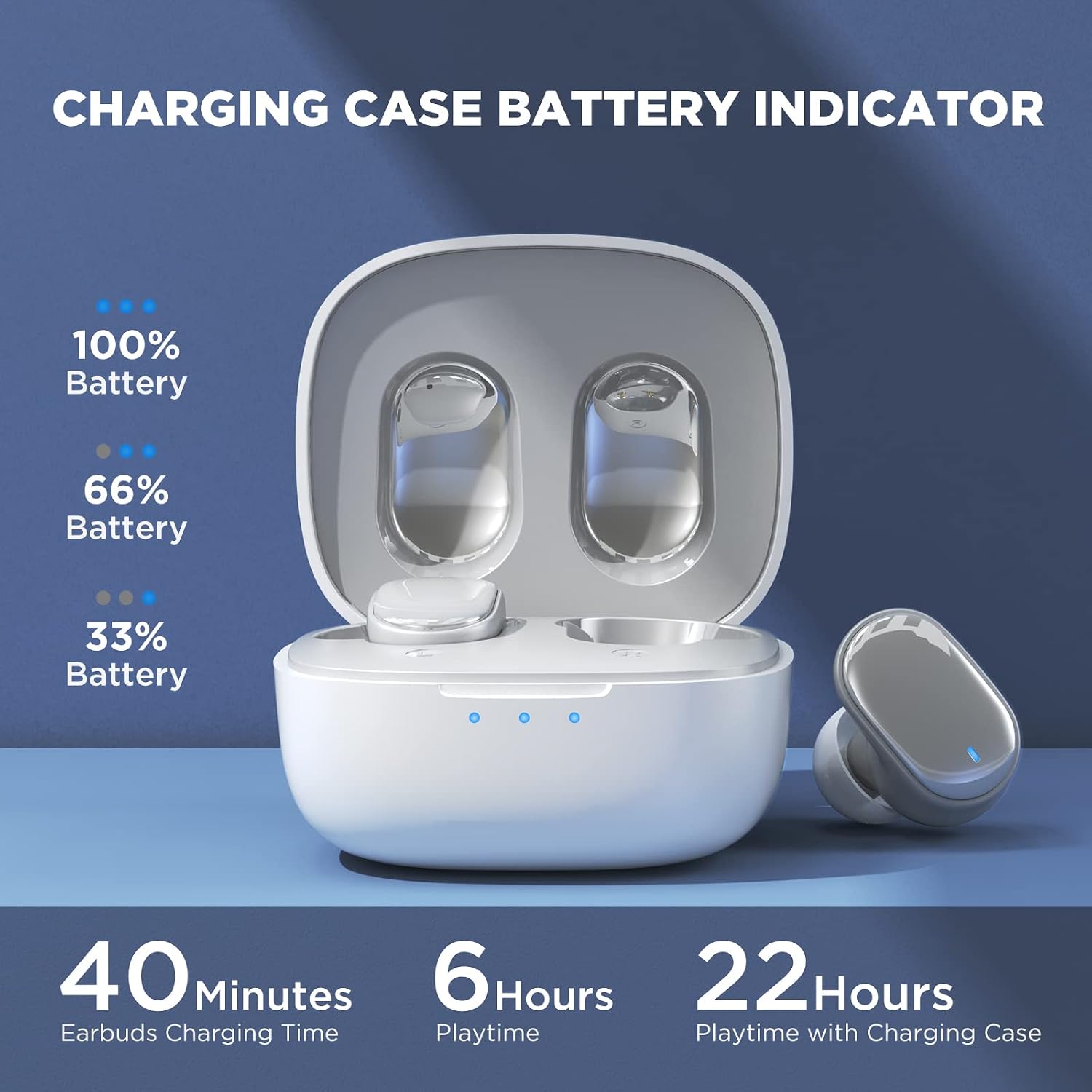
Image: Visual guide to the smart touch controls on the earbud.
Mòd jwèt
Designed specifically for gaming, Game Mode provides an ultra-low latency of 45ms, ensuring audio and video remain synchronized for a smoother gaming experience. To activate or deactivate Game Mode, tap and hold either earbud for 2 seconds.
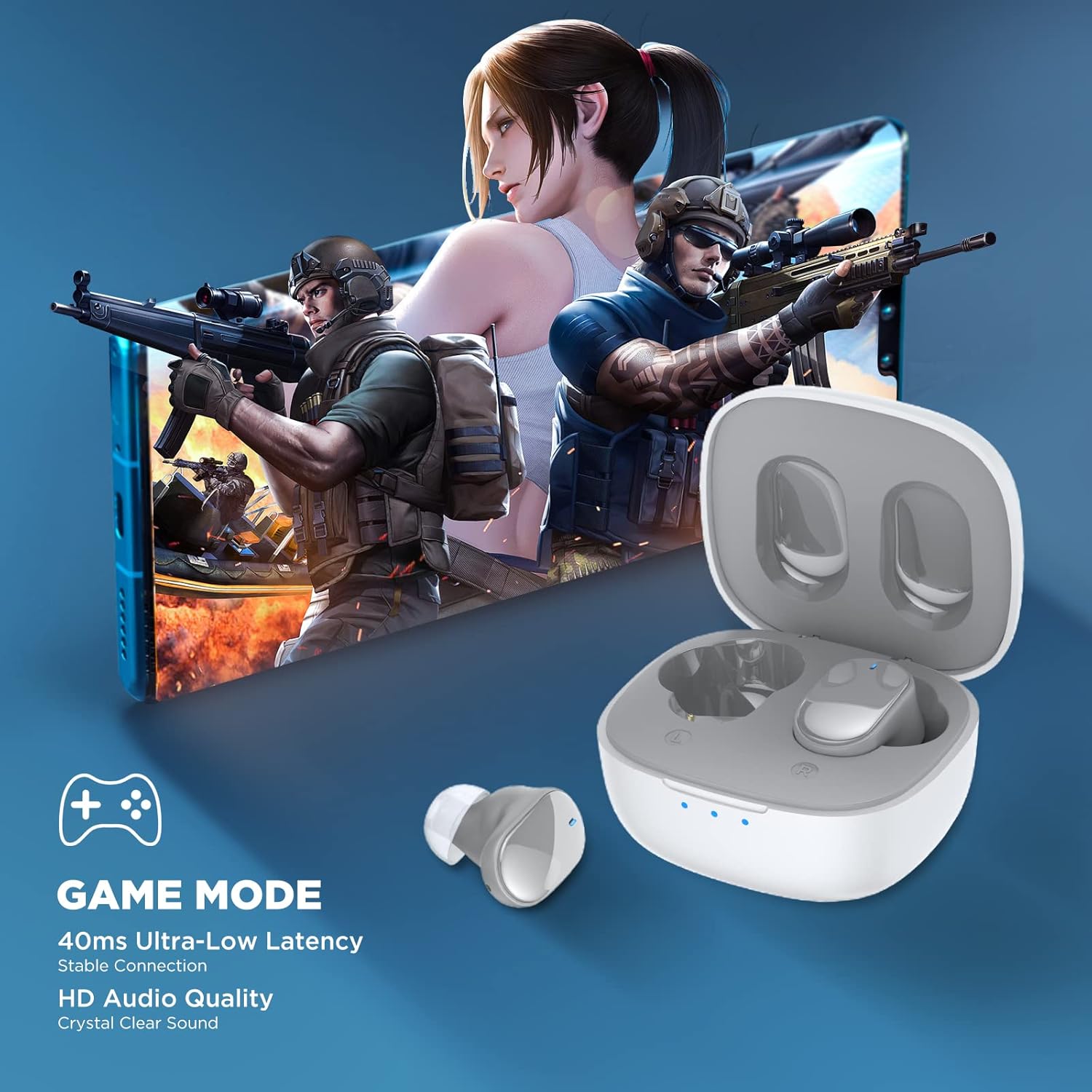
Image: Earbuds shown in a gaming context, highlighting the 40ms ultra-low latency Game Mode.
Kalite Audio
The earbuds are equipped with 10mm drivers, producing powerful bass and stunning treble for a rich audio experience.

Imaj: Eksploze view diagram illustrating the 10mm speaker driver components.
Antretyen ak Swen
- Netwayaj: Netwaye ekoutè yo ak bwat chaje a regilyèman avèk yon twal mou, sèk, ki pa gen pousyè. Pa sèvi ak pwodui chimik ki agresif oswa materyèl abrazif.
- Earplug Care: Remove the silicone earplugs periodically and clean them with mild soap and water. Ensure they are completely dry before reattaching.
- Rezistans dlo: The earbuds are IPX4 waterproof, meaning they are resistant to sweat and splashing water. Do not submerge them in water or expose them to heavy rain.
- Depo: Lè w pa ap itilize yo, sere ekoutè yo nan bwat chaj yo pou pwoteje yo epi kenbe yo chaje. Sere yo nan yon kote ki fre epi sèk, lwen tanperati ekstrèm.
- Lavi batri: Pou pwolonje lavi batri a, evite dechaje ekoutè yo ak bwat chaje a nèt souvan. Chaje yo regilyèman, menm si ou pa itilize yo pandan yon bon bout tan.
Depanaj
| Pwoblèm | Solisyon posib |
|---|---|
| Ekoutè yo pa konekte ak aparèy la. |
|
| Se yon sèl ekoutè k ap travay. |
|
| Volim ki ba oswa son ki pa bon kalite. |
|
| Ekoutè yo pa ap chaje. |
|
| Kontwòl manyen yo pa reponn. |
|
Espesifikasyon
| Karakteristik | Detay |
|---|---|
| Non modèl | TWS7 |
| Bluetooth vèsyon | 5.3 |
| Koneksyon Teknoloji | San fil (Bluetooth) |
| Latansi Audio | 45 Milisegond (Mòd Jwèt) |
| Tan pou jwe (yon sèl chaj) | Plis pase 6 èdtan |
| Tan total pou jwe (ak bwat chaje a) | Jiska 22 èdtan |
| Tan chaj ekoutè | 40 minit |
| Chaje Ka Chaje Tan | 1.5 èdtan |
| Gwosè Chofè | 10mm chofè dinamik |
| Rezistans dlo | IPX4 (Rezistan a swè) |
| Kalite kontwòl | Kontwòl taktil, Kontwòl vwa |
| Gamme Bluetooth | Jiska 10 mèt (32.8 pye) |
| Gamme frekans | 20 Hz - 20,000 Hz |
| Aparèy konpatib | Aparèy iOS, Android, Windows |
Enfòmasyon sou Garanti
Your HTC True Wireless Earbuds 7 come with a 360 Days Warranty Extension. Please retain your proof of purchase for warranty claims.
This warranty covers manufacturing defects and issues arising from normal use. It does not cover damage caused by misuse, accidents, unauthorized modifications, or improper maintenance.
Sipò pou Kliyan
For any questions, concerns, or technical assistance, please contact HTC customer support:
- Sipò Live Chat: Available 7 days a week, 24 hours a day. Refer to the product packaging or official HTC websit la pou jwenn enfòmasyon kontak espesifik.
- Resous sou entènèt: Visit the official HTC websit pou jwenn FAQ, manyèl mete ajou, ak lòt resous sipò.
We are committed to ensuring your satisfaction with our in-ear headphones.


