Entwodiksyon
This manual provides detailed instructions for the setup, operation, maintenance, and troubleshooting of your seenda IWG-FGM02 Rechargeable LED Wireless Mouse. Please read this manual thoroughly before using the product to ensure optimal performance and longevity.
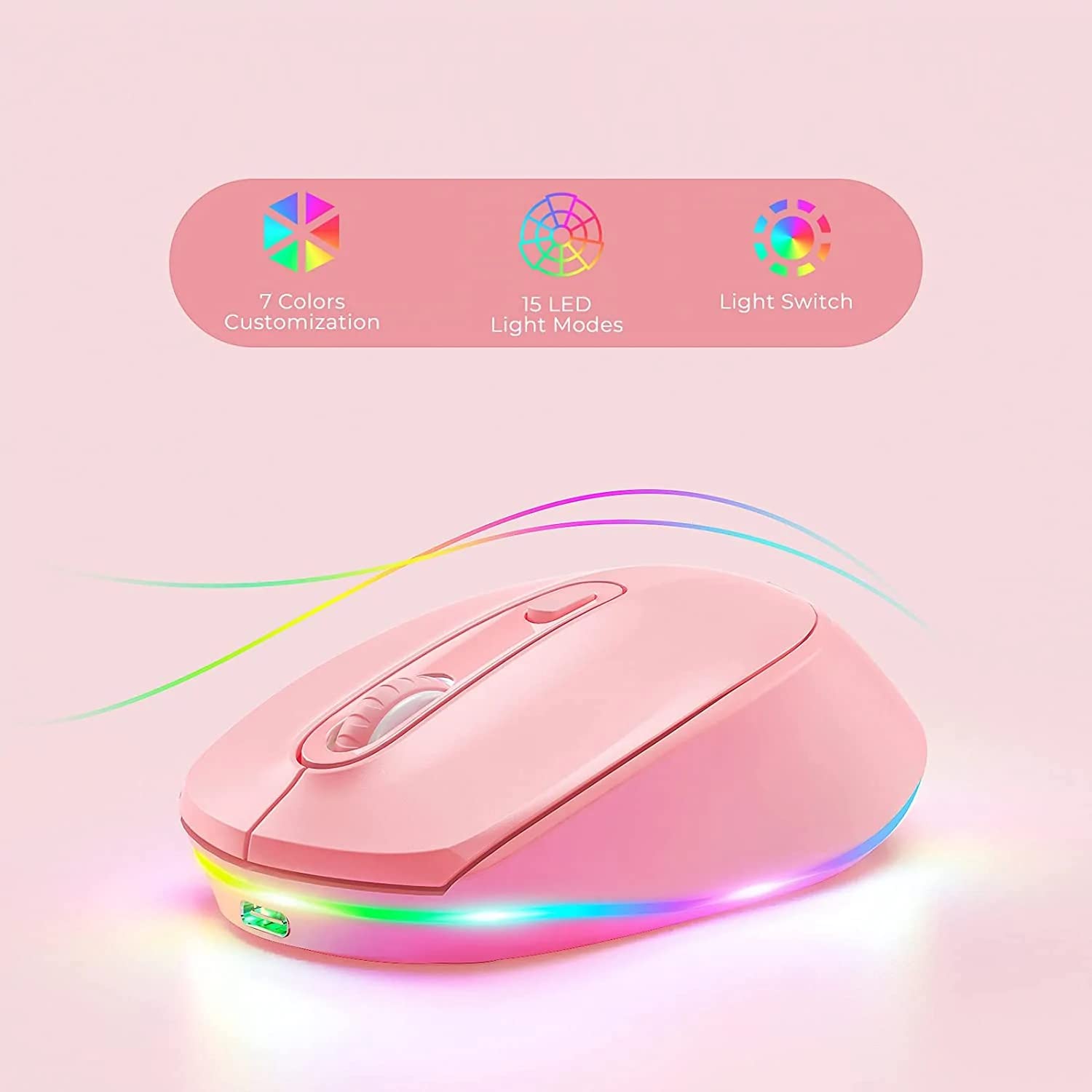
Figure 1: seenda IWG-FGM02 Rechargeable LED Wireless Mouse. This image displays the overall design of the mouse, highlighting its ergonomic shape and LED lighting.
Kontni pake
Asire w tout atik yo prezan nan pakè a:
- seenda IWG-FGM02 Rechargeable LED Wireless Mouse
- USB Receiver (typically stored in the mouse's battery compartment)
- USB Chaje Kab
- Manyèl Itilizatè (dokiman sa a)
Enstriksyon Enstalasyon
1. Chaje Sourit la
Before first use, fully charge the mouse. Connect the provided USB charging cable to the charging port on the front of the mouse and the other end to a USB power source (e.g., computer USB port, USB wall adapter).
- The LED indicator will typically show charging status (e.g., red light for charging, off when fully charged).
- A full charge usually takes 2-3 hours.
2. Konekte Reseptè USB a
Sourit la konekte san fil atravè yon reseptè USB 2.4 GHz.
- Locate the USB receiver, usually stored in a slot on the bottom of the mouse.
- Retire reseptè a epi branche li nan yon pò USB ki disponib sou òdinatè w la.
- Odinatè w la ta dwe detekte epi enstale chofè ki nesesè yo otomatikman. Sa ka pran kèk segond.
3. Powering On / Off
Locate the power switch on the bottom of the mouse. Slide the switch to the "ON" position to activate the mouse. Slide it to "OFF" when not in use to conserve battery life.
Enstriksyon Operasyon
1. Fonksyon debaz sourit la
The seenda IWG-FGM02 mouse features standard left-click, right-click, and scroll wheel functions. Use these for navigation and interaction with your computer's operating system and applications.
2. Ajisteman DPI
The mouse typically includes a DPI (Dots Per Inch) button, often located near the scroll wheel, to adjust cursor sensitivity. Press this button to cycle through different DPI settings (e.g., 800, 1200, 1600 DPI). A higher DPI setting results in faster cursor movement across the screen.
3. LED Lighting Control
The mouse features LED lighting. Depending on the model, the lighting may be static, breathing, or switchable. Refer to the product packaging or specific model features for details on how to change or disable the LED effects. Some models may have a dedicated button for LED control, while others may integrate it with DPI or power functions.
Antretyen
1. Netwaye Sourit la
To maintain optimal performance and hygiene, clean your mouse regularly.
- Sèvi ak yon ti moso twal mou, ki san pèl dampfini ak dlo oswa yon solisyon netwayaj twò grav.
- Evite itilize pwodui chimik ki fò, pwodui netwayaj abrazif, oubyen flite likid dirèkteman sou sourit la.
- Clean the optical sensor on the bottom of the mouse periodically to prevent tracking issues.
2. Swen batri
As a rechargeable mouse, proper battery care extends its lifespan.
- Avoid completely draining the battery frequently. Recharge when the low battery indicator appears.
- Pa ekspoze sourit la nan tanperati ekstrèm.
- Si w ap sere sourit la pou yon peryòd tan pwolonje, chaje l a anviwon 50% anvan ou sere l.
Depanaj
If you encounter issues with your seenda IWG-FGM02 mouse, refer to the following common solutions:
1. Sourit la pa reponn
- Tcheke pouvwa: Ensure the mouse is switched "ON" and has sufficient battery charge. Recharge if necessary.
- Tcheke reseptè USB a: Asire w ke reseptè USB a byen branche nan yon pò USB ki fonksyone sou òdinatè w la. Eseye yon lòt pò USB.
- Re-pè: In some cases, you may need to re-pair the mouse with its receiver. This usually involves turning the mouse off and on, or pressing a connect button on the mouse/receiver (if available).
- Entèferans: Move the mouse closer to the receiver or away from other wireless devices that might cause interference.
2. Cursor Movement is Erratic or Jumpy
- Netwaye Capteur: Netwaye detèktè optik ki anba sourit la avèk yon twal mou.
- Sifas: Use the mouse on a clean, non-reflective, opaque surface. Avoid glass or highly reflective surfaces. A mouse pad is recommended.
- DPI Anviwònman: Ajiste paramèt DPI a sou yon valè ki pi ba si kurseur a twò sansib.
3. Limyè LED yo pa fonksyone
- Nivo batri: Ensure the mouse has enough charge. Low battery can sometimes affect LED functionality.
- Dirije kontwòl: If your mouse has a dedicated LED control button, press it to cycle through modes or turn the lights on.
4. Pwoblèm Chaje
- Tcheke kab: Ensure the USB charging cable is not damaged and is securely connected. Try a different USB cable if available.
- Sous pouvwa: Eseye yon lòt sous kouran USB (pa egzanp, yon lòt pò USB sou òdinatè w la, yon lòt adaptè miray).
Espesifikasyon
| Karakteristik | Detay |
|---|---|
| Mak | wè |
| Modèl | IWG-FGM02 |
| Koneksyon Teknoloji | San fil (Reseptè USB 2.4 GHz) |
| Karakteristik espesyal | Rechargeable, LED Lighting |
| Oryantasyon men | Anbidextr |
| Sistèm operasyon konpatibilite | Linux, Windows 7, Windows XP (and generally newer Windows/macOS versions) |
| Platfòm pyès ki nan konpitè | Laptop, òdinatè pèsonèl |
| Dimansyon pwodwi (LxWxH) | 10 x 6.5 x 6.5 cm |
| Pwa atik | 140 g |
| Mwayèn lavi batri | Up to 12 Months (standby/usage dependent) |
Enfòmasyon sou Garanti
The seenda IWG-FGM02 Rechargeable LED Wireless Mouse comes with a 1 ane garanti from the date of purchase. This warranty covers manufacturing defects and material faults under normal use. It does not cover damage caused by misuse, accidents, unauthorized modifications, or normal wear and tear. Please retain your proof of purchase for warranty claims.
Sipò ak Kontakte
For further assistance, technical support, or warranty inquiries, please contact the importer or manufacturer:
- Enpòtatè: Plim dijitaltagbelye mouton
- Imèl: t.yadav@digitalpentagram.com
- Telefòn: 09999325592
- Manifakti: Seenda, Shenzen Seenda, www.seenda.com
When contacting support, please have your product model (IWG-FGM02) and proof of purchase available.


