1. Entwodiksyon
The Sennheiser MB Pro 2 is an on-ear wireless Bluetooth headset designed for business and communication. This manual provides instructions for setting up, operating, maintaining, and troubleshooting your headset to ensure optimal performance.
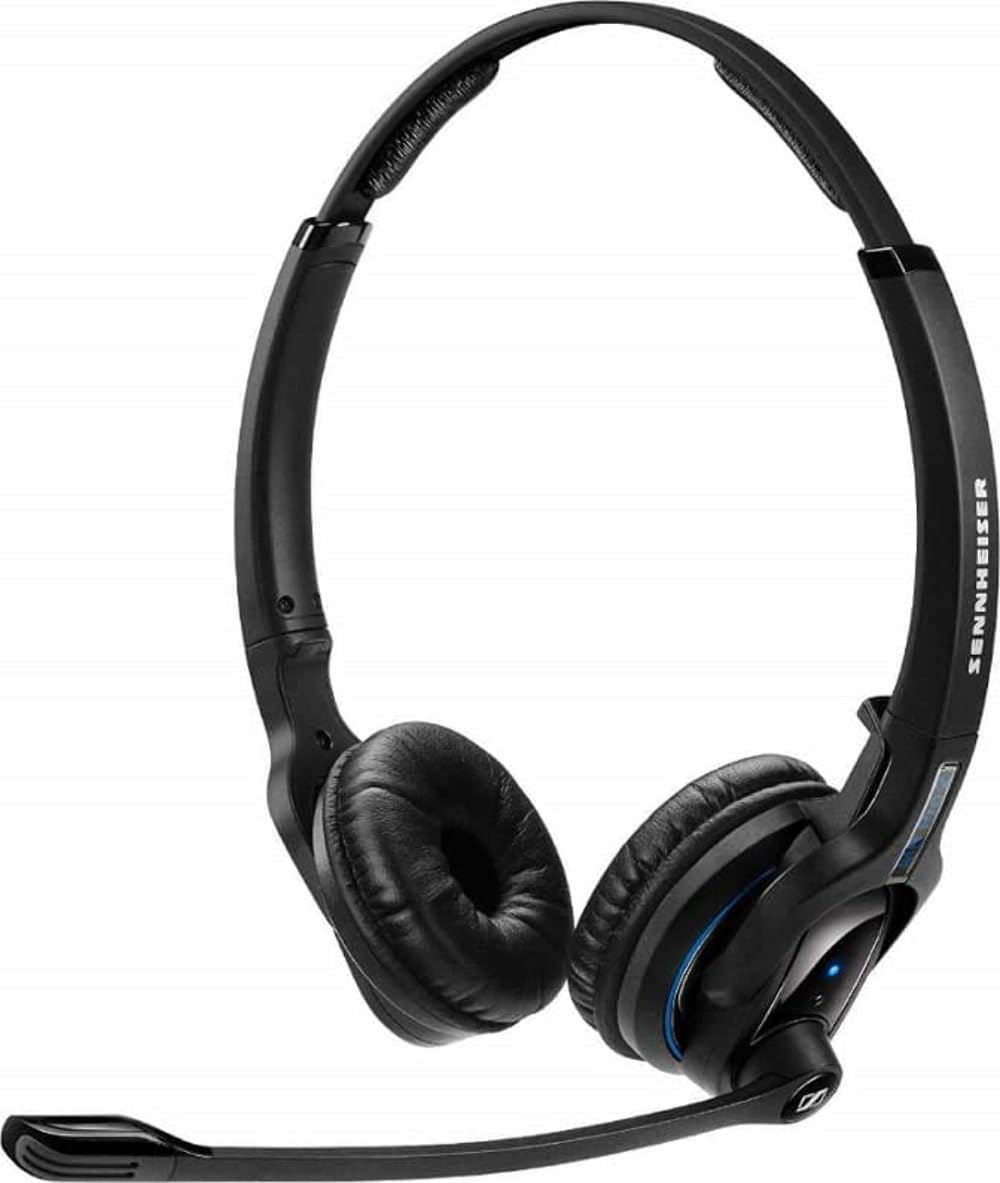
An image showing the Sennheiser MB Pro 2 on-ear Bluetooth headset, typically black, with earcups designed to rest on the ears and an adjustable headband.
2. Enstalasyon
2.1 Chaje kas ekoutè a
Before initial use, fully charge the headset. Connect the provided charging cable to the headset's charging port and to a compatible USB power source. The LED indicator on the headset will show the charging status. A full charge typically takes approximately 2-3 hours.
2.2 Konekte ak yon aparèy Bluetooth
- Asire kaskèt la etenn.
- Press and hold the power button on the headset until the LED indicator flashes blue and red, indicating pairing mode.
- On your device (cellphone, desktop, laptop, or tablet), enable Bluetooth and search for available devices.
- Select "Sennheiser MB Pro 2" from the list of found devices.
- If prompted, enter "0000" as the PIN.
- Once paired, the LED indicator will flash blue periodically.
Nòt: A Bluetooth dongle is not included with this version of the headset and may be required for some desktop or laptop connections if your device does not have built-in Bluetooth.
3. Itilizasyon kas ekoutè a
3.1 Power On/Off
- To power on: Press and hold the power button until the LED flashes blue.
- To power off: Press and hold the power button until the LED flashes red and then turns off.
3.2 Jesyon Apèl
- Reponn/Fen Apèl: Peze bouton milti-fonksyon an yon fwa.
- Rejte apèl: Peze epi kenbe bouton milti-fonksyon an pou 2 segonn.
- Recomposition Dènye Nimewo: Peze bouton milti-fonksyon an de fwa.
3.3 Kontwòl Volim
Use the volume up (+) and volume down (-) buttons located on the headset to adjust the audio level during calls or media playback.
3.4 Kontwòl Medya
The headset supports basic media control functions when connected to a compatible device:
- Jwe/Poz: Peze bouton milti-fonksyon an yon fwa.
- Pwochen Track: Peze bouton milti-fonksyon an de fwa.
- Track Previous: Peze bouton milti-fonksyon an twa fwa.
4. Antretyen
4.1 Netwayaj
- Wipe the headset surfaces with a soft, dry, lint-free cloth.
- Do not use liquid cleaners, solvents, or abrasive materials.
- Kenbe pò chaje a pwòp de pousyè ak debri.
4.2 Swen Batri
- Evite ekspoze kask la nan tanperati ekstrèm.
- Sere kas ekoutè a nan yon kote ki fre epi sèk lè w pa ap itilize li.
- For long-term storage, charge the battery to approximately 50% every few months to preserve battery life.
4.3 Depo
When not in use, store the headset in a protective case or a safe location to prevent damage from drops or pressure.
NAN. Depanaj
- Pa gen pouvwa: Ensure the headset is charged. Connect it to a power source using the charging cable.
- Pa ka konekte: Ensure the headset is in pairing mode (flashing blue/red). Turn off and on your device's Bluetooth. Move the headset closer to your device.
- Pa gen son: Check the volume levels on both the headset and your connected device. Ensure the headset is properly paired and connected.
- Kalite odyo pòv: Move closer to your connected device to reduce interference. Ensure no physical obstructions are between the headset and the device.
- Headset Disconnects Frequently: Ensure the headset is within the Bluetooth range (up to 50 feet). Check for other devices causing interference.
6. Espesifikasyon
| Non modèl | FBA_506044 |
| Mak | Sennheiser |
| Koneksyon Teknoloji | Bluetooth |
| Bluetooth vèsyon | 4.0 |
| Gamme Bluetooth | Jiska 50 pye |
| Plasman Zòrèy | Sou Zòrèy |
| Pwa atik | 82 gram (2.89 ons) |
| Dimansyon pwodwi | 6.69 x 8.27 x 2.36 pous |
| Batri | 1 Lityòm Ion batri obligatwa |
| Aparèy konpatib | Telefòn selilè, òdinatè biwo, òdinatè pòtab, tablèt |
| Konpozan ki enkli | Chaje kab |
| Kalite kontwòl | Media Control, Remote, Button |
7. Garanti ak sipò
This Sennheiser MB Pro 2 headset is a renewed product. Renewed products are typically backed by a specific guarantee from the seller or platform where purchased. Please refer to the terms and conditions of the "Amazon Renewed Guarantee" for details regarding replacement or refund eligibility.
For technical support or further assistance, please consult the Sennheiser official website or contact their customer service. Keep your purchase documentation handy when seeking support.


