Pwodwi souview
The Feit Electric 13 Inch Smart WiFi LED Coach Lantern is designed to enhance your home's exterior with both traditional aesthetics and modern smart technology. This lantern allows for control via the Feit Electric app, enabling users to manage on/off functions, set timers, and create schedules. It offers a wide spectrum of millions of RGBW colors, as well as various shades of white light, to suit any occasion or mood. Constructed with an all-bronze housing and frosted glass, it provides 500 lumens of light, ensuring adequate illumination for doorways and porches.
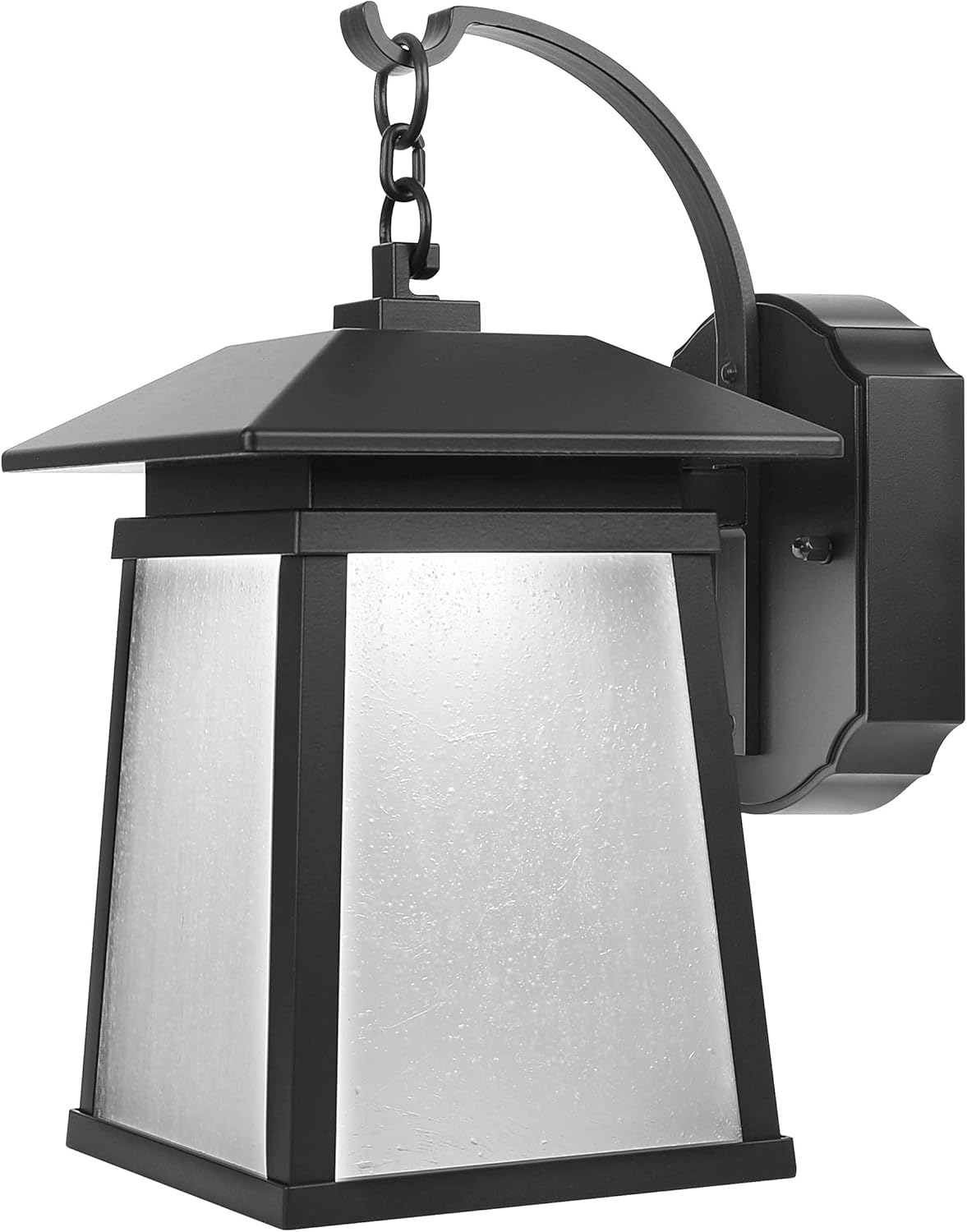
Figi 1: Devan view of the Feit Electric Smart WiFi LED Coach Lantern, showcasing its bronze finish and frosted glass panels.
Ki sa ki nan bwat la
Lè w ap ouvri pake a, tanpri verifye ke tout konpozan yo prezan epi yo pa domaje.
- Feit Electric 13 Inch Smart WiFi LED Coach Lantern (integrated LED)
- LED Lens (pre-installed)
- Materyèl Enstalasyon (vis, boulon fil, sipò montaj) - Standard hardware for electrical fixture installation.
- Manyèl Itilizatè (dokiman sa a)
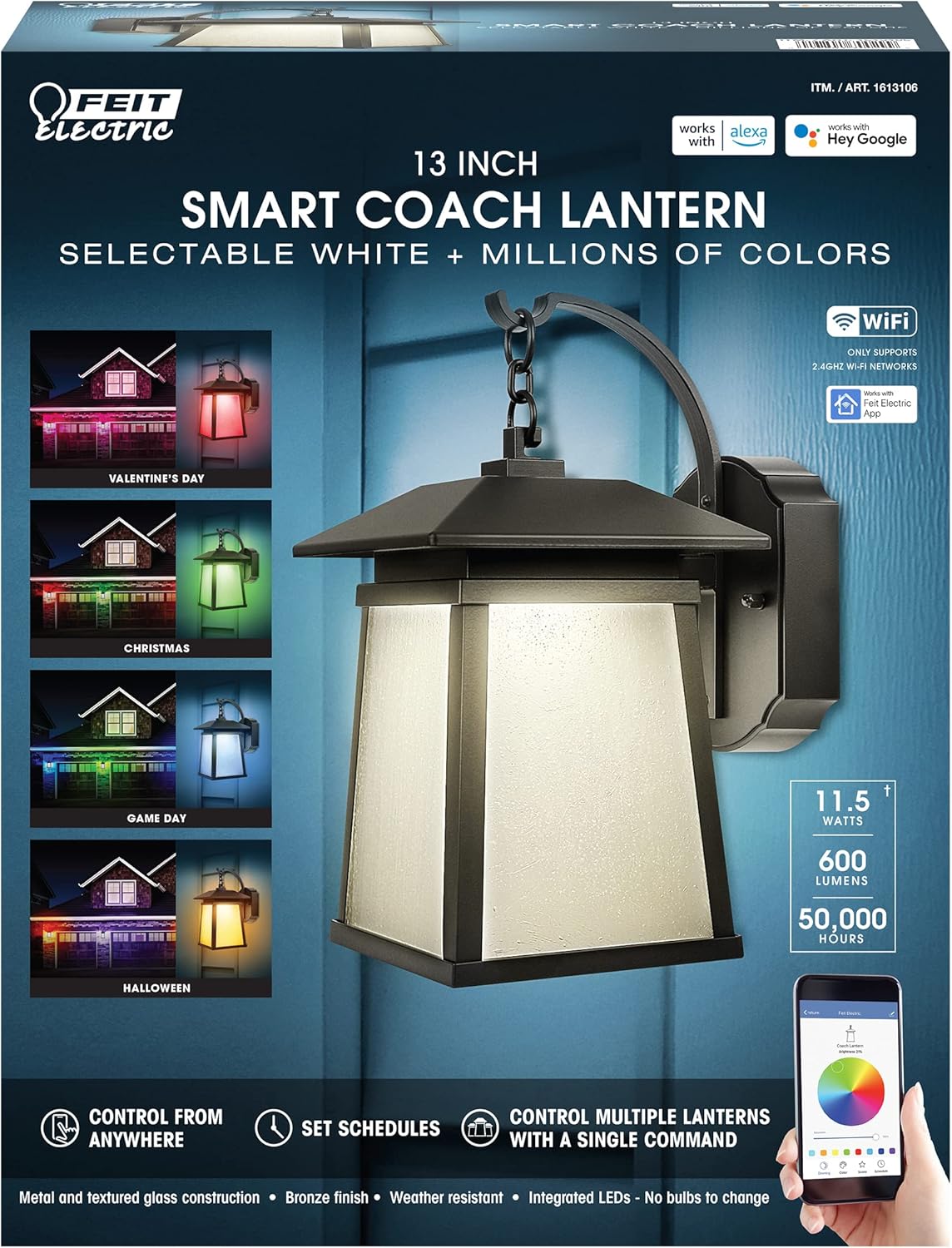
Figure 2: Product packaging highlighting key features such as Smart WiFi, RGBW colors, and compatibility with Alexa and Hey Google.
Enstalasyon ak Enstalasyon
Enfòmasyon sou Sekirite
- AVÈTISMAN: Risk chòk elektrik. Dekonekte kouran nan fuze oswa disjoncteur anvan enstale oswa fè sèvis.
- AVÈTISMAN: Risk of fire. Use only in circuits rated for 120V AC.
- Konsilte yon elektrisyen kalifye si ou pa sèten sou pwosesis enstalasyon an.
- Asire w tout koneksyon elektrik yo byen fèm epi konfòm ak kòd elektrik lokal yo.
Lis Verifikasyon Pre-Enstalasyon
- Ensure the power is turned OFF at the circuit breaker.
- Gather necessary tools: screwdriver, wire strippers, electrical tape, ladder (if needed).
- Confirm the mounting surface is suitable for the fixture's weight and size.
Etap enstalasyon yo
- Etenn pouvwa: Jwenn disjonktè ki kontwole sikwi ekleraj deyò a epi etenn li. Verifye si kouran an koupe lè w sèvi ak yon vòltaj.tage tèsteur.
- Retire ansyen enstalasyon an (si sa aplikab): Carefully disconnect the wiring from the existing fixture and remove it from the mounting surface.
- Enstale Support Mounting: Attach the provided mounting bracket to the electrical junction box using the screws. Ensure it is securely fastened.
- Koneksyon fil elektrik:
- Konekte a nwa fil soti nan aparèy la rive nan la nwa fil (cho) ki soti nan bwat koneksyon an lè l sèvi avèk yon boulon fil.
- Konekte a blan fil soti nan aparèy la rive nan la blan fil (net) ki nan bwat koneksyon an lè l sèvi avèk yon boulon fil.
- Konekte a vèt or kwiv fè ground wire from the fixture to the ground wire from the junction box (or to the junction box itself if no ground wire is present).
- Secure all connections with electrical tape if desired.
- Mount Fixture: Carefully tuck the wires into the junction box. Align the fixture with the mounting bracket and secure it using the provided screws.
- Retabli pouvwa: Remete kouran an nan disjonktè a.
Enstriksyon Operasyon
Connecting to the Feit Electric App
To unlock the full smart features of your lantern, you must connect it to the Feit Electric app.
- Telechaje App: Download the Feit Electric app from the Apple App Store or Google Play Store.
- Kreye kont: Louvri aplikasyon an epi kreye yon nouvo kont oubyen konekte sou yon kont ki deja egziste.
- Ajoute Aparèy: Tap the "+" icon in the app to add a new device. Select "Lighting" or "Outdoor Lighting" and follow the on-screen prompts.
- Pè Mode: Ensure your lantern is powered on. The lantern should blink rapidly to indicate it's in pairing mode. If not, turn it off and on quickly several times until it blinks.
- Konekte ak WiFi: Enter your 2.4GHz WiFi network name and password when prompted in the app. Note: This device only supports 2.4GHz WiFi networks.
- Konplete: Once connected, the app will confirm successful pairing, and you can rename your lantern.
App Features and Control
- On/Off kontwòl: Turn the lantern on or off from anywhere using the app.
- Ajisteman klète: Ajiste entansite limyè a soti nan 1% rive nan 100%.
- Seleksyon koulè: Choose from millions of RGB colors or select various shades of white (warm to cool).
- Scenes and Effects: Apply pre-set scenes or create custom lighting effects for different occasions (e.g., holidays, parties).
- Orè: Set daily or weekly schedules for the lantern to turn on/off automatically.
- Timer: Set countdown timers for the lantern to turn off after a specified duration.
- Kontwòl Gwoup: Control multiple Feit Electric smart devices simultaneously by grouping them in the app.

Figure 3: Smart Coach Lanterns illuminating a home's exterior with vibrant red and purple lighting, demonstrating color-changing capabilities.
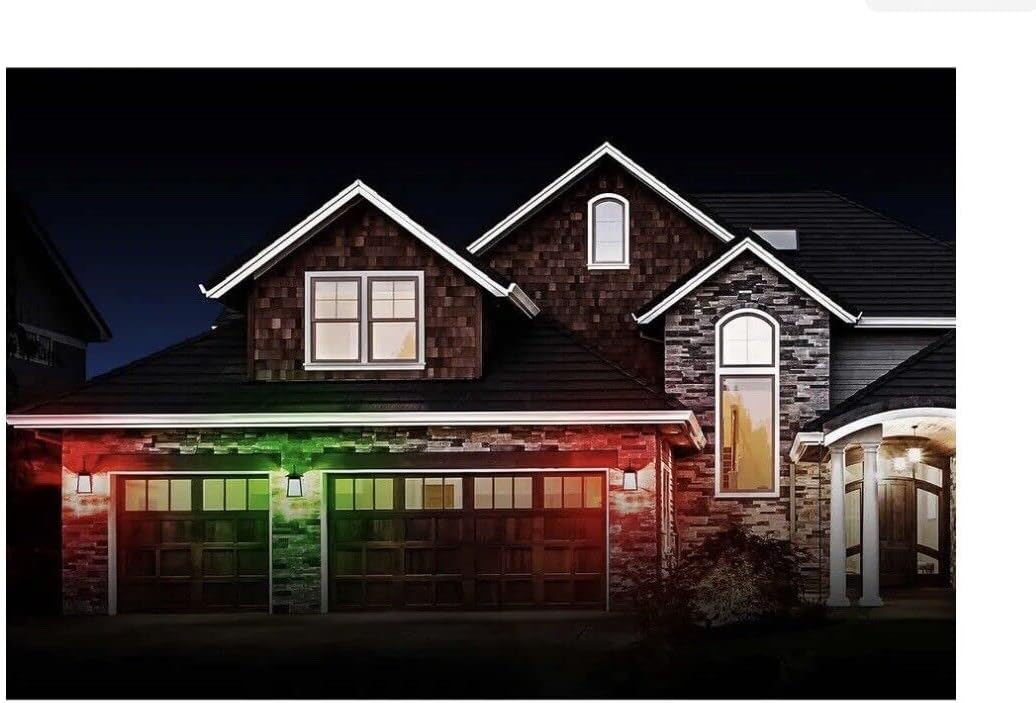
Figure 4: Smart Coach Lanterns providing festive green and red illumination to a home's facade, suitable for holiday themes.

Figure 5: Smart Coach Lanterns casting a uniform purple glow on a residential exterior, showcasing a single color option.
Entegrasyon Kontwòl Vwa
The Feit Electric Smart Coach Lantern is compatible with Amazon Alexa and Hey Google. To enable voice control:
- Kont Konekte: In your Alexa or Google Home app, search for the "Feit Electric" skill/action and enable it.
- Konekte: Log in with your Feit Electric app credentials when prompted.
- Dekouvri Aparèy: Once linked, ask your voice assistant to "Discover devices" or manually initiate device discovery in the app.
- Kòmandman vwa: You can now use commands such as:
- "Alexa, turn on the [Lantern Name]."
- "Hey Google, set [Lantern Name] to blue."
- "Alexa, dim [Lantern Name] to 50%."
Antretyen
- Netwayaj: To clean the lantern, ensure power is off. Use a soft, damp twal. Pa sèvi ak pwodui netwayaj abrazif oswa solvan, paske yo ka domaje fini an oswa vit la.
- Dirije entegre: The LED light source is integrated and not user-replaceable. It is designed for long-term operation (up to 50,000 hours).
- Mizajou mikrolojisyèl: Periodically check the Feit Electric app for firmware updates to ensure optimal performance and access to new features.
- Rezistans move tan: While designed for outdoor use, the lantern is not water resistant. Avoid direct exposure to high-pressure water jets.
Depanaj
| Pwoblèm | Kòz posib | Solisyon |
|---|---|---|
| Lantern pa limen. | No power; loose wiring; faulty fixture. | Check circuit breaker. Ensure all wire connections are secure. Test power at the junction box. If issues persist, contact support. |
| Cannot connect to Feit Electric app. | Incorrect WiFi network (not 2.4GHz); incorrect password; lantern not in pairing mode; WiFi signal too weak. | Ensure you are on a 2.4GHz WiFi network. Double-check password. Cycle power to the lantern (off/on quickly 3-5 times) to enter pairing mode. Move router closer or use a WiFi extender. |
| Kontwòl vwa a pa fonksyone. | Accounts not linked; device not discovered; incorrect voice command. | Verify Feit Electric skill/action is enabled and accounts are linked in Alexa/Google Home app. Ask voice assistant to "Discover devices." Use correct device name and commands. |
| Lantern disconnects frequently. | Siyal WiFi fèb; entèferans rezo. | Improve WiFi signal strength near the lantern. Reduce interference from other 2.4GHz devices. |
Espesifikasyon
| Atribi | Valè |
|---|---|
| Nimewo Modèl | 1613106 |
| Nimewo Pati | LAN13/RGBW/RP |
| Mak | Feit elektrik |
| Dimansyon (L x W x H) | 15 x 12 x 8 pous |
| Pwa atik | 4 liv |
| Kalite sous limyè | Entegre dirije |
| Klète | 500 lumèn |
| Opsyon koulè | RGBW (Millions of colors + Tunable White) |
| Metòd kontwòl | Feit Electric App, Amazon Alexa, Hey Google |
| Sous pouvwa | Fil elektrik |
| Voltage | 120 Volts |
| Materyèl | Aliminyòm, Glass |
| Fini Kalite | Fini an kwiv |
| Itilizasyon Andedan kay la / Deyò | Deyò |
| Nivo rezistans dlo | Pa reziste dlo |
| UPC | 017801700299 |
Garanti ak sipò
For warranty information and details regarding your Feit Electric Smart WiFi LED Coach Lantern, please refer to the warranty card included with your product or visit the official Feit Electric websit. Tèm garanti yo anjeneral kouvri domaj nan materyèl ak nan fabrikasyon anba itilizasyon nòmal.
For technical support, troubleshooting assistance beyond this manual, or to inquire about replacement parts, please contact Feit Electric Customer Service:
- Websit: www.feit.com
- Telefòn: Refer to the Feit Electric websit pou nimewo kontak aktyèl yo.
- Imèl: Refer to the Feit Electric websit pou imèl kontak aktyèl la.
Tanpri kenbe nimewo modèl ou a (1613106) ak dat acha a pare lè w ap kontakte sipò a.


