1. Entwodiksyon
This manual provides detailed instructions for the Vanja USB-C SD Card Reader, Model 430C. This device is designed for high-speed data transfer between various memory cards and USB-C enabled devices. Please read this manual thoroughly to ensure proper usage and optimal performance.
2. Pwodwi souview
The Vanja USB-C SD Card Reader (Model 430C) is a compact and efficient tool for managing data from various memory card formats. It features a USB-C interface for broad compatibility and high-speed data transfer.
Karakteristik kle:
- Entèfas USB 3.2 Jen 1: Supports data transfer speeds up to 5 Gbps, enabling quick transfer of large files.
- Universal Card Compatibility: Reads SD, MicroSD, SDXC, SDHC, MMC, and UHS-I cards up to 2TB capacity.
- Sipò pou aparèy lajè: Compatible with iPhone 15/16 series, MacBook Pro, iPad, Mac desktops, Windows laptops, and USB-C Android devices.
- Koneksyon filaire: Ensures stable and reliable data transfer without wireless interference or battery concerns.
- Plug & Play: No drivers or complex setup required for most operating systems (iOS, iPadOS, macOS, Windows, Android).
- Konsepsyon kontra ak dirab: Features an aluminum shell for heat dissipation and a nylon cable for enhanced durability.
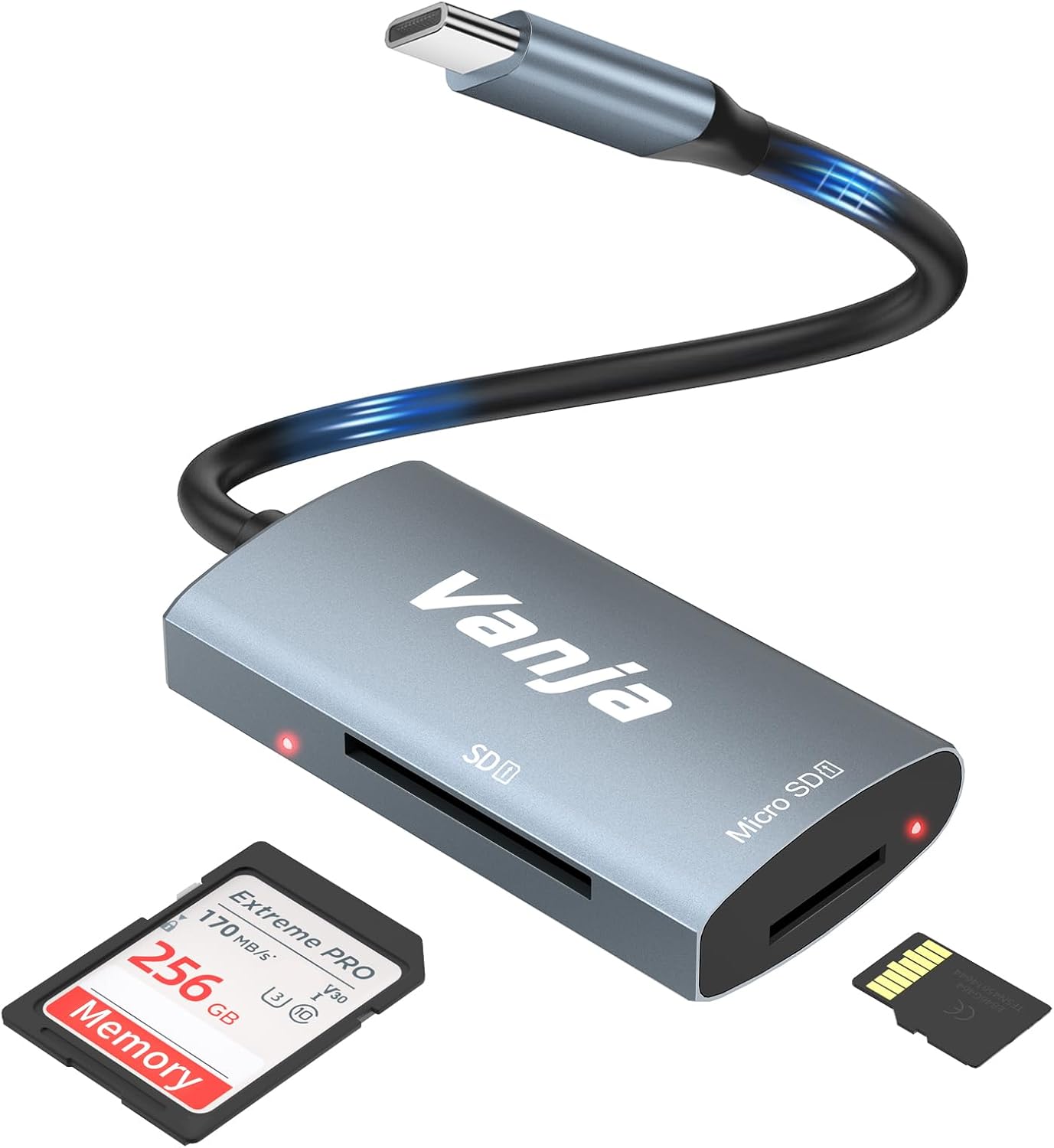
Figure 1: The Vanja USB-C SD Card Reader, showing its USB-C connector, SD card slot, and MicroSD card slot, alongside an SD card and a MicroSD card.
3. Enstriksyon Enstalasyon
The Vanja USB-C SD Card Reader is designed for simple plug-and-play operation. No software installation or drivers are typically required.
- Mete kat memwa: Gently insert your SD card into the SD slot or your MicroSD card into the MicroSD slot on the card reader. Ensure the card is inserted correctly with the contacts facing down. A slight click indicates it is securely in place.
- Konekte ak aparèy: Plug the USB-C connector of the card reader into an available USB-C port on your compatible device (e.g., iPhone 15/16, MacBook, iPad, Windows laptop, Android phone).
- Aksè Files: Your device should automatically detect the card reader and the inserted memory card. You can then access the files through your device's file manager or photo application.
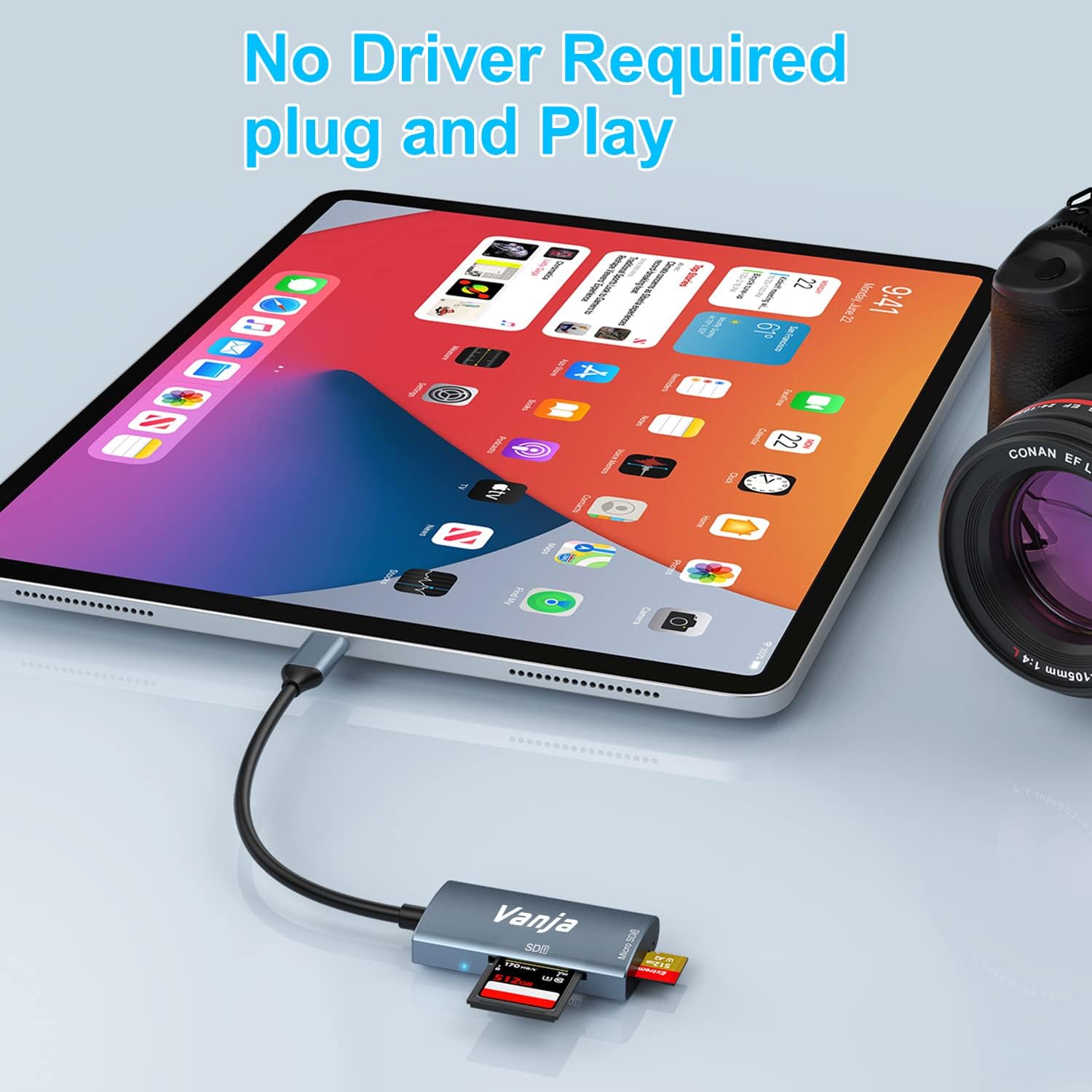
Figure 2: The card reader connected to an iPad Pro, demonstrating the plug-and-play functionality with a MicroSD card inserted.
4. Operasyon Enstriksyon
Once connected, the card reader functions like any external storage device.
Transfè Done:
- Locate Drive: On Windows, the card will appear as a removable drive under "This PC." On macOS, it will appear on the desktop or in Finder. On iOS/iPadOS, access it via the "Files" app. On Android, use your device's file manadjè.
- Kopi/Deplase Files: Trennen epi gout files between the memory card and your device's internal storage, or use the copy/paste functions provided by your operating system.
- Ejete san danje: Always safely eject the memory card or card reader from your operating system before physically disconnecting it to prevent data corruption.

Figure 3: The card reader connected to a laptop, illustrating high-speed data transfer (5 Gbps) between a memory card and the computer.
5. Konpatibilite
Kalite kat memwa ki sipòte:
- Kat SD
- MicroSD Card (TF Card)
- SDHC
- SDXC
- MMC
- UHS-I Cards
- Supports capacities up to 2TB.
Compatible Devices and Operating Systems:
- Aparèy Apple: iPhone 15/16 series (USB-C models), MacBook Pro, iPad (USB-C models), Mac desktops.
- Aparèy Windows: Laptops and desktops with USB-C ports.
- Aparèy Android: Samsung Galaxy smartphones and other USB-C enabled Android phones/tablets.
- Sistèm operasyon: iOS, iPadOS, macOS, Windows, Android, Linux, Chrome OS.

Figure 4: Visual representation of the universal compatibility of the card reader with different memory card formats and USB-C enabled devices.
6. Espesifikasyon
| Mak | Vanja |
| Nimewo Modèl | 430C |
| Koneksyon Teknoloji | USB Type C (USB 3.2 Gen 1) |
| Vitès Transfè Done | Jiska 5 Gbps |
| Kalite medya sipòte yo | SD Card, SDHC, SDXC, microSD, microSDHC, MMC, UHS-I |
| Kapasite Maksimòm Sipòte | 2TB (depending on card type) |
| Sistèm operasyon konpatibilite | Android, iOS, Linux, Mac OS, Windows |
| Pwa atik | 1.13 ons (apeprè 32 gram) |
| Dimansyon pake | 5.35 x 3.35 x 0.55 pous (apeprè 13.6 x 8.5 x 1.4 cm) |
| Koulè | Blue-Gray |
| Karakteristik espesyal | Compact, Easy Setup, Plug & Play, Aluminum Housing, Nylon Cable |
NAN. Depanaj
If you encounter issues with your Vanja USB-C SD Card Reader, try the following solutions:
- Aparèy pa rekonèt:
- Ensure the card reader is firmly plugged into the USB-C port of your device.
- Try a different USB-C port on your device, if available.
- Rekòmanse òdinatè w la oswa aparèy ou an.
- Check if the memory card is properly inserted into the card reader.
- Teste lektè kat la avèk yon lòt kat memwa pou elimine pwoblèm kat.
- Asire w ke sistèm operasyon aparèy ou an ajou.
- Transfè Done Ralanti:
- Verify that your device's USB-C port supports USB 3.0/3.1/3.2 speeds. Older USB 2.0 ports will result in slower transfers.
- Ensure your memory card is a high-speed card (e.g., UHS-I or faster).
- Evite transfere anpil ti filean menm tan; konprese yo nan yon achiv ka pafwa amelyore vitès la.
- Fèmen lòt aplikasyon ki ta ka ap konsome resous sistèm yo.
- Memory Card Not Reading:
- Tcheke si kat memwa a domaje oswa pèvèti. Eseye li nan yon lòt aparèy si sa posib.
- Ensure the memory card is inserted in the correct orientation.
- Clean the contacts on the memory card with a soft, dry cloth.
8. Antretyen
To ensure the longevity and optimal performance of your Vanja USB-C SD Card Reader, follow these maintenance guidelines:
- Kenbe pwòp: Sèvi ak yon twal mou epi sèk pou netwaye deyò lektè kat la. Evite itilize pwodui netwayaj likid oswa solvan.
- Pwoteje pò yo: Keep the card slots and USB-C connector free from dust and debris. Use compressed air if necessary, but gently.
- Sere byen: Lè w pa ap itilize lektè kat la, sere l nan yon kote ki fre epi sèk, lwen limyè solèy dirèk ak tanperati ekstrèm.
- Manyen ak Swen: Avoid dropping the device or subjecting it to strong impacts. Do not force memory cards into the slots.
9. Garanti ak sipò
For warranty information, technical support, or further assistance with your Vanja USB-C SD Card Reader, please refer to the official Vanja websit la oubyen kontakte sèvis kliyan yo dirèkteman.
You can visit the official Vanja store for more product information and support resources: Vanja Store on Amazon.


