Entwodiksyon
This manual provides detailed instructions for the operation and maintenance of your Kuephom Portable Bluetooth CD Walkman. Designed for versatility, this device supports CD, Bluetooth, USB, and AUX playback, featuring anti-skip protection and a built-in speaker. Please read this manual thoroughly before use to ensure proper functionality and longevity of your device.
Kontni pake
Verifye ke tout atik ki nan lis anba a yo enkli nan pakè ou a:
- CD player X 1
- Ekoutè X 1
- Odyo kab X 1
- Chaje kab X 1
- Pouch X 1
Pwodwi souview

Figure 1: Kuephom Portable Bluetooth CD Walkman and its accessories, including earbuds, audio cable, charging cable, and pouch.

Figure 2: Detailed diagram illustrating the various buttons and ports on the Kuephom Portable CD Walkman, including volume controls, playback buttons, mode selection, Bluetooth transmit, USB slot, AUX in jack, earphone jack, and speaker.
Enstalasyon
Chaje Aparèy la
The CD player has a built-in rechargeable lithium battery. Before first use, fully charge the device.
- Connect the provided USB charging cable to the charging port (DC 5V) on the device.
- Connect the other end of the USB cable to a compatible USB power source (e.g., wall charger, power bank, car charger, or computer USB port).
- The charging indicator light will illuminate during charging and turn off when fully charged. A full charge takes approximately 4 hours.

Figure 3: The portable CD player connected to a power source via its USB charging cable, demonstrating various charging options.
Limen / Off
Glise a ON/OFF switch located on the side of the device to turn it on or off.
Mete yon CD
- Glise a Louvri switch to open the CD compartment cover.
- Carefully place a CD (CD, CD-R, CD-RW, MP3, WMA, WAV formats supported) onto the spindle with the label side facing up.
- Peze sant CD a dousman jiskaske li fè yon klik pou antre nan plas li.
- Close the CD compartment cover firmly until it latches.
Video 1: Demonstration of inserting a CD into the Kuephom Portable CD Player and closing the compartment. This video also shows the supported disc formats.
Connecting Headphones or External Speakers (AUX)
For private listening or connecting to non-Bluetooth devices:
- Insert the 3.5mm jack of your headphones into the Jack ekoutè.
- To connect to external speakers or a car audio system, use the provided 3.5mm audio cable. Insert one end into the AUX nan Jack on the CD player and the other end into the AUX input of your external device.

Figure 4: The portable CD player connected to a car's audio system via an AUX cable, demonstrating its use in a vehicle with anti-shock protection for uninterrupted playback.
Enstriksyon Operasyon
Lektur debaz
- Peze a Jwe/Poz button (►▮▮) to start or pause playback.
- Peze a Next button (►►) to skip to the next track.
- Peze a Previous button (◄◄) to go to the beginning of the current track or the previous track.
- Peze a Sispann bouton an (■) pou sispann lekti a.
- Ajiste volim lè l sèvi avèk la Vol+ epi Vol- bouton.
Fonksyonalite Bluetooth
The device supports two-way Bluetooth connection:
Bluetooth Transmitting (Connecting to Bluetooth Headphones/Speakers)
- Ensure the CD player is powered on and a CD is inserted.
- Peze a Transmèt Bluetooth button (labeled "TRANSMIT" or "BT" on some models) to enter Bluetooth transmitting mode. The Bluetooth icon on the display will flash.
- Mete kas ekoutè Bluetooth ou oswa oratè ou a nan mòd koneksyon.
- The CD player will automatically search for and connect to nearby Bluetooth devices. Once connected, the Bluetooth icon will stop flashing.

Figure 5: The portable CD player actively transmitting audio via Bluetooth to both headphones and a separate Bluetooth speaker, illustrating its wireless output capability.
Bluetooth Receiving (Connecting to Smartphone/Laptop)
- Peze a BT mòd button (labeled "BT" or "MODE" on some models) to switch the CD player into Bluetooth receiving mode.
- Sou telefòn entelijan, tablèt, oswa laptop ou, aktive Bluetooth epi chèche aparèy ki disponib yo.
- Select "Kuephom CD Player" (or similar name) from the list of devices to pair.
- Once connected, you can play audio from your smart device through the CD player's built-in speaker.
Video 2: This video demonstrates the Bluetooth playback feature, showing the CD player connecting to a smartphone to stream audio, highlighting its versatility as a Bluetooth speaker.
Other Playback Modes
- USB lèktur: Mete yon kondwi flash USB nan USB plas. The player will automatically switch to USB mode and begin playing compatible audio files.
- Fonksyon repete: Peze a Repete button to cycle through repeat modes (e.g., repeat one, repeat all).
- A-B Repeating: Peze a AB button to set a starting point (A) and an ending point (B) for a section of audio to repeat. Press again to clear.
- Ajisteman vitès: Sèvi ak la Ajisteman vitès buttons (labeled "SPEED" or "SPEED +/-") to increase or decrease the playback speed. This feature is particularly useful for language learning.
- Programming Playback: Refer to the detailed product diagram (Figure 2) for the "PROG." button if available on your model for custom track sequencing.
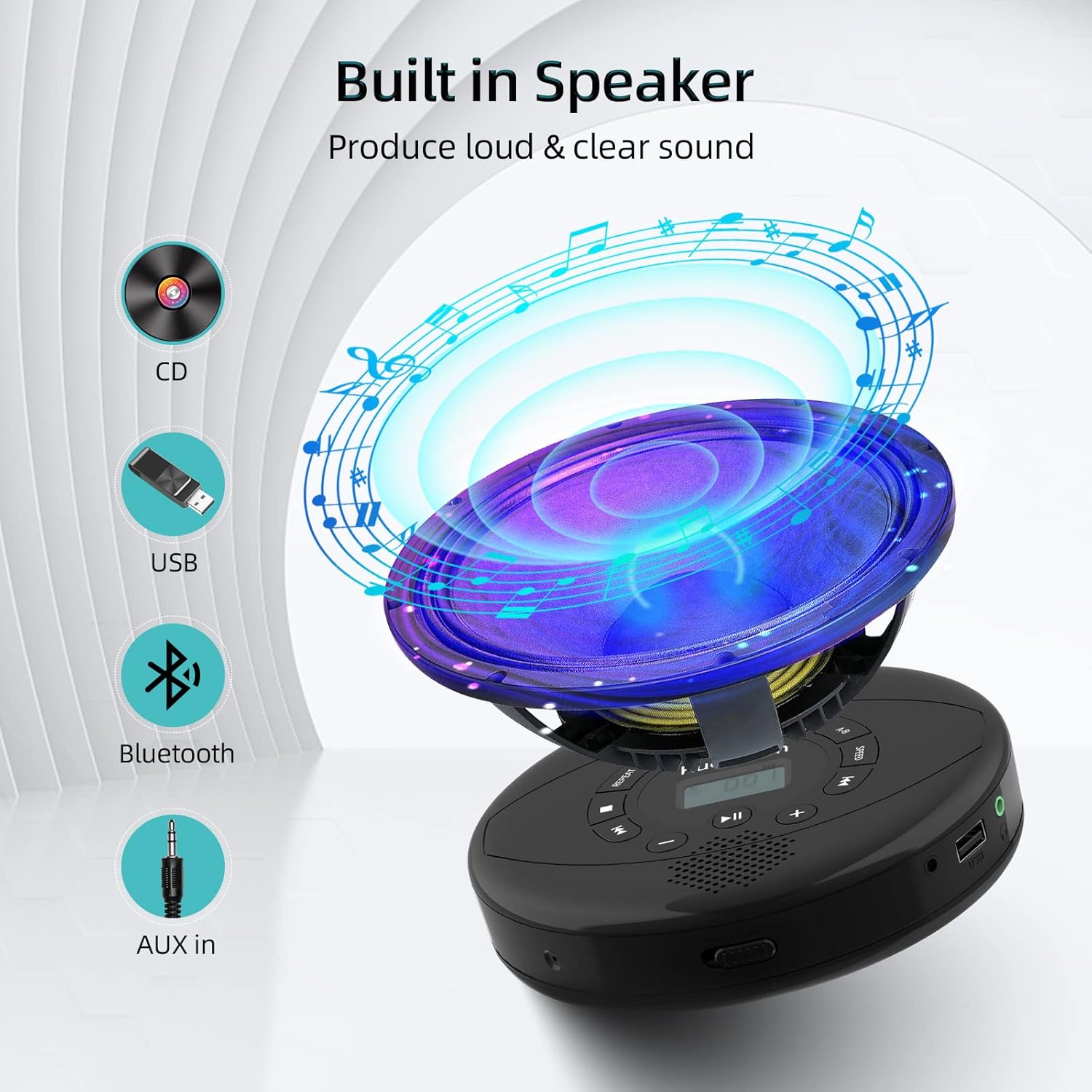
Figure 6: Illustration of the built-in speaker and the various audio input options supported by the device, including CD, USB, Bluetooth, and AUX in.
Antretyen
- Kenbe aparèy la pwòp lè w siye l avèk yon twal mou epi sèk. Evite itilize pwodui netwayaj abrazif oswa solvan.
- Pa ekspoze aparèy la nan tanperati ekstrèm, limyè solèy dirèk, oswa imidite ki wo.
- Handle CDs by their edges to prevent scratches and smudges. Clean CDs with a soft, lint-free cloth, wiping from the center outwards.
- Lè w pa itilize aparèy la pou yon bon bout tan, sere l nan yon kote ki fre epi sèk.
Depanaj
| Pwoblèm | Kòz posib | Solisyon |
|---|---|---|
| Aparèy pa limen. | Battery is low or depleted. Power switch is off. | Charge the device fully. Ensure the ON/OFF switch is in the "ON" position. |
| CD a sote oswa li pa jwe. | CD is dirty, scratched, or damaged. Device is unstable. | Clean the CD. Try another CD. Ensure the device is on a stable surface or utilize its anti-skip protection during movement. |
| Pa gen son ki soti nan kas ekoutè/oratè yo. | Volume is too low. Headphones/speakers not properly connected. Incorrect mode selected. | Increase volume. Re-insert headphone/AUX cable firmly. Ensure correct mode (CD, Bluetooth, USB, AUX) is selected. |
| Bluetooth appariement echwe. | Device not in pairing mode. Bluetooth device too far. Interference. | Ensure the CD player is in Bluetooth transmitting/receiving mode. Move devices closer. Turn off other Bluetooth devices to reduce interference. |
Espesifikasyon
| Karakteristik | Detay |
|---|---|
| Dimansyon pwodwi | 5.7 x 5.7 x 1.2 pous |
| Pwa atik | 1.21 liv |
| Nimewo Modèl | PM10-Black |
| Batri | 1 batri ityòm Polymère (enkli) |
| Mak | Kuephom |
| Koneksyon Teknoloji | Bluetooth, oksilyè, USB |
| Fòma sipòte | CD, CD-R, CD-RW, MP3, WMA, WAV |
| Karakteristik espesyal | Portable, Anti-Skip, Built-in Speakers |
Garanti ak sipò
For warranty information or technical support, please refer to the contact details provided with your purchase or visit the official Kuephom websit la. Kenbe resi acha ou kòm prèv acha pou nenpòt reklamasyon garanti.


