Entwodiksyon
Thank you for choosing the Max Power Portable Speaker MPD823. This high-powered PA loudspeaker system is designed to provide an immersive audio experience with its versatile features, including Bluetooth connectivity, USB input, LED lights, and a built-in rechargeable battery. This manual will guide you through the setup, operation, and maintenance of your new speaker.
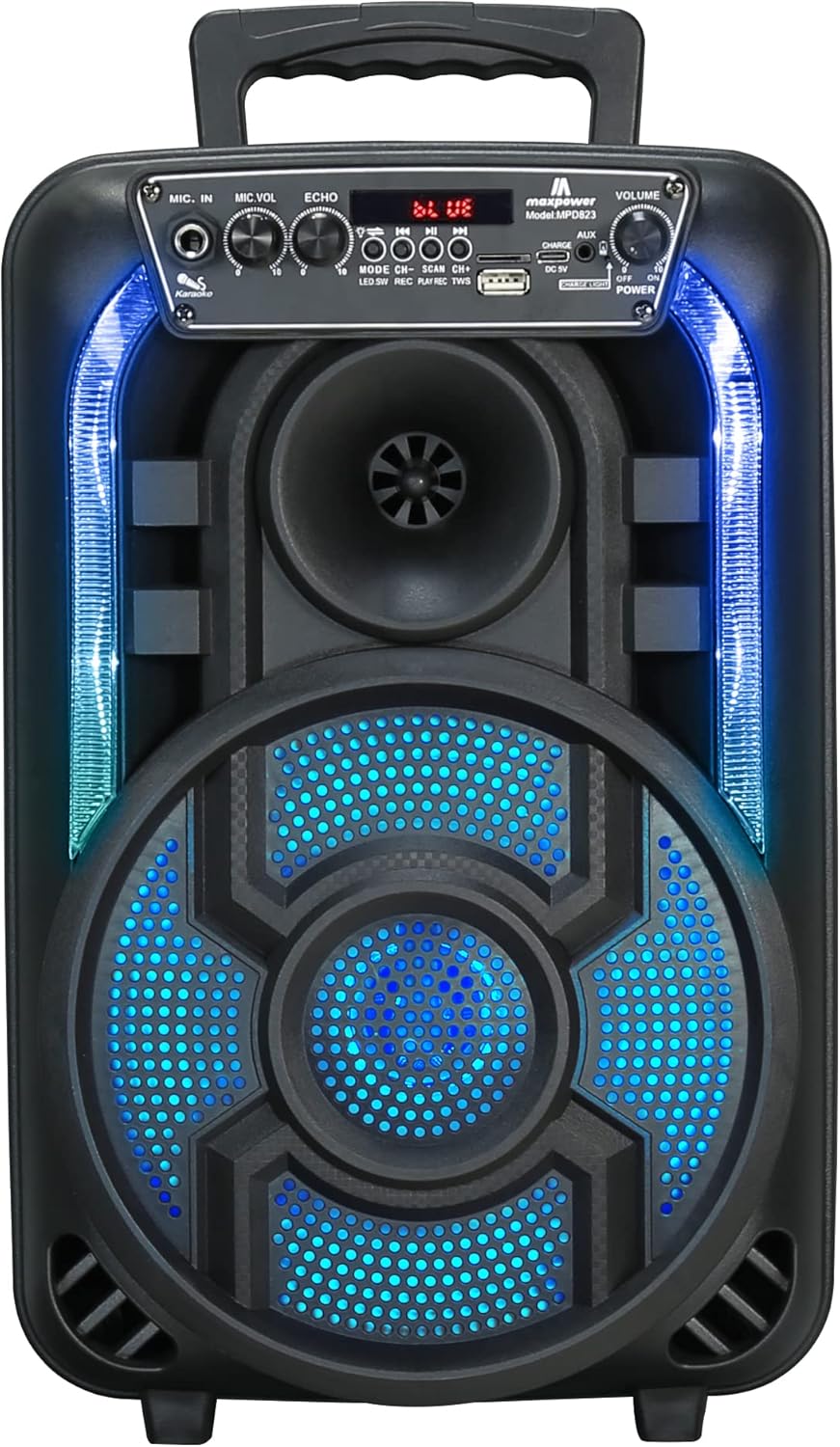
Figi 1: Devan view of the Max Power Portable Speaker MPD823, showcasing its illuminated blue LED lights and control panel.
Kontni pake
- Max Power Portable Speaker MPD823
- Mikwofòn branche
- Kontwòl Remote
- Kab chaje (Kalite C)
- Manyèl itilizatè
Enstalasyon
1. Chaje Oratè a
Before first use, fully charge the speaker. Connect the provided charging cable to the DC 5V input port on the speaker and the other end to a suitable power source. The charging level indicator lights will show the battery status. A full charge ensures maximum playtime.
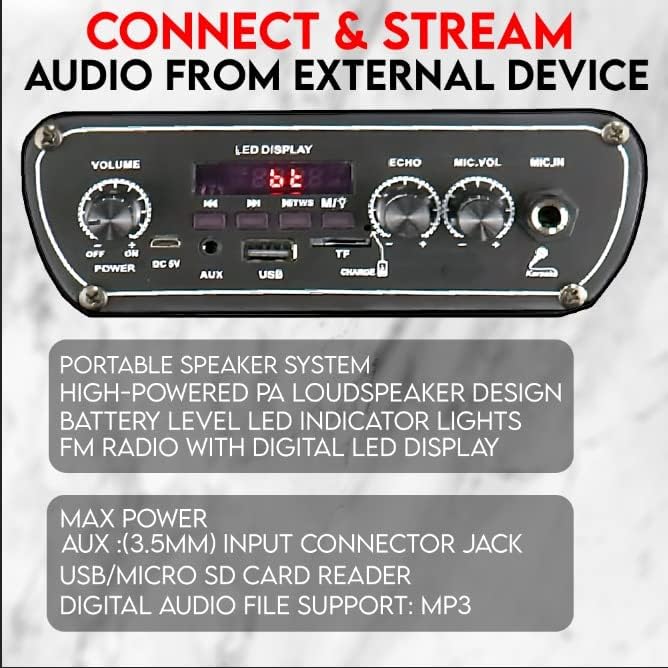
Figure 2: Detail of the speaker's control panel, highlighting the USB, AUX, and DC 5V charging input ports.
2. Powering On / Off
Jwenn la ON/OFF switch on the control panel. Slide it to the ON position to power on the speaker. Slide it to the OFF pozisyon pou etenn kouran an.
Enstriksyon Operasyon
1. Bluetooth Koneksyon
The speaker is capable of connecting to Bluetooth-enabled devices such as Android mobile phones, iPads, iPhones, laptops, and tablets. The effective range for Bluetooth connection is 5-10 meters.
- Ensure the speaker is powered on and in Bluetooth mode (indicated by the LED display).
- Sou aparèy ou an, aktive Bluetooth epi chèche aparèy ki disponib.
- Chwazi "MPD823" soti nan lis aparèy yo.
- Yon fwa konekte, ou pral tande yon son konfimasyon nan oratè a.
2. Antre USB ak AUX
You can play audio directly from a USB drive or an external device using the AUX input.
- USB Antre: Mete yon kle USB ki gen odyo MP3 ladan l files into the USB port. The speaker will automatically detect and begin playing the music.
- Antre AUX: Konekte yon aparèy odyo ekstèn (pa egzanp, yon telefòn entelijan, yon lektè MP3) nan AUX (3.5mm) input jack using a 3.5mm audio cable (not included). Switch the speaker to AUX mode if it doesn't automatically detect the input.
3. Itilizasyon Mikwofòn (Karaoke)
The included wired microphone allows for karaoke and public address functions.
- Connect the wired microphone to the MIC.IN port on the control panel.
- Ajiste a MIC.VOL bouton pou kontwole volim mikwofòn nan.
- Sèvi ak la EKO knob to add an echo effect to your voice.

Figi 3: Plis paseview of key features including karaoke controls, auxiliary input, FM radio, and the light switch.
4. Limyè ki ap dirije
The speaker features multi-color flashing DJ lights to enhance your audio experience.
- Jwenn la Chanjman limyè sou panèl kontwòl la.
- Flip the switch to turn the LED lights on or off.
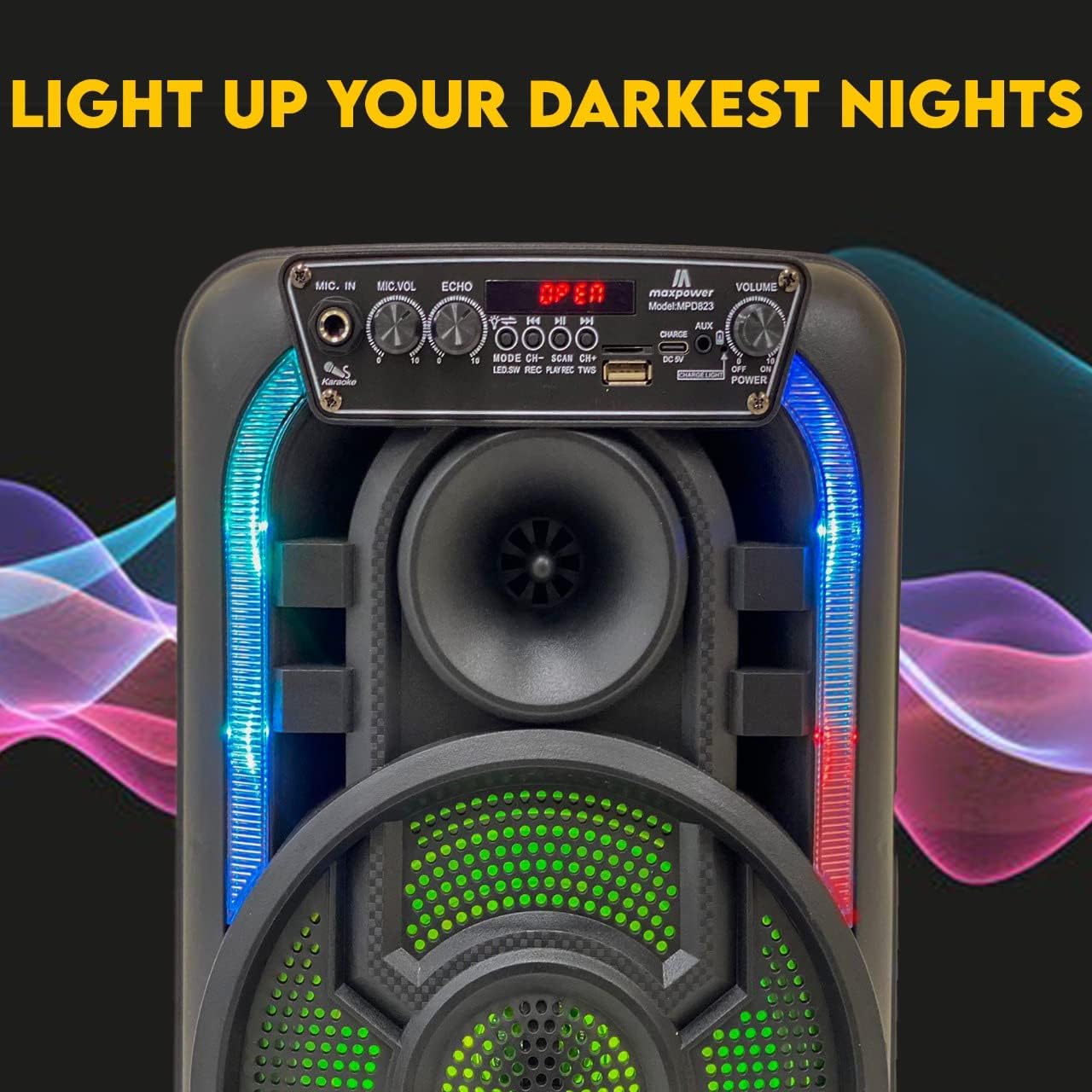
Figure 4: The speaker with its dynamic LED lights illuminated, creating an engaging visual effect.
5. FM Radyo
The speaker includes a built-in FM radio with a digital LED display.
- Switch the speaker to FM radio mode.
- Use the control buttons (e.g., ESKANYE) to automatically search for and save available radio stations.
- Sèvi ak la CH+ epi CH- bouton pou navige ant estasyon ki anrejistre yo.
6. Kontwòl Volim
Ajiste volim jeneral la avèk la VOLIM knob on the control panel.
Antretyen
- Netwayaj: Sèvi ak yon twal mou epi sèk pou netwaye deyò oratè a. Pa sèvi ak pwodui netwayaj abrazif oswa solvan.
- Depo: Sere oratè a nan yon kote ki fre epi sèk, lwen limyè solèy dirèk ak tanperati ekstrèm lè w pa itilize li pou yon bon bout tan.
- Swen batri: Pou pwolonje lavi batri a, evite dechaje batri a nèt souvan. Chaje oratè a regilyèman, menm si w pa ap itilize l tout tan.
- Ekspozisyon dlo: Oratè sa a pa enpèmeyab. Evite ekspoze li nan dlo oswa imidite twòp.
Depanaj
| Pwoblèm | Kòz posib | Solisyon |
|---|---|---|
| Pa gen pouvwa | Batri a fèb oswa mouri. | Chaje oratè a avèk kab chaje ki vini ak li a. |
| Pa gen son | Volim nan twò ba; mòd antre a pa kòrèk; aparèy la pa byen konekte. | Increase volume; ensure correct input mode (Bluetooth, USB, AUX); re-pair Bluetooth device or re-connect cable. |
| Bluetooth pa konekte | Speaker is out of range; Bluetooth not enabled on device; speaker not in pairing mode. | Move device closer to speaker (within 5-10 meters); enable Bluetooth on your device; ensure speaker is in Bluetooth mode. |
| Mikwofòn pa mache | Microphone not plugged in correctly; MIC.VOL is too low. | Ensure microphone is fully inserted into the MIC.IN port; increase MIC.VOL. |
Espesifikasyon
| Karakteristik | Detay |
|---|---|
| Nimewo Modèl | MPD823 |
| Dimansyon (L x W x H) | 9.4 x 6.3 x 14.2 pous |
| Pwa atik | 5.1 liv (2.32 kilogram) |
| Sous pouvwa | Batri Powered (1 batri ityòm Ion enkli) |
| Koneksyon Teknoloji | Bluetooth, USB |
| Antre odyo | USB, Bluetooth, Microphone, Aux (3.5mm) |
| Materyèl | Polypropylène (PP) |
| Koulè | Nwa |
| Kalite aliye | Tabletop |
| Aparèy konpatib | Laptop, tablèt, Smartphone |
| UPC | 761062717021 |

Figure 5: Dimensions of the Max Power Portable Speaker MPD823.
Enfòmasyon sou Garanti
Max Power products are manufactured with high-quality materials and craftsmanship. For specific warranty details, please refer to the warranty card included with your purchase or visit the official Max Power websit la. Kenbe resi acha ou kòm prèv acha pou nenpòt reklamasyon garanti.
Sipò pou Kliyan
If you have any questions, require technical assistance, or encounter issues not covered in this manual, please contact Max Power customer support. Contact information can typically be found on the product packaging or the official Max Power websit.


