1. Entwodiksyon
The Dolphin Nautilus Titan is an advanced Wi-Fi automatic robotic pool vacuum cleaner designed for inground pools up to 50 feet in length. It features waterline scrubbing, multi-layer filtration, and app-controlled convenience to ensure a pristine pool with minimal effort. This manual provides essential information for the setup, operation, and maintenance of your robotic pool cleaner.

Figure 1: Dolphin Nautilus Titan Robotic Pool Cleaner
2. Pake kontni
Before beginning, ensure all components are present in the packaging:
- Dolphin Nautilus Titan Robotic Pool Cleaner
- Ultra Fine Filter Panels (9991660-ASSY)
- Power Supply Unit (99956083-ASSYV10)
- 60 ft (18m) Cable with swivel
- Gid Quick Start
- Kat Enskripsyon

Figure 2: Contents of the Nautilus Titan package
3. Enstalasyon
3.1 Koneksyon ekipman pou pouvwa
Place the power supply unit at least 12 feet (3.6 meters) from the edge of the pool. Connect the floating cable from the cleaner to the power supply unit. Ensure the power supply is plugged into a grounded outlet.
3.2 Premye plasman nan pisin lan
Gently submerge the Dolphin Nautilus Titan into the pool. Allow it to sink to the bottom, releasing any trapped air bubbles. The cleaner is designed for inground pools up to 50 feet in length.
3.3 MyDolphin Plus App Setup
For enhanced control and scheduling, download the MyDolphin Plus App on your smartphone or tablet. Follow the in-app instructions to pair your device with the Nautilus Titan via Wi-Fi. This allows you to schedule cleanings, activate pick-up mode, and monitor performance remotely.
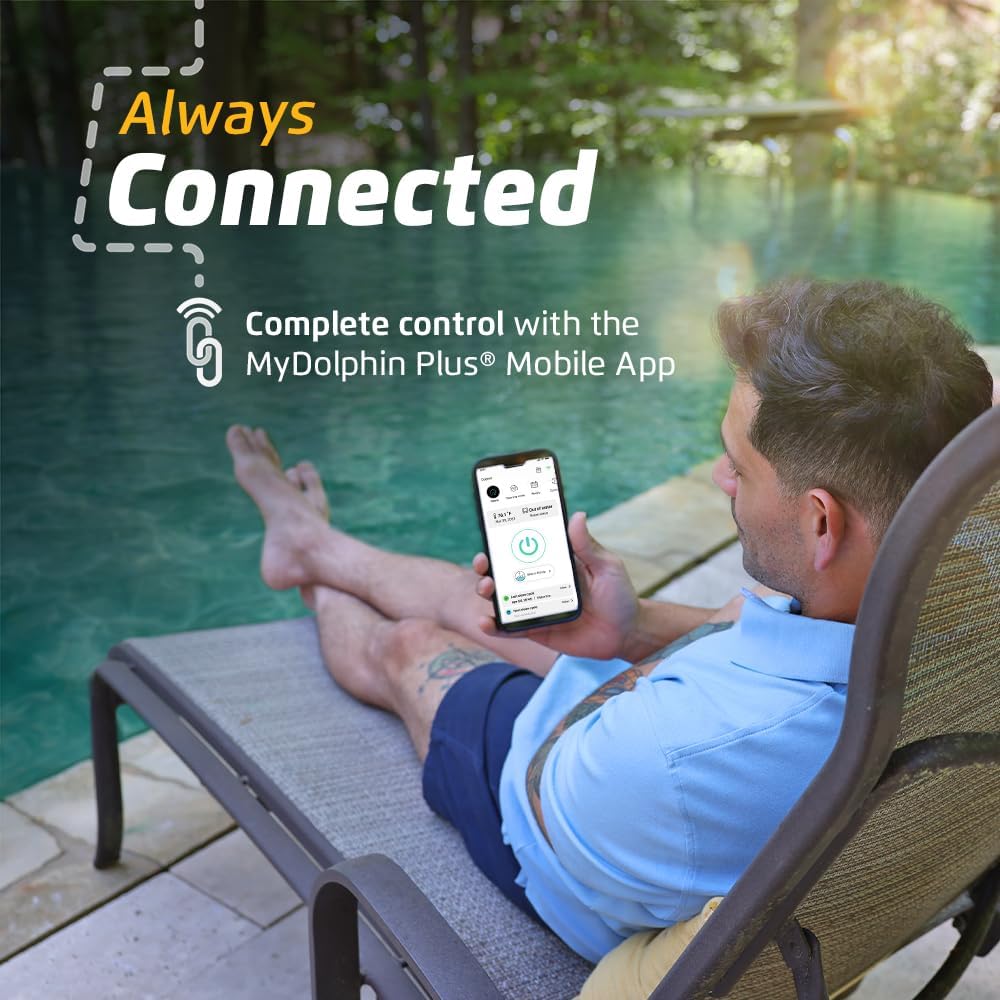
Figure 3: App-controlled convenience with MyDolphin Plus
4. Operasyon Enstriksyon
4.1 Kòmanse yon sik netwayaj
Once the cleaner is submerged and the power supply is connected, press the power button on the power supply unit. The unit typically offers multiple cleaning schedule options, such as daily, every other day, or once every three days. Select your desired frequency.
4.2 Cleaning Coverage
The Nautilus Titan utilizes smart navigation and dual drive technology for optimal pool cleaning coverage. It effectively cleans floors, climbs walls, and scrubs the waterline with precision. The active scrubbing brushes are designed for deep cleaning of your pool surfaces.

Figure 4: Nautilus Titan demonstrating wall climbing capability

Figure 5: Nautilus Titan performing waterline scrubbing
4.3 Pick-Up Mode
After completing its cleaning cycle, the Nautilus Titan will automatically wait at the water’s edge. This convenient pick-up mode allows for easy removal of the cleaner from the pool without requiring you to get wet or strain.

Figure 6: Easy removal with Pick-Up Mode
4.4 Videyo pwodwi ofisyèl la
Video 1: Official Dolphin Nautilus Titan Wi-Fi Robotic Pool Vacuum Cleaner demonstration. This video showcases the cleaner's features, including its movement, wall climbing, and overall cleaning performance in a pool environment.
5. Antretyen
5.1 Netwayaj filtè
The Nautilus Titan features an ultra-fine, top-load filtration system with a massive, easy-access filter basket. To clean, simply open the top of the cleaner, pull out the filter basket, and rinse it thoroughly with a hose. This design minimizes contact with debris.

Figure 7: Easy-access top-load filter for simple cleaning
5.2 Swen Jeneral
Regularly inspect the cleaner's brushes and tracks for any trapped debris or wear. Store the cleaner in a shaded area when not in use to prolong its lifespan. Ensure the cable is untangled before and after each use to prevent damage.
NAN. Depanaj
If your Dolphin Nautilus Titan is not operating as expected, consider the following:
- Aparèy netwayaj la pa deplase oswa li kanpe twò bonè: Check if the power supply is properly connected and receiving power. Ensure the filter basket is clean and not clogged.
- Pèfòmans netwayaj pòv: Clean the filter basket thoroughly. Inspect the brushes for wear or damage. Ensure the pool water chemistry is balanced.
- Moun k ap netwaye a pa grenpe miray: Verify the filter basket is clean. Check for proper water level and chemical balance in the pool.
- Cable tangling: Ensure the cable is fully extended and untangled before placing the cleaner in the pool. The swivel on the cable is designed to minimize tangling.
For persistent issues, refer to the detailed troubleshooting section in your Quick Start Guide or contact Dolphin customer support.
7. Espesifikasyon
| Karakteristik | Detay |
|---|---|
| Mak | Dolphin |
| Non modèl | Nautilus Titan |
| Nimewo Modèl Atik | Explorer E70 |
| Dimansyon pwodwi | 17.41 x 15.84 x 12.53 inches (Unit) / 19.72"L x 20.16"W x 23.82"H (Packaged) |
| Pwa atik | 53.9 liv |
| Longè kawotchou | 60 pye (18 mèt) |
| Metòd kontwòl | App |
| Voltage | 18 Volts |
| Kalite enstalasyon | Plug-and-Play |
| Karakteristik espesyal | Lejè |
| Efikasite | Enèji efikas |
| UPC | 850015249945 |
| Peyi orijin | Lachin |
8. Garanti ak sipò
The Dolphin Nautilus Titan comes with a Limited Warranty. For specific warranty details, please refer to the documentation included with your product or contact Dolphin customer support.
For customer support, please visit the official Dolphin website or contact the retailer from whom you purchased the product. Most purchases include 30-day easy returns and dedicated customer support.




