1. Entwodiksyon
This instruction manual provides essential information for the proper use, installation, and maintenance of your Phomemo Q30/Q31 Thermal Label Rolls. Please read this manual thoroughly before use to ensure optimal performance and longevity of the labels.
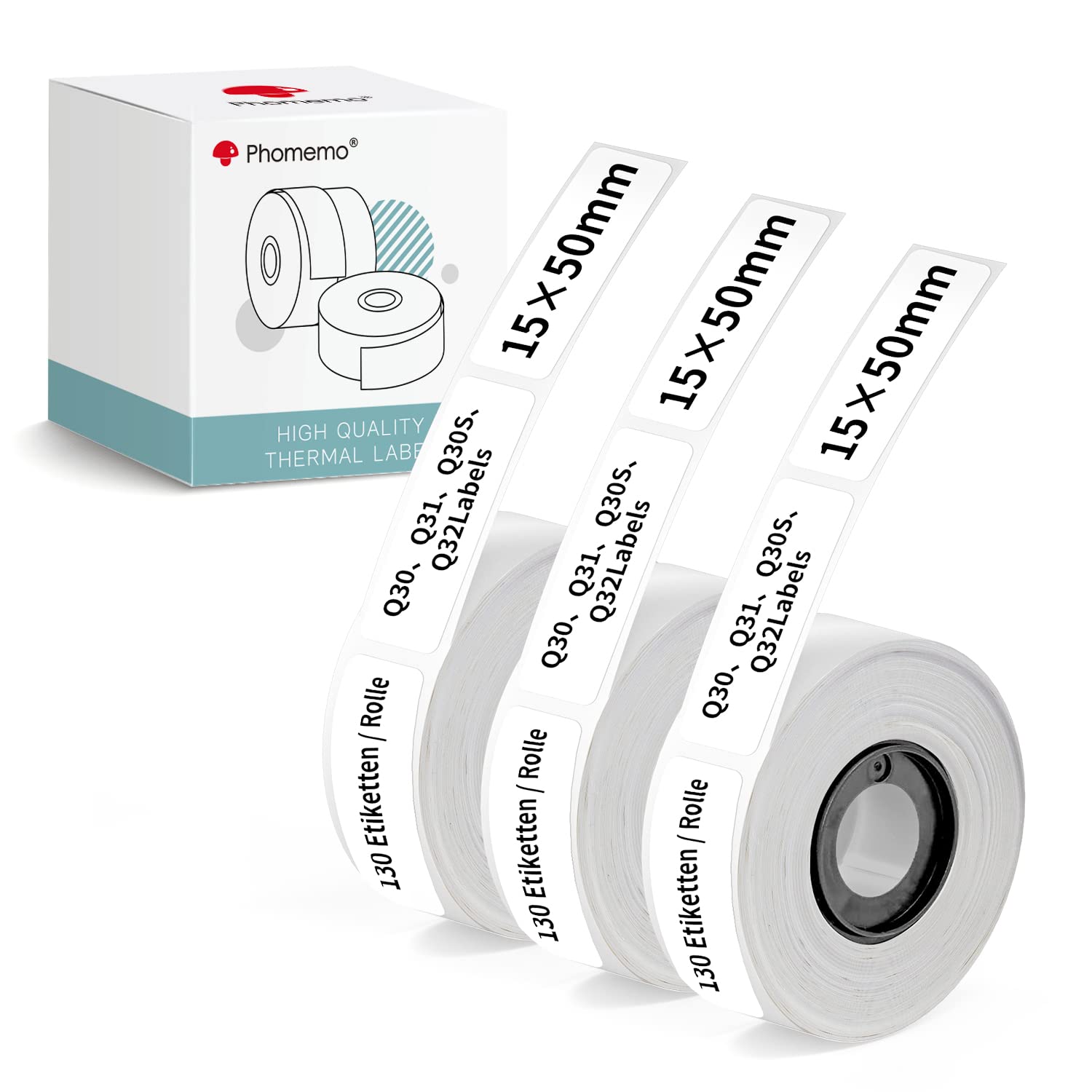
Image: A roll of Phomemo thermal labels, illustrating the product packaging and label material.
2. Pwodwi souview ak Karakteristik
Phomemo Q30/Q31 thermal label rolls are designed for a variety of labeling needs, offering clear printing and durable adhesion without the need for ink or toner. Each roll contains 130 labels, with 3 rolls per box, totaling 390 labels. The labels measure 15 x 50 mm.
Karakteristik kle:
- Adhesion fò: Multifunctional self-adhesive labels are designed for firm attachment to various surfaces including envelopes, paper, plastic, glass, and metal.
- Dirab: Labels are waterproof, oil-resistant, and abrasion-resistant. A protective coating helps prevent fading or damage to the printed content.
- Easy-Peel Design: Gaps between labels facilitate easy removal from the backing paper. Labels leave no residue upon removal, allowing for repeated reuse on clean surfaces.
- Enpresyon kalite siperyè: Direct thermal printing technology ensures clear text without expensive ink or toner.
- San BPA: Phomemo Direct Thermal Paper has passed Ro Hs certification, confirming it does not contain carcinogens like Bisphenol A (BPA) or BPS.

Image: Demonstrates the labels' resistance to water (on a cup), oil (on an olive oil bottle), and scratching (with a scraper).

Image: A Phomemo label with water droplets, highlighting its waterproof feature.
3. Konpatibilite
These self-adhesive label rolls are 100% compatible with Phomemo Q31, Q30, Q30S, and Q32 label printers, as well as Pokelabel Q30 and Colorwing Q30 thermal printers. Ensure your printer model is listed for proper functionality.

Image: Displays four Phomemo label printers (Q30, Q30S, Q31, Q32) with checkmarks, indicating compatibility with the label rolls.
4. Enstalasyon ak Enstalasyon
To install the label roll into your compatible Phomemo printer:
- Open the printer's cover according to your printer's specific instructions.
- Locate the label roll compartment.
- Insert the Phomemo label roll, ensuring the labels feed out correctly and are aligned with the printer's sensor. The printing surface should face the print head.
- Fèmen kouvèti aparèy pou enprime a byen.
- Perform a test print to confirm correct installation and alignment.
5. Operasyon Enstriksyon
Once the label roll is installed, operate your printer as per its user manual. These labels are suitable for various applications:
- Òganizasyon: Ideal for naming items, categorizing, and general notes.
- Date Labeling: Use for date displays on food containers or other perishable goods.
- Home & Office: Perfect for organizing kitchen storage, cable labeling, jewelry, and pillboxes.
- Lekòl: Suitable for labeling school supplies and personal belongings.

Image: Shows various uses for the labels, including kitchen storage, cable identification, jewelry tags, and pillbox labels.

Image: Illustrates different label styles available, such as white, pure color, transparent, round, and patterned labels.
6. Antretyen ak Depo
To maintain the quality and longevity of your thermal labels:
- Kondisyon Depo: Store labels in a cool, dry place away from direct sunlight, high temperatures, and high humidity. Exposure to these conditions can reduce the label's lifespan and print quality.
- Manyen: Avoid touching the thermal printing surface with bare hands excessively, as oils and dirt can affect print quality.
- Netwayaj enprimant: Regularly clean your thermal printer's print head as per its manual to prevent debris from affecting label printing.
NAN. Depanaj
If you encounter issues with your Phomemo thermal labels, consider the following:
- Faint or Missing Print: Ensure the label roll is inserted correctly with the printing surface facing the print head. Check if the printer's print head is clean.
- Labels Not Feeding: Verify the label roll is properly seated and aligned in the printer. Check for any obstructions.
- Pòv adezyon: Ensure the application surface is clean, dry, and smooth. Avoid applying labels to excessively textured or oily surfaces.
- Labels Peeling Off: If labels are peeling prematurely, ensure they were pressed firmly onto the surface during application. Review storage conditions to prevent degradation.
8. Espesifikasyon
| Atribi | Detay |
|---|---|
| Mak | Phomemo |
| Model Manufacturer | DCP1550-130-3 |
| Gwosè etikèt | 15 x 50 mm |
| Etikèt pa woulo | 130 |
| Rolls per Box | 3 |
| Total Labels | 390 |
| Koulè | Black text on White labels |
| Kalite Materyèl | Paper (Thermal) |
| Pwa atik | 70 g |
| Dimansyon pwodwi (L x W x H) | 14.1 x 6.6 x 4.9 cm |

Image: A Phomemo label roll next to its packaging, illustrating the 15x50mm label size and quantity per roll.
9. Garanti ak sipò
For warranty information or technical support regarding your Phomemo Q30/Q31 Thermal Label Rolls, please refer to the documentation provided with your Phomemo label printer or visit the official Phomemo websit. Kenbe resi acha ou pou reklamasyon garanti.


