1. Entwodiksyon
This manual provides essential information for the safe and efficient operation of your iTek GGC 24-inch Curved Full HD 165Hz Monitor. Please read this manual thoroughly before using the product and retain it for future reference.
2. Enfòmasyon sou Sekirite
- Asire w ke monitè a mete sou yon sifas ki estab e plat pou anpeche li tonbe aksidantèlman.
- Pa ekspoze monitè a anba lapli, imidite, oswa tanperati ekstrèm.
- Evite bloke ouvèti vantilasyon pou anpeche surchof.
- Use only the power adapter and cables supplied or recommended by the manufacturer.
- Disconnect the power cable from the outlet before cleaning or if the monitor will not be used for an extended period.
- Do not attempt to repair the monitor yourself. Refer all servicing to qualified personnel.
3. Pake kontni
Verifye ke tout atik yo prezan nan pakè a:
- iTek GGC 24-inch Curved Full HD 165Hz Monitor
- Sipò Monitè (Baz ak Kou)
- Montaj Vis
- DisplayPort 1.2 kab
- Adaptè pouvwa
- Manyèl itilizatè
4. Pwodwi souview
The iTek GGC monitor features a 23.6-inch curved VA panel designed for an immersive viewing experience. It offers Full HD resolution (1920x1080), a 165Hz refresh rate, and a 1ms response time, making it suitable for both professional use and gaming. The monitor also incorporates FreeSync and Low Blue Light technologies for enhanced visual comfort and performance.

Figi 4.1: Devan view of the iTek GGC 24-inch Curved Full HD 165Hz Monitor, highlighting its 23.6-inch curved display, 1ms response time, 165Hz refresh rate, and Full HD resolution.
4.1 Karakteristik kle
- 23.6-inch Curved VA Panel: Bay yon eksperyans imersif viewing experience with a 1200R curvature.
- Full HD Resolution (1920x1080): Bay vizyèl klè ak byen file.
- Pousantaj rafrechisman 165Hz: Ensures smooth motion and reduced input lag, especially beneficial for gaming.
- Tan repons 1ms MPRT: Minimizes motion blur for fast-paced content.
- Teknoloji AMD FreeSync: Synchronizes the monitor's refresh rate with the graphics card's frame rate to eliminate screen tearing and stuttering. Compatible with G-Sync.
- Low Blue Light & Flicker-Free: Reduces eye strain during extended use.
- Konsepsyon san ankadreman: Three-sided frameless design for a sleek look and multi-monitor setups.
- Ergonomik kanpe: Features Height Adjustment (HAS) and tilt functionality for optimal viewing konfò.
- Koneksyon: Includes 1x DisplayPort 1.2 and 2x HDMI ports, plus an audio output.
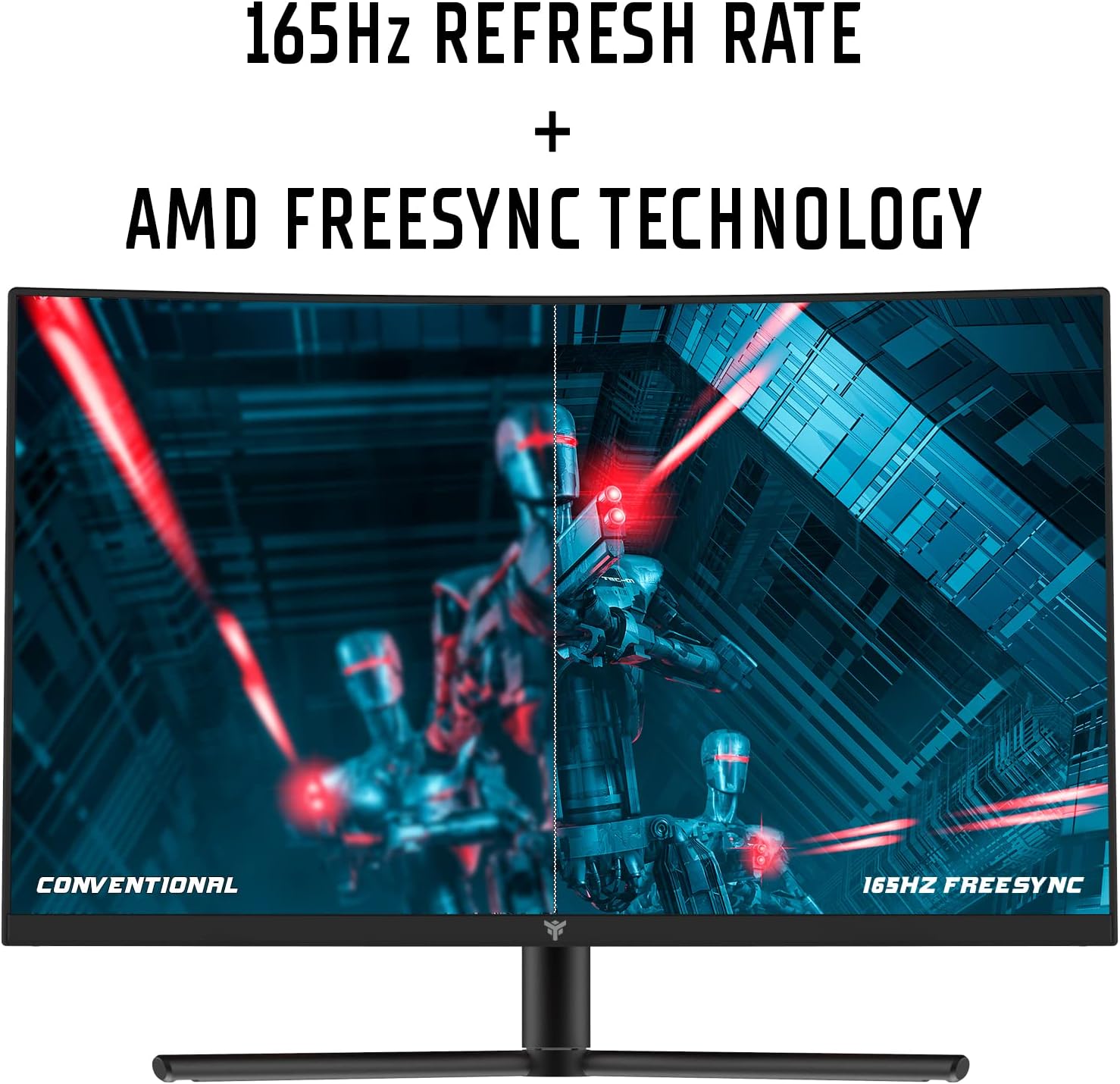
Figure 4.2: Visual representation of the 165Hz refresh rate and AMD FreeSync technology, showing smoother motion compared to a conventional display.

Figure 4.3: Diagram illustrating the 1200R curvature of the display, designed for an immersive and comfortable vieweksperyans nan.
4.2 Siveye pò yo
The monitor provides various ports for connecting to your computer and other devices.

Figi 4.4: Dèyè view of the monitor detailing the available connection ports: two HDMI inputs, one DisplayPort 1.2 input, and one audio output jack.
- HDMI (x2): Connect to devices supporting HDMI output.
- DisplayPort 1.2 (x1): Connect to devices supporting DisplayPort output. Recommended for achieving 165Hz refresh rate.
- Audio Out (x1): Konekte kas ekoutè oswa oratè ekstèn.
- Antre pouvwa: Konekte adaptè pouvwa a.
5. Enstriksyon Enstalasyon
5.1 Asanble kanpe la
- Retire konpozan monitè a ak sipò a nan anbalaj la avèk prekosyon.
- Attach the stand neck to the monitor panel using the provided screws.
- Fikse baz sipò a nan kou sipò a.
- Mete monitè a ki fin rasanble a sou yon sifas ki plat e ki estab.
5.2 Konekte monitè a
- Connect one end of the DisplayPort cable (recommended for 165Hz) or HDMI cable to the corresponding port on your computer's graphics card.
- Connect the other end of the cable to the DisplayPort or HDMI input on the monitor (refer to Figure 4.4).
- Connect the power adapter to the monitor's power input, then plug the adapter into a power outlet.
- (Optional) Connect headphones or external speakers to the Audio Out port.
5.3 Adjusting the Ergonomic Stand
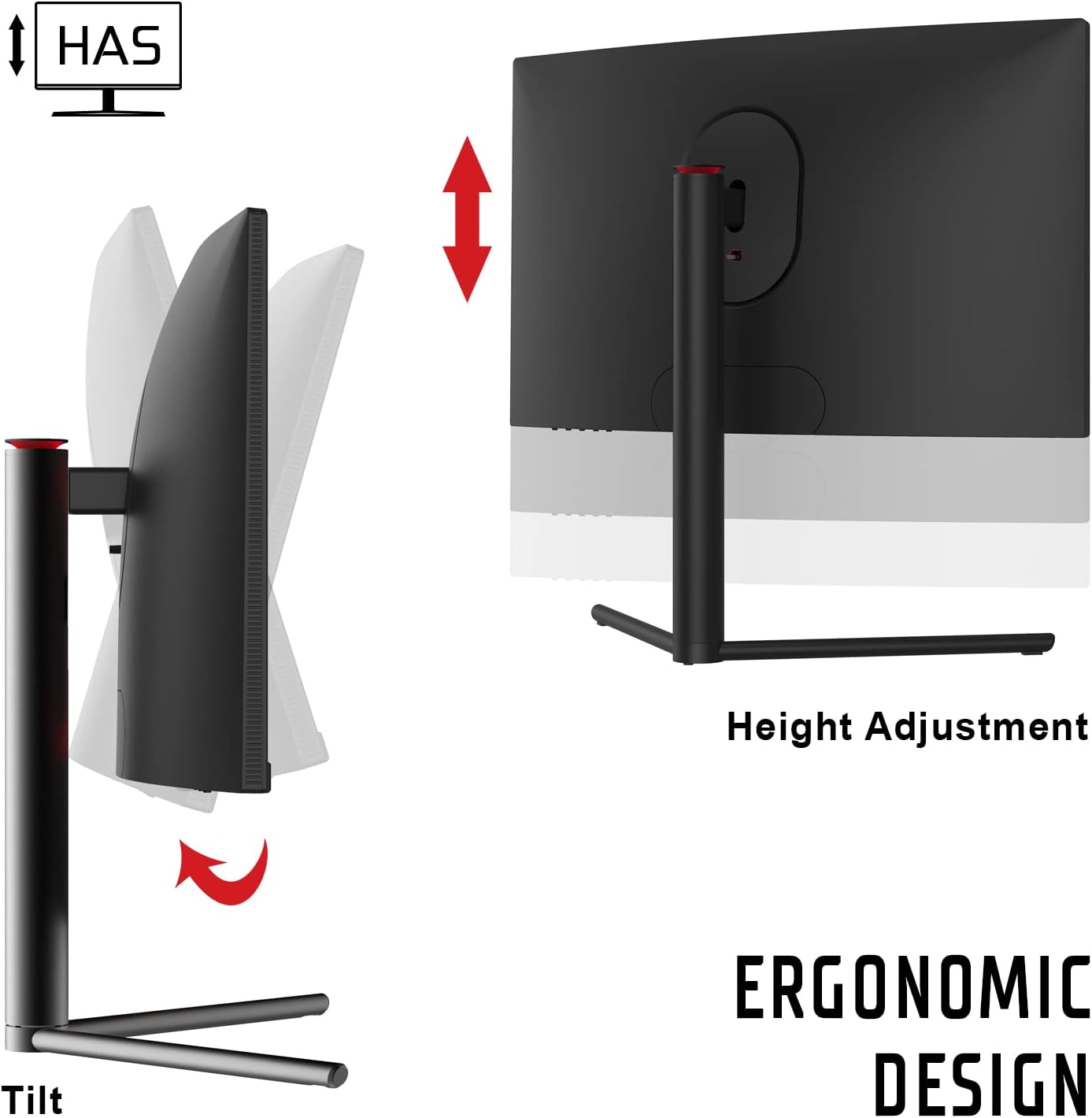
Figure 5.1: Illustration of the monitor's ergonomic stand features, including height adjustment (HAS) and tilt capabilities for customized viewang ing.
- Height Adjustment (HAS): Gently push or pull the monitor panel vertically to adjust its height to your preferred level.
- Enklinezon: Hold the sides of the monitor panel and gently tilt it forwards or backwards to adjust the viewang ang.
6. Operasyon Enstriksyon
6.1 Limen/Etenyen
Press the power button, usually located on the back or bottom of the monitor, to turn it on or off. The power indicator light will illuminate when the monitor is on.
6.2 Meni OSD (On-Screen Display).
Meni OSD a pèmèt ou ajiste plizyè paramèt monitè a. Sèvi ak bouton kontwòl yo (ki anjeneral sitiye dèyè oswa anba monitè a) pou navige nan meni an.
Anviwònman OSD komen yo:
- Klate/Kontrast: Ajiste luminans ak kontras jeneral ekran an.
- Anviwònman koulè: Modifye tanperati koulè, gama, ak nivo RGB endividyèl yo.
- Sous Antre: Chwazi manyèlman ant antre HDMI 1, HDMI 2, oswa DisplayPort.
- Mòd Foto: Select preset display modes (e.g., Standard, Game, Movie, Text).
- FreeSync: Enable or disable AMD FreeSync technology. Ensure your graphics card supports FreeSync and it is enabled in your graphics driver settings.
- Limyè ble ki ba: Activate this feature to reduce blue light emissions and minimize eye strain.
- Response Time (OD): Adjust the overdrive setting to optimize pixel response time.
- Pousantaj rafrechisman: Verify the current refresh rate. For 165Hz, ensure your graphics card settings are configured correctly and you are using a DisplayPort cable.
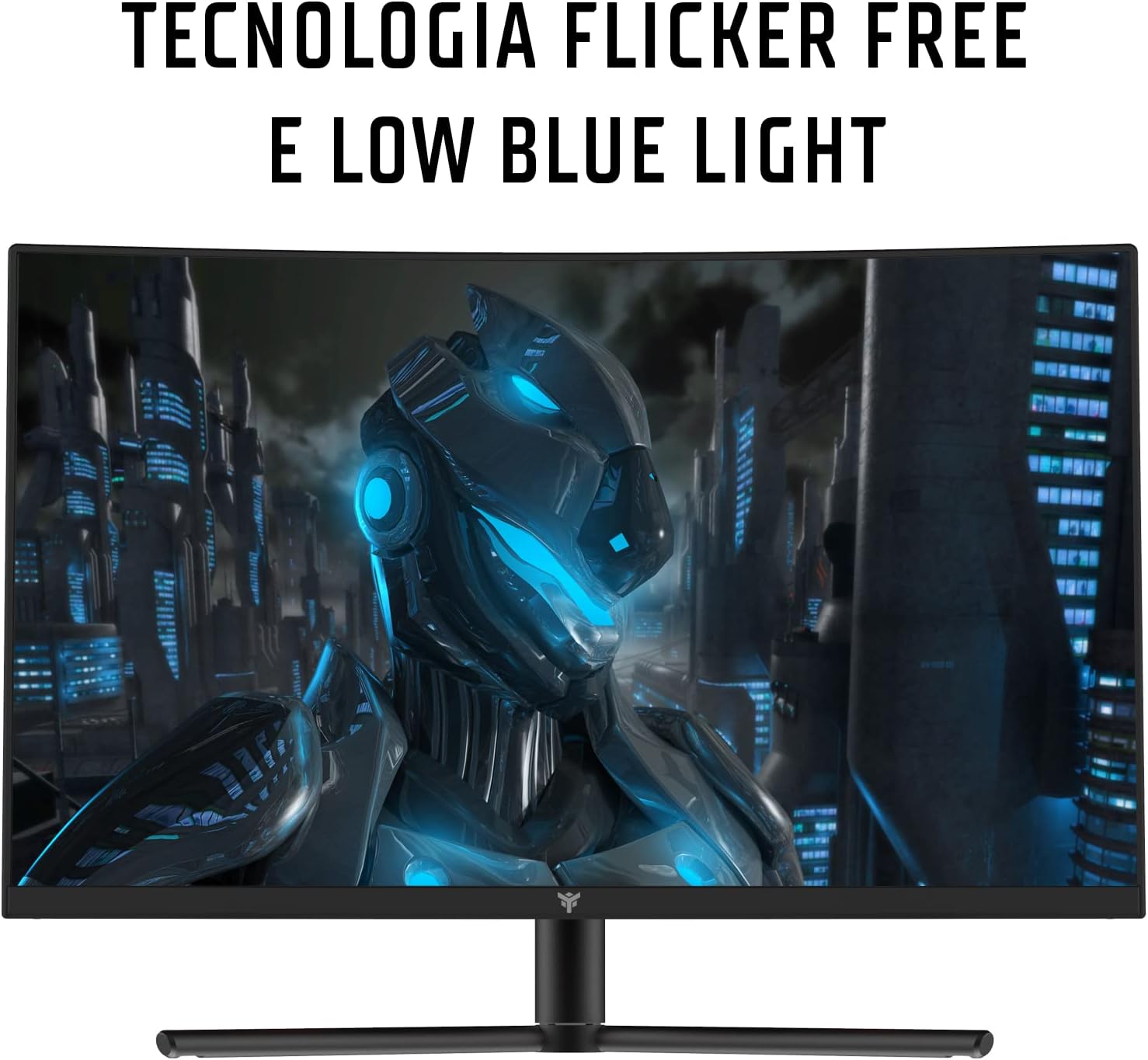
Figure 6.1: Visual representation of Flicker-Free and Low Blue Light technologies, designed to enhance user comfort and reduce eye fatigue during prolonged use.
7. Antretyen ak Swen
- Netwaye ekran an: Siye ekran an dousman avèk yon twal mou ki pa gen pousyè. Pou mak ki difisil pou retire,ampRense twal la yon ti kras avèk dlo oswa yon pwodui netwayaj ekran ki pa abrazif. Pa flite likid dirèkteman sou ekran an.
- Netwayaj C aasing: Sèvi ak yon twal mou epi sèk pou siye monitè a.asing. Evite sèvi ak detèjan fò oswa pwodui netwayaj abrazif.
- Depo: If storing the monitor for an extended period, disconnect it from power, cover it to protect from dust, and store in a cool, dry place.
NAN. Depanaj
| Pwoblèm | Kòz posib | Solisyon |
|---|---|---|
| Pa gen imaj sou ekran an |
|
|
| Imaj la twoub oswa defòme |
|
|
| Cannot achieve 165Hz refresh rate |
|
|
| Ekran chire oswa bègman |
|
|
9. Espesifikasyon
| Nimewo Modèl | ITMC24V161FHD |
| Gwosè ekran | 23.6 pous |
| Kalite Panel | VA Curved (1200R) |
| Rezolisyon | 1920 x 1080 (Full HD) |
| Aspè rapò | 16:9 |
| Rafrechisman pousantaj | 165 Hz |
| Tan repons | 1 ms (MPRT) |
| Pwopòsyon kontras | 3000:1 |
| Koneksyon | 2x HDMI, 1x DisplayPort 1.2, 1x Audio Out |
| Ergonomi | Height Adjustment (HAS), Tilt |
| Karakteristik espesyal | AMD FreeSync, Low Blue Light, Flicker-Free, Frameless Design |
| Dimansyon (L x W x H) | 21 x 53.9 x 39.8 cm |
| Pwa | 3.9 Kilogram |
| Konsomasyon pouvwa | 28 Watt |
10. Garanti ak sipò
This iTek monitor comes with a Garanti manifakti 2 zan. For warranty claims or technical support, please contact iTek customer service through their official websit la oswa magazen kote ou te achte pwodwi a. Tanpri konsève prèv acha ou pou validasyon garanti a.
Pou plis asistans, vizite iTek Brand Store.


