Entwodiksyon
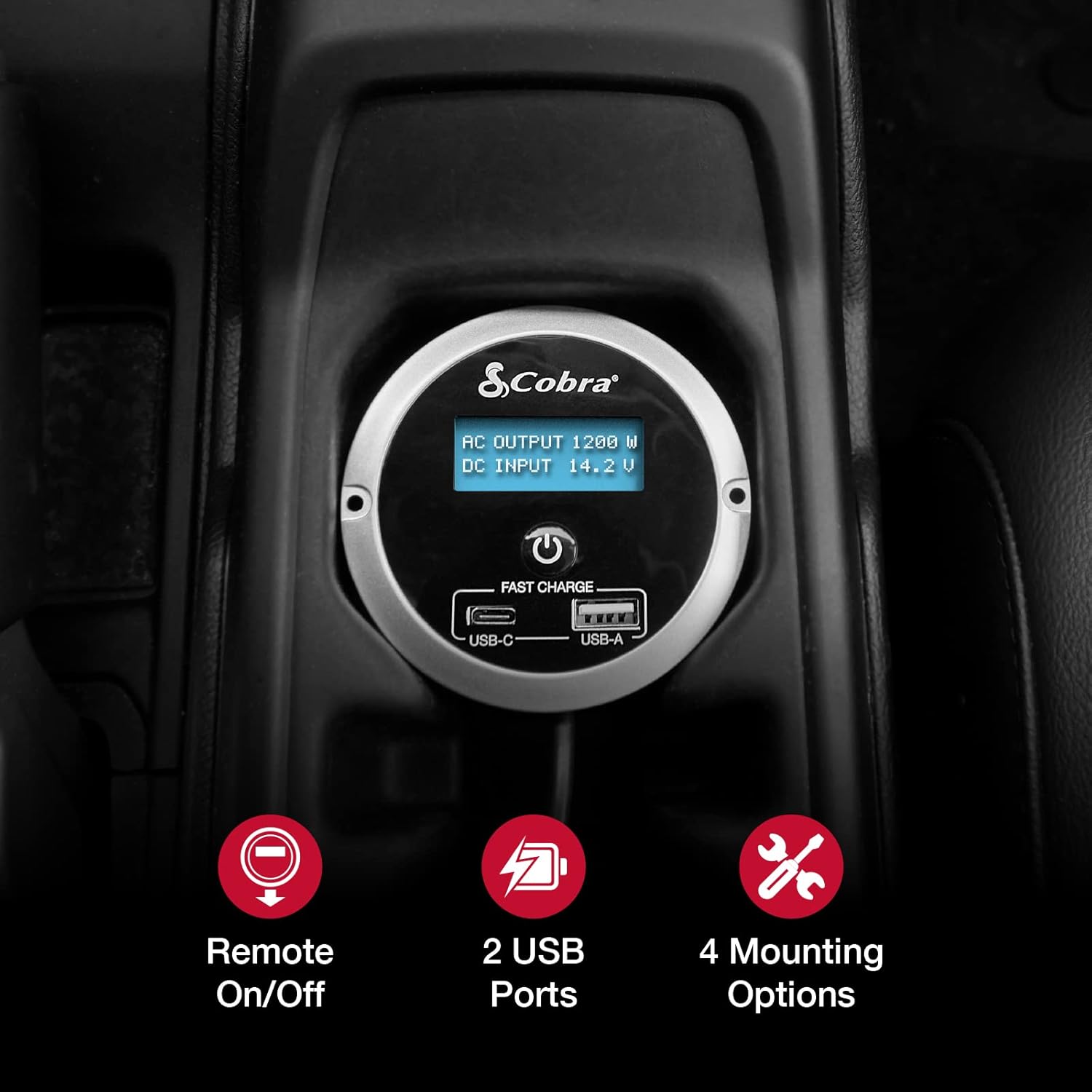
The Cobra CPIALCDG1 Remote Controller is designed to enhance the functionality and convenience of your compatible Cobra Power Inverter. This unit allows for remote power control (On/Off) and provides two USB ports for charging devices. It features a 7-color LED screen for monitoring inverter status and offers multiple mounting options for flexible installation within your vehicle.
Kontni pake
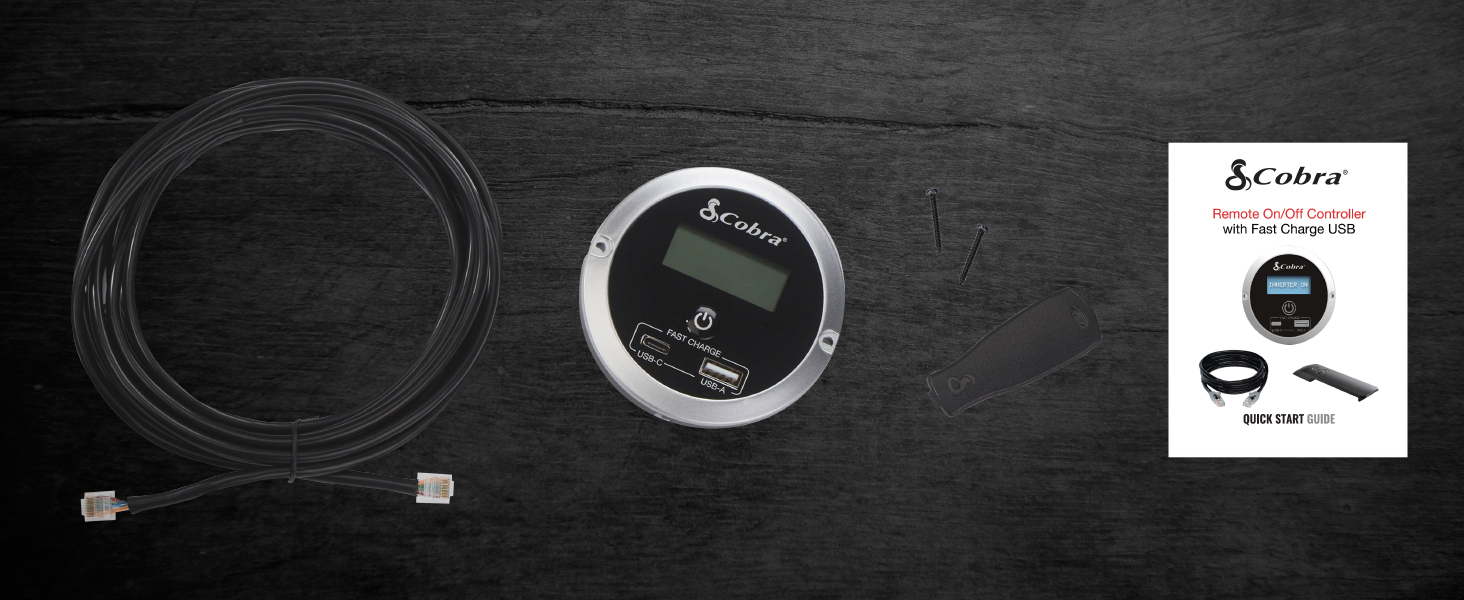
Verifye ke tout atik yo prezan nan pakè a:
- Cobra CPIALCDG1 Remote Kontwolè
- Kab koneksyon
- Montaj Vis
- Mounting Bracket (for clip mount)
- Gid Quick Start

Enstalasyon ak Enstalasyon
The CPIALCDG1 Remote Controller offers four primary mounting options to suit various vehicle interiors and user preferences:
- Flush Mounting: For a permanent, integrated installation into a dashboard or console.
- Keyhole Mount: Allows for mounting on a wall or flat surface using screws.
- Cup Holder Mounting: Provides convenient placement in a vehicle's cup holder.
- Clip Mount: For easy attachment to a seat back pocket or other suitable location.
Konekte kontwolè a Remote
- Identify the "REMOTE" port on your compatible Cobra Power Inverter.
- Connect one end of the provided connection cable to the remote port on the inverter.
- Connect the other end of the cable to the corresponding port on the back of the CPIALCDG1 Remote Controller.
- Ensure all connections are secure before operating the inverter or controller.

Enstriksyon Operasyon
Power On/Off
Once connected to a compatible Cobra Power Inverter, the remote controller allows you to turn the inverter On or Off from a convenient location within your vehicle. Press the power button on the remote controller to toggle the inverter's power state.
Ekspozisyon ekran ki ap dirije
The 7-color LED screen provides real-time information regarding your power inverter's operation:
- Batri Voltage: Montre volim aktyèl antre DC atage from your vehicle's battery.
- Konsomasyon aktyèl: Shows the AC output wattage ke aparèy ki konekte yo trase.
USB chaje pò
The remote controller is equipped with Fast Charge USB ports (USB-C and USB-A) for charging smartphones and other USB-powered devices.

Konpatibilite
This remote controller is compatible with the following Cobra Power Inverter models:
- CPI1500W
- CPI2500W
- CPI400PSW
- CPI500W
Antretyen
To ensure optimal performance and longevity of your Cobra CPIALCDG1 Remote Controller:
- Kenbe aparèy la pwòp epi san pousyè ak debri. Sèvi ak yon twal mou epi sèk pou netwaye.
- Regilyèman tcheke tout koneksyon kab asire yo an sekirite epi yo pa domaje.
- Avoid exposing the controller to extreme temperatures, direct sunlight for prolonged periods, or moisture.
Depanaj
If you experience issues with your remote controller, consider the following:
- Pa gen ekspozisyon/Pa gen kouran: Ensure the remote cable is securely connected to both the controller and the power inverter. Verify that the power inverter itself is receiving power and is turned on.
- Pò USB pa chaje: Check that the inverter is powered on. Ensure the device being charged is compatible with USB charging and that the USB cable is functional.
- Inverter Not Responding to Remote: Confirm the remote cable is fully inserted into both units. Refer to your specific Cobra Power Inverter manual for remote control setup details.
Cobra Power Inverters feature Plimtagon Protection™, which includes safeguards against:
- Tèmik fèmen
- Ranvèse polarite
- Sou-Voltage
- Low-Voltage & Alarm
These protections are designed to prevent damage to the inverter and connected devices. If an alarm sounds or the inverter shuts down, consult your inverter's manual for specific error codes and resolutions.
Espesifikasyon
| Karakteristik | Detay |
|---|---|
| Nimewo Modèl | CPIALCDG1 |
| Dimansyon pwodwi (L x W x H) | 3.35 x 3.35 x 1.46 pous |
| Pwa atik | 13.1 ons |
| Koulè | Nwa |
| Pò USB | USB-C (Fast Charge), USB-A (Fast Charge) |
| Ekspozisyon | 7-Color LED Screen (Battery Voltage, Current Consumption) |
| Opsyon Montaj | Flush, Keyhole, Cup Holder, Clip |
| Manifakti | Cobra Elektwonik |
| Dat Premye Disponib | 18 fevriye 2022 |
Enfòmasyon sou Garanti
Cobra Electronics products are typically covered by a limited warranty. For specific warranty terms, conditions, and registration information for your CPIALCDG1 Remote Controller, please refer to the warranty card included with your product or visit the official Cobra Electronics websit la. Kenbe prèv acha ou pou reklamasyon garanti.
Sipò pou Kliyan
For technical assistance, troubleshooting beyond this manual, or general inquiries, please contact Cobra Electronics customer support. Contact information can typically be found on the official Cobra Electronics websit la oubyen nan dokimantasyon ki vini ak pwodwi w la.
Websit: www.cobra.com


