1. Entwodiksyon
This manual provides detailed instructions for the installation, operation, and maintenance of your CP PLUS CP-E24A 2MP Wi-Fi PT Camera. This advanced security camera offers 1080p Full HD video recording, 360-degree pan and tilt functionality, and smart features for comprehensive home surveillance. Please read this manual thoroughly before using the product to ensure proper setup and optimal performance.

Imaj 1.1: Devan view of the CP PLUS CP-E24A 2MP Wi-Fi PT Camera.
2. Pake kontni
Verifye ke tout atik sa yo enkli nan pakè ou a:
- CP PLUS CP-E24A Camera Unit
- USB kab
- Adaptè pouvwa
- Montaj Vis
- Information Guide Booklet (User Manual)
3. Karakteristik kle
The CP PLUS CP-E24A camera is equipped with a range of features designed for effective surveillance and ease of use:
- 1080p Full HD Recording: Kaptire videyo klè ak detaye footage.
- Kouvèti 360 degre: Pan and tilt functionality allows for a complete panoramic view nan espas ou.
- Vizyon lannwit avanse: Provides clear monitoring even in low-light conditions.
- De-fason Audio: Mikwofòn ak oratè entegre pèmèt kominikasyon an tan reyèl.
- Deteksyon Mouvman ak Deteksyon Moun: Intelligent alerts for detected movement, with human detection to reduce false alarms.
- Smart Tracking: Automatically follows moving objects within its field of view.
- Depo fleksib: Supports up to 128GB Micro SD card for local storage and cloud monitoring options.
- Doub Koneksyon: Supports both 2.4GHz Wi-Fi and Ethernet connections.
- Entegrasyon kay entelijan: Compatible with Google Assistant and Amazon Alexa for voice control and integration into smart home ecosystems.

Image 3.1: Visual representation of key camera features.

Image 3.2: The camera provides 360-degree surveillance coverage.
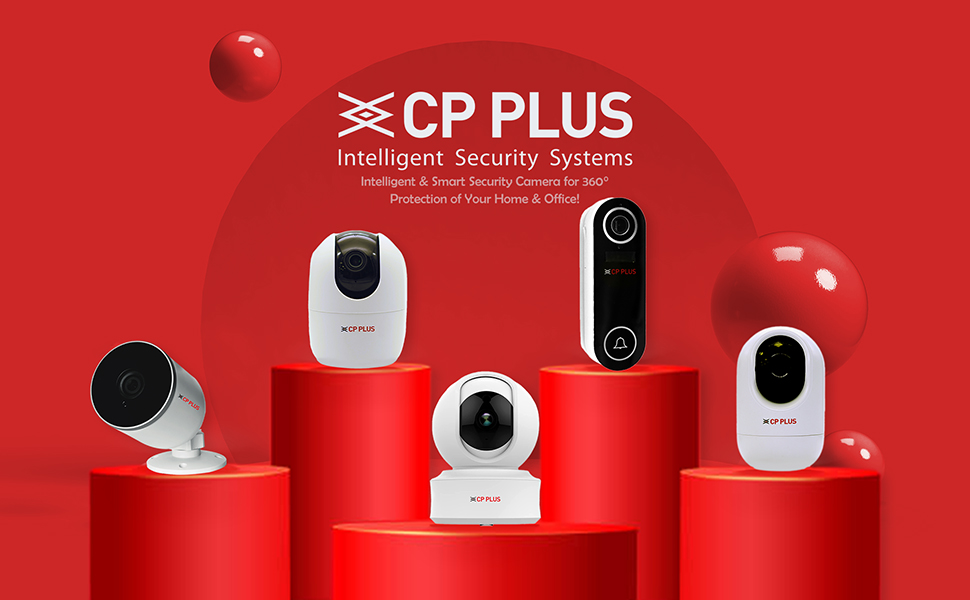
Image 3.3: AI Motion Detection in action.
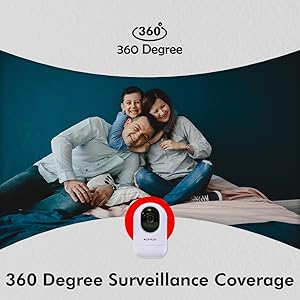
Image 3.4: Two-Way Audio communication feature.
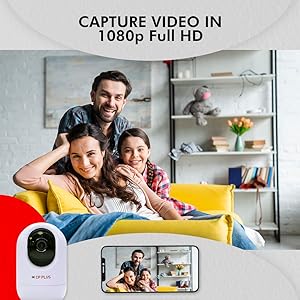
Image 3.5: Compatibility with Amazon Alexa and Google Assistant.
4. Gid Enstalasyon
Follow these steps to set up your CP PLUS CP-E24A camera:
- Pouvwa sou: Connect the camera to a power source using the provided USB cable and power adapter. The camera will power on and initiate its startup sequence.
- Telechaje App a: Download and install the "EZYKAM+" application on your smartphone from the App Store (iOS) or Google Play Store (Android).
- Kreye kont: Open the EZYKAM+ app and create a new user account or log in if you already have one.
- Ajoute Aparèy: Nan aplikasyon an, tape ikòn "+" la pou ajoute yon nouvo aparèy. Chwazi modèl kamera ou nan lis la.
- Rezo Koneksyon: Follow the in-app instructions to connect your camera to your 2.4GHz Wi-Fi network. Ensure your phone is connected to the same Wi-Fi network during setup. Alternatively, you can connect the camera via an Ethernet cable for a wired connection.
- Plasman: Position the camera in your desired surveillance area. Ensure it has a clear line of sight and is within range of your Wi-Fi signal or Ethernet connection.

Image 4.1: Connecting the CP-E24A camera with the EZYKAM+ app.
5. Operasyon Enstriksyon
5.1 Viv View ak Kontwòl Pan/Tilt
Open the EZYKAM+ app and select your camera to view transmisyon an dirèk la. Sèvi ak kontwòl ki sou ekran an pou deplase (mouvman orizontal) epi panche (mouvman vètikal) lantiy kamera a pou ajiste viewang ang.
5.2 Odyo De-fason
Tape ikòn mikwofòn nan an dirèk la view interface to speak through the camera's built-in speaker. Tap the speaker icon to listen to audio from the camera's environment.
5.3 Anrejistreman ak Lektur
The camera supports continuous recording or event-triggered recording to a Micro SD card (up to 128GB, not included) or to cloud storage (subscription may be required). Access recorded footage atravè fonksyon lekti aplikasyon an.
5.4 Deteksyon Mouvman ak Alèt
Configure motion detection sensitivity and areas within the app settings. When motion is detected, the camera can send instant alerts to your smartphone and begin recording.
5.5 Entegrasyon Kay Entelijan
Integrate your camera with Amazon Alexa or Google Assistant by following the instructions in their respective apps. This allows for voice commands to view kamera a ap transmèt enfòmasyon sou ekran entelijan konpatib yo.
6. Antretyen
- Netwayaj: Sèvi ak yon twal mou epi sèk pou netwaye lantiy kamera a ak kò a. Evite itilize pwodui chimik ki agresif oswa pwodui netwayaj abrazif.
- Mizajou mikrolojisyèl: Regularly check the EZYKAM+ app for available firmware updates to ensure optimal performance and security.
- Kondisyon anviwònman: Ensure the camera is used within its specified operating temperature and humidity ranges. This camera is designed for indoor use.
NAN. Depanaj
| Pwoblèm | Kòz posib | Solisyon |
|---|---|---|
| Kamera pa konekte ak Wi-Fi | Incorrect Wi-Fi password, 5GHz network, weak signal, router issues. | Ensure correct 2.4GHz Wi-Fi network and password. Move camera closer to router. Restart router and camera. |
| Pa gen manje videyo | Camera offline, power issue, network problem. | Check power connection. Verify network connectivity. Restart camera. |
| Deteksyon mouvman pa travay | Settings incorrect, sensitivity too low, object too far. | Adjust motion detection settings in the app. Ensure camera has a clear view. |
| Pòv bon jan kalite imaj | Dirty lens, low light, network bandwidth. | Clean the camera lens. Ensure adequate lighting. Check network speed. |
8. Espesifikasyon teknik
| Karakteristik | Detay |
|---|---|
| Nimewo Modèl | CP-E24A (V21A) |
| Rezolisyon | 2 MP, 1080p Full HD |
| Koneksyon | Wi-Fi (2.4GHz only), Ethernet |
| Depo | Kat Micro SD (jiska 128GB), Depo nan nwaj la |
| Pan / Panche | 360-degree horizontal, vertical movement |
| Odyo | Odyo de-fason (mikwofòn ak oratè entegre) |
| Vizyon lannwit | Wi |
| Karakteristik entelijan | Motion Detection, Human Detection, Smart Tracking |
| Smart Kay konpatibilite | Amazon Alexa, Google Asistan |
| Sous pouvwa | Fil elektrik |
| Dimansyon (LxWxH) | 9.6 x 9.8 x 17.4 cm |
| Pwa atik | 340 g |
| Itilizasyon Andedan kay la / Deyò | Andedan kay la |

Image 8.1: Camera dimensions.
9. Garanti ak sipò
Your CP PLUS CP-E24A camera comes with a Garanti manifakti 1 an soti nan dat acha a. Garanti sa a kouvri domaj nan materyèl ak atizan konn fè nan itilizasyon nòmal.
For technical support, warranty claims, or further assistance, please contact CP PLUS customer service. Refer to the information guide booklet included in your package for specific contact details or visit the official CP PLUS websit.
Resous sou entènèt: Pou plis sipò ak FAQ, vizite CP PLUS Store on Amazon.


