1. Entwodiksyon
Thank you for choosing the HTC True Wireless Earbuds 1. This manual provides essential information to help you set up, operate, and maintain your earbuds for optimal performance.
Kontni pake
Asire w tout atik yo prezan nan pakè w la:
- 1 Pair HTC True Wireless Earbuds
- 1 USB-C Chaje Kab
- 2 Pairs of Rubber Eartips (S/L)
- 1 Gid rapid
- 1 Kat Garanti
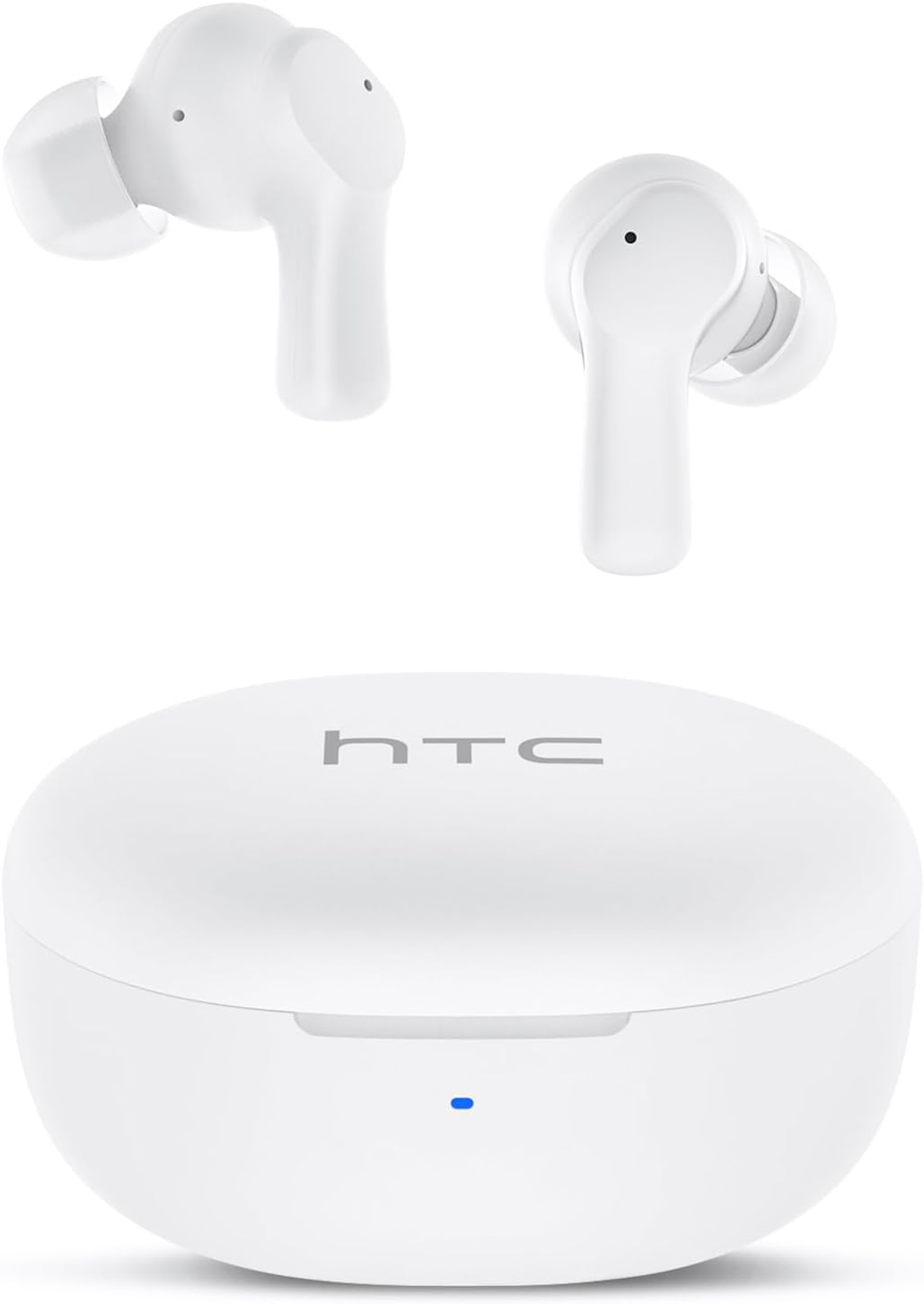
Image: HTC True Wireless Earbuds 1 and their charging case.

Image: The charging case opened, showing the two earbuds nestled inside.
2. Enstalasyon ak Koneksyon
Premye konfigirasyon
- Retire fim pwoteksyon: Before first use, remove the protective film from the charging contacts on both earbuds.
- Ekoutè Chaje: Place the earbuds back into the charging case and close the lid. Connect the charging case to a USB power source using the provided USB-C cable. Ensure the earbuds and case are fully charged before initial use.
- Pouvwa sou: Louvri kouvèti bwat chaje a. Ekoutè yo ap limen otomatikman epi antre nan mòd koneksyon.
Pè Bluetooth
The HTC True Wireless Earbuds 1 feature one-step auto-pairing after the initial setup.
- Aktive Bluetooth: Sou aparèy ou an (telefòn entelijan, tablèt, òdinatè), aktive Bluetooth.
- Chèche pou Aparèy: Nan paramèt Bluetooth aparèy ou an, chèche aparèy ki disponib yo.
- Select 'HTC TWS2': From the list of found devices, select 'HTC TWS2' to connect.
- Konfimasyon: Yon fwa konekte, w ap tande yon envit odyo, epi ekoutè yo ap pare pou itilize.
After the first successful pairing, the earbuds will automatically connect to the last paired device when taken out of the charging case, provided Bluetooth is enabled on the device.

Image: Illustration of the one-step auto-pairing process, showing earbuds connecting to a smartphone.
3. Ki jan yo Mete
For optimal sound quality and comfort, it is important to wear the earbuds correctly.
- Chwazi Bouchon Zòrèy: Select the rubber eartips (S, M, L) that best fit your ear canal. A proper seal enhances bass response and noise isolation.
- Mete ekoutè yo: Gently insert each earbud into its corresponding ear (L for left, R for right).
- Rotate to Lock: Rotate the earbud slightly forward or backward until it feels secure and comfortable in your ear canal.

Image: Diagram showing how to properly insert the earbuds and the available S/M/L silicone eartips.
4. Operating Instructions (Touch Control)
The HTC True Wireless Earbuds 1 feature intuitive touch controls on each earbud. The following actions can be performed:
| Aksyon | Kontwòl | Fonksyon |
|---|---|---|
| Lèktur Klas Mizik | Yon sèl ti tape (nan nenpòt nan ekoutè yo) | Jwe / Pòz |
| Lèktur Klas Mizik | Tape doub ekoutè gòch | Previous Song |
| Lèktur Klas Mizik | Tape doub ekoutè dwat | Next Song |
| Apèl | Yon sèl ti tape (nan nenpòt nan ekoutè yo) | Reponn / Fen Rele |
| Apèl | Long press (either earbud) | Rejte apèl |
| Asistan vwa | Tape twa fwa (nenpòt nan ekoutè yo) | Aktive Asistan Vwa a (Siri, Asistan Google, elatriye) |
| Kontwòl Volim | Long press left earbud | Volim desann |
| Kontwòl Volim | Long press right earbud | Volim leve |
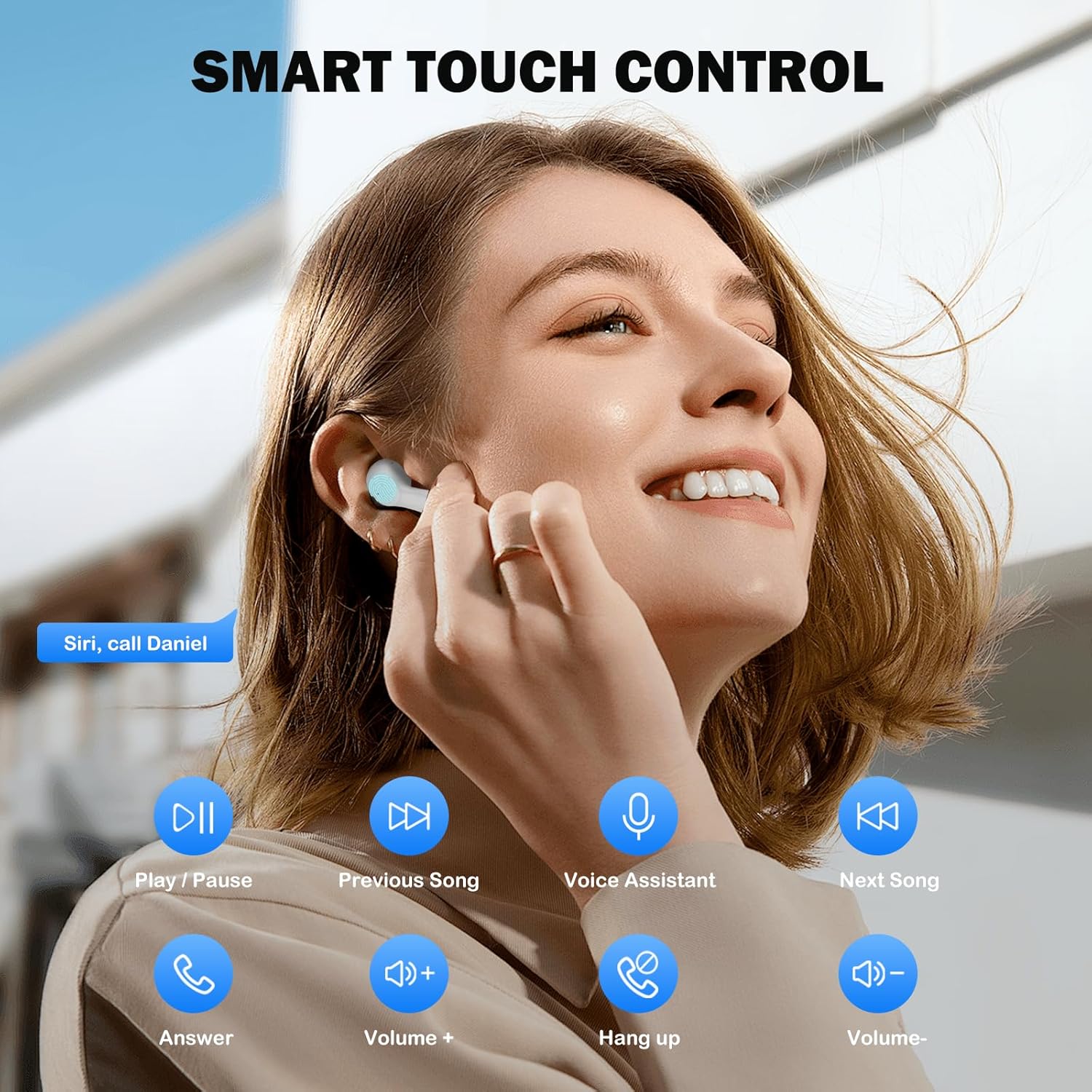
Image: Visual guide to the smart touch controls for music, calls, and voice assistant.
5. Chaje
The earbuds and charging case are powered by internal rechargeable batteries.
Chaje ekoutè yo
Place the earbuds into the charging case. They will automatically begin charging. The LED indicator on the case will show charging status.
Chaje ka a
Connect the provided USB-C cable to the charging port on the case and to a USB power adapter (not included). The LED indicator on the case will show charging progress. A full charge for the earbuds takes approximately 40 minutes.
Lavi batri
- Ekouteur: Up to 8 hours of listening time on a single charge (at 50% volume).
- Avèk ka chaje: Up to 40 hours of total playtime with multiple charges from the case.
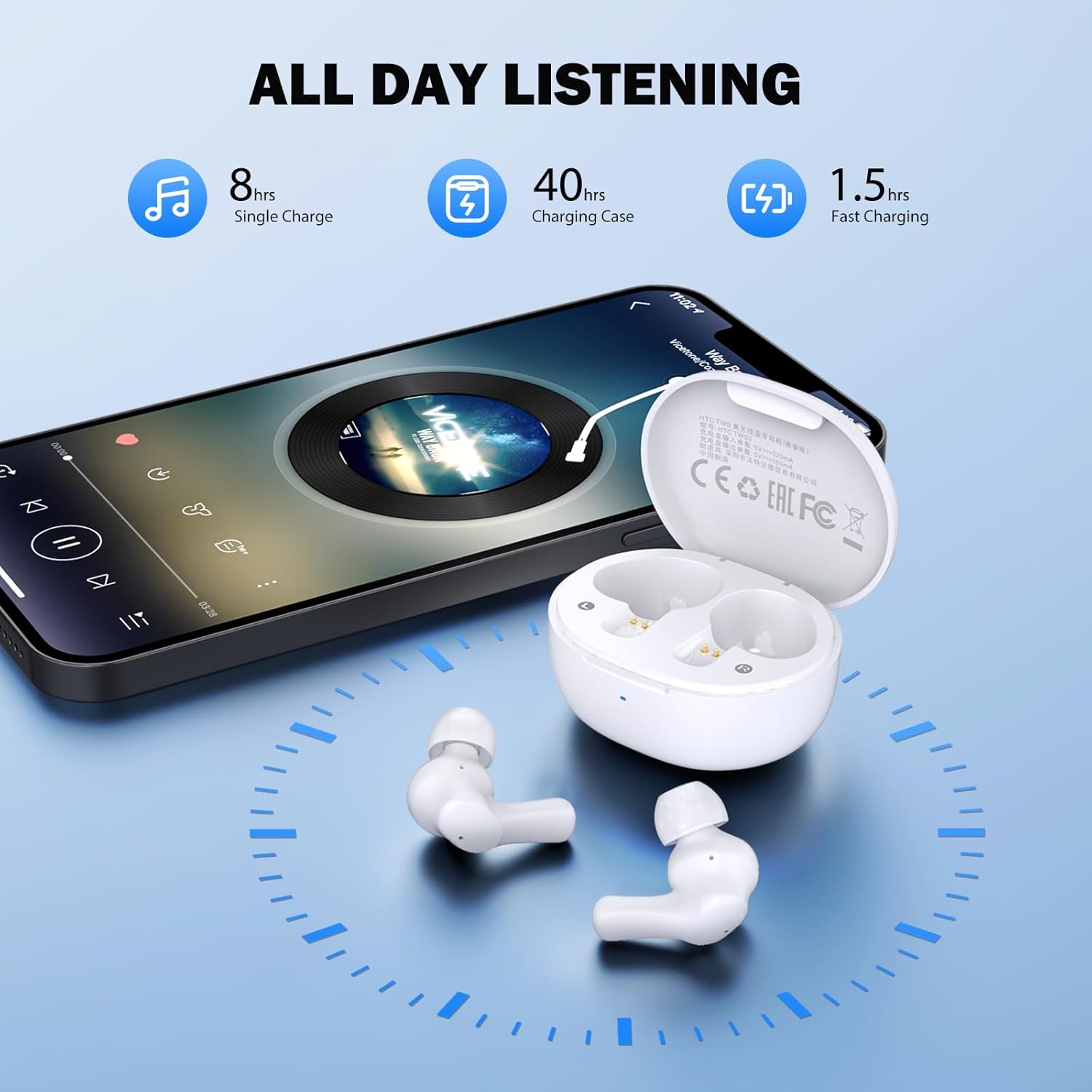
Image: Visual representation of 8 hours single charge, 40 hours with charging case, and 1.5 hours fast charging for the case.
6. Antretyen ak Swen
Proper care ensures the longevity and performance of your earbuds.
Netwayaj
- Netwaye ekoutè yo ak bwat chaje a regilyèman avèk yon twal mou, sèk, epi ki pa gen pousyè.
- Retire bout zòrèy yo epi netwaye yo avèk savon dou ak dlo, apresa seche yo byen anvan ou mete yo ankò.
- Ensure charging contacts on both earbuds and inside the case are clean and free of debris.
Rezistans dlo
Ekoutè yo klase IPX4 reziste dlo, meaning they are protected against splashing water from any direction. They are suitable for exercise and light rain, but should not be submerged in water or exposed to heavy downpours.
Depo
Lè w pa ap itilize ekoutè yo, sere yo nan bwat chaje yo pou pwoteje yo epi kenbe yo chaje.
NAN. Depanaj
Si ou rankontre pwoblèm, eseye solisyon sa yo:
- Pa gen son: Ensure earbuds are charged, connected to your device, and volume is up on both the earbuds and your device.
- Pwoblèm kouple: Asire w ke Bluetooth aktive sou aparèy ou an epi ekoutè yo an mòd koneksyon. Eseye fèmen epi aktive Bluetooth la ankò sou aparèy ou an.
- Yon ekoutè pa travay: Mete tou de ekoutè yo tounen nan bwat chaje a, fèmen kouvèti a, tann kèk segonn, epi retire yo ankò. Souvan, sa senkronize yo ankò.
- Koneksyon tanzantan: Ensure there are no obstructions between the earbuds and your device. Keep your device within the 10-meter Bluetooth range.
Reset faktori
If problems persist, a factory reset may resolve them:
- Mete tou de ekouteur nan ka chaje a.
- With the earbuds in the case, quickly tap each earbud 5 times.
- The LED on the earbuds will flash red, then turn off, indicating a successful reset.
- Close the charging case lid, then open it again to re-initiate pairing.

Image: Visual instructions for initial setup, wearing the earbuds, and performing a factory reset.
8. Espesifikasyon
| Karakteristik | Detay |
|---|---|
| Non modèl | HTC TWS2 |
| Koneksyon Teknoloji | San fil (Bluetooth 5.3) |
| Gamme Bluetooth | Jiska 10 mèt (33 pye) |
| Kalite chofè odyo | 10mm chofè dinamik |
| Gamme frekans | 20 Hz - 20,000 Hz |
| Lavi batri ekoutè | Jiska 8 èdtan (yon sèl chaj) |
| Tan total pou jwe (ak bwat) | Jiska 40 èdtan |
| Tan chaj ekoutè | Apeprè 40 minit |
| Nivo rezistans dlo | IPX4 (Sweatproof, Splash Resistant) |
| Kalite kontwòl | Kontwòl manyen |
| Mikwofòn | Built-in with Call Noise Cancellation |
| Ba Latansi | 40ms (Mòd Jwèt) |
| Earbud Pwa | Apeprè 3.8g pou chak ekoutè |
| Aparèy konpatib | Aparèy iOS, Android, Windows |

Image: Diagram illustrating the 10mm diameter loud speaker for HiFi stereo sound.

Image: Visual representation of Bluetooth 5.3 technology benefits: low consumption, faster transmission, lower latency, and built-in microphone.
9. Garanti ak sipò
Enfòmasyon sou Garanti
Your HTC True Wireless Earbuds 1 come with a warranty. Please refer to the included Warranty Card for detailed terms and conditions, including coverage period and what is covered.
Sipò pou Kliyan
For any questions, technical assistance, or warranty claims, please contact HTC customer support. Refer to the contact information provided in your Quick Guide or on the official HTC websit.


