1. Entwodiksyon
Thank you for choosing the MAXTOP T5 Smartwatch. This device is designed to help you monitor your health and fitness activities, receive notifications, and manage various daily functions. Please read this manual carefully to ensure proper use and optimal performance.

Image: The MAXTOP T5 Smartwatch in use during a run, highlighting its fitness and health tracking capabilities.
2. Pake kontni
Asire w tout atik yo prezan nan pakè a:
- MAXTOP T5 Smartwatch Head
- Gade Mare
- Mayetik kab chaje
- Manyèl itilizatè
3. Enstalasyon ak Premye Itilizasyon
3.1. Chaje mont entelijan an
Before first use, fully charge the smartwatch.
- Konekte kab chaje mayetik la ak pwen chaje yo sou dèyè mont entelijan an.
- Konekte bout USB kab la nan yon adaptè kouran USB estanda (5V/1A rekòmande) oubyen nan yon pò USB òdinatè.
- Ekran mont lan ap endike eta chaj la. Yon chaj konplè anjeneral pran apeprè 2 èdtan.
Nòt: The battery life is approximately 3 to 5 days with normal use and up to 7 days in standby mode. Actual battery life may vary based on usage.
3.2. Enstalasyon ak koneksyon aplikasyon an
To access all features and synchronize data, download and install the companion app on your smartphone.
- Scan the QR code in the manual or search for "MAXTOP" or "H BAND" in your smartphone's app store (Google Play Store for Android, Apple App Store for iOS).
- Telechaje epi enstale aplikasyon an.
- Asire w ke Bluetooth aktive sou smartphone ou.
- Open the app and follow the on-screen instructions to create an account and pair your MAXTOP T5 Smartwatch.
- During pairing, select "T5" from the list of available devices.
Konpatibilite: Requires iOS 9.0 or higher, or Android 6.0 or higher.
4. Kijan pou itilize mont entelijan an
4.1. Navigasyon debaz
- Ekran tactile: Glise agoch/adwat, monte/anba pou navige nan meni ak fonksyon yo. Tape pou chwazi.
- Bouton bò: Peze pou retounen nan ekran prensipal la oswa pou reveye aparèy la.

Image: The MAXTOP T5 Smartwatch showing its main display with time, steps, distance, and calories.
4.2. Suivi Fòm
The smartwatch tracks various fitness metrics throughout the day.
- Counter etap: Automatically records your daily steps.
- Distans: Kalkile distans ki kouvri a dapre pa ou fè yo.
- Kalori boule: Estimates calorie expenditure.

Image: A visual representation of the smartwatch's 24-hour tracking feature, showing steps, distance, and calorie data.
4.3. Mòd Espò
The smartwatch offers 10 exercise modes to track specific workouts.
- Access the "Sports" menu on the watch.
- Select your desired activity (e.g., Running, Walking, Cycling).
- The watch will record duration, distance, and calories for the selected activity.
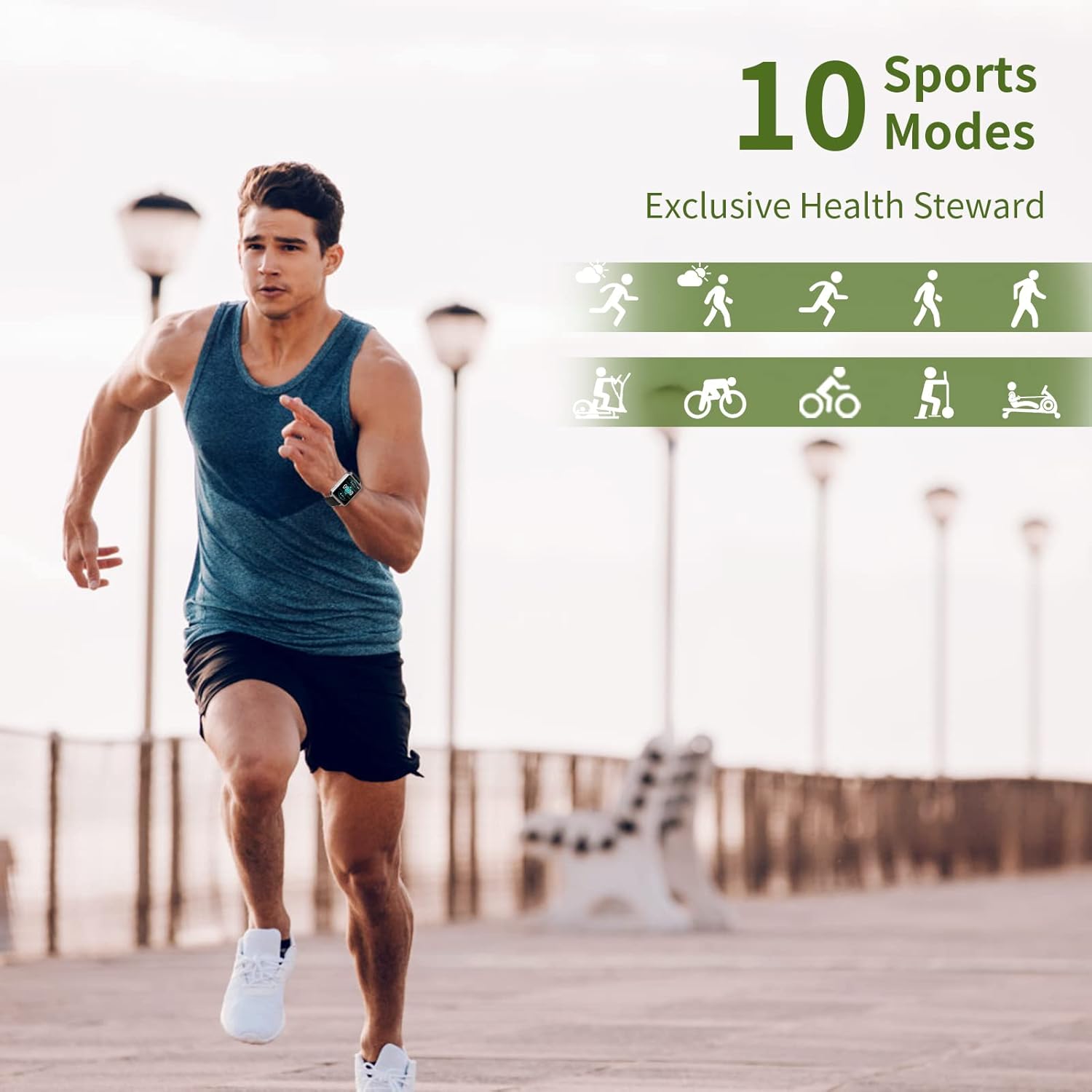
Image: A man running, with icons representing the 10 available sports modes on the MAXTOP T5 Smartwatch.

Image: A man exercising with weights, illustrating the 10 sports modes available on the smartwatch.
4.4. Siveyans Sante
The smartwatch provides continuous monitoring of key health metrics.
- Monitè batman kè: Measures your heart rate in real-time. Access this function from the watch menu or view done nan aplikasyon an.
- Monitè tansyon: Provides blood pressure readings. For medical accuracy, consult a professional medical device.
- Suivi dòmi: Monitors your sleep patterns, including deep sleep, light sleep, and awake time. View detailed analysis in the app to adjust sleep habits.
- Suivi Sik Menstruèl: Pou itilizatè fi yo, aplikasyon an ka swiv epi predi sik règ yo.

Image: A man sleeping, with the smartwatch displaying heart rate and icons indicating deep sleep, light sleep, and awake time tracking.

Image: The smartwatch screen showing sleep data, including duration and quality.

Image: The smartwatch displaying a heart rate reading.

Image: The smartwatch displaying a blood pressure reading.

Image: A woman wearing the smartwatch, with an overlay showing the menstrual period management feature.
4.5. Notifikasyon
Receive call and message notifications directly on your smartwatch when paired with your phone.
- Apèl k ap rantre: The watch will vibrate and display caller ID. You can reject calls from the watch.
- Message Alerts: Receive notifications from SMS, Facebook, WhatsApp, Twitter, Instagram, LinkedIn, etc.
Enpòtan: The smartwatch cannot answer calls or reply to messages.
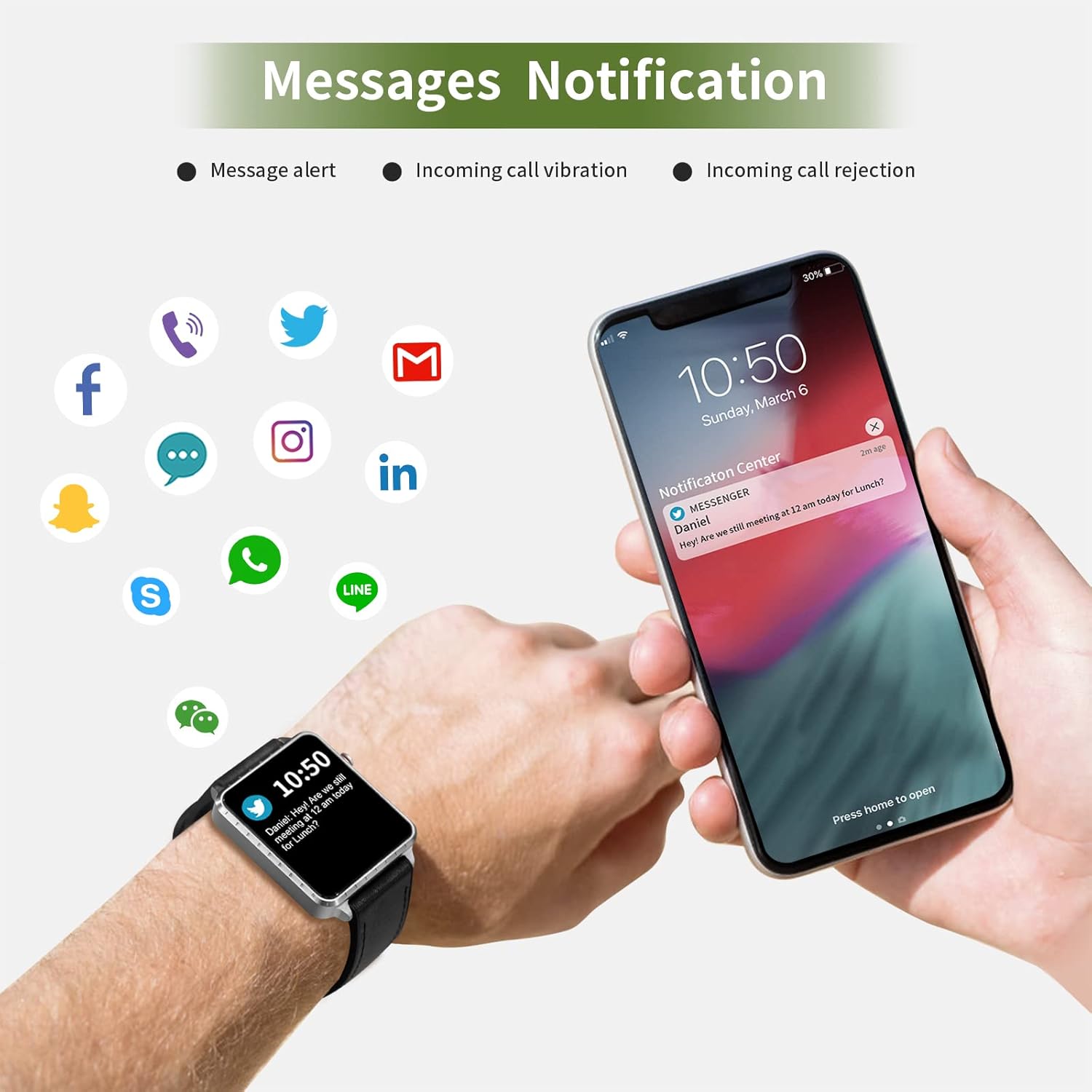
Image: The smartwatch and a smartphone displaying message notifications from social media and communication apps.

Image: The smartwatch screen showing icons for various social media and communication app notifications.
4.6. Lòt Karakteristik
- Kontwòl Mizik: Control music playback on your smartphone (play, pause, skip tracks) directly from the watch.
- Kamera Remote Control: Sèvi ak mont lan kòm yon deklanchè a distans pou kamera smartphone ou a.
- Revèy Alam: Set alarms through the app, and the watch will vibrate to alert you.
- Kronomètr/Kwonomèt: Fonksyon debaz pou mezire tan.
- Jwenn telefòn: Locate your paired smartphone by triggering an alert sound from the watch.
- Rapèl sedantèr: The app can remind you to move if you've been inactive for too long.
- Montre figi personnalisable: Choose from various watch faces via the app.

Image: The smartwatch screen showing the camera icon, indicating its remote camera control function.

Image: The smartwatch screen showing music control icons (play, pause, skip).

Image: A collage of different watch faces available for the MAXTOP T5 Smartwatch.
5. Antretyen
5.1. Waterproof Rating (IP68)
The MAXTOP T5 Smartwatch is IP68 waterproof, meaning it is dust-tight and protected against continuous immersion in water up to 1.5 meters for a maximum of 30 minutes.
- You can wear the watch while washing hands, running in the rain, or swimming in shallow water.
- PA fè sa immerse the watch in seawater, hot water, or use it in hot springs or saunas.
- Avoid exposing the watch to high-pressure water jets.
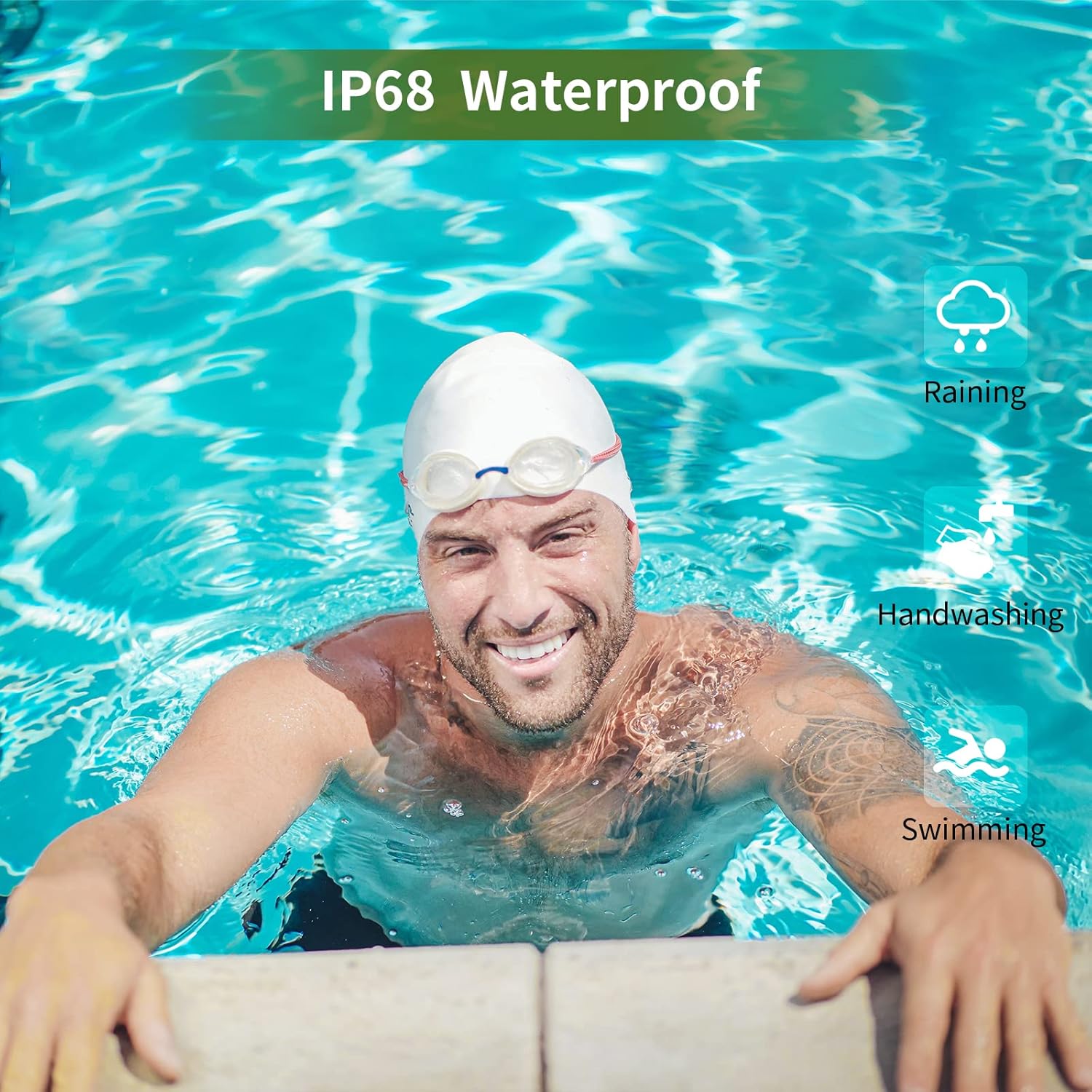
Image: A man swimming, demonstrating the IP68 waterproof capability of the MAXTOP T5 Smartwatch.

Image: The smartwatch with water droplets, visually confirming its IP68 waterproof rating.
5.2. Netwayaj
Wipe the watch and strap regularly with a soft, dry cloth. If necessary, use a slightly damp twal epi seche byen. Evite pwodui chimik ki agresif.
NAN. Depanaj
- Mont lan pa limen: Asire w ke mont lan chaje nèt. Konekte l nan plato a pou omwen 10 minit.
- Pa ka konekte ak telefòn entelijan an:
- Asire w ke Bluetooth aktive sou telefòn ou.
- Asire w ke mont lan nan yon distans Bluetooth (jeneralman 10 mèt).
- Rekòmanse tou de mont lan ak smartphone ou.
- Tcheke si aplikasyon an mete ajou ak dènye vèsyon an.
- If previously paired, try unpairing from your phone's Bluetooth settings and re-pairing through the app.
- Done sou sante ki pa egzak:
- Asire w ke mont lan byen sere sou ponyèt ou, ni twò sere ni twò lach.
- Evite twòp mouvman pandan mezi yo.
- Environmental factors can affect readings. For medical accuracy, consult a professional medical device.
- Notifikasyon ki pa resevwa:
- Check app permissions on your smartphone to ensure the app has access to notifications.
- Verify that notification settings are enabled within the MAXTOP/H BAND app.
- Asire w ke mont lan konekte via Bluetooth.
- Kout lavi batri:
- Itilizasyon souvan de fonksyon tankou siveyans kontinyèl batman kè, ekran klere, ak anpil notifikasyon ka diminye lavi batri a.
- Reduce screen brightness and notification frequency if extended battery life is desired.
7. Espesifikasyon

Image: Detailed physical dimensions of the MAXTOP T5 Smartwatch, including watch face and strap measurements.
| Karakteristik | Detay |
|---|---|
| Mak | MAXTOP |
| Modèl | T5 |
| Gwosè ekran | 1.54 pous |
| Dimansyon | 4.5 x 3.8 x 1 cm |
| Pwa | 250 g |
| Evalyasyon ki enpèmeyab | IP68 |
| Koneksyon | Bluetooth |
| Sistèm operasyon | iOS (9.0 and above), Android (6.0 and above) |
| Kalite batri | Lityòm Polymère |
| Tan pou chaje | Apeprè. 2 èdtan |
| Lavi batri (itilizasyon tipik) | 3-5 jou |
| Lavi batri (standby) | Jiska 7 jou |
| Konpozan ki enkli | Watch head, strap, magnetic charging cable, manual |
8. Garanti ak sipò
For warranty information and customer support, please refer to the warranty card included in your package or visit the official MAXTOP websit.
Limit responsabilite nou: The health monitoring features of this device are for general wellness and fitness purposes only and are not intended for medical diagnosis, treatment, or prevention of any disease. Always consult a medical professional for health-related concerns.


