Entwodiksyon
This manual provides comprehensive instructions for the setup, operation, and maintenance of your Tesla Smart Pet Feeder (Model TSL-PC-BL4). Please read this manual thoroughly before using the device to ensure proper functionality and safety for your pet.
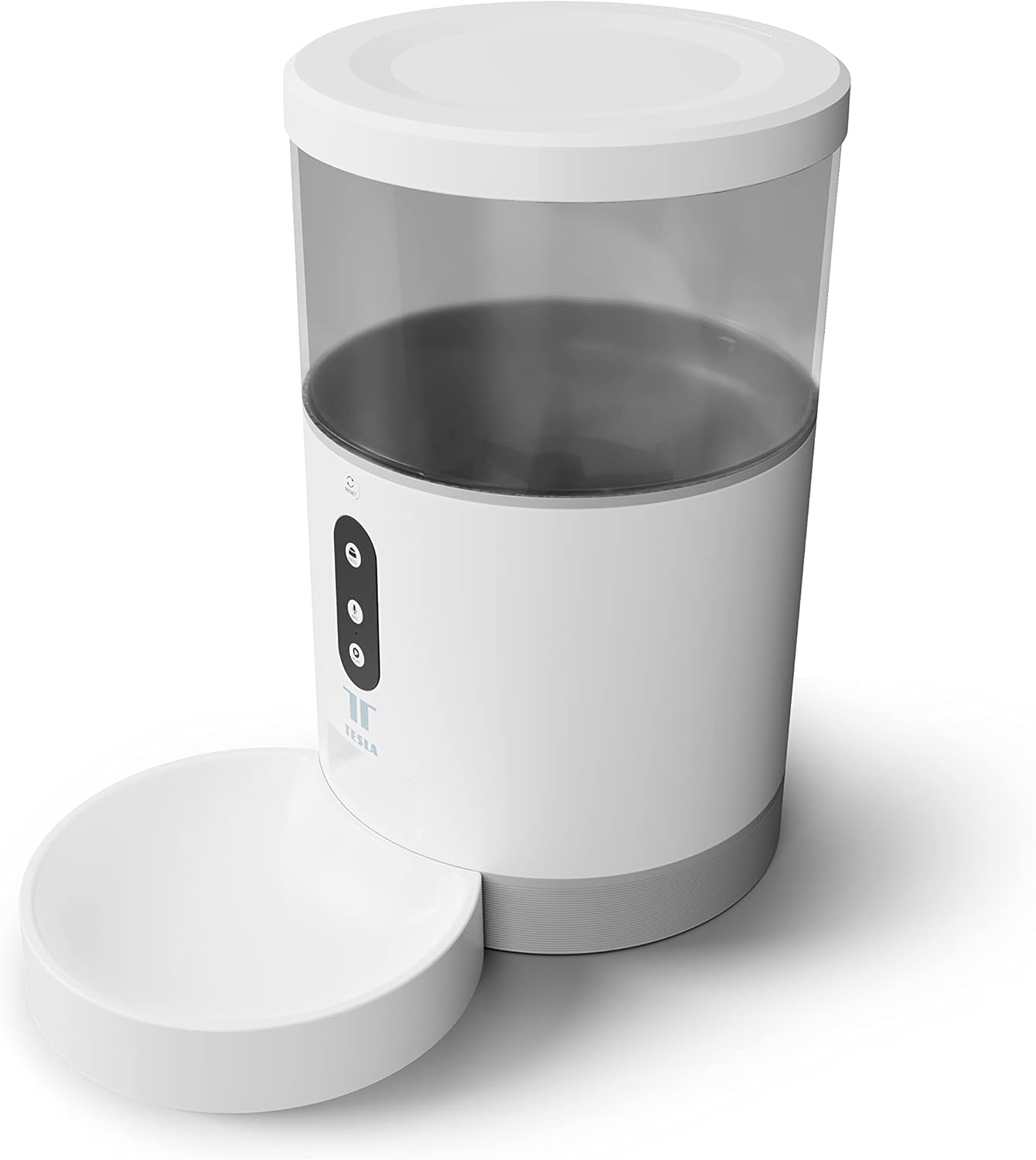
Imaj: Devan view of the Tesla Smart Pet Feeder, showing the main unit with a transparent food reservoir, control buttons, and an attached white food bowl.
Enfòmasyon enpòtan sou sekirite
Tanpri obsève prekosyon sekirite sa yo pou evite aksidan oswa domaj nan aparèy la:
- Pa plonje inite prensipal la nan dlo oswa lòt likid.
- Asire w ke manje a mete sou yon sifas ki estab e ki plat.
- Keep out of reach of small children and pets when not in use or during assembly.
- Use only dry pet food with a kibble size up to 10 mm.
- Pa eseye demonte oswa repare aparèy la tèt ou. Kontakte sipò kliyan pou asistans.
- Toujou debranche manjeur a anvan ou netwaye li.
Kontni pake
Verifye ke tout konpozan yo prezan nan pake a:
- Tesla Smart Pet Feeder Main Unit
- Bòl Manje
- Adaptè pouvwa
- Manyèl Itilizatè (dokiman sa a)
Gid Enstalasyon
1. Asanble
- Mete inite manje prensipal la sou yon sifas plat epi ki stab.
- Attach the food bowl to the designated slot at the base of the main unit. Ensure it clicks securely into place.

Imaj: Devan view of the feeder highlighting the control panel with feed, record, and play buttons.
2. Alimente Aparèy la
- AC pouvwa: Connect the power adapter to the feeder's power input port and plug it into a standard wall outlet.
- Batri rezèv (Si ou vle): For uninterrupted operation during power outages, insert three LR20 (D-cell) batteries into the battery compartment located at the bottom of the unit. Batri yo pa enkli epi yo dwe achte separeman.

Imaj: Dèyè view of the Tesla Smart Pet Feeder, showing the power input and battery compartment location.
3. Ranpli resipyan manje a
- Retire kouvèti a anlè manjeur a.
- Pour dry pet food into the transparent container. The feeder has a capacity of 4 liters. Ensure kibble size does not exceed 10 mm to prevent jamming.
- Ranplase kouvèti a byen.

Imaj: Yon gwo plan view of dry pet food kibble in the feeder's bowl, demonstrating the type of food suitable for the device.
4. App Download and Wi-Fi Connection
- Download the Tesla Smart app from the App Store (iOS) or Google Play Store (Android).
- Open the app and follow the on-screen instructions to create an account and add your Tesla Smart Pet Feeder.
- Ensure your Wi-Fi network is 2.4 GHz for successful connection.
Enstriksyon Operasyon
1. Scheduling Feeds via App
The primary method for controlling the feeder is through the Tesla Smart app. The app allows you to:
- Set feeding schedules: Define specific times for food dispensing.
- Adjust portion sizes: Control the amount of food dispensed per feeding. The feeder can dispense up to 10 portions per feeding.
- View feeding history.

Image: An orange cat resting beside the Tesla Smart Pet Feeder, illustrating the feeder in a home environment.
2. Manyèl Manje
To dispense food manually, press the "Feed" button on the feeder's control panel. Each press will dispense one portion of food.
3. Voice Recording and Playback
The feeder includes a built-in microphone and speaker, allowing you to record a short message to call your pet at feeding times.
- Dosye: Press and hold the "Record" button (microphone icon) on the control panel. Speak your message. Release the button to save.
- Jwe: Press the "Play" button (speaker icon) to play your recorded message. The message will also play automatically at scheduled feeding times.
4. Entegrasyon Kay Entelijan
The Tesla Smart Pet Feeder is compatible with Google Assistant and Amazon Alexa. You can control the feeder using voice commands after linking it through the respective smart home applications.
Antretyen ak netwayaj
Netwayaj regilye asire lonjevite ak fonksyònman ijyenik manje bèt kay ou a.
- Bòl Manje: The food bowl can be detached and washed by hand with mild soap and water. Rinse thoroughly and dry completely before reattaching.
- Kontenè Manje: The transparent food container can be wiped clean with a damp twal. Asire w ke li byen sèk anvan ou ranpli l ak manje.
- Inite Prensipal: Wipe the exterior of the main unit with a soft, dry cloth. Pa sèvi ak pwodui netwayaj abrazif oswa plonje inite prensipal la nan dlo.
- Boutik Manje: Periodically check the food outlet for any blockages or food residue and clear as necessary.
Important: Always unplug the feeder from the power source before cleaning.
Depanaj
| Pwoblèm | Kòz posib | Solisyon |
|---|---|---|
| Feeder not powering on. | No power from outlet; batteries depleted or incorrectly installed. | Check power adapter connection and wall outlet. Replace or install D-cell batteries correctly. |
| Manje pa ap distribye. | Food jammed; container empty; incorrect kibble size; feeder offline. | Check for food blockages in the outlet. Refill container. Ensure kibble is max 10mm. Check Wi-Fi connection and app status. |
| Pa ka konekte ak Wi-Fi. | Incorrect Wi-Fi password; 5GHz network; feeder too far from router. | Verify Wi-Fi password. Ensure you are connecting to a 2.4 GHz network. Move feeder closer to router. Restart feeder and router. |
| Anrejistreman vwa a pa fonksyone. | Microphone issue; recording procedure incorrect. | Ensure you are pressing and holding the record button correctly. Try restarting the feeder. |
Espesifikasyon
| Karakteristik | Detay |
|---|---|
| Nimewo Modèl | TSL-PC-BL4 |
| Dimansyon (L x W x H) | 30 x 30 x 20 cm |
| Pwa | 1.92 Kilogram |
| Materyèl | Plastik |
| Koulè | Blan |
| Kapasite | 4 lit |
| Gwosè Kibble | Jiska 10 mm |
| Sous pouvwa | AC Adapter, 3x LR20 (D-cell) batteries (not included) |
| Koneksyon | Wi-Fi (XN GHz) |
| Karakteristik espesyal | Wi-Fi and App Control, Voice Recording, Google Assistant/Amazon Alexa Compatible |
Garanti ak sipò
For warranty information, technical support, or service inquiries, please refer to the official Tesla Smart websit la oubyen kontakte depatman sèvis kliyan yo. Kenbe resi acha w la kòm prèv acha.
For the most up-to-date information and support resources, visit: www.teslasmart.com


