Entwodiksyon
Mèsi pou acha aasing the LENRUE F9 Portable Bluetooth Speaker. This manual provides essential information for setting up, operating, and maintaining your speaker to ensure optimal performance and longevity. Please read this manual thoroughly before use.

The LENRUE F9 Portable Bluetooth Speaker, designed for durability and high-quality audio in various environments.
Ki sa ki nan bwat la
Lè w ap debale, tanpri asire w ke tout bagay ki nan lis anba a yo la:
- 1 x Bluetooth Oratè
- 1 x USB-C Charge Kab
- 1 x ventouse
- 1 x Mousqueton Clip
- 1 x Gid Quick Start
Karakteristik pwodwi
- Bright Colorful Lights Show: Dynamic LED lights that synchronize with music.
- IPX7 Waterproof & Suction Cup: Fully waterproof design suitable for shower, pool, and outdoor use, with a strong suction cup for secure attachment.
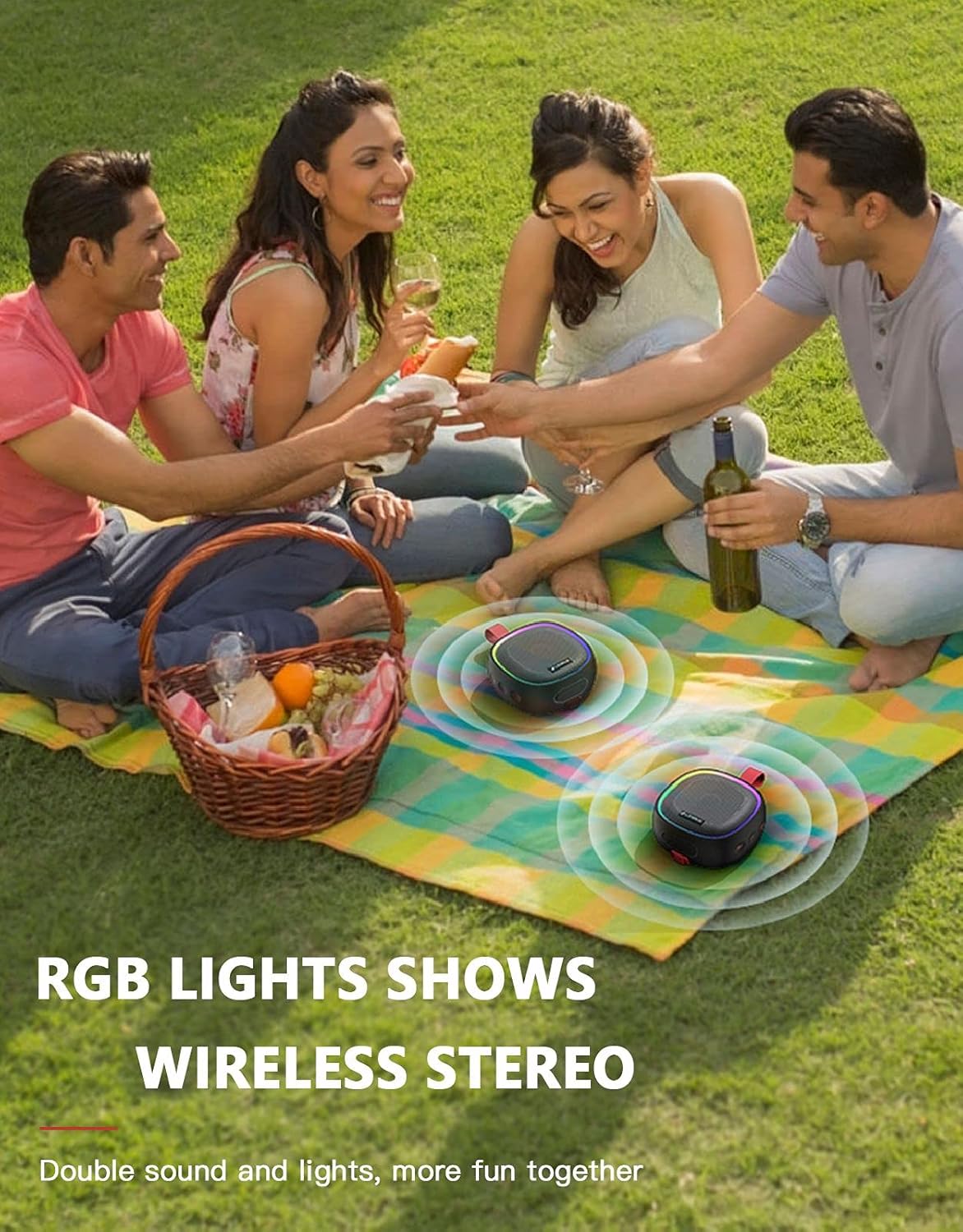
- Double Stereo Pairing (TWS): Connect two speakers for enhanced stereo sound.
- Konsepsyon pòtab: Equipped with a tough silicone tape for bike mounting and a carabiner clip for easy portability during outdoor activities.
- Multi-Play Way & Microphone: Supports seamless Bluetooth 5.0 connectivity and TF card playback. Built-in microphone for hands-free calls (Bluetooth mode only).
- Upgraded Buttons: Enhanced button design for improved durability and responsiveness.
Entèn view highlighting the upgraded components and durable button design.
Gid Enstalasyon
1. Chaje Oratè a
Before first use, fully charge the speaker. Connect the provided USB-C charge cable to the speaker's charging port and the other end to a USB power adapter (not included) or a computer's USB port. The charging indicator light will illuminate during charging and turn off when fully charged.

The USB-C charging port for convenient power input.
2. Power On/Off
Pou limen oratè a, peze epi kenbe bouton Pouvwa a (⑂) for approximately 3 seconds until you hear an audible prompt. To power off, press and hold the Power button again for 3 seconds.
3. Pè Bluetooth
- Asire w ke oratè a limen epi li nan mòd koneksyon Bluetooth (yon LED ki ap flache endike sa).
- Sou aparèy ou an (telefòn entelijan, tablèt, òdinatè pòtab), aktive Bluetooth epi chèche aparèy ki disponib yo.
- Select "LENRUE F9" from the list of devices.
- Once connected, you will hear a confirmation sound, and the LED indicator will become solid.
4. Koneksyon Vrè Stereo San Fil (TWS)
To achieve true stereo sound, you can pair two LENRUE F9 speakers together:
- Turn on both LENRUE F9 speakers. Ensure they are not connected to any other Bluetooth devices.
- On one of the speakers, press the TWS button once. The speaker will begin searching for another TWS-compatible speaker.
- After approximately 5 seconds, you will hear a "beep" twice, indicating that the TWS connection is successful. The two speakers are now paired for stereo playback.
- Now, connect your device to one of the speakers via Bluetooth as described in step 3. Audio will play through both speakers in stereo.
- To disconnect TWS pairing, double-click the power button on either speaker.

Enjoy enhanced audio with True Wireless Stereo pairing.
Enstriksyon Operasyon
Fonksyon bouton
| Bouton | Fonksyon (Peze kout) | Fonksyon (Long Press) |
|---|---|---|
| Pouvwa (⑂) | Jwe/Poz (mòd Bluetooth) | Power On/Off |
| Volim monte (+) | Ogmante Volim | Next Track |
| Volim Dawonn (-) | Diminye Volim | Previous Track |
| Light Mode (☀) | Cycle through 3 Lighting Modes and 7 Flare Colors | Limen/Etenyen Limyè |
| TWS | Inisye TWS Pairing | N/A |
Lektur kat TF
Insert a TF (microSD) card loaded with MP3 audio files into the TF card slot. The speaker will automatically switch to TF card playback mode. Use the Volume Up/Down buttons for track navigation and the Power button for play/pause.
Sèvi ak Mikwofòn la
When connected via Bluetooth, the built-in microphone allows for hands-free calling. Press the Power button once to answer an incoming call, and press it again to end the call. Press and hold the Power button to reject an incoming call.
Montaj ak Plasman
- Ventouz: Attach the provided suction cup to the back of the speaker. Press firmly onto any smooth, flat surface like bathroom tiles, glass, or boat surfaces for secure placement.
- Clip mousqueton: Use the carabiner clip with the integrated strap to hang the speaker from backpacks, tents, or other loops.
- Bike Mount: The tough silicone strap allows for secure attachment to bicycle handlebars.

The speaker securely mounted in a shower environment using the suction cup.

The speaker's portability for outdoor activities, clipped to a backpack.

The speaker attached to a bicycle for on-the-go music.
Antretyen
To ensure the longevity and optimal performance of your LENRUE F9 speaker, follow these maintenance guidelines:
- Netwayaj: Siye oratè a ak yon mou, damp twal. Pa sèvi ak pwodui chimik piman bouk oswa pwodui netwayaj abrazif.
- Ekspozisyon dlo: While the speaker is IPX7 waterproof, meaning it can be submerged in up to 1 meter of water for 30 minutes, it is recommended to dry it thoroughly after exposure to water, especially the charging port, before charging. Ensure the silicone plug for the charging port is securely closed when near water.
- Depo: Sere oratè a nan yon kote ki fre epi sèk, lwen limyè solèy dirèk ak tanperati ekstrèm.
- Swen batri: To preserve battery life, avoid fully discharging the speaker frequently. Charge it regularly, even if not in use for extended periods.

The speaker's IPX7 waterproof capability, allowing for immersion in water.
Depanaj
Si ou rankontre nenpòt pwoblèm ak oratè ou a, tanpri al gade pwoblèm ak solisyon komen sa yo:
| Pwoblèm | Kòz posib | Solisyon |
|---|---|---|
| Oratè a pa limen. | Low battery; Power button not pressed long enough; Speaker malfunction. | Charge the speaker fully. Press and hold the Power button for 3 seconds. If issue persists, contact customer support. |
| Pa ka konekte atravè Bluetooth. | Speaker not in pairing mode; Device Bluetooth off; Speaker already connected to another device; Interference. | Ensure speaker is in pairing mode (flashing LED). Turn Bluetooth off/on on your device. Disconnect from other devices. Move closer to the speaker. |
| Pa gen son oswa volim nan ba. | Volume too low on speaker or device; Speaker not connected; Corrupted audio file (TF card). | Increase volume on both speaker and device. Re-establish Bluetooth connection. Try a different audio file oswa sous. |
| Koneksyon TWS la echwe. | Speakers too far apart; One speaker already connected to a device; Incorrect TWS pairing procedure. | Ensure both speakers are close to each other and not connected to any other device. Follow TWS pairing steps precisely. |
| Oratè a pa chaje. | Faulty cable/adapter; Charging port issue; Speaker malfunction. | Try a different USB-C cable and power adapter. Ensure the charging port is clean and free of debris. If the issue persists, contact customer support. |
| Bouton yo pa reponn. | Firmware issue; Physical damage. | Try restarting the speaker. Ensure buttons are pressed firmly. If the issue persists, contact customer support. |
Espesifikasyon
| Karakteristik | Detay |
|---|---|
| Non modèl | F9 |
| Mak | LENRUE |
| Kalite Oratè | Pòtab |
| Koneksyon Teknoloji | Bluetooth 5.0 |
| Teknoloji kominikasyon san fil | Bluetooth |
| Gamme Bluetooth | 10 mèt |
| Evalyasyon ki enpèmeyab | IPX7 |
| Oratè maksimòm pwodiksyon pouvwa | 5 Watts |
| Audio Sòti Mode | Stereo |
| Lavi batri | Up to 12 hours (actual battery life may vary based on usage) |
| Tan pou chaje | Apeprè 2-3 èdtan |
| Sous pouvwa | Batri Powered (1 batri ityòm Ion enkli) |
| Metòd kontwòl | Manyen (bouton) |
| Dimansyon pwodwi | 2"D x 4"W x 5"H |
| Pwa atik | 0.4 kilogram (14 ons) |
| Konpozan ki enkli | 1 x Bluetooth Speaker, USB-C Charge Cable, Suction Cup, Carabiner Clip, Quick Start Guide |
| Itilizasyon Rekòmande | Music, Pool, Outdoor, Beach |
| Aparèy konpatib | Laptop, Phones, Tablet |
Note: Battery life and charging time specifications have been adjusted to more realistic estimates based on typical portable speaker performance.
Garanti ak sipò
LENRUE is committed to providing high-quality products and excellent customer service.
- Sèvis Garanti: This product comes with a 2-Year Warranty Service from the date of purchase. This warranty covers manufacturing defects and workmanship.
- Retounen gratis: Enjoy 60 Days Free-Return for any quality issues.
- Sipò Kliyan: For any questions, troubleshooting assistance, or warranty claims, please contact our 24-Hour Online Customer Service. We also offer lifelong after-sales support and video operation guidance.
Please refer to your purchase documentation or the official LENRUE website for specific contact details and the full warranty policy.


