1. Entwodiksyon
This manual provides detailed instructions for the setup, operation, and maintenance of your Loluka Smart Watch JYAW12PROLA. Please read this manual thoroughly to ensure proper use and to maximize the functionality of your device.
1.1 Kontni pake a
Lè w ap debale, tanpri verifye si tout atik ki nan lis anba a yo la:
- 1x Loluka Smart Watch
- 1x Watch Box
- 1x Manyèl Itilizatè (dokiman sa a)
- 1x Magnetic Charging Cable
2. Enstalasyon
2.1 Chaje mont entelijan an
Before first use, fully charge your smart watch. Use the provided magnetic charging cable.
- Connect the magnetic end of the charging cable to the charging contacts on the back of the watch. Ensure a secure connection.
- Branche bout USB kab chaje a nan yon adaptè kouran USB estanda (pa enkli) oubyen nan yon pò USB òdinatè.
- Ekran mont lan ap endike eta chaj la. Yon chaj konplè anjeneral pran apeprè 2-3 èdtan.
Nòt: A full charge provides approximately 2-5 days of working time and up to 15 days of standby time, depending on usage.
2.2 Limen/Etenyen
- Pou limen: Peze epi kenbe bouton bò a jiskaske ekran an limen.
- Pou etenn: Navigate to the 'Settings' menu on the watch, then select 'Power Off' or press and hold the side button and confirm power off.
2.3 Enstalasyon Aplikasyon ak Koneksyon Aparèy
To unlock the full features of your Loluka Smart Watch, you need to install the companion application on your smartphone and pair the devices.
- Telechaje App a: Scan the QR code provided in the watch's quick start guide or search for the designated app (e.g., 'SZOS' or similar, as mentioned in some product descriptions) in your smartphone's app store (Apple App Store for iOS, Google Play Store for Android).
- Enstale epi Ouvri: Install the app and open it on your smartphone.
- Pèmèt Bluetooth: Asire w ke Bluetooth aktive sou smartphone ou.
- Pè aparèy: Within the app, navigate to the 'Device' or 'Add Device' section. The app will search for available devices. Select 'JYAW12PROLA' or the corresponding device name when it appears.
- Konfime pè: Follow the on-screen prompts on both your phone and watch to confirm the pairing.
Konpatibilite: The smart watch supports iOS 10.0 or above and Android 5.0 or above smartphones. It is not compatible with PCs, iPads, or tablets.
3. Operasyon Enstriksyon
The Loluka Smart Watch features a 1.3-inch full touch screen for navigation and interaction.
3.1 Navigasyon debaz
- Glise anlè/desann: Defile nan meni yo oswa notifikasyon yo.
- Glise agoch/dwat: Jwenn aksè a diferan widjèt oswa paramèt rapid.
- Tape: Chwazi yon atik oubyen konfime yon aksyon.
- Bouton bò: Typically used to return to the home screen or access the main menu.
3.2 Fonksyon Apèl Bluetooth
Yon fwa li konekte ak smartphone ou a, ou ka fè epi resevwa apèl dirèkteman nan mont ou a.
- Fè apèl: Access the 'Dialer' or 'Contacts' function on your watch to initiate a call.
- Resevwa apèl: Lè yon apèl rive, mont lan ap montre idantifikasyon moun kap rele a. Ou ka reponn oswa rejte apèl la dirèkteman nan ekran mont lan.
3.3 Notifikasyon Mesaj
The watch can display notifications from your smartphone, including SMS, social media alerts, and other app notifications.
- Asire w ke pèmisyon notifikasyon yo aktive pou aplikasyon konpayon an sou telefòn entelijan ou an.
- Notifications will appear on the watch screen and the watch will vibrate.
3.4 Multi-Sports Modes
The watch includes multiple built-in exercise modes to track your physical activity.
- Access the 'Sports' or 'Workout' menu on your watch.
- Select the desired exercise mode (e.g., running, walking, cycling).
- The watch will track metrics such as steps, calories burned, and distance during your workout.
3.5 Suivi dòmi
The watch monitors your sleep patterns to help you understand and improve your sleep quality.
- Wear the watch while sleeping. It will automatically detect and record different sleep stages, including deep sleep and periods of wakefulness.
- View detailed sleep data in the companion app, which provides a scientific evaluation of your sleep quality over a 7-day period.

Image: The smart watch screen showing sleep monitoring data, including sleep duration and quality metrics. A person is shown sleeping in the background.
3.6 Custom Dials
Personalize your watch face with various pre-installed dials or create custom ones.
- Long-press the watch face on the home screen to access dial options.
- Swipe left or right to browse available dials and tap to select.
- The companion app may offer additional custom dial options, allowing you to upload personal images or designs.
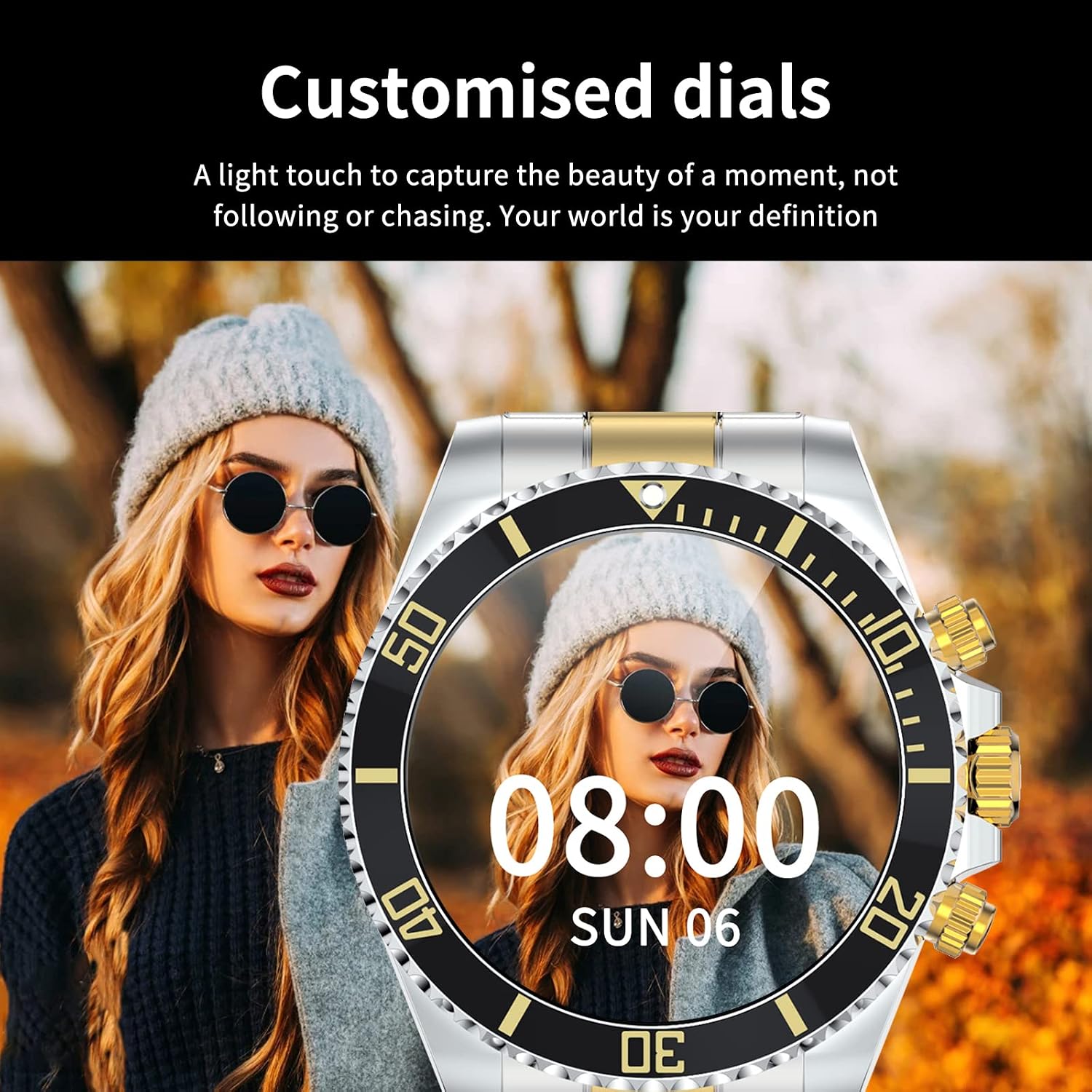
Image: A Loluka Smart Watch displaying a customized digital watch face with time and date, worn by a person.
3.7 Lòt Karakteristik
- Pedomètr: Li swiv pa, kalori boule, ak distans pandan tout jounen an.
- Alarm/Sedentary Reminder: Set alarms and receive reminders to move after periods of inactivity via the companion app.
- Kontwòl Kamera Remote: Sèvi ak mont ou kòm yon deklanchè a distans pou kamera smartphone ou a.
- Kontwòl Mizik: Control music playback on your smartphone (play, pause, skip tracks, adjust volume) directly from the watch.

Image: The smart watch displaying music control options, with a smartphone showing a music playlist in the background.
4. Antretyen
4.1 Rezistans dlo
The Loluka Smart Watch is rated IP67 waterproof.
- It can withstand splashes, hand washing, and rain.
- Enpòtan: Mont lan se PA suitable for hot water bathing, diving, swimming, or water-related work where it would be submerged for extended periods or exposed to high-pressure water.

Image: A Loluka Smart Watch partially submerged in water, with text indicating 'IP67 life waterproof' and warnings about unsuitable activities.
4.2 Netwayaj
Pou kenbe aparans ak fonksyonalite mont ou a:
- Wipe the watch and band regularly with a soft, dry, lint-free cloth.
- Si sa nesesè, sèvi ak yon ti kras damp cloth for stubborn dirt, then dry thoroughly.
- Avoid using harsh chemicals, cleaning solvents, or strong detergents, as these can damage the watch's finish and seals.
4.3 Swen Batri
- Evite dechaje batri a nèt souvan.
- Sere mont lan nan yon kote ki fre epi sèk lè w pa itilize li pou yon bon bout tan.
- Sèvi ak sèlman kab chaje yo bay la.
NAN. Depanaj
If you encounter issues with your Loluka Smart Watch, refer to the following common solutions:
- Mont lan pa limen: Asire w ke mont lan chaje nèt. Konekte l nan plato a pou omwen 30 minit.
- Pa ka konekte ak telefòn entelijan an:
- Asire w ke Bluetooth la aktive sou telefòn ou ak sou mont lan.
- Asire w ke mont lan nan zòn Bluetooth telefòn ou an.
- Rekòmanse telefòn ou ak mont lan.
- Asire w aplikasyon konpayon an mete ajou ak dènye vèsyon an.
- Bliye aparèy la nan paramèt Bluetooth telefòn ou an epi eseye konekte li ankò atravè aplikasyon an.
- Notifikasyon yo pa parèt:
- Tcheke paramèt notifikasyon aplikasyon an sou telefòn ou ak nan aplikasyon konpayon an.
- Asire w ke mont lan konekte via Bluetooth.
- Suivi aktivite ki pa egzak: Ensure the watch is worn snugly on your wrist. Calibrate the watch through the app if available.
- Kout lavi batri: Reduce screen brightness, disable unnecessary features, and ensure the watch is not constantly searching for Bluetooth connections.
Si etap sa yo pa rezoud pwoblèm ou an, tanpri kontakte sèvis kliyan.
6. Espesifikasyon
| Nimewo Modèl | JYAW12PROLA |
| Gwosè ekran | 1.3-inch full color screen |
| Rezolisyon | 240 * 240 piksèl |
| Bluetooth | Dual Bluetooth 3.0/4.0 |
| Kapasite batri | 380mAh (1 Lithium Metal battery required) |
| Kalite opere | Full ekran Touch |
| Chaje Kalite | Chaje mayetik |
| Tan chaj konplè | Apeprè. 2-3 èdtan |
| Tan travay | 2-5 jou (itilizasyon tipik) |
| Tan sibstiti | Jiska 15 jou |
| Evalyasyon ki enpèmeyab | IP67 |
| Ka Materyèl | Alyaj |
| Bann Materyèl | Nerjaveèi asye |
| Kalite agraf | Fold Clasp |
| Dyamèt ka kadran an | 46mm (1.81") |
| Epesè ka kadran an | 13mm (0.51") |
| Band Lajè | 22mm (0.86") |
| Longè Band | 230mm (9.05") |
| Lang ki sipòte | English, French, Italian, Spanish, Arabic, German, Polish, Portuguese, Malay, Czech, Turkish, Russian, Greek, Persia, Hebrew |
| OS konpatibilite | iOS 10.0+ / Android 5.0+ |
7. Garanti ak sipò
Your Loluka Smart Watch is designed for reliability and performance. While specific warranty details are not provided in this manual, we are committed to customer satisfaction.
If you have any questions, encounter issues, or require assistance with your product, please do not hesitate to contact our customer support team. We are dedicated to offering the best possible solution to you.
Tanpri gade dokiman acha ou a oswa dokiman détayan an. website for contact information and any applicable warranty terms.