Entwodiksyon
This manual provides comprehensive instructions for the safe and efficient use of your Coby True Wireless Earbuds (Model CETW535). Please read this manual thoroughly before using the product and retain it for future reference.
The Coby True Wireless Earbuds offer a seamless audio experience with Bluetooth 5.3 technology, a smart battery display, and intuitive controls for music and calls. They are designed for comfort and convenience, featuring a built-in microphone for hands-free communication.
Kontni pake
- Coby True Wireless Earbuds (Left and Right)
- Charging Case with Smart Battery Display
- USB Chaje Kab
- Manyèl Itilizatè (dokiman sa a)
Enstalasyon
1. Premye Chajman
Before first use, fully charge the earbuds and the charging case. Connect the charging case to a USB power source using the provided USB cable. The digital display on the case will indicate the charging status and battery level.

Image: The Coby True Wireless Earbuds are shown inside their open charging case, which displays "100%" on its digital screen, indicating a full charge. The earbuds are black and fit snugly into their respective slots.
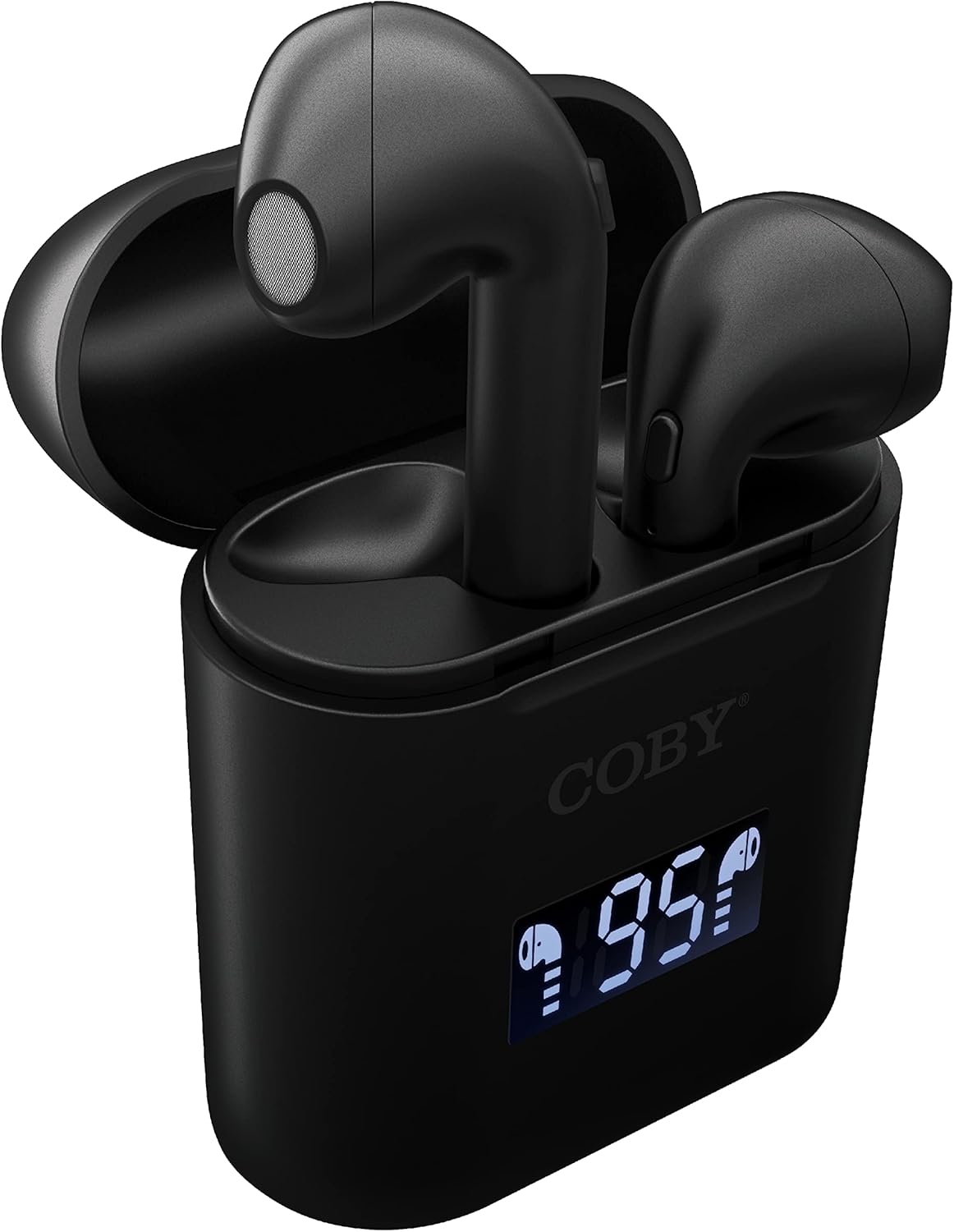
Imaj: Yon gwo plan view of the Coby True Wireless Earbuds resting in their open charging case. The case features a digital display showing "95%", indicating the current battery level of the case. The black earbuds are visible, with their microphones facing upwards.
2. Pairing ak yon Aparèy Bluetooth
- Asire w ke ekoutè yo chaje epi yo anndan bwat chaje a.
- Louvri bwat chaje a. Ekoutè yo ap limen otomatikman epi antre nan mòd koneksyon.
- Sou aparèy ou an (telefòn entelijan, tablèt, elatriye), aktive Bluetooth.
- Chèche pou "CETW535" or "Coby Earbuds" in the list of available Bluetooth devices.
- Select the device name to connect. Once connected, you will hear a confirmation tone.
- The earbuds will automatically re-pair with the last connected device when removed from the case, if Bluetooth is enabled on the device.
3. Mete ekoutè yo an plas
Gently insert each earbud into the corresponding ear (L for left, R for right). Adjust them slightly until they feel secure and comfortable. A proper fit ensures optimal sound quality and comfort.

Image: A woman is shown smiling while wearing a black Coby True Wireless Earbud in her right ear, demonstrating a comfortable and secure fit.
Enstriksyon Operasyon
Power On/Off
- Pouvwa sou: Open the charging case, or press and hold the touch control area on each earbud for 3 seconds.
- Pouvwa Off: Place the earbuds back into the charging case and close the lid, or press and hold the touch control area on each earbud for 5 seconds.
Kontwòl Mizik
The earbuds feature touch-sensitive controls for easy management of your audio playback.
- Jwe/Poz: Tape swa ekoutè yon fwa.
- Pwochen Track: Tape doub ekoutè dwat la.
- Track Previous: Tape doub ekoutè gòch la.
- Volim moute: Tape twa fwa ekoutè dwat la.
- Volim desann: Tape twa fwa ekoutè gòch la.

Image: A man is shown wearing a Coby True Wireless Earbud in his right ear, taking a drink from a water bottle, illustrating the earbuds' use during active moments.
Rele Kontwòl
Manage your calls effortlessly with the built-in microphone and touch controls.
- Reponn/Fen Apèl: Tape swa ekoutè yon fwa.
- Rejte apèl: Peze epi kenbe swa ekoutè pou 2 segonn.

Image: A man is depicted wearing a Coby True Wireless Earbud in his left ear while concentrating on a laptop screen, highlighting the earbuds' suitability for work or study environments.
Vwa Asistan Aktivasyon
Activate your device's voice assistant (Siri or Google Assistant) for hands-free commands.
- Aktive Asistan Vwa: Press and hold either earbud for 3 seconds (after powering on, before powering off gesture).
Intelligent Digital Battery Display
The charging case features a digital display that shows the remaining battery percentage of the case and individual charging status of the earbuds.
- The large number indicates the charging case's battery percentage.
- Small icons next to the percentage indicate the charging status of the left and right earbuds.

Image: The Coby True Wireless Earbuds are shown in their open charging case, with the digital display indicating "95%" battery life for the case. The black earbuds are visible, ready for use or charging.
Antretyen
- Netwayaj: Sèvi ak yon twal mou, sèk, ki pa gen pousyè pou netwaye ekoutè yo ak bwat chaje a. Pa sèvi ak pwodui chimik ki agresif oswa materyèl abrazif.
- Depo: Lè w pa ap itilize yo, sere ekoutè yo nan bwat chaj yo pou pwoteje yo epi kenbe yo chaje. Sere yo nan yon kote ki fre epi sèk, lwen tanperati ekstrèm.
- Chaje: To prolong battery life, avoid fully discharging the battery frequently. Charge the case and earbuds regularly, even if not in constant use.
Depanaj
| Pwoblèm | Solisyon posib |
|---|---|
| Ekoutè yo pa konekte ak aparèy la. |
|
| Se yon sèl ekoutè k ap jwe son. |
|
| Bwat chaje a pa chaje. |
|
| Move kalite son oswa dekoneksyon. |
|
Espesifikasyon
| Karakteristik | Detay |
|---|---|
| Mak | Coby |
| Non modèl | Vrè ekoutè san fil |
| Nimewo Modèl | CETW535 |
| Koneksyon Teknoloji | Bluetooth 5.3 |
| Koulè | Nwa |
| Ekoutè Playtime | Jiska 6.5 èdtan (sou yon chaj konplè) |
| Tan total pou jwe (ak bwat) | Jiska 22 èdtan |
| Mikwofòn | Bati-an |
| Sipò Asistan Vwa | Siri, Asistan Google |
| Dimansyon (L x W x H) | 0.99 x 1.85 x 2.44 pous (Bwat chaje) |
| Pwa atik | 6.1 ons |
| UPC | 643620020982 |
| Manifakti | Summit Electronics, LLC |
Garanti ak sipò
Specific warranty information for the Coby True Wireless Earbuds (Model CETW535) is not provided within this manual. For details regarding warranty coverage, terms, and conditions, please refer to the warranty card included with your product packaging or visit the official Coby websit.
For technical support or further assistance, please contact Coby customer service through the contact information provided on their official websit oswa anbalaj pwodwi a.


