Entwodiksyon
Mèsi pou acha aasing the SZELAM Digital Alarm Clock. This manual provides detailed instructions for setting up and operating your new alarm clock. Please read it thoroughly to ensure proper use and to maximize the features of your device.
Pwodwi souview
Karakteristik kle:
- Large 14cm LED Display: High-resolution display clearly shows time, date, and temperature. HD white LED digits ensure visibility from a distance.
- Klate reglabl: 6 levels of brightness (5% to 100%) to suit various lighting conditions.
- 8 Alarm Ringtones: Choose from 8 distinct alarm tones.
- Volim alam reglabl: 6 volume levels, ranging from 30 to 90 dB.
- Fonksyon Snooze: Provides an additional 9 minutes of sleep after the alarm sounds.
- Fòma 12/24 èdtan: Switch between 12-hour (AM/PM) and 24-hour time displays.
- Date and Temperature Display: Shows current date and indoor temperature.
- USB Powered with Battery Backup: Operates via USB cable; 3 AAA batteries (not included) provide memory function for settings during power outages.
Kontni pake:
- 1 x SZELAM Digital Alarm Clock
- 1 x USB Chaje Kab
- 1 x manyèl itilizatè
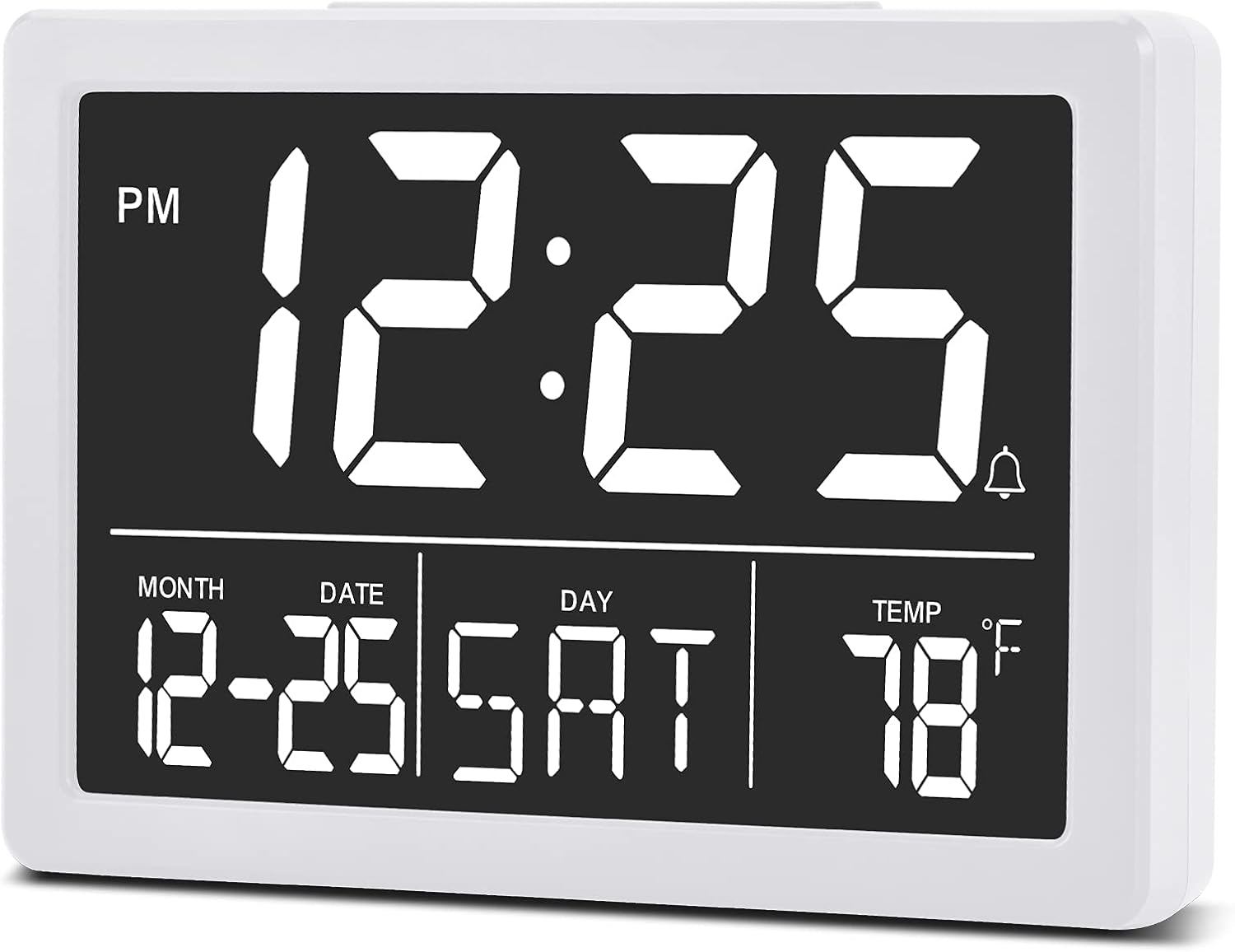
Imaj: Devan view of the SZELAM Digital Alarm Clock displaying time, date, and temperature.
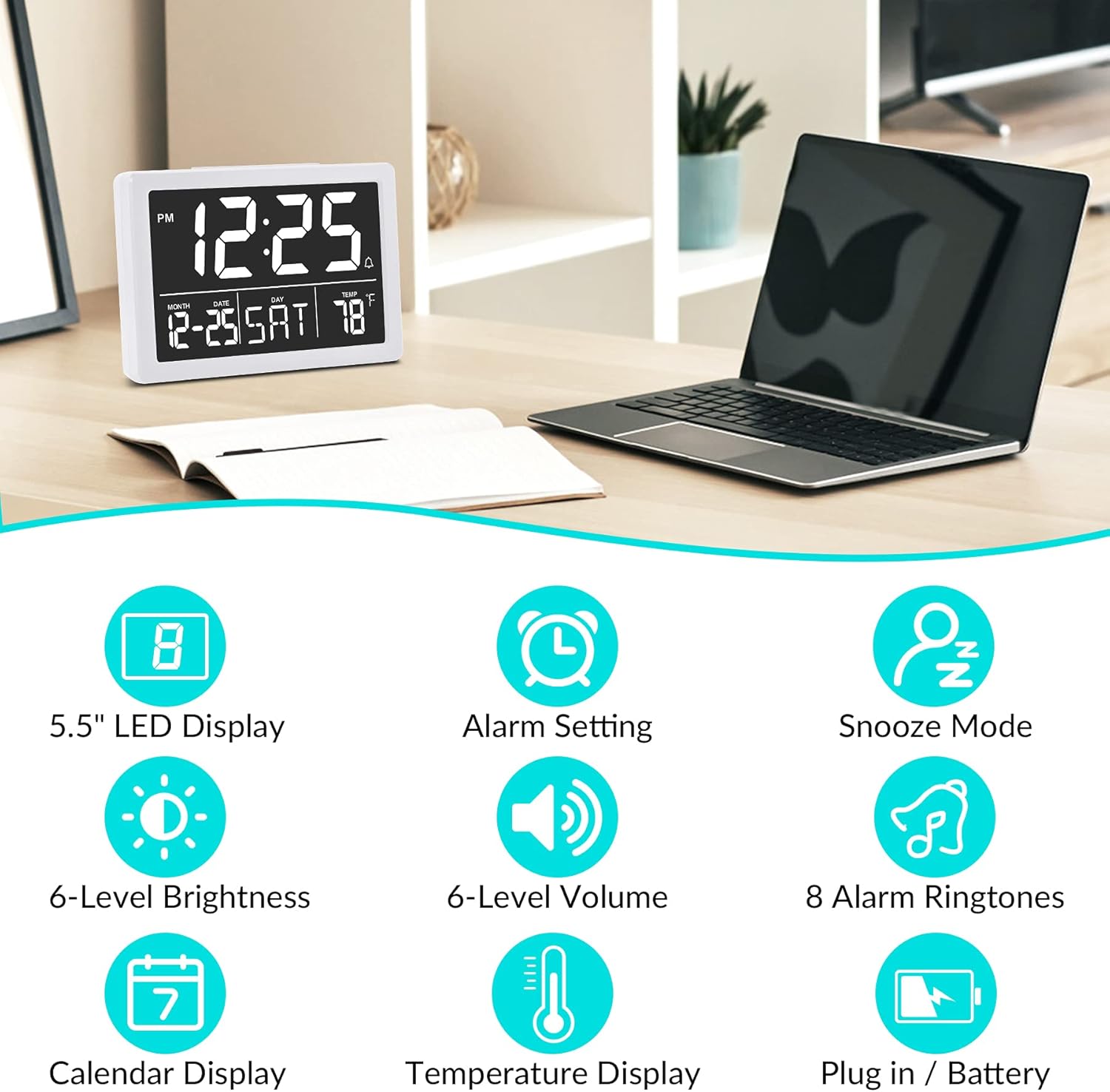
Imaj: Graphic illustrating key features: 5.5" LED Display, Alarm Setting, Snooze Mode, 6-Level Brightness, 6-Level Volume, 8 Alarm Ringtones, Calendar Display, Temperature Display, Plug in / Battery operation.
Enstalasyon
Powering the Clock:
- Konekte pouvwa USB: Insert the provided USB cable into the clock's USB port and connect the other end to a USB power adapter (not included) or a powered USB port. The clock will power on and the display will illuminate.
- Install Backup Batteries (Optional but Recommended): Open the battery compartment on the back of the clock. Insert 3 new AAA batteries (not included), ensuring correct polarity (+/-). These batteries will preserve your time and alarm settings in case of a power outage. Nòt: The clock display will not remain continuously lit when operating solely on battery power. The display will turn off after 10 seconds to conserve energy; press any button to temporarily illuminate it. For continuous display, USB power is required.

Imaj: Illustration showing the alarm clock powered by a USB cable for continuous display and a note about battery backup for memory function only.
Enstriksyon Operasyon
Refer to the back panel diagram for button locations.

Imaj: Dèyè view of the alarm clock, highlighting the USB port, 6 Levels Volume switch, Alarm/Time Setting buttons, Alarm Sounds Switch, °C/°F switch, and 12/24H switch, and 6 Levels Brightness switch.
1. Mete lè ak dat:
- Peze epi kenbe la "RANJE" button (located on the back) until the hour digits flash.
- Sèvi ak la "UP" or "ANBA" bouton pou ajiste lè a.
- Peze "RANJE" again to move to minute setting, then use "UP" or "ANBA" pou ajiste minit.
- Kontinye peze "RANJE" pou chanje paramèt ane, mwa ak jou, epi ajiste chak ak "UP" or "ANBA".
- Peze "RANJE" one last time or wait a few seconds for the settings to save automatically.
2. Switching 12/24 Hour Format:
- Jwenn la "12/24 èdtan" chanje sou dèyè revèy la.
- Slide the switch to select either 12-hour (with AM/PM indicator) or 24-hour format.
3. Mete Alam lan:
- Peze a "ALAM" button (located on the back) once. The alarm time will appear, and the hour digits will flash.
- Sèvi ak la "UP" or "ANBA" bouton pou ajiste lè alam la.
- Peze "ALAM" again to move to minute setting, then use "UP" or "ANBA" pou ajiste minit alam yo.
- Peze "ALAM" one last time or wait a few seconds to save the alarm setting.
- Pou aktive/dezaktive alam lan, peze bouton an "ALAM" button briefly. An alarm icon (bell symbol) will appear on the display when the alarm is active.
4. Ajiste Volim Alam lan:
- Jwenn la "6 Levels Volume" chanje sou dèyè revèy la.
- Slide the switch to your desired volume level (L1 to L6).

Imaj: A family enjoying the alarm clock, illustrating the 8 pleasant alarm bells feature and volume adjustment levels.
5. Selecting Alarm Ringtones:
- Jwenn la "Alarm Sounds Switch" on the back of the clock.
- Slide the switch to cycle through the 8 available alarm tones. Select your preferred tone.
6. Using the Snooze Function:
- Lè alam lan sonnen, peze gwo bouton an "DÒMI" button on the top of the clock.
- The alarm will pause for 9 minutes and then sound again.
- To turn off the alarm completely, press any other button on the back of the clock.
7. Ajiste klète ekran an:
- Jwenn la "6 Levels Brightness" chanje sou dèyè revèy la.
- Slide the switch to cycle through the 6 brightness levels (from 5% to 100%).
- The clock also features an automatic dimming function between 6 PM and 7 AM. You can adjust the brightness during these hours, and the setting will be saved for the night mode.

Imaj: A series of six alarm clock displays showing the different brightness levels from dimmest to brightest.
8. Tanperati ekspozisyon:
- The clock displays the indoor temperature by default.
- To switch between Celsius (°C) and Fahrenheit (°F), locate the "°C/°F" switch on the back of the clock and slide it to your desired unit.
Antretyen
- Netwayaj: Siye revèy la ak yon twal mou epi sèk. Pa sèvi ak pwodui netwayaj abrazif oswa solvan.
- Ranplasman batri: If using backup batteries, replace them annually or when the clock fails to retain settings during a power interruption. Ensure correct polarity when inserting new batteries.
- Depo: Si w ap sere revèy la pou yon peryòd tan pwolonje, retire pil AAA yo pou anpeche yo koule.
Depanaj
| Pwoblèm | Kòz posib | Solisyon |
|---|---|---|
| Display is off or flickering. | No USB power; loose USB connection; batteries depleted (if running on battery only). | Ensure USB cable is securely connected to a working power source. If using batteries, replace them. Remember, continuous display requires USB power. |
| Clock does not keep correct time. | Incorrect time setting; backup batteries depleted or not installed. | Re-set the time following the "Setting Time and Date" instructions. Ensure fresh AAA batteries are installed for backup. |
| Alam lan pa sonnen. | Alam lan pa aktive; volim alam lan twò ba; lè alam lan pa kòrèk. | Verify the alarm icon is visible on the display. Adjust alarm volume using the switch. Check and re-set the alarm time. |
| Fonksyon repetisyon an pa mache. | Snooze button not pressed correctly. | Ensure you press the large "SNOOZE" button on top when the alarm sounds. Pressing other buttons will turn off the alarm. |
| Ekran an twò klere oswa twò fèb. | Nivo klète a bezwen ajisteman. | Adjust the "6 Levels Brightness" switch on the back of the clock to your preferred level. |
Espesifikasyon
| Mak: | SZELAM |
| Modèl: | Revèy Digital |
| Koulè: | Blan |
| Kalite ekspozisyon: | Dijital dirije |
| Dimansyon pwodwi (L x W x H): | 13.31 x 3.81 x 9.3 cm (5.24 x 1.5 x 3.66 pous) |
| Pwa atik: | 200 gram |
| Sous pouvwa: | USB Powered (for continuous display), 3x AAA Batteries (for memory backup only, not included) |
| Karakteristik espesyal: | Temperature Display, Alarm, Snooze, Adjustable Brightness, Adjustable Volume, 12/24H Format |

Imaj: Diagram showing the approximate visual dimensions of the SZELAM Digital Alarm Clock, including display size and overall width.
Garanti ak sipò
Your SZELAM Digital Alarm Clock comes with a 1-ane garanti apati dat acha a. Nou ofri tou yon 30-day unconditional refund/exchange policy.
If you encounter any issues or have questions regarding your product, please contact our customer support team via email. We aim to provide solutions within 24 hours.
For further assistance, please refer to the contact information provided on the product packaging or the seller's page.


