1. Entwodiksyon
Thank you for choosing the VTimes VT6532 Video Baby Monitor. This device is designed to provide a secure and reliable way to monitor your baby, offering peace of mind with its advanced features. This manual provides detailed instructions for setup, operation, and maintenance to ensure optimal performance and safety.
2. Enfòmasyon enpòtan sou sekirite
AVÈTISMAN: DANJE STRANGULASYON
- Keep the adapter cords out of reach of children. Never place the camera or cords within 3 feet (1 meter) of the crib or playpen.
- Never use extension cords with the power adapters.
- Pwodwi sa a se pa yon jwèt. Pa kite timoun yo jwe ak li.
- Pwodwi sa a fèt pou itilize andedan kay la sèlman.
- Do not place the monitor or camera near heat sources or in direct sunlight.
- Ensure proper ventilation around both units.
- Sèvi ak adaptè kouran yo bay la sèlman.
3. Pake kontni
Verifye ke tout atik yo prezan nan pakè ou a:
- Parent Unit (Monitor) with 3.2-inch LCD Screen
- Baby Unit (Kamera)
- Adaptè kouran pou inite paran an
- Adaptè kouran pou inite tibebe a
- Manyèl Itilizatè (dokiman sa a)
4. Pwodwi souview
Familiarize yourself with the components of your VTimes VT6532 Video Baby Monitor.

Image: The VTimes VT6532 Video Baby Monitor, showing the white parent unit with a 3.2-inch screen on the right and the white pan-tilt camera baby unit on the left. Both units feature the 'vtimes' logo.
4.1 Inite paran (Monitè)
- Ekran LCD 3.2-pous: Displays live video feed from the camera.
- Antèn: Pou resepsyon siyal san fil.
- Bouton Pouvwa/Meni: Turns the unit on/off and accesses the menu.
- Bouton Navigasyon (Anwo/Anba/Agoch/Dwat): Used to navigate menus and control camera pan/tilt.
- OK bouton: Konfime seleksyon yo.
- Bouton Pale: Aktive kominikasyon odyo bidireksyonèl.
- Bouton Volim: Adjusts the monitor's speaker volume.
- Bouton Zoom: Magnifies the video feed.
- Mikwofòn: Pou odyo bidireksyonèl.
- Oratè: Pou pwodiksyon odyo.
- Endikatè pouvwa: Montre estati pouvwa.
- Endikatè batri: Montre nivo batri a.
4.2 Inite ti bebe (Kamera)
- Lantiy kamera: Kaptire videyo.
- Dirije enfrawouj: For night vision.
- Mikwofòn: Picks up sounds from the baby's room.
- Oratè: For lullabies and two-way audio output.
- Capteur Tanperati: Detekte tanperati chanm.
- Pouvwa Port: Konekte ak adaptè pouvwa a.
- Pè bouton: Used for pairing with the parent unit (if needed).
5. Enstalasyon
5.1 Charging the Units
- Connect the small end of the power adapter to the Parent Unit's power port.
- Plug the other end of the adapter into a power outlet. The battery indicator will show charging status.
- Repeat for the Baby Unit. The Baby Unit must remain plugged in for continuous operation.
- Charge the Parent Unit for at least 8 hours before first use to ensure optimal battery life.
5.2 Pozisyonman Inite Tibebe a (Kamera)
- Place the Baby Unit on a flat surface in your baby's room, such as a dresser or shelf.
- Ensure the camera is at least 3 feet (1 meter) away from the crib or playpen to prevent strangulation hazards from the power cord.
- Adjust the camera angle to get a clear view of your baby. The remote pan-tilt feature allows for fine-tuning later.
- Evite mete kamera a anba limyè solèy dirèk oswa toupre sous chalè.
5.3 Limen
- Press and hold the Power/Menu button on the Parent Unit until the screen turns on.
- Ensure the Baby Unit is plugged in and powered on. The monitor should automatically connect to the camera.
- If the units do not connect, refer to the Troubleshooting section for pairing instructions.
6. Operasyon Enstriksyon
6.1 Operasyon Jeneral
- Limen/Etenyen: Press and hold the Power/Menu button.
- Ajisteman Volim: Use the Volume buttons on the Parent Unit.
- Ajisteman klète: Access through the menu settings.
6.2 Remote Pan-Tilt-Zoom
The Baby Unit camera can be remotely controlled from the Parent Unit to adjust its viewang ang.
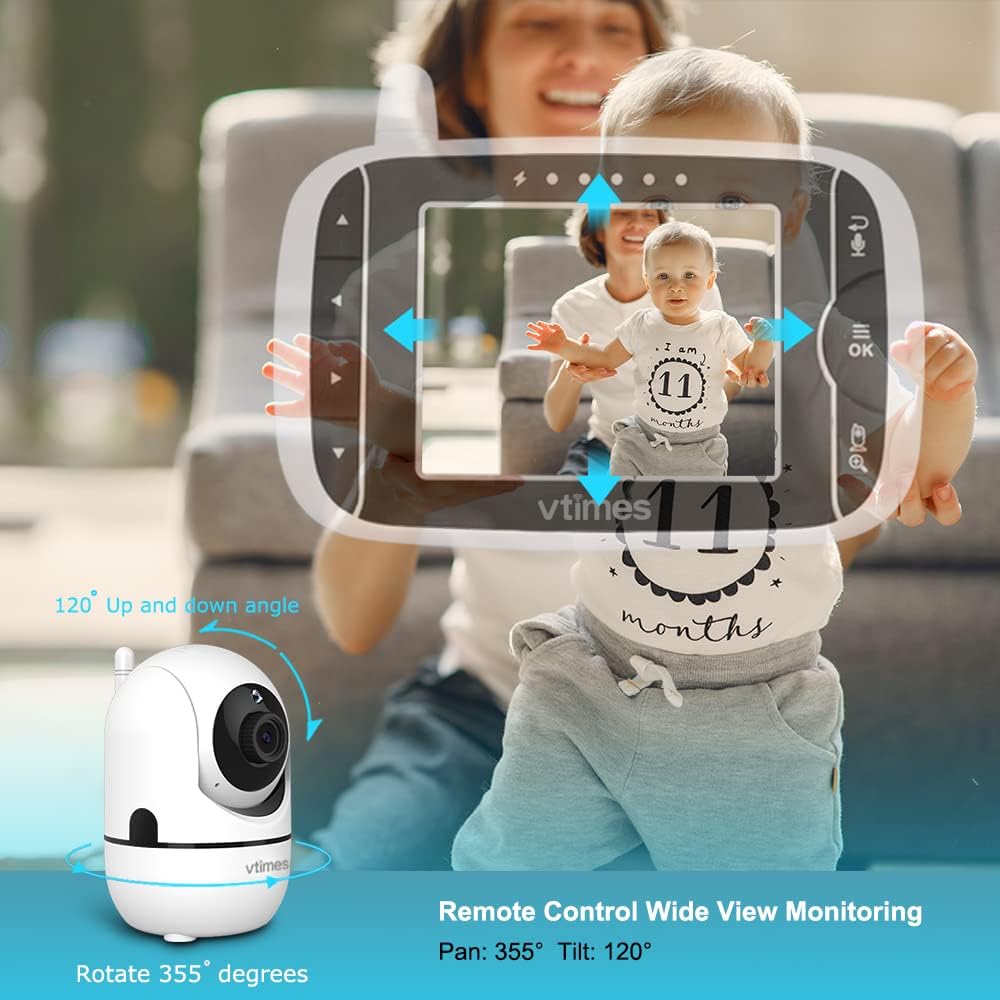
Image: A diagram illustrating the VTimes VT6532 Baby Unit's remote control capabilities, showing a 355-degree horizontal pan and 120-degree vertical tilt for comprehensive room coverage.
- Sèvi ak la Bouton Navigasyon (Up/Down/Left/Right) on the Parent Unit to pan the camera horizontally (355°) and tilt it vertically (120°).
- Peze a Bouton Zoom to digitally zoom in or out on the image for a closer view.
6.3 VOX Mode (Voice Operated Exchange)
VOX mode conserves battery power by turning off the screen when no sound is detected, and activating it when your baby makes a sound.

Image: A comparison showing the Parent Unit in VOX Mode (screen off) and Screen On Mode (screen activated) when a baby's crying is detected, illustrating the power-saving feature.
- Access the VOX settings through the Parent Unit's menu.
- Select the desired sound sensitivity level. A higher sensitivity will activate the screen with softer sounds.
- When VOX mode is active, the screen will automatically turn on and alert you when sounds above the set sensitivity are detected.
6.4 Lullabies
Soothe your baby to sleep with built-in lullabies.

Image: A baby sleeping peacefully with the VTimes VT6532 Baby Unit nearby, accompanied by icons representing lullabies and a temperature sensor, highlighting these features.
- Navigate to the Lullaby option in the Parent Unit's menu.
- Choose from 8 available lullabies to play through the Baby Unit's speaker.
6.5 Odyo De-fason
Communicate with your baby or partner in the baby's room.
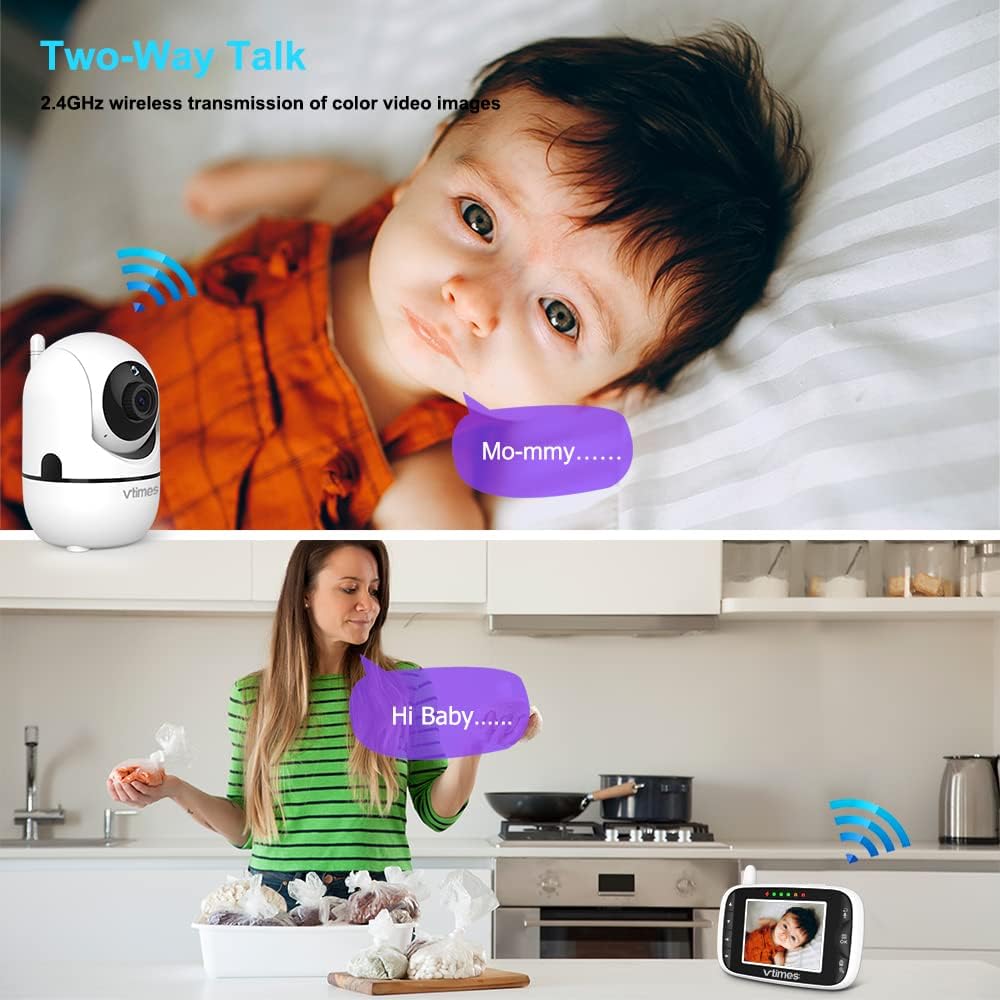
Image: A split image demonstrating the two-way talk feature. The top shows the baby unit near a baby with a speech bubble saying 'Mo-mmy...', and the bottom shows a parent with the monitor, speaking into it with a speech bubble saying 'Hi Baby....'.
- Peze epi kenbe la Bouton Pale on the Parent Unit to speak. Your voice will be transmitted through the Baby Unit's speaker.
- Lage bouton an pou tande repons tibebe w la.
6.6 Siveyans Tanperati
Monitor the temperature of your baby's room.
- Tanperati chanm aktyèl la ap parèt sou ekran Inite Paran an.
- If the temperature goes above or below the preset normal range, a red warning icon will appear on the display.
6.7 Vizyon lannwit enfrawouj
Automatically provides clear video in low-light conditions.

Image: A split image demonstrating the automatic infrared night vision. The left side shows a baby sleeping in a brightly lit room, and the right side shows the same baby in a dark room, rendered clearly in black and white by the night vision feature.
- The Baby Unit automatically detects dim light and activates its infrared LEDs.
- The video feed on the Parent Unit will switch to a clear black and white image, allowing you to see your baby even in complete darkness.
6.8 Rapèl manje
Set reminders for feeding times.

Image: A parent feeding a baby, with an overlay showing the Parent Unit screen displaying feeding reminder options (0:30, 1:00, 1:30) and a clock icon, indicating the alarm setting feature.
- Access the Feeding Reminder settings in the Parent Unit's menu.
- Set reminders for various intervals (e.g., 30 minutes, 1 hour, 1 hour 30 minutes).
6.9 Multi-Camera Expandability
Monitor multiple rooms or angles with additional cameras.

Image: A diagram showing the Parent Unit connected to four separate camera units, each monitoring a different area (a dog, an elderly person, a living room, and a child playing), illustrating the multi-camera expandability feature.
- The system supports connecting up to 4 cameras to one Parent Unit.
- Additional cameras are sold separately.
- Switch between cameras or use alternate screen mode to view different feeds.
7. Antretyen
7.1 Netwayaj
- Wipe the surfaces of the Parent Unit and Baby Unit with a soft, lint-free cloth.
- Pa sèvi ak espre netwayaj oswa pwodui netwayaj likid dirèkteman sou inite yo.
- For the camera lens, use a lens cleaning cloth to avoid scratches.
7.2 Swen Batri
- To prolong battery life, avoid fully discharging the Parent Unit's battery frequently.
- If storing the unit for an extended period, charge the battery to about 50% and store in a cool, dry place.
NAN. Depanaj
| Pwoblèm | Kòz posib | Solisyon |
|---|---|---|
| No picture/sound on Parent Unit | Units are not powered on or connected. Out of range. | Ensure both units are powered on and plugged in. Move Parent Unit closer to Baby Unit. Re-pair units if necessary (see manual for pairing steps). |
| Pòv bon jan kalite foto | Interference. Low light. | Move units away from other electronic devices. Ensure Baby Unit lens is clean. Night vision activates automatically in low light. |
| Mòd VOX la pa aktive | Sansiblite mete twò ba. | Increase VOX sensitivity in the Parent Unit's menu. |
| Batri vide byen vit | Frequent use. Old battery. | Reduce screen brightness. Use VOX mode. Ensure battery is fully charged. Consider battery replacement if unit is old. |
9. Espesifikasyon
| Karakteristik | Detay |
|---|---|
| Nimewo Modèl | VT6532 |
| Gwosè ekran | 3.2 pous |
| Teknoloji san fil | 2.4GHz FHSS |
| Rezolisyon Capture Videyo | 720p |
| Pan Ang | 355° |
| Panche Angle | 120° |
| Kalite Zoom | Zoom dijital |
| Vizyon lannwit | Infrared (Automatic) |
| De-fason odyo | Wi |
| VOX mòd | Wi |
| Lullabies | 8 melodi |
| Display Tanperati | Wi |
| Multi-Camera Support | Jiska 4 kamera |
| Sous pouvwa | Fil elektrik |
| Dimansyon pwodwi | 8.27 x 0.47 x 4 pous |
| Pwa atik | 1.23 liv |
| UPC | 190282011341 |
10. Garanti ak sipò
VTimes is committed to providing high-quality products. For any questions, technical support, or warranty inquiries, please contact VTimes customer service. While specific warranty details are not provided in this manual, VTimes aims to ensure customer satisfaction and product reliability.
Please refer to the product packaging or the official VTimes websit la pou jwenn enfòmasyon ki pi resan sou garanti a ak detay pou kontakte yo.

